What Bulbs Do Desk Lamps Use
Desk lamps most commonly use standard screw-in bulbs (E26 or E12 bases) with wattages between 40W and 100W. LED bulbs are now the dominant, recommended choice due to their supreme energy efficiency, long lifespan, and lower heat output. Always check your lamp’s label for its maximum wattage and specific base type to ensure a safe, compatible, and perfectly bright workspace.
You just bought a sleek new desk lamp, or maybe your old one finally gave out. You plug it in, flip the switch, and… darkness. Or worse, a bulb that’s too hot to touch after five minutes. The secret to a perfectly lit workspace often starts with one simple question: what bulbs do desk lamps use? It’s not just about screwing in any old bulb from the closet. The right bulb affects your eye comfort, your electricity bill, and even how long your favorite lamp lasts. Let’s shed some light on everything you need to know, from the confusing alphabet soup of bulb codes to the smart lighting revolution happening on your desk right now.
Think of your desk lamp as a tool. A dull blade makes any job harder. A poorly matched bulb can cause eye strain, glare, and shadows, turning a simple task into a headache. Whether you’re a student burning the midnight oil, a professional architect reviewing blueprints, or a casual reader, understanding bulb technology is the first step to creating a healthy, productive workspace. We’ll break it down simply, so you can walk into any store and confidently pick the perfect bulb, every single time.
Key Takeaways
- Common Bases: Desk lamps almost always use standard Edison screw bases (E26 for US, E27 for EU) or smaller candelabra bases (E12). Pin-base halogen bulbs are also common in modern designs.
- LED is King: For new purchases, LED bulbs are the best all-around choice. They use 80% less energy than old incandescents, last 15-25 times longer, and produce less heat.
- Wattage is a Guide, Not a Rule: The max wattage on your lamp label is a safety limit for heat. With LEDs, you can get far more light (lumens) from a much lower wattage bulb (e.g., a 10W LED ≈ 60W incandescent).
- Color Temperature Matters: Measured in Kelvin (K). Lower numbers (2700K-3000K) give a warm, cozy light. Higher numbers (4000K-5000K+) provide a cool, energizing white light ideal for detailed work.
- Smart Bulb Compatibility: Many modern desk lamps can use smart LED bulbs, but always confirm the base type and that the lamp’s switch is always “on” for the smart bulb to receive power for app/voice control.
- Safety First: Never exceed the lamp’s max wattage. Ensure the bulb’s physical size fits the shade/lamp housing. Allow hot halogen bulbs to cool before touching or replacing.
- Dimmability is Key for Comfort: If your lamp has a dimmer switch, you must use a bulb labeled “dimmable.” Non-dimmable LEDs will flicker or hum on a dimmer circuit.
📑 Table of Contents
- Understanding the Basics: Decoding Bulb Codes and Your Lamp’s Label
- The Main Contenders: A Breakdown of Bulb Types for Desk Lamps
- How to Choose the Perfect Bulb: It’s Not Just About Brightness
- Special Considerations: Eye Strain, Heat, and Smart Features
- Installing and Replacing Bulbs: Safety and Best Practices
- The Future on Your Desk: Trends in Task Lighting
- Conclusion: Your Perfect Light is Just a Bulb Away
Understanding the Basics: Decoding Bulb Codes and Your Lamp’s Label
Before we talk about types of light, we need to talk about fit. The most critical piece of information is the bulb base—the metal part that screws or pins into your lamp. This is non-negotiable. Using the wrong base is like trying to fit a square peg in a round hole; it simply won’t work and can be dangerous.
The All-Important Bulb Base (Socket)
The base is defined by two things: its shape and its size. The most common you’ll encounter for desk lamps are:
- E26 (Edison 26mm): This is the standard medium screw base for virtually all table lamps and fixtures in the United States and many other countries. If your lamp was made in the last 80 years and isn’t a tiny decorative lamp, it probably takes an E26.
- E12 (Candelabra 12mm): A smaller, more delicate screw base. It’s common in smaller desk lamps, vintage-style lamps, and those with intricate arms or shades where a larger bulb wouldn’t fit.
- GU10 (Bi-Pin): This is a twist-and-lock base with two small, thick pins. It’s very common in modern, adjustable arm desk lamps, especially those with halogen or LED capsules. The bulb is inserted and then twisted to lock into place.
- G4 or G9 (Bi-Pin): These are even smaller pin bases used for tiny halogen or LED capsules in very slim, contemporary lamp designs.
Pro Tip: If you’re ever unsure, the easiest way is to take the old bulb out and look at the metal base. The letters and numbers are almost always printed right on it. Alternatively, check the label on your lamp’s socket or underneath the base. It will almost certainly list the required bulb type and, crucially, the maximum wattage.
What That “Max Wattage” Label Really Means
You’ve seen it: a sticker on your lamp that says “Max 60W” or “Max 75W.” This is a safety warning, not a recommendation for the brightest bulb. It’s telling you the maximum amount of heat (wattage) the lamp’s wiring, socket, and shade can safely handle without risk of melting, fire, or damage.
This is where LED technology completely changes the game. A traditional 60-watt incandescent bulb produces about 800 lumens of light. An LED bulb that produces the same 800 lumens might only use 8-10 watts. So, if your lamp says “Max 60W,” you can safely use a 10W LED bulb that gives you the same light as a 60W incandescent, but with a fraction of the heat and energy use. You are not “overloading” the lamp because the actual power draw (wattage) is well below the limit. You are simply getting more light for less.
Never, ever ignore this label. Using a 100W incandescent bulb in a lamp rated for 60W is a genuine fire hazard. The glass socket can get hot enough to melt, and the shade material (often fabric or plastic) can scorch or ignite. With LEDs, you have much more flexibility, but you must still respect the physical limit.
The Main Contenders: A Breakdown of Bulb Types for Desk Lamps
Now for the fun part. What kind of light will actually fill your workspace? The technology has evolved dramatically. Let’s compare the main players you’ll find on store shelves.
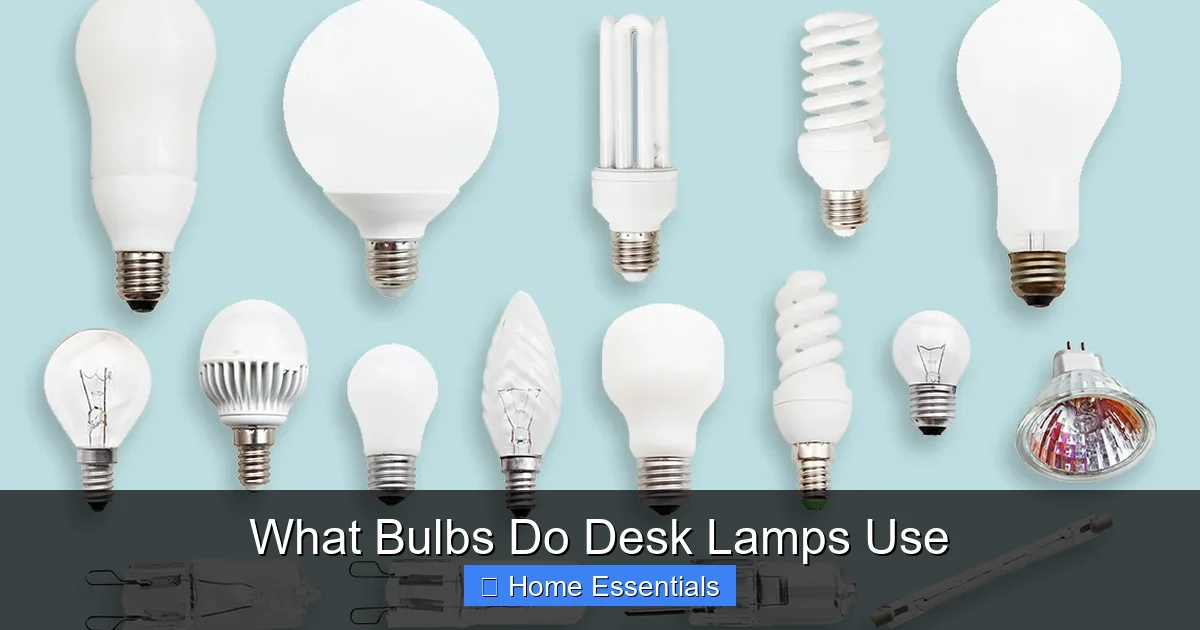
Visual guide about What Bulbs Do Desk Lamps Use
Image source: cdn.aarp.net
Incandescent: The Old Faithful (Now Largely Obsolete)
This is the classic bulb your grandparents used. It works by heating a tiny tungsten filament until it glows. It produces a beautiful, warm, continuous spectrum of light that is very flattering and has a high Color Rendering Index (CRI), meaning it shows colors very accurately.
Why you might still see it: They are cheap to buy upfront and are universally dimmable. The light quality is pleasant for low-key, relaxed reading.
Why you should avoid it for a desk lamp: They are incredibly inefficient. 90% of their energy is wasted as heat, not light. That heat can be uncomfortable and even dangerous in a confined lamp shade. They also have a very short lifespan, typically only 1,000 hours. In a task light you might use for 4-6 hours a day, that’s a bulb that needs replacing every 4-6 months. They are being phased out globally for these reasons.
Halogen: The Incandescent’s Brighter, Hotter Cousin
Halogen bulbs are a more advanced type of incandescent. They contain a halogen gas that redeposits evaporated tungsten back onto the filament, allowing it to run hotter and brighter, and last longer (about 2,000-3,000 hours). They produce a crisp, white light that is slightly cooler than standard incandescents.
Pros: Instant full brightness, excellent dimmability, good color rendering, and a more focused beam of light (often called a “halogen spotlight”). This makes them good for precision tasks like makeup application or detailed crafts.
Cons for desk use: They still run extremely hot. Touching a halogen bulb even minutes after turning it off can cause a severe burn. The heat output is significant and can make your desk area uncomfortable. They are also less efficient than LEDs. You’ll find them in many adjustable arm lamps because of their directional light.
LED (Light Emitting Diode): The Undisputed Champion
This is your answer. LED bulbs are now the standard for virtually all new lighting, including desk lamps. They create light by passing electrons through a semiconductor material. The benefits are overwhelming:
- Extreme Efficiency: An 8-10W LED replaces a 60W incandescent. You save 80%+ on electricity for that bulb.
- Massive Lifespan: Quality LEDs last 15,000 to 25,000 hours. Used 4 hours a day, that’s over 10 years of life.
- Very Low Heat: They produce very little radiant heat, making them safe to touch and keeping your workspace cooler.
- Instant On & Full Brightness: No warm-up time like some CFLs.
- Durability: No fragile filament or glass bulb to break. They are often made with plastic or shatter-resistant covers.
Modern LEDs also offer fantastic versatility. You can buy them in any color temperature (warm white to cool daylight) and, if your lamp is on a dimmer, in dimmable versions. The light quality has improved so much that high-CRI LEDs are now used by artists and designers for color-critical work.
CFL (Compact Fluorescent): The Middle Child (Rarely Recommended)
CFLs are the curly-q bulbs that were the bridge between incandescent and LED. They are more efficient than halogens but contain a small amount of mercury, requiring careful disposal. They have a slight warm-up period to reach full brightness and generally do not dim well (special dimmable CFLs exist but are rare and expensive). For a task-oriented desk lamp where you want instant, adjustable light, LEDs have made CFLs largely obsolete for this application.
How to Choose the Perfect Bulb: It’s Not Just About Brightness
You’ve confirmed your lamp takes an E26 base and has a 60W max rating. You grab an LED bulb. But which one? Brightness is more than a watt number now. Here are the real metrics to consider.

Visual guide about What Bulbs Do Desk Lamps Use
Image source: dontpinchmywallet.com
Lumens, Not Watts: Measuring Real Light Output
Watts measure energy use. Lumens measure light output. This is the most important shift in thinking. Forget “I need a 60W bulb.” Think “I need 800 lumens for general desk work.”
- 450 lumens: Soft ambient light, low-task reading.
- 800 lumens: The sweet spot for most desk tasks—writing, computer work, general reading.
- 1,100+ lumens: For detailed, precision work like drafting, electronics repair, or very large desks.
An LED bulb’s packaging will clearly state its lumen output. Match that to your need. You can always go brighter if the lamp allows, but a glaring 1,500-lumen bulb in a small desk lamp can be harsh and create glare on your screen.
Color Temperature: Setting the Mood and Your Focus
Measured in Kelvin (K), this describes the “warmth” or “coolness” of the white light.
- 2700K-3000K (Warm White): Similar to old incandescents. Cozy, relaxing, easy on the eyes in the evening. Good for casual reading but can feel too yellow for intense, analytical work.
- 3500K-4000K (Neutral/Cool White): A balanced, “natural” white light. This is the ideal range for most desk tasks. It’s alerting without being harsh, and it shows colors accurately enough for most purposes.
- 5000K-6500K (Daylight): A very cool, blue-tinged light that mimics midday sun. Excellent for tasks requiring high contrast and focus, like drafting, artwork, or working in a poorly lit room. However, it can feel clinical and harsh for long periods and may disrupt sleep if used at night.
Pro Tip: Consider a bulb with adjustable color temperature (often sold as “tunable white” or part of a smart bulb system). This lets you switch from a warm 2700K in the evening to a cool 4000K during the day, supporting your natural circadian rhythm.
Dimmability: The Secret to Perfect Light Level
If your desk lamp has a rotary knob or slider dimmer, you must buy a bulb marked “Dimmable.” Standard non-dimmable LEDs will buzz, flicker, or simply not work on a dimmer circuit. Dimmable LEDs are designed with special drivers to handle the varying electrical current.
Even with a dimmable bulb, not all dimmers are compatible. Older, expensive magnetic low-voltage (MLV) dimmers often have issues with modern LEDs. If you experience flickering, you may need to replace the dimmer switch itself with a newer electronic low-voltage (ELV) or LED-compatible dimmer. For the most reliable dimming, consider a modern smart bulb that you control via an app or voice assistant; these maintain their own consistent power draw from the always-on lamp switch.
Special Considerations: Eye Strain, Heat, and Smart Features
Your desk lamp is an ergonomic tool. The wrong bulb can undermine your comfort. Let’s cover critical nuances.
Visual guide about What Bulbs Do Desk Lamps Use
Image source: thumbs.dreamstime.com
Flicker and Eye Strain
All LEDs use a driver to convert AC power to DC. A cheap driver can cause the light to flicker at a very high frequency (often invisible to the naked eye but detectable by your brain). This can cause eye strain, headaches, and fatigue after prolonged use. Look for bulbs labeled “flicker-free” or “stroboscopic effect free.” Reputable brands will advertise this. This is a key reason to avoid the cheapest, no-name LED bulbs.
Color Rendering Index (CRI)
CRI measures how accurately a light source reveals the true colors of objects compared to natural light (which has a CRI of 100). Incandescents and halogens have near-perfect CRI. LEDs vary. A CRI of 80 is decent for general use. For tasks where color accuracy is vital—graphic design, painting, fabric selection—look for bulbs with a CRI of 90 or higher. The packaging will usually highlight this.
The Heat Question: Why LEDs Stay Cool
We’ve mentioned it, but it bears repeating: LEDs produce very little radiant heat. The bulb itself might feel warm, but it’s nothing like an incandescent or halogen that can literally burn you. This is a massive safety and comfort advantage for a lamp you might adjust frequently or have close to paper, curtains, or other flammable materials. The small amount of heat they do generate is drawn away by a heat sink (the metal fins on the bulb base), which is why you should never cover an LED bulb with an enclosed fixture that traps heat—it will shorten its life.
Should You Go Smart? Smart Bulbs in Desk Lamps
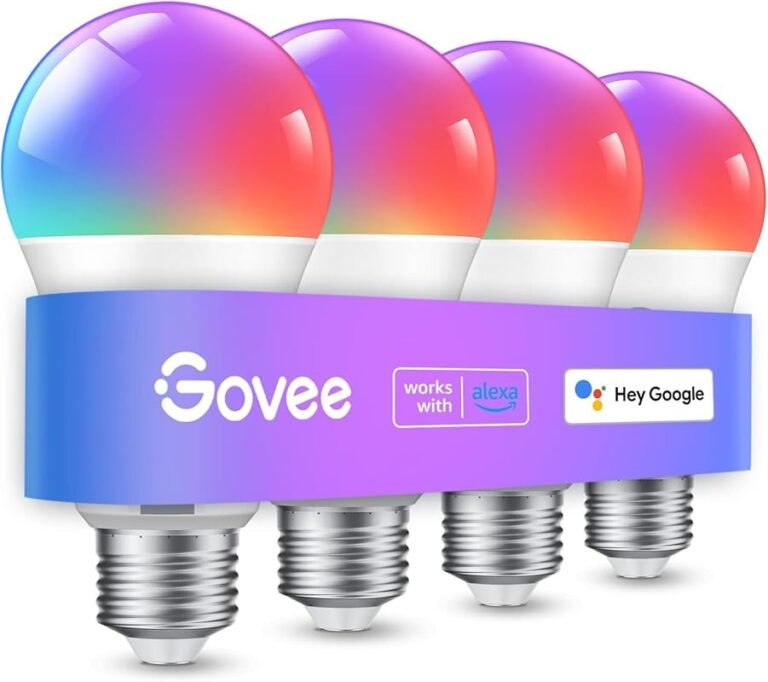
This is the exciting frontier. Smart bulbs are LED bulbs with built-in Wi-Fi or Bluetooth radios. They can be controlled via an app on your phone, scheduled, dimmed, and even change color (RGB bulbs). They are a fantastic upgrade for a desk lamp.
How they work with a lamp: The lamp’s physical switch must remain in the “ON” position at all times. The smart bulb needs constant, low-level power to stay connected to your network. You then control brightness, color, and on/off via the app or voice assistant. This means you lose the tactile switch on the lamp itself, but gain incredible flexibility.
Key compatibility note: Smart bulbs have the same base requirements (E26, E12, etc.) as regular bulbs. However, if your lamp has a built-in dimmer switch on the cord or base, it will likely interfere with the smart bulb’s internal electronics. The safest setup is a lamp with a simple on/off switch or no switch at all (plug-controlled). Always check the smart bulb manufacturer’s FAQ about lamp compatibility. For those interested in voice control, you’ll want to see what smart bulbs work with Alexa or what smart bulbs work with Google Home to match your ecosystem. The energy savings of LEDs are already significant, but smart bulbs can optimize usage further with schedules and automation; you can read more about that here.
Installing and Replacing Bulbs: Safety and Best Practices
It’s simple, but doing it wrong can damage your lamp or the bulb. Follow these steps:
- Turn Off and Unplug: Always switch off the lamp and unplug it from the wall before changing a bulb. This is basic electrical safety.
- Let It Cool (for Halogens/Incandescents): If you’re replacing an old-style bulb, wait at least 5-10 minutes. The glass can be hot enough to cause serious burns.
- Grip the Bulb Gently: For screw bases (E26/E12), hold the bulb’s glass (not the base) and twist counter-clockwise until it loosens. Don’t force it. If it’s stuck, try using a soft cloth for better grip. For pin bases (GU10), push the bulb in slightly and twist counter-clockwise to unlock the pins before pulling it out.
- Inspect the Socket: Before installing the new bulb, look inside the socket. Make sure there’s no dust, debris, or signs of arcing (blackening or melting). Wipe it gently with a dry cloth if needed.
- Install the New Bulb: Screw in the new bulb clockwise until snug. For screw bases, do not over-tighten. Hand-tight is sufficient. Over-tightening can crack the bulb or damage the socket threads. For twist-lock (GU10), insert and twist clockwise until it clicks into place.
- Test Before Finalizing: Plug the lamp back in and turn it on to ensure the bulb works before you adjust the shade or move the lamp back into position.
- Dispose Properly: Incandescent and halogen bulbs can go in regular trash (wrap in paper to prevent injury). CFLs must NOT go in the trash due to mercury. Take them to a designated recycling center. LED bulbs are also recyclable due to their electronic components; check local e-waste rules.
The Future on Your Desk: Trends in Task Lighting
The humble desk lamp is becoming smarter and more integrated. Here’s where we’re headed:
- Integrated LED Panels: Many new high-end desk lamps (like those from BenQ, Lumiy, or certain Bauhutte models) now have the LEDs permanently built-in as a thin panel or bar. This means no bulb to replace ever. The light quality is often exceptionally even and adjustable via touch controls on the lamp itself. If you buy one of these, your “bulb” is the entire lamp.
- Human-Centric Lighting (Circadian Rhythm): The next step beyond simple color temperature adjustment. These systems automatically shift the color temperature and intensity of the light throughout the day to support your natural sleep-wake cycle. Bright, cool light in the morning to promote alertness, shifting to warm, dim light in the evening to encourage melatonin production. This is often found in premium smart bulbs and integrated lamp systems.
- Seamless Smart Home Integration: Desk lamps are becoming nodes in your smart home. You can set routines: “When I turn on my computer, my desk lamp brightens to 70% and shifts to 4000K.” Or “At 9 PM, my lamp automatically dims to 30%.” The control is moving from the switch to the context of your activity. For those building a smart home, understanding what smart bulbs work with Apple Home or other platforms is becoming as important as knowing the bulb base.
- Ultra-High CRI and Specialized Spectrums: For professionals, LEDs are being engineered with extremely high CRI (>95) and even specific spectral outputs for tasks like examining skin tones, artwork, or for use as a grow light for seedlings on a desktop.
For the vast majority of users, however, the simple, high-quality, dimmable LED bulb in a well-designed traditional lamp remains the unbeatable combination of value, performance, and longevity.
Conclusion: Your Perfect Light is Just a Bulb Away
So, what bulbs do desk lamps use? The short, practical answer is: an LED bulb with the correct base (E26 or E12), a lumen output of 800-1100, a color temperature of 3500K-4000K, and a “dimmable” label if your lamp has a dimmer. That one sentence solves 90% of desk lamp bulb dilemmas.
By moving beyond the old wattage obsession and understanding lumens, Kelvin, and base types, you empower yourself to create a workspace that is not only bright but also healthy and efficient. You’ll reduce eye strain, lower your electric bill, and stop changing bulbs every few months. Start by checking your lamp’s label for its base and max wattage. Then, use that knowledge to select a modern LED that fits. Your eyes—and your wallet—will thank you for years to come.
Frequently Asked Questions
Can I use a higher wattage LED bulb than my lamp’s rating?
No, you should never exceed the maximum wattage printed on your lamp’s label. While an LED bulb with a 10W actual draw is safe in a “Max 60W” lamp, a bulb that physically draws more than the rated wattage (like a high-wattage halogen) is a fire risk. The label refers to the heat the fixture can safely dissipate.
Are LED bulbs safe for all desk lamp materials?
Yes, LED bulbs are generally much safer than incandescents or halogens because they produce minimal radiant heat. They are safe for use with plastic sockets, fabric shades, and delicate materials that could be damaged by the intense heat of older bulb types.
What’s the difference between a ‘soft white’ and ‘daylight’ bulb for my desk?
“Soft white” (2700K-3000K) is warm and yellowish, similar to incandescent light, good for relaxed reading. “Daylight” (5000K-6500K) is cool and bluish, mimicking noon sun. It’s better for high-focus tasks, detailed work, and fighting daytime sleepiness, but can be too harsh for evening use.
My desk lamp has a dimmer switch. Can I use any LED bulb?
No. You must use a bulb specifically marked “Dimmable.” Non-dimmable LEDs will buzz, flicker, or fail when used with a dimmer. Even dimmable LEDs can sometimes flicker with older dimmer switches. If this happens, you may need to replace the dimmer with one labeled for LED compatibility.
Can I use a colored or color-changing bulb in my regular desk lamp?
Absolutely, as long as the base (E26, E12, etc.) matches. Colored or RGB smart LED bulbs are a fun way to adjust ambiance. However, for serious task lighting, a high-quality white (or tunable white) bulb with good CRI will provide more accurate and functional light.
Will a smart bulb work in any standard desk lamp?
It will work physically if the base matches. However, for full functionality, the lamp’s switch must stay in the “ON” position at all times so the smart bulb maintains power for its radio. If your lamp has an inline on/off switch on the cord, that’s fine. If the lamp is turned off by unplugging it or if it has a rotary switch on the socket that cuts power completely, the smart bulb will lose its connection and must be manually controlled at the lamp until power is restored. Always check the smart bulb’s instructions for lamp compatibility notes.