Can Smart Bulbs Work Without Wifi
Can smart bulbs work without WiFi? Yes, many smart bulbs can still function without an internet connection, depending on their design and features. Some operate via local controls like Bluetooth or hubs, while others rely on voice assistants or physical switches. Understanding your bulb’s capabilities ensures uninterrupted lighting, even during outages or in remote areas.
Key Takeaways
- Not all smart bulbs require WiFi: Many use Bluetooth, Zigbee, or Z-Wave for local communication, allowing them to work offline.
- Hub-based systems offer offline control: Devices like Philips Hue or LIFX bulbs can be controlled through local hubs even without internet.
- Voice assistants enable offline use: Some bulbs work with offline-capable voice commands via devices like Alexa or Google Home.
- Manual controls are always an option: Physical switches or app-based local controls can keep bulbs on during WiFi outages.
- Energy efficiency varies: Offline operation may reduce features like scheduling or color changes, depending on the bulb type.
- Check your bulb’s specifications: Always review the manual or manufacturer details to confirm offline capabilities.
- Backup plans matter: For critical lighting needs, consider hybrid systems or traditional bulbs as a fallback.
📑 Table of Contents
- Can Smart Bulbs Work Without Wifi? A Complete Guide
- Understanding Smart Bulbs: How They Work
- Can Smart Bulbs Work Without Wi-Fi? The Short Answer
- Offline Features and Limitations
- Real-World Scenarios: How to Keep Lights On During Outages
- Choosing the Right Smart Bulb for Offline Use
- Setting Up Your Bulbs for Offline Use
- Common Myths About Smart Bulbs and Wi-Fi
- Future of Smart Lighting: More Offline Options
- Conclusion: Yes, Smart Bulbs Can Work Without Wi-Fi
Can Smart Bulbs Work Without Wifi? A Complete Guide
You’ve probably seen the sleek, app-controlled smart bulbs lighting up living rooms and offices. With a tap on your phone, you can change colors, set timers, or sync lights to music. But what happens when your Wi-Fi goes down? Do your smart bulbs just sit there, useless? That’s the question we’re answering today: Can smart bulbs work without Wi-Fi?
It turns out, the answer isn’t a simple yes or no. It depends on the type of smart bulb you have, how it’s set up, and what features you rely on. Some smart bulbs are designed to work completely offline, while others need a constant internet connection to function. But don’t worry—there are plenty of ways to keep your lights on, even when the Wi-Fi is down. In this article, we’ll explore everything you need to know about using smart bulbs without Wi-Fi, so you can enjoy smart lighting no matter what.
Understanding Smart Bulbs: How They Work
Before diving into offline functionality, let’s first understand what makes a bulb “smart.” Unlike traditional bulbs, smart bulbs contain microchips, wireless communication modules, and often built-in LEDs. These components allow them to connect to your home network and be controlled remotely.
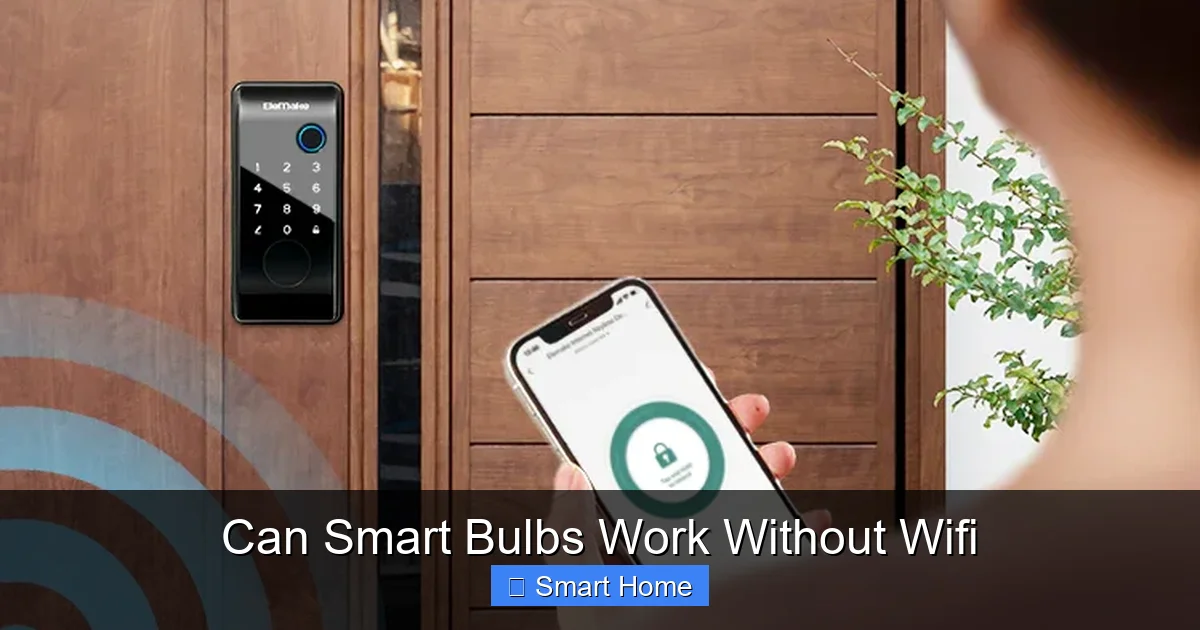
Visual guide about Can Smart Bulbs Work Without Wifi
Image source: elemakelocks.com
Types of Smart Bulb Connections
Smart bulbs use different communication protocols to connect to your devices. The most common are:
- Wi-Fi: Directly connects to your home router. Ideal for voice control and remote access.
- Bluetooth: Short-range, low-power connection. Great for direct control via phone or tablet.
- Zigbee and Z-Wave: Low-power mesh networks that require a hub. Excellent for automation and reliability.
Each of these has its strengths. Wi-Fi bulbs are easy to set up but rely on internet access. Bluetooth bulbs work locally but have limited range. Zigbee and Z-Wave bulbs often work through a central hub, which can function offline.
Why Wi-Fi Is Often Required
Most smart bulbs need Wi-Fi to access cloud-based features like scheduling, voice commands, or integration with other smart home devices. When your Wi-Fi is down, these features become unavailable. But that doesn’t mean the bulb is completely dead.
Many smart bulbs still respond to local commands—like turning on or off using a physical switch or a nearby device. The key is knowing how your specific bulb is designed and what it can do without the internet.
Can Smart Bulbs Work Without Wi-Fi? The Short Answer
Yes, many smart bulbs can work without Wi-Fi, but with limitations. Whether your bulb functions offline depends on its communication method and setup. Let’s break it down by technology.
Bluetooth-Enabled Smart Bulbs
Bluetooth smart bulbs, like those from Wyze or TP-Link Kasa, connect directly to your phone or tablet. They don’t need a hub or Wi-Fi to function. You can control them using a dedicated app, and the connection is local—meaning it works even if your internet is down.
For example, if you’re at home and your Wi-Fi goes out, you can still use your smartphone to turn on or off the Wyze Bulb via Bluetooth. You can also set brightness and color if the bulb supports it. However, features like scheduling or remote access won’t work without Wi-Fi.
Pro Tip: Keep your phone nearby to use Bluetooth controls. Some bulbs also work with physical switches—just flip the switch, and the bulb responds as usual.
Hub-Based Systems (Zigbee, Z-Wave)
Bulbs like Philips Hue or LIFX Mini use Zigbee or Z-Wave protocols and require a hub to connect to your network. The good news? The hub can store settings locally, so many features remain functional during a Wi-Fi outage.
For instance, if you have a Philips Hue system with a Hue Bridge, you can still use the Hue app to control your lights even without internet. The bridge communicates directly with the bulbs using Zigbee, so commands are processed locally. Schedules, scenes, and voice commands via Alexa or Google Assistant often continue working.
This makes hub-based systems one of the best options for reliable lighting during internet outages. Just remember: the hub needs power and a stable connection to your router for optimal performance.
Wi-Fi-Only Smart Bulbs
Some smart bulbs, like those from TP-Link Kasa or Amazon Basics, rely entirely on Wi-Fi. These bulbs connect directly to your router and use cloud services for control. Without Wi-Fi, they typically can’t be controlled remotely.
However, many Wi-Fi bulbs still respond to physical switches. If you turn on the wall switch, the bulb will light up. But you won’t be able to change colors, dim the light, or use app controls until Wi-Fi is restored.
Important: Check your bulb’s manual. Some Wi-Fi bulbs include Bluetooth or a local control mode to help during outages.
Offline Features and Limitations
Even when your smart bulb works without Wi-Fi, not all features are available. Let’s explore what you can and can’t do offline.
What Works Without Wi-Fi?
- Manual On/Off: Most smart bulbs respond to physical switches.
- Dimming and Brightness: Bluetooth and hub-based bulbs often support local dimming.
- Color Changes (Bluetooth): Some Bluetooth bulbs allow color adjustments via app or voice.
- Schedules (Hub-Based): Philips Hue and similar systems store routines locally.
- Voice Control (Local): Alexa or Google Assistant can control lights if they’re on the same network.
What Doesn’t Work?
- Remote Access: You can’t control lights from outside your home without Wi-Fi.
- Cloud-Based Automation: Routines that rely on internet triggers won’t activate.
- Firmware Updates: These require an internet connection.
- Integration with Smart Home Platforms: Devices like IFTTT or SmartThings may not sync.
For most users, the loss of remote access is the biggest drawback. But for basic lighting needs, many bulbs still perform well offline.
Real-World Scenarios: How to Keep Lights On During Outages
Wi-Fi outages are common—whether due to storms, router issues, or ISP problems. Here’s how to keep your smart bulbs working in these situations.
Scenario 1: You’re Home, Wi-Fi Is Down
If your internet is out but you’re at home, you can still control many smart bulbs:
- Use Bluetooth to control Wyze or Kasa bulbs via your phone.
- Control Philips Hue lights using the app or voice commands (if your hub is connected).
- Flip the wall switch—most bulbs will respond normally.
Tip: Keep your smartphone charged. You’ll need it for Bluetooth control.
Scenario 2: You’re Away, Wi-Fi Is Down
This is trickier. Without Wi-Fi, remote access is impossible. But you can prepare:
- Set up a local automation using a hub that supports offline routines.
- Use a smart plug to control the bulb via a voice assistant or app (if the plug has local control).
- Consider a hybrid system—a smart bulb with both Wi-Fi and Bluetooth, like the LIFX Mini.
Scenario 3: Long-Term Internet Outage
In areas with poor connectivity, consider these alternatives:
- Switch to Bluetooth-only bulbs for direct phone control.
- Use a Zigbee hub with offline scheduling (e.g., Philips Hue).
- Add a backup router or mobile hotspot for temporary internet.
For critical areas like hallways or bathrooms, you might also add a traditional dimmer switch for manual control.
Choosing the Right Smart Bulb for Offline Use
Not all smart bulbs are created equal when it comes to offline functionality. Here’s how to pick the best one for your needs.
Look for These Features
- Bluetooth Support: Ensures direct control without Wi-Fi.
- Hub Compatibility: Zigbee or Z-Wave bulbs often work offline.
- Local Control Mode: Some bulbs have a “local control” option in the app.
- Physical Switch Compatibility: Works with standard wall switches.
Recommended Brands for Offline Use
- Philips Hue: Excellent offline performance with Hue Bridge.
- LIFX: Some models support Bluetooth and local control.
- Wyze Bulbs: Affordable and Bluetooth-enabled.
- TP-Link Kasa (Bluetooth versions): Work without a hub.
What to Avoid
- Wi-Fi-only bulbs without Bluetooth: Limited offline use.
- Bulbs requiring constant cloud sync: May not respond offline.
Setting Up Your Bulbs for Offline Use
Even if your bulb can work without Wi-Fi, proper setup ensures it functions well during outages.
Step 1: Check the Manual
Start by reading the user guide. Look for phrases like “local control,” “offline mode,” or “Bluetooth pairing.” This tells you what to expect.
Step 2: Pair via Bluetooth (if available)
For Bluetooth bulbs, pair them directly with your phone. This creates a local connection that doesn’t rely on Wi-Fi.
Step 3: Use a Hub for Zigbee/Z-Wave
If you have a hub, connect it to your router and bulbs. The hub stores settings locally, so many features work offline.
Step 4: Test During an Outage
Simulate a Wi-Fi outage by turning off your router. Try controlling the bulb via app, voice, or switch. Note what works and what doesn’t.
Step 5: Add a Physical Switch
Install a smart switch or use a standard switch to ensure manual control. This is especially useful in hallways or basements.
Common Myths About Smart Bulbs and Wi-Fi
There are plenty of misconceptions about smart bulbs and internet dependence. Let’s clear them up.
Myth 1: “All Smart Bulbs Need Wi-Fi to Work”
False. Many smart bulbs use Bluetooth or local hubs to function without Wi-Fi.
Myth 2: “If Wi-Fi Is Down, the Bulb Is Useless”
Not true. Most bulbs respond to physical switches and local controls.
Myth 3: “Bluetooth Bulbs Have Limited Range”
True, but manageable. Stay within 30 feet for best results. Use multiple bulbs if needed.
Myth 4: “You Need the Internet for Scheduling”
Not always. Hub-based systems store schedules locally.
Myth 5: “Smart Bulbs Are Too Complicated for Offline Use”
False. With the right setup, offline control is simple and reliable.
Future of Smart Lighting: More Offline Options
The smart home industry is evolving. As more people live in areas with spotty internet or value privacy, manufacturers are focusing on local, offline-first designs.
Upcoming trends include:
- Mesh Networks: Bulbs that communicate with each other without a hub.
- Edge Computing: Processing commands locally on the bulb itself.
- Hybrid Protocols: Bulbs that support both Wi-Fi and Bluetooth/Zigbee.
These innovations will make smart bulbs more resilient and user-friendly, especially during outages.
Conclusion: Yes, Smart Bulbs Can Work Without Wi-Fi
So, can smart bulbs work without Wi-Fi? The answer is yes—but with caveats. It depends on the bulb’s technology, your setup, and what you need from your lights.
Bluetooth bulbs offer direct, offline control. Hub-based systems like Philips Hue keep many features alive during outages. Even Wi-Fi bulbs respond to physical switches. By choosing the right bulb and understanding its capabilities, you can enjoy reliable smart lighting, even when the internet is down.
Don’t let Wi-Fi outages dim your smart home dreams. With the right tools and knowledge, your lights can stay on—brightly and smartly—no matter what.
Frequently Asked Questions
Can smart bulbs work without Wi-Fi?
Yes, many smart bulbs can work without Wi-Fi. Bluetooth-enabled bulbs and hub-based systems like Philips Hue often function offline using local controls.
What happens to smart bulbs when Wi-Fi is down?
Most smart bulbs will still respond to physical switches and local commands. Features like remote access and cloud-based automation won’t work, but basic lighting functions remain available.
Do I need a hub for smart bulbs to work offline?
Not always. Bluetooth bulbs work directly with your phone. Zigbee or Z-Wave bulbs need a hub, but the hub can store settings locally for offline use.
Can I control smart bulbs using voice assistants without Wi-Fi?
Yes, if your voice assistant and bulbs are on the same local network, you can control them via voice commands even without internet.
Are Bluetooth smart bulbs reliable without Wi-Fi?
Yes, Bluetooth bulbs are designed for local use and can be controlled via your smartphone. Just keep your phone nearby for best results.
How can I prepare my smart bulbs for Wi-Fi outages?
Choose bulbs with Bluetooth or hub support, test them during outages, and use physical switches. Consider hybrid systems for the best offline experience.