Can Smart Bulbs Be Controlled Remotely
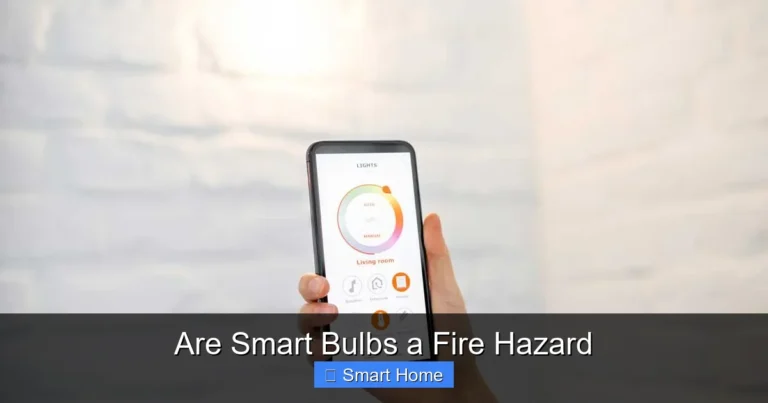
Yes, smart bulbs can be controlled remotely using Wi-Fi, mobile apps, and voice assistants like Alexa or Google Assistant. With just a smartphone or tablet, you can turn lights on or off, adjust brightness, change colors, and even schedule routines from anywhere. This convenience boosts energy savings, security, and daily comfort—making smart bulbs a must-have for any modern home.
Key Takeaways
- Remote Control via Wi-Fi: Smart bulbs connect to your home Wi-Fi network, allowing you to control them from any location with an internet connection.
- App-Based Management: Most smart bulbs come with dedicated apps (like Philips Hue or LIFX) that offer features like scheduling, color changes, and usage tracking.
- Voice Assistant Integration: Compatible with Alexa, Google Assistant, and Siri, enabling hands-free control through simple voice commands.
- Automation & Scenes: Set up routines like “Good Morning” to gradually brighten lights or “Good Night” to dim them—automatically adjusting based on your schedule.
- Geofencing & Location-Based Triggers: Use your phone’s location to turn lights on when you’re near home or off when you leave, enhancing convenience and security.
- Energy Monitoring & Savings: Some smart bulbs track energy usage and help reduce electricity bills by encouraging efficient lighting habits.
- Compatibility Is Key: Ensure your smart bulbs work with your existing smart home ecosystem—check for Zigbee, Z-Wave, or Wi-Fi support.
📑 Table of Contents
- Can Smart Bulbs Be Controlled Remotely?
- How Smart Bulbs Work: The Basics
- Controlling Smart Bulbs Remotely: Step-by-Step
- Advanced Features: Beyond On/Off
- Smart Bulbs and Home Security
- Compatibility: Making It Work With Your Ecosystem
- Tips for Optimizing Remote Control
- Limitations and Considerations
- Real-World Examples
- Future of Smart Bulbs
- Conclusion
Can Smart Bulbs Be Controlled Remotely?
Imagine this: You’re sitting on the couch, scrolling through your phone, when you suddenly realize you forgot to turn off the living room lights before leaving for work. No problem—just tap a button on your app, and they’re off. Or better yet, you’re walking through a dark parking lot, and your smart lights automatically turn on the porch light as you approach your front door. Sounds like magic? It’s not. It’s just smart lighting—and yes, smart bulbs can absolutely be controlled remotely.
In today’s world, convenience is king, and smart home technology is making our lives easier, safer, and more efficient. Among the most popular smart home devices are smart bulbs. These aren’t your average bulbs—they’re Wi-Fi or Zigbee-enabled, programmable, and often voice-controlled. But how exactly do they work? And can you really control them from anywhere? Let’s break it down in simple terms.
How Smart Bulbs Work: The Basics
Smart bulbs are essentially regular light bulbs with a built-in internet connection. Instead of relying on a physical switch or wall dimmer, they connect to your home network—usually via Wi-Fi or a Zigbee hub. Once connected, you can control them using a smartphone app, voice commands, or even automation rules.
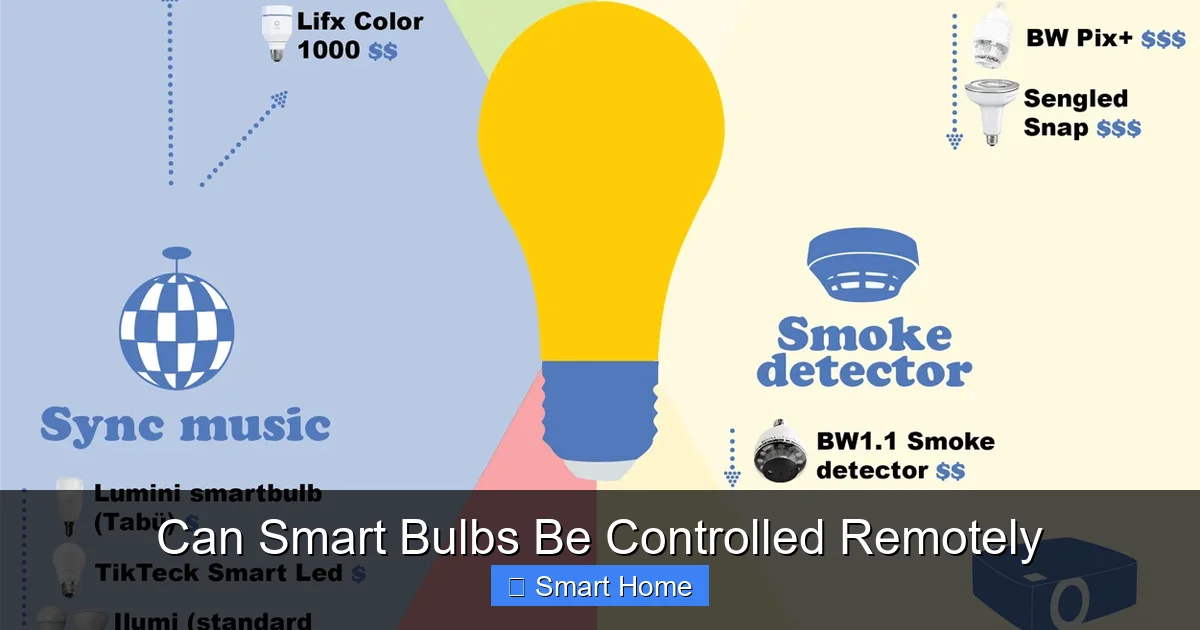
Visual guide about Can Smart Bulbs Be Controlled Remotely
Image source: infographicplaza.com
Types of Smart Bulbs
There are several types of smart bulbs on the market, each with its own strengths:
- Wi-Fi Smart Bulbs: These connect directly to your Wi-Fi router. No extra hub needed—just plug in and go. Brands like LIFX and Wyze fall into this category.
- Zigbee Smart Bulbs: These require a Zigbee hub (like Philips Hue Bridge or Amazon Echo Plus) to communicate with your network. They use less power and are more stable over long distances.
- Bluetooth Smart Bulbs: Limited range and control—best for small spaces or temporary setups. Not ideal for full remote access.
Most people go with Wi-Fi or Zigbee because they offer the best balance of ease and functionality for remote control.
The Role of Wi-Fi and Internet Connectivity
For a smart bulb to be remotely controllable, it must be connected to the internet. That means it needs:
- A stable Wi-Fi network (or access to one via a hub)
- A smartphone or tablet with the companion app installed
- An active internet connection—at home or on the go
- Wi-Fi or Zigbee connectivity
- Compatibility with your smartphone’s operating system (iOS or Android)
- App availability (e.g., Philips Hue, LIFX, or IKEA TRÅDFRI)
- Turn on/off
- Adjust brightness
- Change color (for RGB bulbs)
- Set timers or schedules
- Your smart speaker (Alexa, Google, Siri)
- Your home automation platform (like Apple HomeKit, Samsung SmartThings, or Hubitat)
- Your existing smart switches or hubs
- Use a Strong Wi-Fi Signal: Place your router centrally or use extenders to avoid dead zones.
- Update Firmware Regularly: Manufacturers release updates to fix bugs and improve performance.
- Organize Bulbs in Groups: Group bulbs by room or activity (e.g., “Bedroom,” “Movie Night”) for easier control.
- Use Geofencing Wisely: Set your phone’s location services to “While Using” to save battery.
- Backup Internet: Consider a cellular backup if you live in an area with unreliable Wi-Fi.
- Internet Dependency: If your Wi-Fi goes down, you lose remote access—though local control (via the switch) usually still works.
- Privacy Concerns: Smart bulbs collect usage data. Use strong passwords and review privacy settings.
- Cost: Smart bulbs are more expensive than regular bulbs. But they often last longer (10–25,000 hours), saving money over time.
- Learning Curve: First-time users may need time to learn the app and features.
- Working from Home: Sarah uses her LIFX bulbs to set a “Focus Mode” that turns on cool white light in the morning and dims to blue in the evening to reduce eye strain.
- Traveling: Mark turns on his porch lights remotely when returning late from a trip, so he doesn’t fumble in the dark.
- Parenting: Lisa sets her kids’ bedroom lights to turn on 15 minutes before bedtime, helping them wind down without constant reminders.
- AI Integration: Bulbs that learn your habits and adjust automatically.
- Solar-Powered Options: Eco-friendly bulbs that charge via solar panels.
- Health Monitoring: Bulbs that track circadian rhythms and adjust color temperature to improve sleep and alertness.
Once these are in place, you can open the app, select your bulb, and adjust settings—no matter where you are. Whether you’re in the next room or halfway across the world, your lights respond instantly.
Controlling Smart Bulbs Remotely: Step-by-Step
So how do you actually control your smart bulbs remotely? It’s easier than you think. Here’s a practical guide to get you started:
Visual guide about Can Smart Bulbs Be Controlled Remotely
Image source: thumbs.dreamstime.com
1. Choose a Compatible Smart Bulb
Not all smart bulbs are created equal. Before buying, check if it supports remote control. Look for:
Popular brands like Philips Hue, LIFX, and TP-Link Kasa offer reliable remote control features and regular firmware updates.
2. Install the Bulb and Connect to Wi-Fi
Start by screwing the bulb into your fixture. Then, download the companion app and follow the setup wizard. You’ll be prompted to connect the bulb to your Wi-Fi network. Some bulbs use a temporary access point during setup—just follow the in-app instructions.
Once connected, the app will detect your bulb and add it to your account. You can now control it from your phone—even when you’re not home.
3. Use the App to Control Remotely
Open the app and tap your bulb. You’ll see options like:
All of these actions work remotely as long as you have an internet connection. No need to be near the light switch.
4. Enable Voice Control (Optional)
If you have a smart speaker like Amazon Echo or Google Nest, you can link your bulb to voice assistants. Say, “Alexa, turn on the living room light,” and it responds instantly—even if you’re in another room or out of the house.
Advanced Features: Beyond On/Off
Remote control isn’t just about turning lights on and off. Smart bulbs offer a range of advanced features that make life more comfortable and efficient.
Visual guide about Can Smart Bulbs Be Controlled Remotely
Image source: blog.techdesign.com
Scheduling and Automation
Set your bulbs to turn on at sunrise or dim at bedtime. Create custom schedules so your lights mimic natural light patterns. For example, a “Wake Up” routine can gradually brighten your bedroom lights over 30 minutes, gently rousing you from sleep.
You can also use geofencing—a feature that uses your phone’s location to trigger actions. When you leave home, your lights turn off. When you return, they turn on. It’s like having a smart assistant who knows when you’re coming.
Scenes and Mood Lighting
Create different lighting scenes for various activities. Want a romantic dinner? Switch to warm red tones. Need to focus while working? Use cool white light. With remote control, you can change scenes instantly from your phone—no need to get up.
Energy Monitoring and Usage Reports
Some smart bulbs track how much energy they use. Over time, you’ll get reports showing your consumption and savings. This helps you make informed decisions about lighting habits and reduce waste.
Smart Bulbs and Home Security
Remote control isn’t just convenient—it’s also a security tool. When you’re away, you can turn lights on and off to simulate occupancy. This deters intruders who might see a dark house as an invitation.
You can also set up alerts. For example, if a bulb is left on for too long, the app can send you a notification. Or, if motion is detected at night, the bulb can flash or turn red as a warning.
Integration with Security Systems
Many smart bulbs work with security cameras and doorbells. When someone rings your doorbell, your living room lights flash. When motion is detected, your porch light turns on automatically. This creates a layered defense system that keeps your home safer.
Compatibility: Making It Work With Your Ecosystem
One of the biggest challenges with smart bulbs is compatibility. Not all devices play well together. Before buying, check if your bulb works with:
For example, if you use Apple HomeKit, only bulbs that support HomeKit can be controlled via Siri or the Home app. Similarly, Zigbee bulbs won’t work without a compatible hub unless they’re also Wi-Fi-enabled.
To avoid frustration, read product descriptions carefully. Look for keywords like “works with Alexa,” “compatible with Google Home,” or “Hub required.”
Tips for Optimizing Remote Control
Want the best experience? Follow these tips:
Limitations and Considerations
While smart bulbs offer amazing remote control, they’re not perfect. Here are some things to keep in mind:
Real-World Examples
Let’s look at how people actually use smart bulbs remotely:
These are just a few examples—the possibilities are endless.
Future of Smart Bulbs
The future looks bright. New features are emerging all the time:
As smart home ecosystems grow, remote control will become even more seamless—with better voice recognition, faster response times, and deeper automation.
Conclusion
Yes, smart bulbs can be controlled remotely, and the benefits are too great to ignore. From saving energy to enhancing security, these little lights pack a big punch. With Wi-Fi, apps, and voice assistants, you can manage your lighting from anywhere, anytime. Whether you’re a tech enthusiast or just looking for more convenience, smart bulbs are a smart investment.
Ready to upgrade? Start with one bulb in a frequently used room, explore the app, and see how it fits into your lifestyle. Before you know it, you’ll wonder how you lived without remote-controlled lighting.
Frequently Asked Questions
Can I control smart bulbs without Wi-Fi?
Most smart bulbs require Wi-Fi or a hub to function remotely. However, some Bluetooth bulbs can be controlled locally via app within a short range (about 30 feet). For full remote access, Wi-Fi or a compatible hub is necessary.
Do smart bulbs work during power outages?
No, smart bulbs need power to operate. If the electricity goes out, they won’t work—even if they were on before. However, some smart switches or hubs with battery backups may retain settings and resume control once power returns.
Are smart bulbs compatible with all light fixtures?
Most smart bulbs fit standard E26 or E27 bases and work in lamps, ceiling fixtures, and outdoor lights. However, dimmer switches and enclosed fixtures may require special bulbs. Always check compatibility before purchasing.
Can I use smart bulbs with a regular light switch?
Yes, but only if the switch is left in the “on” position. Smart bulbs don’t respond to the switch being turned off—they only react to commands from the app or voice assistant. Some models support “smart switches” that work with smart bulbs.
How secure are smart bulbs?
Smart bulbs use encryption and secure connections, but like any internet-connected device, they can be vulnerable if not properly secured. Use strong Wi-Fi passwords, enable two-factor authentication on apps, and keep firmware updated to minimize risks.
Do smart bulbs save money on electricity?
Yes, smart bulbs are often more energy-efficient than traditional incandescent bulbs. LEDs use up to 80% less energy and last much longer. Combined with scheduling and automation, they can significantly reduce your electricity bill over time.