Can Smart Bulbs Be Dimmed
Can smart bulbs be dimmed? Absolutely! Most smart bulbs support dimming, offering both manual and automated control. Whether you’re setting the mood or saving energy, dimming smart bulbs is simple, efficient, and customizable.
Key Takeaways
- Yes, most smart bulbs can be dimmed: Whether through apps, voice commands, or smart switches, dimming is a standard feature.
- Dimming methods vary: You can dim via smartphone apps, voice assistants like Alexa or Google Assistant, or physical smart switches.
- Compatibility matters: Not all smart bulbs work with every dimming system—check your hub or router for compatibility.
- Dimming improves energy efficiency: Lower brightness reduces power consumption, helping lower your electricity bill.
- Dimming enhances ambiance: Create the perfect lighting for movie nights, reading, or relaxing with adjustable brightness.
- Some bulbs have built-in dimmers: Certain models include physical dimmer switches, but these are less common than app-based control.
- Dimming can extend bulb life: Running bulbs at lower brightness levels reduces wear and tear, potentially increasing lifespan.
📑 Table of Contents
- Can Smart Bulbs Be Dimmed?
- How Smart Bulbs Work: The Basics
- Can Smart Bulbs Be Dimmed? The Answer Explained
- Types of Smart Bulbs and Their Dimming Capabilities
- How to Dim Smart Bulbs: Step-by-Step Guide
- Benefits of Dimming Smart Bulbs
- Common Dimming Issues and How to Fix Them
- Choosing the Right Smart Bulb for Dimming
- Future of Smart Bulb Dimming
- Conclusion: Dimming Smart Bulbs Is Smart
Can Smart Bulbs Be Dimmed?
You’ve probably seen those sleek, modern light bulbs glowing in smart homes—the kind that respond to your voice or change color with a tap on your phone. But here’s a question many new smart homeowners ask: Can smart bulbs be dimmed? The short answer is yes—most smart bulbs can be dimmed, and in many cases, dimming is one of their most useful features. Whether you’re winding down after a long day or setting the mood for a dinner party, the ability to adjust brightness adds flexibility, energy savings, and ambiance to your lighting setup.
Smart bulbs are more than just lights you control from your phone. They’re part of a connected ecosystem that lets you personalize your environment in real time. Dimming isn’t just about turning the lights down—it’s about transforming your space. From simulating sunrise to creating a cozy reading nook, smart dimming gives you control over not just when the lights are on, but how bright they are. And the best part? You don’t need to be tech-savvy to use it.
How Smart Bulbs Work: The Basics
Before diving into dimming, it helps to understand how smart bulbs operate. Unlike traditional incandescent bulbs, smart bulbs contain built-in electronics—like microchips and wireless modules—that allow them to communicate with your home network. These bulbs connect to Wi-Fi or use protocols like Zigbee or Z-Wave, depending on the model. Once connected, they respond to commands from your smartphone, voice assistant, or smart home hub.
Visual guide about Can Smart Bulbs Be Dimmed
Image source: lightingvilla.com
Most smart bulbs are designed to be plug-and-play. You screw them into a standard socket, download a companion app (like Philips Hue or LIFX), and connect them to your home Wi-Fi. From there, you can control them from anywhere in the world—as long as you have an internet connection. But dimming is where smart bulbs really shine. Unlike older dimmer switches that required special wiring and compatible bulbs, smart dimming is software-driven and incredibly flexible.
Can Smart Bulbs Be Dimmed? The Answer Explained
Yes, smart bulbs can definitely be dimmed, and in most cases, it’s one of the first things you’ll want to set up. Dimming a smart bulb doesn’t mean just turning it off and on. Instead, you’re adjusting the light output from 1% to 100% brightness. This fine-tuned control is made possible by the internal circuitry inside the bulb, which can smoothly transition between brightness levels.

Visual guide about Can Smart Bulbs Be Dimmed
Image source: myautomatedpalace.com
There are several ways to dim smart bulbs, and the method you use depends on your setup and preferences. The most common methods include:
- Smartphone apps: Most smart bulb brands come with dedicated apps that let you slide a brightness bar up or down.
- Voice commands: Say “Hey Google, dim the living room lights to 50%” or “Alexa, make it darker.”
- Smart switches and hubs: Some smart switches or hubs offer dimming controls, especially those designed for Zigbee or Z-Wave systems.
- Scenes and routines: You can create lighting scenes (like “Movie Night” or “Dinner Party”) that automatically set the brightness and color.
Dimming smart bulbs is not only convenient but also practical. For example, you might dim the lights in the evening to reduce eye strain, or brighten them during a workout to boost energy. The ability to automate dimming based on time of day or activity makes smart bulbs a smart investment.
Types of Smart Bulbs and Their Dimming Capabilities
Not all smart bulbs are created equal when it comes to dimming. Some are designed specifically for brightness control, while others may have limited dimming ranges. Here’s a breakdown of the most common types of smart bulbs and how they handle dimming:
Visual guide about Can Smart Bulbs Be Dimmed
Image source: static.vecteezy.com
1. Wi-Fi Smart Bulbs
These bulbs connect directly to your Wi-Fi network and can be controlled via an app. Brands like LIFX, Sylvania, and Wyze offer Wi-Fi bulbs that support full dimming from 1% to 100%. Since they communicate directly with your router, they don’t require a separate hub—though you’ll need a stable Wi-Fi connection.
Example: The LIFX A19 bulb lets you dim from a soft 1% glow to full brightness. You can even schedule it to gradually brighten in the morning to simulate a sunrise.
2. Zigbee and Z-Wave Smart Bulbs
These bulbs connect to a smart home hub (like Amazon Echo Plus or Samsung SmartThings) using wireless protocols. They’re known for low power consumption and reliable connectivity. Most Zigbee and Z-Wave bulbs support smooth dimming, though some older models may have limited dimming ranges.
Tip: If you’re using a hub, make sure your smart bulbs are compatible with the hub’s protocol. Mixing incompatible bulbs can lead to connectivity issues.
3. Bluetooth Smart Bulbs
These bulbs connect via Bluetooth and are usually controlled through a smartphone app. Dimming is possible, but Bluetooth has a shorter range than Wi-Fi or Zigbee, so you’ll need to stay within 30–50 feet of the bulb. They’re best for smaller spaces or single-room setups.
4. Smart Bulbs with Built-in Dimmers
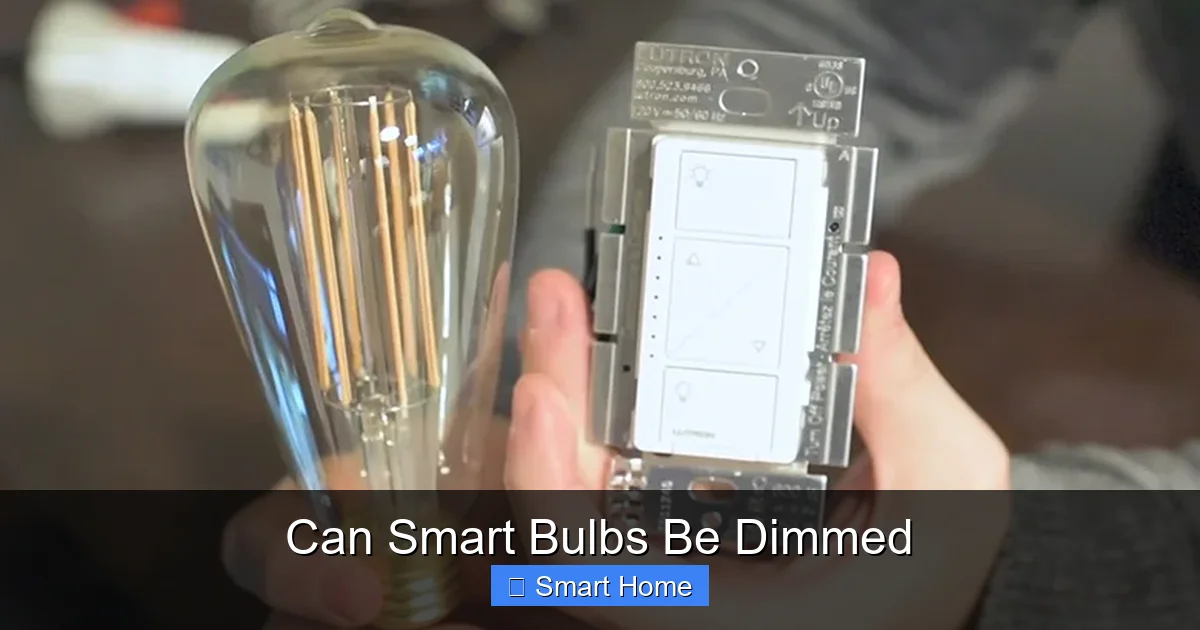
Some smart bulbs come with physical dimmer switches, especially those designed for use with traditional dimmer circuits. These are less common than app-based dimming but can be useful in homes with existing dimmer wiring. However, they often require compatible bulbs and switches to function properly.
Note: Always check the bulb and switch compatibility before purchasing. Using a smart bulb with a non-dimmable switch can damage the bulb or cause flickering.
How to Dim Smart Bulbs: Step-by-Step Guide
Dimming smart bulbs is easier than you might think. Here’s how to do it with the most common methods:
Using a Smartphone App
- Open the app for your smart bulb brand (e.g., Philips Hue, LIFX, or Wyze).
- Select the bulb you want to control.
- Tap or swipe the brightness slider to adjust the light level.
- Save your preferred brightness as a scene or routine if desired.
Pro Tip: Some apps let you create custom scenes with specific brightness and color combinations. For example, you could set a “Reading Mode” at 70% brightness with a warm white tone.
Using Voice Commands
To dim smart bulbs with voice control, you’ll need a smart speaker (like Amazon Echo or Google Nest) and a compatible smart bulb. Here’s how:
- Link your smart bulbs to your voice assistant (e.g., Alexa or Google Assistant).
- Say a command like:
- “Alexa, dim the kitchen lights to 60%.”
- “Hey Google, make the bedroom lights softer.”
You can also create routines. For example, say “Alexa, good night,” and the lights automatically dim to 20%.
Using Smart Switches or Hubs
If you have a smart switch or hub, you can control dimming through its app. For example, the Philips Hue Bridge lets you adjust brightness directly from the Hue app, even if you’re away from home.
Example: The Samsung SmartThings Hub supports dimming for compatible bulbs. You can create automation rules, like dimming lights when motion is detected in the evening.
Benefits of Dimming Smart Bulbs
Dimming smart bulbs isn’t just about convenience—it offers real benefits for your home and lifestyle. Here’s why you should consider dimming your smart lights:
1. Energy Savings
Lower brightness levels use less electricity. A dimmed smart bulb can consume up to 80% less energy than when running at full brightness. Over time, this adds up to significant savings on your electric bill.
Fact: The U.S. Department of Energy estimates that turning down your lights by 20% can save about 10% on your lighting costs annually.
2. Extended Bulb Lifespan
Running bulbs at lower brightness reduces heat output and wear on internal components. This can extend the life of your smart bulbs by months or even years.
3. Better Sleep and Circadian Health
Bright light in the evening can disrupt your natural sleep cycle. Dimming lights in the evening helps your body produce melatonin, the hormone that signals it’s time to sleep. Smart bulbs can be programmed to gradually dim in the evening, supporting healthier sleep patterns.
4. Enhanced Ambiance and Mood
Dim lighting creates a cozy, intimate atmosphere. Whether you’re watching a movie, hosting guests, or reading a book, the right brightness level can transform your space.
5. Safety and Convenience
Dimmed lights can act as nightlights, helping you navigate your home at night without waking others. They also reduce glare and eye strain during late-night activities.
Common Dimming Issues and How to Fix Them
While dimming smart bulbs is generally reliable, you might run into a few hiccups. Here are some common issues and solutions:
1. Bulbs Won’t Dim Below 25%
Some smart bulbs have a minimum dimming threshold. If your bulb won’t go below 25%, check the manufacturer’s specifications. Some brands, like Philips Hue, allow you to adjust the minimum brightness in the app.
2. Flickering When Dimmed
Flickering can occur if the bulb is incompatible with your dimmer switch or if the power supply is unstable. Try using a different outlet or replacing the bulb with a higher-quality model.
3. App Not Responding to Dimming Commands
Ensure your app is updated and your Wi-Fi signal is strong. Restarting your router or the app often resolves connectivity issues.
4. Voice Commands Not Working
Check that your smart bulb is linked to your voice assistant. Re-syncing the devices usually fixes the problem.
Choosing the Right Smart Bulb for Dimming
With so many smart bulbs on the market, how do you pick the best one for dimming? Here are key factors to consider:
- Brightness Range: Look for bulbs that can dim to at least 1% or 5%. This allows for subtle lighting adjustments.
- Compatibility: Make sure the bulb works with your smart home system (Wi-Fi, Zigbee, etc.).
- App Features: Choose bulbs with intuitive apps that offer smooth dimming controls.
- Energy Efficiency: Opt for LED bulbs, which use less power and last longer.
- Price: While some high-end bulbs offer advanced features, budget options like Wyze or Blink offer reliable dimming at a lower cost.
Recommendation: For beginners, the Philips Hue White and Color Ambiance is a great choice. It offers smooth dimming, voice control, and a wide range of colors and brightness levels.
Future of Smart Bulb Dimming
The future of smart bulb dimming is bright—literally. As smart home technology advances, we can expect even more sophisticated dimming features, such as:
- AI-driven lighting: Bulbs that automatically adjust brightness based on your activity, time of day, or even your mood (using biometric sensors).
- Integration with health apps: Dimming lights to support circadian rhythms or reduce blue light exposure in the evening.
- Improved protocols: Faster, more reliable communication between bulbs and hubs, reducing lag and improving responsiveness.
As the Internet of Things (IoT) grows, smart bulbs will become smarter, more efficient, and more integrated into our daily lives. Dimming will no longer be just a feature—it will be a core part of how we experience light.
Conclusion: Dimming Smart Bulbs Is Smart
So, can smart bulbs be dimmed? Absolutely. In fact, dimming is one of the most powerful and practical features of smart lighting. Whether you’re looking to save energy, improve sleep, or create the perfect ambiance, dimming smart bulbs gives you the control you need—without the hassle.
From app-based sliders to voice commands and automated routines, dimming smart bulbs is simple, flexible, and accessible. With the right bulb and setup, you can transform your home into a responsive, energy-efficient, and beautifully lit space.
If you’re considering upgrading your lighting, smart bulbs with dimming capabilities are a smart investment. They’re easy to install, compatible with most systems, and offer benefits that go far beyond traditional lighting.
Ready to dim the lights and dim the future? Start with one smart bulb and see how it changes your daily routine. You might be surprised at how much a little dimming can brighten your day.
Frequently Asked Questions
Can all smart bulbs be dimmed?
Most modern smart bulbs can be dimmed, but compatibility depends on the brand, model, and your smart home system. Always check the product specifications before purchasing.
Do smart bulbs use more electricity when dimmed?
No, dimmed smart bulbs use significantly less electricity. Lower brightness levels reduce power consumption, helping you save on energy bills.
Can I dim smart bulbs without a smart hub?
Yes, many Wi-Fi smart bulbs can be dimmed directly through a smartphone app without needing a separate hub.
Are dimmed smart bulbs good for sleep?
Yes, dimming smart bulbs in the evening helps regulate your circadian rhythm by reducing blue light exposure, promoting better sleep.
Can I dim smart bulbs using a regular light switch?
No, most smart bulbs require a smart switch or app-based control. Using a regular switch can cause flickering or damage the bulb.
How do I know if my smart bulb supports dimming?
Check the product description or packaging for terms like “dimmable” or “adjustable brightness.” Most smart bulb apps also show dimming capabilities in the settings.