Desk Lamp with Magnifier
A desk lamp with magnifier is a versatile tool that combines bright, adjustable lighting with optical magnification to illuminate and enlarge small details. It’s essential for tasks requiring precision, from crafting and electronics repair to reading fine print, as it significantly reduces eye strain and improves accuracy. Choosing the right model involves considering magnification strength, light quality, adjustability, and your specific workspace needs.
Key Takeaways
- Dual-Functionality: These lamps solve two problems at once—providing shadow-free task lighting and optical magnification—making them indispensable for detail-oriented work.
- Magnification Varies: Strength typically ranges from 2x to 10x; higher magnification offers a smaller field of view and requires closer working distance.
- Lighting Technology is Key: Modern LED lamps offer adjustable brightness and color temperature, are energy-efficient, and produce minimal heat compared to older halogen bulbs.
- Adjustability Defines Usability: Look for flexible arms, rotating heads, and stable bases to position both light and lens perfectly for your task without awkward postures.
- Wide Range of Applications: Beyond hobbies, they are used in dentistry, watchmaking, skincare, and by anyone with mild visual impairments for daily tasks.
- Proper Setup Prevents Fatigue: Position the lamp to avoid glare, use the correct working distance for your magnification, and ensure your chair and desk support good posture.
- Maintenance is Simple: Regularly dust the lens with a soft brush and clean it with proper lens cloths; avoid household cleaners that can damage coatings.
📑 Table of Contents
- Introduction: Seeing the Unseen
- Why Every Precision Worker Needs a Magnifier Lamp
- Types of Desk Lamps with Magnifiers: Finding Your Form Factor
- Key Features Decoded: What to Look For
- How to Choose the Right Desk Lamp with Magnifier for You
- Setup and Usage Tips for Optimal Comfort and Results
- Maintenance, Care, and Longevity
- Conclusion: Illuminate Your World with Clarity
Introduction: Seeing the Unseen
Have you ever hunched over a piece of jewelry, a circuit board, or a dense paragraph, squinting as your eyes begin to ache? That frustrating feeling of straining to see tiny details is all too common. Whether you’re a dedicated hobbyist, a professional repair technician, a book lover with aging eyes, or someone who simply values precision, the solution often lies in having the right tools. Enter the humble yet revolutionary desk lamp with magnifier. It’s not just a lamp; it’s a clarity station. By marrying brilliant, directed light with optical magnification, this tool transforms how we interact with the small world on our desks. It brings intricate details into sharp focus, reduces debilitating eye fatigue, and turns painstaking tasks into manageable, even enjoyable, work. In this complete guide, we’ll explore everything you need to know about these essential tools, from their inner workings to finding your perfect match.
Why Every Precision Worker Needs a Magnifier Lamp
Before we dive into types and features, let’s establish why this combination is so powerful. Using a magnifying glass under a poorly lit room is a classic mistake—you’re magnifying shadows and blur as much as the object. A proper desk lamp with magnifier eliminates this by design. The light source is positioned to illuminate the subject evenly from the same angle as the lens, preventing shadows cast by your hands or the object itself. This creates a clean, well-lit magnified view.
Visual guide about Desk Lamp with Magnifier
Image source: cukii.com
The Eye Strain Equation
Eye strain (asthenopia) from near work comes from several factors: insufficient light, constant refocusing, poor posture, and the eye’s muscles working too hard. A good magnifier lamp attacks the first two. The bright, adjustable light means your pupils don’t have to dilate as much, reducing muscular effort. The magnification means your eyes can stay at a more relaxed distance. You’re not constantly leaning in and out. This allows for longer, more comfortable work sessions. For anyone with presbyopia (age-related farsightedness) or mild visual impairments, this tool isn’t a luxury—it’s a necessity for maintaining independence and productivity.
Beyond the Obvious: Unexpected Uses
While soldering, beading, and stamp collecting are classic uses, the applications are vast. Desk lamps with magnifiers are used by:
- Dentists & Lab Technicians: For examining teeth or crafting dental prosthetics.
- Watchmakers & Jewelers: For handling tiny gears and setting stones.
- Estheticians & Tattoo Artists: For detailed skin work and fine line drawing.
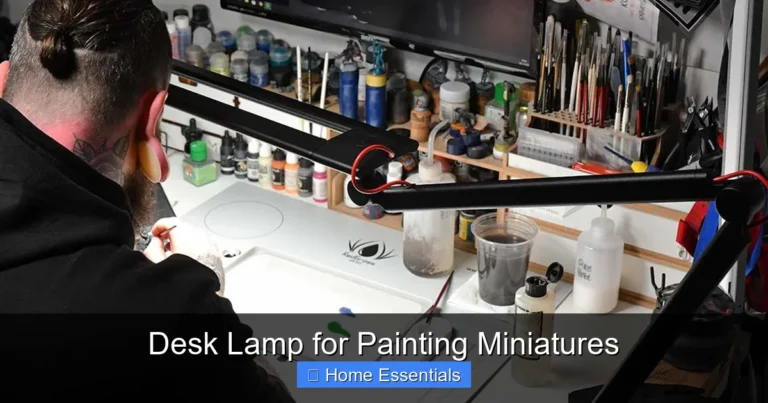
- Model Builders & RC Enthusiasts: For painting miniature figures or soldering tiny components.
- Philatelists & Numismatists: For grading stamps and coins.
- Readers & Researchers: For deciphering faded documents, fine print in manuals, or dense legal text.
- Elderly & Low-Vision Individuals: For daily tasks like threading a needle, managing medication, or reading labels.
If your work or hobby involves anything smaller than a quarter, you’ve likely felt the need for one.
Types of Desk Lamps with Magnifiers: Finding Your Form Factor
The first major decision is the physical style of the lamp. This dictates its footprint, stability, and range of motion. The right type depends entirely on your workspace and task.
Visual guide about Desk Lamp with Magnifier
Image source: cukii.com
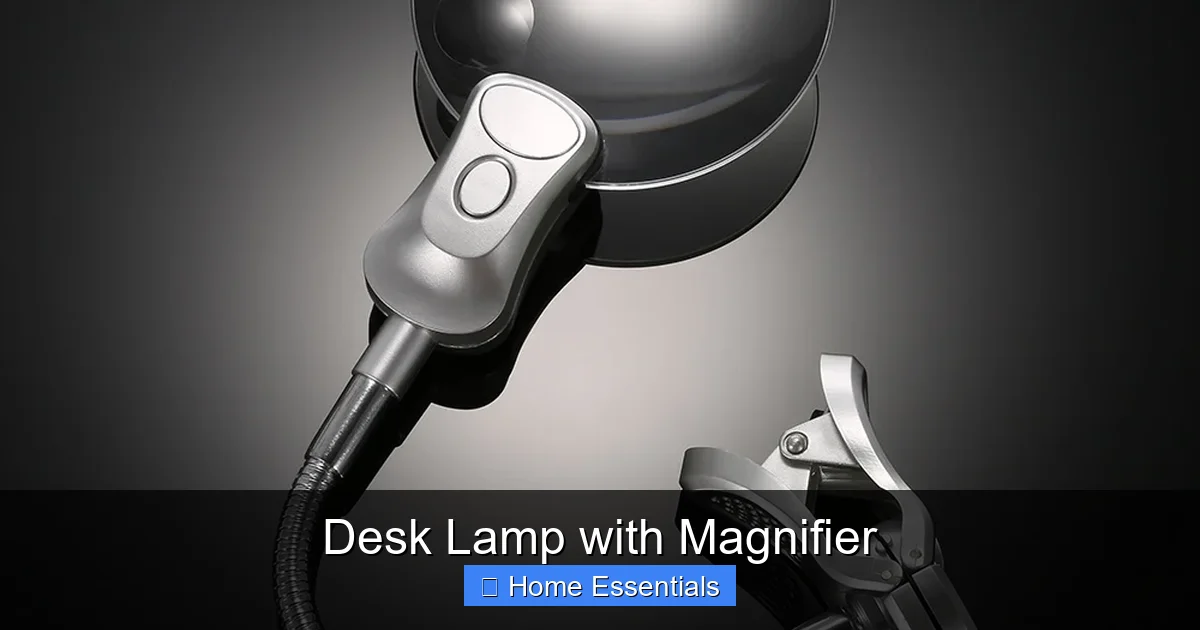
Clamp-On Magnifier Lamps
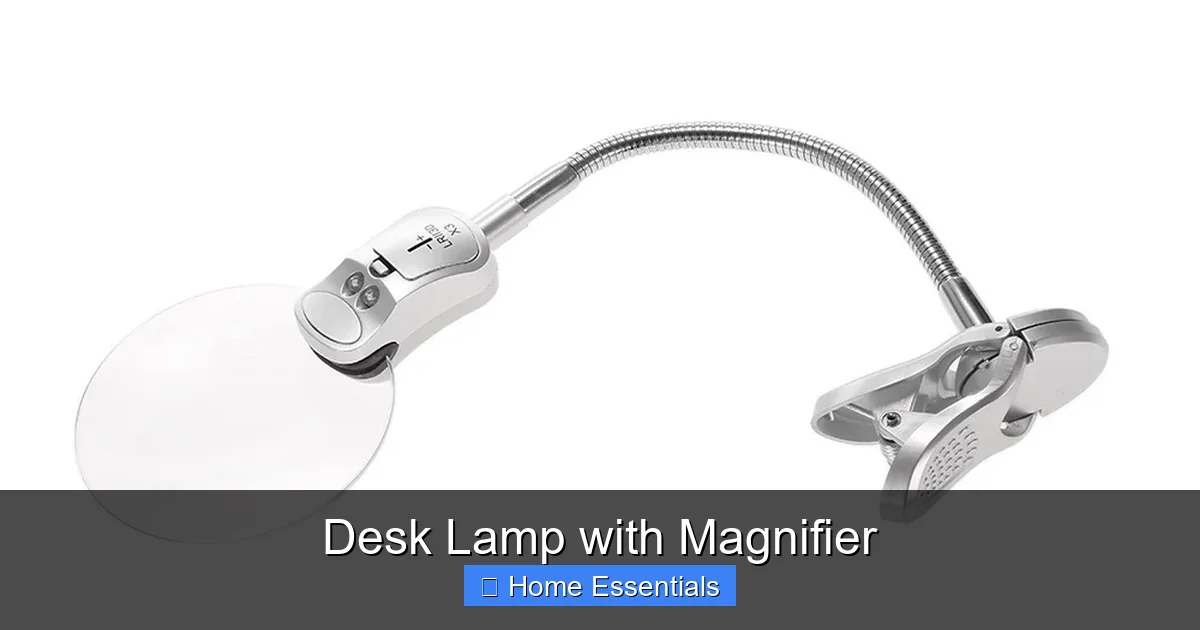
As the name suggests, these lamps have a sturdy clamp that attaches to the edge of your desk or table. They are the space-saver’s dream. By securing to the desk, they free up valuable surface area underneath. The arm typically extends out and over your work area. This style is ideal for permanent workstations where you have a dedicated desk edge available. They offer excellent stability because the clamp anchors the entire unit. However, they are less portable and require a desk with a suitable lip (usually 1-2 inches thick). Look for clamps with protective pads to prevent marring your desk surface. Some advanced clamp-on models even have a weighted base option, allowing them to be used freestanding if needed.
Freestanding (Base) Magnifier Lamps
These are the classic, all-in-one units with a heavy, stable base that sits directly on your desk. They offer the greatest flexibility in placement—you can move them anywhere on your workspace. The base houses the electrical components and provides the counterweight for the articulated arm. This is the most common and versatile type, suitable for almost any situation. The downside is the footprint; the base takes up space. For very cluttered desks or small work areas, this can be a nuisance. High-quality bases are substantial and sometimes filled with sand or metal to prevent tipping, which adds to their weight and permanence.
Boom Arm & Stand Systems
This is the professional-grade, heavy-duty option. It consists of a weighted base or a floor stand, a long, rigid or semi-rigid boom arm, and the lamp/magnifier head at the end. Think of it as a hospital or lab light. These offer an incredible range of motion and can position the lens over large or awkwardly shaped objects without moving the base. They are common in workshops, repair benches, and professional studios. Floor-standing models are perfect for tasks where you work on large items (like big electronics or artwork) that can’t be brought to a desk lamp. They are the most expensive and bulky option but offer unparalleled reach and stability for demanding applications.
Portable & Handheld Options
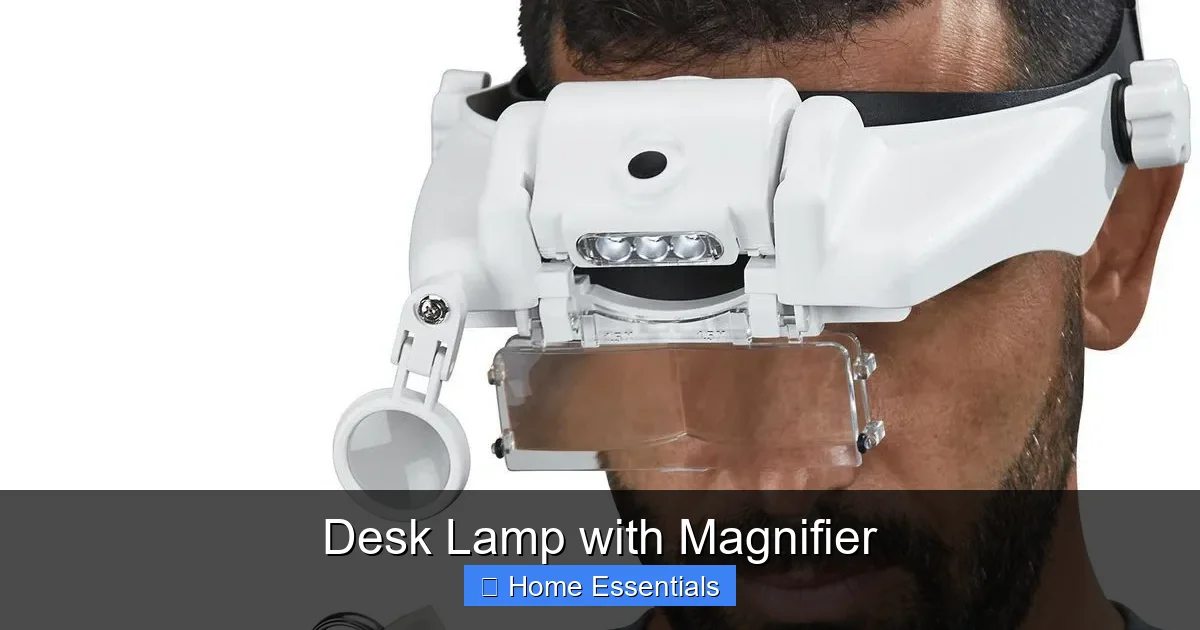
For ultimate flexibility, there are portable magnifier lamps. These are often battery-powered, lightweight, and may have a clip or small fold-out stand. They are perfect for on-the-go repairs, field work, or for use in multiple locations (e.g., moving between the kitchen table and garage workbench). Their light output and magnification are usually lower than desktop models, and battery life can be a limiting factor, but their convenience is unmatched for occasional or mobile use.
Key Features Decoded: What to Look For
Once you know the form factor, you must evaluate the features. This is where you match the tool to your specific task. Don’t get overwhelmed; focus on what matters for your primary use.
Visual guide about Desk Lamp with Magnifier
Image source: img.lazcdn.com
Magnification Power (Diopters & Focal Length)
This is the core specification. Magnification is expressed as a number (e.g., 2x, 5x, 10x) or in diopters (D). Diopters are a measure of the lens’s optical power; the formula is roughly: Magnification = Diopters / 25 + 1. So, a 5D lens gives about 1.2x magnification, while a 10D lens gives about 1.4x. However, most consumer desk lamps with magnifiers list the magnification factor directly (e.g., 2x, 3x, 5x, 10x).
- Low Power (1.5x – 3x): Offers a wide field of view and a longer working distance (the space between lens and object). Great for general reading, basic crafts, and tasks where you need to see a larger area at once. Less prone to causing dizziness for new users.
- Medium Power (3x – 5x): The sweet spot for most hobbyists and professionals. Balances a useful magnification with a manageable field of view and working distance. Perfect for electronics, jewelry, fine sewing, and stamp collecting.
- High Power (5x – 10x+): Provides extreme close-up detail but has a very small viewing area and requires the lens to be almost touching the object. Working distance is minimal (often less than an inch). Used for very fine work like watch component repair or microscopic examination. Can be disorienting and requires a very steady hand.
Pro Tip: If you’re new to magnification, start with a 2x or 3x lens. You can always move the object closer for more detail, but you can’t make a high-power lens’s tiny field of view larger.
Light Source: LED vs. Halogen
The light is half the system. Modern desk lamps with magnifiers almost exclusively use LEDs, and for good reason.
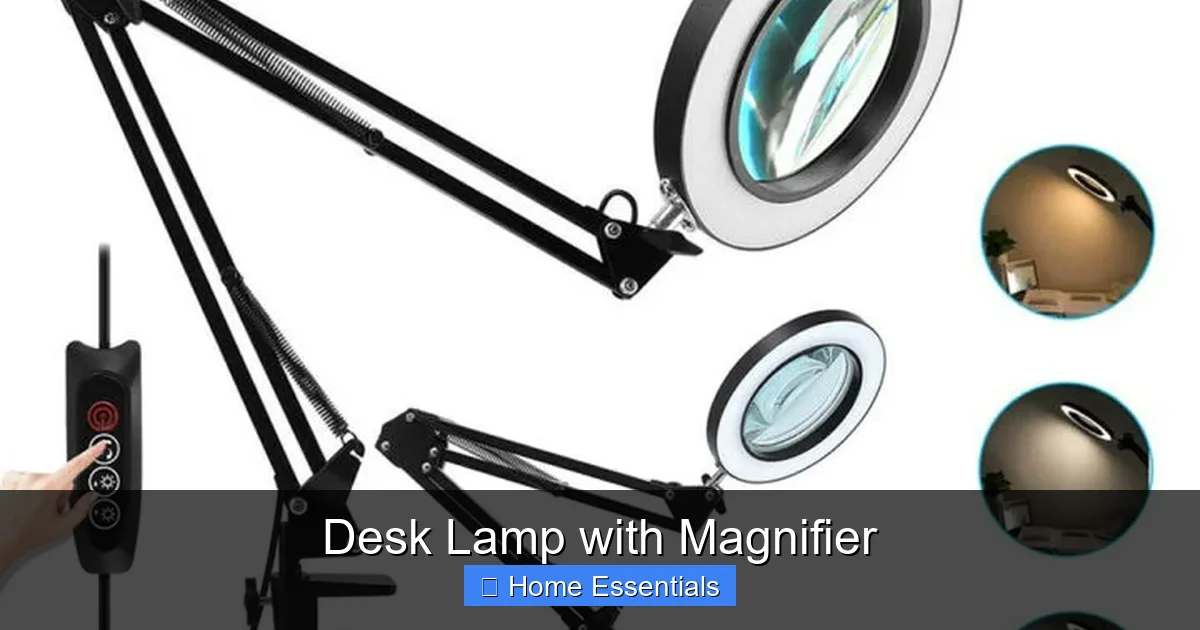
- LED (Light Emitting Diode): The undisputed champion. LEDs are cool to the touch, preventing heat distortion of your work or discomfort during long sessions. They are incredibly energy-efficient, using a fraction of the power of halogens and lasting 25,000-50,000 hours. They offer excellent color rendering (CRI > 90 is ideal for true color accuracy). Most importantly, they provide instant, full brightness without a warm-up period. Many LED models offer adjustable color temperature (from warm yellow to cool blue-white) and dimming, allowing you to tailor the light to your task and time of day.
- Halogen: The older technology. They produce a bright, white light with good color rendering but generate significant heat. This heat can be uncomfortable, warp plastic models, or dry out adhesives. They also consume more power and have a shorter lifespan (1,000-2,000 hours). While sometimes cheaper upfront, the operating cost and heat make them a poor choice for most today. Avoid unless you have a specific, legacy need.
Brightness & Color Temperature: Look for lumens (light output) if specified. 200-400 lumens is typical for a desk lamp and sufficient. More important is adjustable brightness (dimmer) and color temperature (measured in Kelvin, K). A range from 2700K (warm, relaxing) to 6500K (cool, alerting) is ideal. For precise color work (painting, graphic design), a neutral 4000K-5000K is best.
Lens Quality and Size
A magnifier is only as good as its glass or acrylic. Optical-grade glass is superior—it’s clearer, more scratch-resistant, and doesn’t distort like cheaper acrylic can. Look for lenses with anti-reflective (AR) coatings to reduce glare. The diameter of the lens matters: a larger lens (e.g., 5” diameter) gives a bigger viewing area but is often heavier and may have slightly more distortion at the edges. A smaller lens (3” – 4”) is lighter and may have better edge-to-edge clarity. Consider your typical work size. If you inspect large circuit boards, a bigger lens helps. For tiny watch parts, a smaller, higher-power lens is fine.
Arm Flexibility and Stability
This is the ergonomics of the lamp. A good arm system holds the lens and light exactly where you put it without sagging or drifting. Look for:
- Multiple Joints: A combination of a height-adjustable main arm and a pivoting head is standard. More joints (like a gooseneck) offer infinite positioning but can be less rigid.
- Spring or Counterweight Balancing: High-end lamps use internal springs or counterweights in the arm to make adjustments effortless and keep the head stable. Cheap lamps with only friction joints will droop over time.
- Head Rotation: The lamp head should tilt, swivel, and often rotate 360 degrees to direct light and lens independently.
- Base Weight: For freestanding models, a heavier base prevents tipping when the arm is fully extended. A wobbly base is a safety hazard and frustrating to use.
How to Choose the Right Desk Lamp with Magnifier for You
Now, let’s put it all together. Follow this decision flowchart based on your primary needs.
Step 1: Define Your Primary Task
Be honest. What will you use it for 80% of the time?
- General Reading / Low-Vision Aid: Prioritize a large, low-power (2x-3x) glass lens, a wide light spread, and a stable freestanding or clamp-on base. Adjustable color temperature is a plus for day/night reading.
- Electronics / Hobby Crafting: Medium magnification (3x-5x), excellent LED light with high CRI (for true component colors), and a highly flexible arm to get into tight spaces on a project board. A clamp-on style saves desk space.
- Professional Precision (Jewelry, Watchmaking): High-magnification (5x-10x) optical glass lens, the most stable and rigid arm system possible (often a boom arm), and a cool, bright, shadow-free LED. Heat management is critical.
- Beauty / Skincare / Tattooing: Medium-high magnification (4x-6x), a large lens to see a wide area of skin, and a very cool (6000K+) light to see details like pores or fine lines clearly. Sanitary design (easy to clean) is important.
Step 2: Assess Your Workspace
Measure your desk. Do you have a thick edge to clamp to? Is surface space at a premium? Do you work on large objects that need to be moved under the lamp? This will dictate the form factor. A cramped desk with no suitable edge screams for a compact clamp-on model. A large, clear bench can handle a full boom system.
3: Set Your Budget and Prioritize Features
Prices range from $30 for basic models to $500+ for professional systems. Allocate your budget based on your task-critical features. For a hobbyist, a good flexible arm and decent LED are worth spending more on. For a casual reader, a stable base and large lens are key. Don’t overpay for features you won’t use (like 10x magnification if you only need 3x).
4: Read Reviews and Brand Reputation
Stick with reputable brands known for optical tools or quality lighting (e.g., Luxo, Donegan, Brightech, TaoTronics). Read user reviews carefully, focusing on comments about arm sag, lens clarity, and light quality after several months of use. A lamp that droops after a week is useless.
Setup and Usage Tips for Optimal Comfort and Results
You’ve bought the lamp. Now, set it up correctly to reap the benefits and avoid new aches.
Ergonomic Positioning is Non-Negotiable
The goal is to work in a neutral posture. The lamp should allow you to sit up straight, with your shoulders relaxed, and look at your work without leaning in. Position the lamp so the light and lens are directly over your task. Your head should be tilted down only slightly. The magnifier lens should be at the correct working distance for your chosen magnification (this is usually specified in the manual—e.g., 3x might be 4-6 inches away). Don’t force your eyes to focus at a distance that feels strained; adjust the lamp height or your chair.
Lighting Technique: Kill the Shadows
The light must come from the same direction as the magnifier to avoid your hand casting a shadow on the work. Position the lamp head so it’s close to the lens and angled down. Experiment with the brightness and color temperature. Higher, cooler light (5000K+) is great for alertness and detail but can be harsh. Warmer light (2700K-3000K) is easier on the eyes for long sessions but may slightly alter color perception. Use a dimmer to find a comfortable level—brighter isn’t always better; too much light can cause glare.
Using the Magnifier Effectively
Keep both eyes open! Your brain will fuse the magnified image from one eye with the normal view from the other, giving you better depth perception. Move the object, not your head, to scan across a magnified area. Start with the object slightly outside the focused zone and bring it in. Practice on something simple first. Remember, higher magnification means less depth of field—only a tiny slice will be in focus at once. You’ll need to make tiny adjustments to the object’s height as you move across it.
Maintenance, Care, and Longevity
A little care goes a long way in keeping your investment performing for years.
Cleaning the Lens: Do It Right
The lens is the most critical and delicate part. Never use paper towels, tissues, or regular household cleaners (like Windex). They contain chemicals and abrasives that will permanently scratch the coating and cloud the glass. Always use a dedicated microfiber lens cleaning cloth. These are designed to lift oils and dust without scratching. First, use a soft-bristled brush (like a camel hair brush) or a blower bulb to remove any loose dust or grit. Then, breathe lightly on the lens to create a tiny amount of moisture and wipe in a gentle, circular motion with the clean microfiber cloth. For stubborn fingerprints, use a tiny drop of lens-specific cleaning solution on the cloth, not directly on the lens. For detailed guidance on proper lens care, learn how to clean electronics with microfiber cloth—the principles are identical for optical glass.
Dusting and General Care
Regularly dust the arm, base, and especially any ventilation holes on the LED housing with a soft, dry microfiber cloth. Dust buildup can insulate heat (even from LEDs) and degrade performance. Check all adjustment joints periodically. If they feel stiff, a tiny amount of silicone-based lubricant can help, but avoid petroleum-based products that can degrade plastics. Ensure cords are not pinched or twisted. If your lamp has a dimmer or touch control, wipe it with a dry cloth—never spray liquid directly onto it.
Troubleshooting Common Issues
- Arm Sagging: This is usually due to worn-out internal springs or friction joints. Check if your model’s arm is adjustable (some have tension screws). If not, it may be a sign of age or a lower-quality build. There’s often no easy fix.
- Flickering Light: For LEDs, this is rarely the bulb itself (they don’t “burn out” like filaments). It’s usually the driver (power supply) or a loose connection. Check the plug and cord. If it’s under warranty, contact the manufacturer.
- Lens Scratches: Deep scratches are permanent. Surface scratches can sometimes be polished out with specialized lens polish, but it’s risky. Prevention with proper cleaning is the best strategy.
When in doubt, consult the manufacturer’s manual. A well-maintained desk lamp with magnifier can easily last a decade or more.
Conclusion: Illuminate Your World with Clarity
A desk lamp with magnifier is more than a tool; it’s an enabler. It empowers creators to execute their vision, helps professionals maintain their livelihoods, and grants independence to those with changing vision. It transforms frustration into flow, turning a dimly lit, blurry struggle into a bright, clear, and comfortable experience. By understanding the trade-offs between magnification power, light quality, and adjustability, you can select a lamp that feels like a natural extension of your own focus. Remember, the best lamp is the one you’ll actually use—one that fits your space, suits your specific task, and invites you to sit down and see the beautiful details in the work you love. Don’t suffer through another minute of squinting. Invest in clarity, and watch your precision—and your enjoyment—soar.
Frequently Asked Questions
What magnification strength is best for general hobbies like model building or coin collecting?
For most general hobbies, a 2x to 5x magnification is ideal. This range provides a good balance of enlargement and a usable field of view, allowing you to see details without feeling disoriented or having to work at an extremely close distance.
Can I use any LED bulb in my magnifier lamp, or does it need a special one?
Most modern desk lamps with magnifiers use integrated, non-replaceable LED arrays. If your model has a standard bulb socket (E26/E27), you can use any compatible LED bulb. For integrated LEDs, the unit is sealed. Always check your lamp’s manual for bulb specifications. Many integrated LED models also offer adjustable brightness and color temperature via a built-in dimmer switch.
Are clamp-on lamps safe for all desk surfaces?
Clamp-on lamps are safe for most solid wood, laminate, and metal desk edges. They are not suitable for glass, very thin particleboard, or surfaces with delicate finishes. Always use the protective pads provided with the clamp to prevent scratches. Ensure the clamp is securely tightened and the desk edge is at least 1 inch thick for a safe grip.
Is a higher color temperature (e.g., 6500K) always better for detail work?
Not necessarily. While cooler, daylight-balanced light (5000K-6500K) maximizes contrast and is excellent for color-critical tasks like painting or electronics, it can be harsh and cause glare during long sessions. Many users prefer a neutral 4000K-4500K for a good balance of clarity and comfort. The key is having an adjustable color temperature so you can choose based on your task and environment.
How far should the magnifying lens be from my workpiece?
The correct working distance depends entirely on the magnification power. It is typically specified by the manufacturer. For example, a 3x lens might have a working distance of 4-6 inches, while a 5x lens might be 2-3 inches. You must position the lens at this focal distance for the image to be in focus. Start with the lens higher and slowly lower it until the object comes into sharp focus.
How do I clean the magnifying lens without damaging it?
Always use a soft, clean microfiber lens cloth. First, gently brush away any dust or grit with a soft-bristled brush or blower to prevent scratches. Then, breathe lightly on the lens to create moisture and wipe in a gentle, circular motion with the microfiber cloth. For oily smudges, use a drop of lens-specific cleaner on the cloth, not directly on the lens. Never use paper towels, tissues, or household cleaners like ammonia or alcohol, as they will scratch and damage the lens coatings.