How Deep Should a Study Desk Be
Choosing the right study desk depth is crucial for ergonomics, organization, and long-term comfort. A desk that’s too shallow will leave your knees hitting the surface or your monitor too close, causing strain. One that’s too deep forces you to stretch awkwardly for items, leading to poor posture and wasted space. The ideal depth balances your body’s needs with your tasks, typically falling between 24 and 30 inches for most adults. Always measure your space and consider your primary activities before buying.
Let’s be honest: choosing a new study desk can feel overwhelming. You browse catalogs, scroll through endless options, and get stuck on aesthetics—wood grain, color, style. But here’s the secret most people miss: the single most important dimension isn’t the width or the height you see listed first. It’s the depth. That measurement from the front edge to the back wall of your workspace is the silent architect of your daily comfort and efficiency. Get it wrong, and you’re signing up for achy shoulders, a craned neck, and a constant, frustrating shuffle of papers and peripherals. Get it right, and your desk becomes an invisible partner in your productivity. So, how deep should a study desk be? The answer isn’t a single number. It’s a calculation based on you, your tasks, and your room. This guide will walk you through everything, turning you from a confused shopper into a confident desk-sizing expert.
Key Takeaways
- Standard Depth Range: For most adults, a study desk depth of 24 to 30 inches (61-76 cm) is ideal, providing enough room for a monitor, keyboard, and writing space without excessive reaching.
- Ergonomic Clearance is Key: Ensure at least 24 inches (61 cm) of clear knee space underneath the desk to sit comfortably with proper posture.
- Task Dictates Depth: Writing and reading benefit from a shallower desk (24-26″), while computer work with a large monitor or multiple monitors often requires a deeper surface (28-30″).
- User Height Matters: Taller individuals generally need a deeper desk to accommodate longer legs and maintain a proper viewing distance from their screen.
- Room Size Constraints: In small spaces, a depth of 20-22 inches can work for minimalist setups, but may limit monitor size and storage options.
- Storage Impacts Effective Depth: A desk with deep drawers or a hutch reduces the usable surface depth for your primary tasks, so factor this in.
- Adjustability is the Gold Standard: An adjustable-height desk or a depth-adjustable model offers the most personalized and future-proof solution for changing needs.
📑 Table of Contents
- Why Desk Depth Matters More Than You Think
- Standard Desk Depths: What’s Available and What It Means
- Factors That Determine Your Perfect Depth: It’s Personal
- How to Measure for Your Ideal Desk Depth: A Step-by-Step Guide
- Special Considerations and Common Mistakes
- Solutions: Making Any Depth Work (Or Getting the Right One)
- Conclusion: Your Desk, Your Rules
Why Desk Depth Matters More Than You Think
We often think of a desk as a simple flat surface. But it’s an interface—a critical zone between your body and your work. The depth of that zone dictates your physical relationship with everything on it. Think about your own current desk. Do you find yourself pushing your monitor back to the very edge? Do your knees bump the underside? Is there a chaotic pile of books and notebooks permanently occupying the back half because you can’t reach them easily? These are all symptoms of a depth mismatch.
The Ergonomic Triangle: Monitor, Eyes, and Keyboard
Proper ergonomics creates a comfortable “triangle” of use. Your eyes should be level with the top third of your monitor, about an arm’s length away (roughly 20-30 inches). Your keyboard and mouse should sit directly in front of you, allowing your elbows to rest at a 90-degree angle with your shoulders relaxed. Desk depth is the linchpin of this setup. If your desk is too shallow, your monitor is inevitably too close, forcing your neck into a forward-thrust position that strains cervical vertebrae. Your keyboard might have to sit right at the edge, offering no room for a wrist rest or a notepad. Conversely, a desk that’s too deep pushes your keyboard and mouse too far away. You end up constantly reaching forward, rounding your shoulders and upper back—a classic recipe for tension and pain. The ideal depth allows your monitor to sit at a healthy distance while keeping your primary input devices (keyboard/mouse) within the “easy reach” zone, which is generally within the first 12-15 inches from the front edge.
Storage vs. Surface: The Great Trade-Off
Depth isn’t just about what’s on top; it’s about what’s built into the desk itself. Many beautiful desks come with deep drawers, file cabinets, or a substantial hutch attached to the back. This is a classic case of form versus function. A desk advertised as “30 inches deep” might only have a 22-inch clear surface before the drawer stack or hutch support begins. That 8-inch difference is lost workspace. You must mentally subtract the depth of any permanent back-of-desk storage from the total depth to find your usable surface depth. For a writer with a laptop and a notepad, that lost space might be fine. For an engineer with reference manuals, a large second monitor, and a drawing tablet, it’s a deal-breaker. Always visualize your specific gear on the surface.
Standard Desk Depths: What’s Available and What It Means
Manufacturers generally stick to a few standard depth categories. Understanding these helps you set realistic expectations as you shop.

Visual guide about How Deep Should a Study Desk Be
Image source: glassdeskguide.com
The “Classic” Office Desk: 24 to 30 Inches
This is the most common range for modern computer desks and writing tables. 24-26 inches is the sweet spot for focused writing, reading, and laptop work. It’s compact, encourages a tidy setup, and fits well in smaller rooms or against a wall. However, it often struggles to comfortably accommodate a large (27″+) monitor without the screen being too close. 28-30 inches is the go-to for serious computer work. This depth allows a 24-27 inch monitor to sit at a proper viewing distance while leaving 12-15 inches of prime real estate in front of it for your keyboard, mouse, and a notepad or tablet. It also provides a buffer zone; you can push your monitor back and still have room for a coffee mug in front of it. The downside is it requires more floor space and can feel cavernous if you’re short in stature or have a very small room.
The “Executive” or “Computer” Desk: 30 to 36+ Inches
These are the large, often L-shaped or U-shaped desks. Their depth can exceed 36 inches on the main run. This space is designed for multi-monitor setups, extensive paperwork, and sprawling projects. The key consideration here is reach. Can you comfortably access items placed at the back of this vast surface? Most people cannot without leaning or standing. For such a deep desk to be functional, you must be strategic. Place your primary monitor(s) and keyboard in the front two-thirds. Use the back third for reference materials, a printer, or decorative items you rarely need. A deep desk without a thoughtful layout becomes a storage attic, not a productive workspace.
The “Compact” or “Wall-Mounted” Desk: 12 to 20 Inches
Ideal for tiny apartments, bedrooms, or nooks. These desks prioritize footprint over all else. A depth of 16-18 inches is common for wall-mounted floating desks. Can they work? Absolutely, for very specific use cases: a laptop user with a separate monitor mounted on the wall above, a purely writing-based student, or someone who uses a compact all-in-one device. The limitations are severe. You will almost certainly have no room for a monitor on the desk surface itself (it must be wall- or arm-mounted). There is zero room for peripherals like a separate mouse or keyboard if using a laptop—you’ll be using the built-in trackpad and keyboard. Storage must be vertical (shelves above) or in a separate cabinet. For anyone needing a traditional desktop PC tower or multiple external devices, this depth is a non-starter.
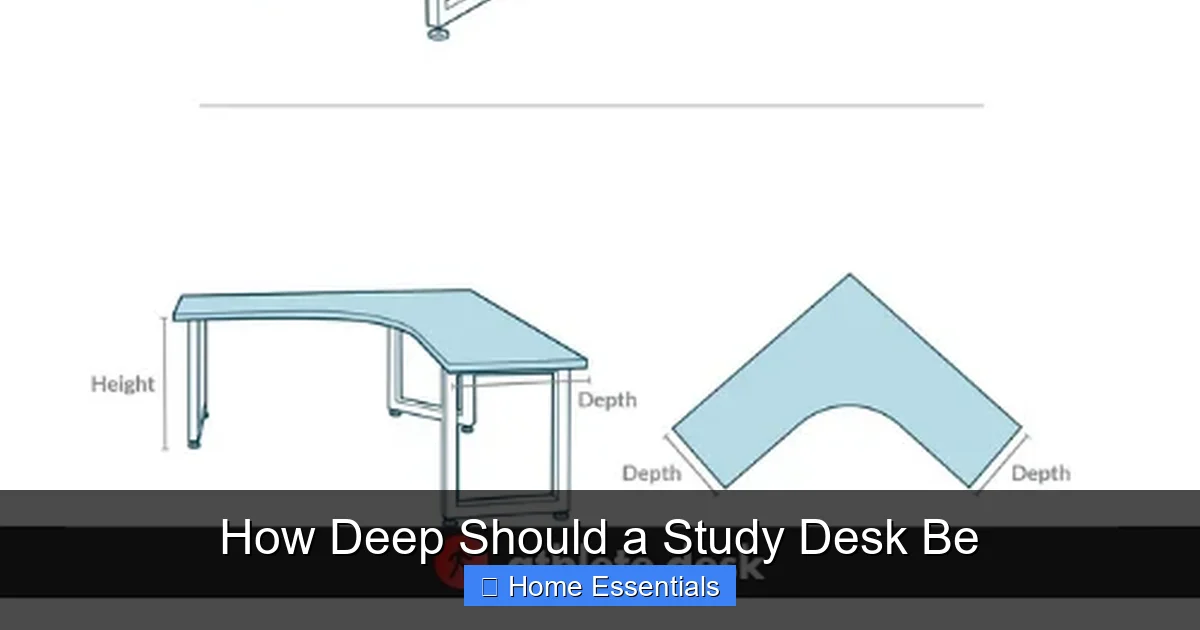
Factors That Determine Your Perfect Depth: It’s Personal
Now we move from general standards to your specific situation. Grab a tape measure and think through these points.

Visual guide about How Deep Should a Study Desk Be
Image source: boulies.com
Your Height and Body Proportions
This is the starting point. Desk height is more commonly adjusted via chair height, but depth interacts directly with leg length. If you are tall (over 6’2”), your knees will be higher. A standard 24-inch knee clearance might feel cramped, pushing your chair back and forcing you to reach further for your desk surface. You may genuinely benefit from a deeper desk (28-30″) that allows you to sit farther back while your keyboard and mouse remain within comfortable reach. For shorter individuals (under 5’4”), a very deep desk can mean your feet don’t comfortably touch the floor when seated at the back edge, or you have to stretch your arms fully to reach the center. A shallower desk (24-26″) often feels more natural and secure.
Your Primary Tasks: Writer, Coder, Gamer, Artist?
The Writer/Researcher: You need space for a laptop/tablet, a physical notebook or reference books, and perhaps a cup of tea. A depth of 24-26 inches is often sufficient. Your gaze is down at paper or a screen, not far away. The priority is a clear, uncluttered surface area.
The Programmer/Data Analyst: You likely have a large primary monitor, a secondary monitor, a mechanical keyboard, a mouse, a notepad, and maybe a tablet for notes. You need that buffer. Aim for 28-30 inches. This allows your monitors to be at a healthy distance (reducing eye strain) while your hands stay in a neutral position on the keyboard without feeling like you’re on a cliff’s edge.
The Graphic Designer/Video Editor: Similar to the programmer but with a larger drawing tablet or a Wacom Cintiq. These devices are wide and need to sit directly in front of you. You need ample depth to have your main tools within the “easy reach” arc of your arms. 28-30 inches is the minimum. Some prefer 30+ for a full-width tablet plus monitor setup.
The Gamer: This is a deep-dive category (pun intended). A large curved monitor, a full-sized keyboard, a mouse with a large mousepad, a controller charging dock, a headset stand—gamers accumulate gear. 28-30 inches is standard, but many opt for 30+ inches on an L-shaped desk to spread out. The critical factor is the distance from your eyes to the screen. A deep desk lets you push a large monitor back to an immersive but non-straining distance.
Your Monitor Setup and Viewing Distance
This cannot be overstated. The generally accepted healthy viewing distance for a monitor is an arm’s length away, approximately 20-30 inches. Your desk depth must facilitate this. Here’s a simple test: sit in your chair at your desired desk height. Stretch your arm out comfortably in front of you—that’s roughly your ideal distance from your eyes to your screen. Now, measure the depth from where your chest would be (the front edge of the desk) to the back wall. Is that space at least as long as your arm stretch? If not, your monitor will be too close. For a dual-monitor setup, you need even more depth to angle them correctly without them being squished together. A good rule: for two 24-inch monitors side-by-side, you should have at least 28 inches of depth to position them properly without a bezel gap headache.
Available Room Space and Layout
You must measure your floor space, not just the wall. How far out from the wall can the desk go? Consider walkways. A 30-inch deep desk in a 10×10 room might leave only a narrow path behind the chair. Also, think about traffic flow. Will the desk block a doorway or a closet? Use painter’s tape on the floor to mark the exact footprint of the desk you’re considering. Live with it for a day. Can you open drawers fully? Can the chair roll out easily? In a small room, a shallower desk (20-24″) might be the only way to maintain a functional layout, even if it means a smaller monitor.
Built-in Storage Needs
As mentioned, a desk with a deep drawer stack or a hutch effectively steals depth from your work surface. Be brutally honest about your storage needs. Do you need all those drawers? Could a simple, shallow filing cabinet fit beside the desk instead? Sometimes, a “shallow” desk (24″) with no back storage is more functional than a “deep” desk (30″) where half the surface is unusable because of a hutch. If you love the look of a desk with a hutch, measure the clear space between the front edge and the hutch’s support structure—that’s your usable depth.
How to Measure for Your Ideal Desk Depth: A Step-by-Step Guide
Theory is great, but action is better. Here’s how to find your personal magic number.

Visual guide about How Deep Should a Study Desk Be
Image source: i.redd.it
Step 1: Simulate the Setup
Don’t just guess. Go to your room with a chair. Sit as you would when working. Have someone hold a large book or a cardboard box to simulate the back of a desk. Have them hold it at various distances from you (24″, 26″, 28″, 30″). Place your arms on the “desk” (the box’s front edge). Can you comfortably reach an imaginary spot 12 inches in front of you (your keyboard zone)? Can you see clearly to an imaginary point 20-30 inches away (your monitor zone)? Does your chest or stomach hit the underside of the “desk” (the box)? This physical simulation tells you more than any chart.
Step 2: Measure Your Gear
Lay out all the items that will permanently live on your desk: your monitor (measure the screen size, but also the base footprint), your keyboard, your mouse pad, a typical notebook, a desk lamp. Arrange them as you would use them. Measure the total depth from the front of the keyboard to the back of the monitor. That’s your minimum functional depth. Then, add 2-4 inches of buffer space for ease of use, reaching for a pen, or setting down a coffee mug. That final number is your target usable surface depth.
Step 3: Check Knee and Leg Clearance
This is non-negotiable. Measure from the floor to the underside of your current table or a surface at your desired desk height. Then, measure the distance from the back of your knee to the front of your shin when sitting normally. You need at least that much vertical clearance, plus an inch or two for comfort. More importantly, measure the horizontal clearance. From the front edge of the desk (where your knees are) to the first obstruction underneath (a drawer slide, a support beam, a shelf) must be at least 24 inches for most people to sit without feeling cramped. If you have a deep desk but only 18 inches of horizontal legroom, you’ll be sitting with your knees against the front lip, which is terrible for circulation and posture.
Step 4: Consider Accessory Clearance
Think about your monitor arm. These arms have a specified “reach” or extension. If you have a 28-inch deep desk and an arm that extends 10 inches, your monitor can be positioned anywhere from the back wall to 10 inches forward. This flexibility is fantastic. But if your desk is only 20 inches deep, that same arm might not be able to position the monitor far enough back for comfortable viewing. Check the specs of any monitor arms, CPU holders, or keyboard trays you plan to use. They have minimum and maximum desk thickness and depth requirements.
Special Considerations and Common Mistakes
Even with the right depth, pitfalls await. Let’s avoid them.
The “Too Shallow” Trap: When 20 Inches Isn’t Enough
A 20-inch deep desk is a common IKEA hack and a space-saver. But it’s a trap for most computer users. It forces a laptop user to use the built-in screen and keyboard, which is ergonomically poor (neck down, wrists bent). It means any external monitor will be mere inches from your face. It leaves zero room for a mouse if you use a separate one. The only people who should consider this depth are those with a wall-mounted monitor (so the screen is far away) and a compact, low-profile keyboard that tucks away, using the desk solely as a platform. For 95% of people, 24 inches is the absolute minimum for a dedicated computer workstation.
The “Too Deep” Dilemma: The Unreachable Back Half
A 36-inch deep desk sounds luxurious. Until you realize you can’t reach the back 12 inches without leaning or standing up. That space becomes a dumping ground for things you “might need later,” creating visual clutter and encouraging bad habits. If you love the footprint of a large desk but find the depth daunting, consider a desk with a return or an L-shape. The main “work” wing can be a comfortable 28 inches, while the return provides deep storage or a secondary surface you access by turning your chair, not by reaching blindly forward.
Lighting and Cable Management Implications
Depth affects light and wires. A deeper desk casts a larger shadow from your body and monitor, potentially darkening your work surface. You may need a stronger desk lamp with a longer arm to reach the center of a 30-inch deep desk. For cable management, a deeper desk offers more room to route cables from the back of a tower or monitor to a power strip hidden underneath or behind. However, it also means longer cable runs, which can look messy if not managed with clips or conduits. A shallow desk makes cable hiding easier but offers less physical space to bundle them out of sight.
Material and Build Quality Considerations
This is a practical, often overlooked point. A very deep desk (30+ inches) that is made from lightweight particleboard with no central support leg or sturdy apron can develop a sag in the middle over time, especially if you lean on it or store heavy items on it. The longer the span of the desktop material, the more critical internal bracing or a central support becomes. When looking at a deep desk, check the construction. Is there a solid leg or stretcher in the middle? For a 60-inch wide desk that’s 30 inches deep, a central support is almost essential for long-term stability. This doesn’t change the depth you *should* get, but it informs which *specific* deep desk model you should buy.
Solutions: Making Any Depth Work (Or Getting the Right One)
What if your ideal depth doesn’t fit your room? Or you already own a desk that’s the “wrong” depth? There are strategies.
For the Shallow Desk Owner
If you’re stuck with a 20-22 inch desk, you must adapt. Wall-mount your monitor(s). This is the single most effective fix. It removes the monitor from the surface entirely, freeing up precious inches. Use a monitor arm for maximum adjustability. Use a compact, low-profile keyboard and a small mouse. Consider a tenkeyless mechanical keyboard and a small trackball or vertical mouse. Embrace vertical storage. Install shelves directly above the desk for books, supplies, and even a second monitor if you must, but mount it high and angled down. Use a slim desk pad that doesn’t add bulk. Your goal is to minimize the footprint of everything on the surface.
For the Deep Desk Owner
If your desk is a spacious 30+ inches, your goal is to avoid “depth creep” where everything gets pushed to the back. Define zones. The front 12-15 inches is your “active zone” for keyboard, mouse, and current task. The middle 6-8 inches is your “reference zone” for a notepad, tablet, or secondary screen. The back 6+ inches is your “static zone” for a lamp, a decorative item, or a rarely-used reference book. Use a deep desk pad to visually unify the space and define the front edge. Get a monitor arm with a strong reach. This allows you to position your screen precisely, not just plunk it at the back. Consider a under-desk drawer or keyboard tray to reclaim some of that surface depth for other items.
The Ultimate Solution: Adjustable and Modular Desks
If budget and space allow, an adjustable-height (sit-stand) desk is a fantastic investment. While their primary adjustment is height, many come in various depths (commonly 24″, 30″, 36″). You can choose the depth that fits your current needs. Better yet, some high-end brands offer desktop extensions or returns you can add later, or even depth-adjustable models where the desktop slides forward and back on its base. This is the peak of customization. For a more budget-friendly modular approach, buy a simple, shallow desk base and pair it with a large, separate mobile cart or side table for overflow storage and secondary tasks. This keeps your primary workspace at an optimal depth while giving you expansion options.
Conclusion: Your Desk, Your Rules
The question “how deep should a study desk be?” finally has an answer: it depends on you. Forget the one-size-fits-all myth. A writer in a studio apartment needs a different depth than a software engineer in a dedicated office. The process is simple: understand the ergonomic principles (monitor distance, keyboard reach, knee clearance), honestly assess your tasks and gear, physically simulate the space in your room, and measure twice. The standard 24-30 inch range is your compass, but your personal measurements are the map. Remember, a desk is a long-term investment in your health and productivity. Taking the time to get the depth right is the first and most important step in creating a workspace you’ll love to use for years to come. Don’t just buy a desk—build your perfect command center.
Frequently Asked Questions
What is the minimum depth for a functional computer desk?
For a standard desktop computer setup with a separate monitor, keyboard, and mouse, the absolute minimum usable surface depth is 24 inches. This allows the monitor to be at least an arm’s length away while leaving about 12 inches for your keyboard and mouse. Anything shallower will force your monitor too close, causing eye and neck strain.
How deep should a desk be for dual monitors?
For a comfortable dual-monitor setup, aim for a desk depth of 28 to 30 inches. This provides enough room to position the monitors at a proper viewing distance (20-30 inches from your eyes) and angle them slightly, while still having adequate space in front for your keyboard and mouse. With less depth, the monitors will be too close and may be difficult to angle without their bezels touching.
Is a deeper desk always better for storage?
Not necessarily. A deeper desk often has more total depth, but if that depth is consumed by deep drawers or a hutch attached to the back, your usable surface depth can actually be quite small. Always check if the storage is built into the main surface or is a separate unit. Sometimes a shallower desk with a separate filing cabinet beside it offers more flexible storage.
What depth is best for a child’s study desk?
For children, prioritize adjustability and growth. A depth of 20 to 24 inches is typically sufficient for elementary through middle school ages, as they use smaller materials. The most important factor is an adjustable chair and a desk height that allows their feet to flatly rest on the floor with knees at 90 degrees. Consider a desk with a slightly shallower depth to fit their smaller frames and rooms.
Can I use a very deep desk if I have a small room?
You can, but you must be strategic. A deep desk (30″+) in a small room will dominate the space and may block walkways. Ensure you have at least 30-36 inches of clearance behind the chair for movement. Consider a wall-mounted floating desk with a depth of 24-26 inches, as it creates a more open feel. Or, use an L-shaped desk where only one wing is deep, placing the deep section against a wall and the shallow section in the open area of the room.
Does desk depth affect cable management?
Yes, significantly. A deeper desk provides more space to route cables from the back of your monitor and computer tower to a power strip hidden underneath. You can use cable trays, clips, and sleeves more effectively. However, it also means longer cable runs, which can look messy if not managed. A shallower desk requires less cable length but offers less physical room to hide bundles, often requiring more creative solutions like running cables along the underside of the desk.
To keep your workspace tidy, regularly dust your desk and equipment. Using a proper microfiber cloth is the safest way to clean electronics and surfaces without scratching. For deeper cleans of your desk’s surface or surrounding areas, a microfiber duster can effectively trap dust without spreading it around.