How Do Desk Lamps Work
Desk lamps are more than just a bulb on a stand—they’re carefully engineered tools designed to direct light exactly where you need it. They work by converting electrical energy into light through a bulb or LED array, with internal wiring, switches, and often adjustable components controlling that light. Understanding the mechanics helps you choose the right lamp for your needs, whether for reading, working, or creating ambiance.
Key Takeaways
- Basic Principle: All desk lamps function by completing an electrical circuit from your wall outlet, through the lamp’s wiring, to a light source (bulb/LED), and back.
- Bulb Technology Matters: The type of bulb—incandescent, halogen, fluorescent, or LED—dictates the lamp’s efficiency, heat output, color quality, and lifespan.
- Internal Components are Key: A socket holds the bulb, a cord carries electricity, a plug connects to the outlet, and a switch breaks the circuit to turn the light on/off.
- Adjustability is Designed: Arms, necks, and heads are engineered with joints (often friction-based or using set screws) to allow precise positioning of the light beam.
- Modern Lamps Offer More: Features like dimmers, USB ports, color temperature adjustment, and smart home connectivity are becoming common in modern desk lamp designs.
[FEATURED_IMAGE_PLACEHOLDER]
📑 Table of Contents
- The Humble Desk Lamp: More Than Meets the Eye
- The Basic Principle: It’s All About the Circuit
- Bulb Technologies: How Light is Actually Made
- Inside the Lamp: Wiring, Joints, and the Path of Power
- Switch & Control Mechanisms: From Toggle to Touch
- Modern Desk Lamp Features: Beyond the On/Off
- Choosing the Right Desk Lamp: Matching Form to Function
- Conclusion: Light, Engineered for You
The Humble Desk Lamp: More Than Meets the Eye
You flip the switch, and a pool of light lands on your notebook, keyboard, or workbench. It’s so simple, so everyday, that you probably never stop to ask: how does this thing actually work? That unassuming desk lamp on your table is a marvel of focused engineering. Its sole job is to take raw electrical power from your wall and transform it into a controlled, usable beam of light right where you need it. Unlike a ceiling fixture that casts light everywhere, a great desk lamp is a precision instrument. It’s the difference between a floodlight and a laser pointer. Understanding how it works isn’t just for electricians; it’s for anyone who wants to buy a better lamp, troubleshoot a problem, or simply appreciate the quiet technology that powers their nightly reading or big project. Let’s pull back the shade and see what’s really happening inside.
The Basic Principle: It’s All About the Circuit
At its heart, a desk lamp is a simple closed electrical circuit. Think of electricity like water flowing through a pipe. Your wall outlet is the source, full of “pressure” (voltage). The lamp’s cord is the pipe, and the switch is a valve. The bulb or LED is like a tiny water wheel that spins (emits light) when the water (electricity) flows through it. When you plug in the lamp and flip the switch “on,” you complete the path. Electricity travels from the hot wire in the plug, through the cord, through the switch, to the bulb’s filament or semiconductor, and returns via the neutral wire to complete the loop. No complete loop? No light. That’s the fundamental magic.
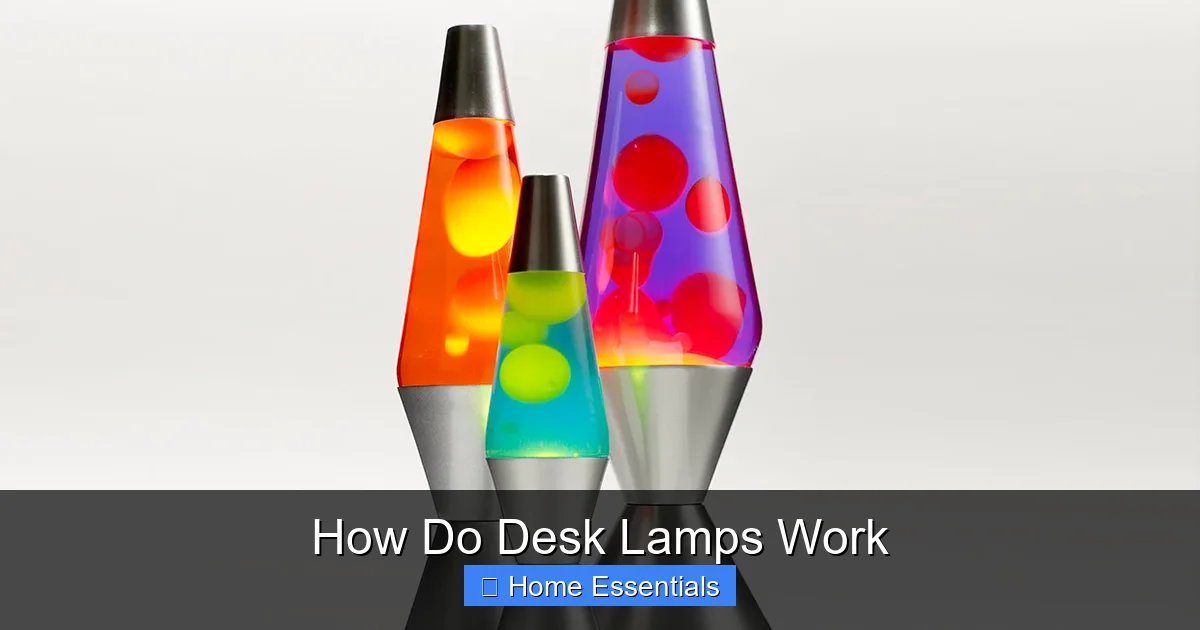
Visual guide about How Do Desk Lamps Work
Image source: warisanlighting.com
Anatomy of a Basic Lamp
A standard, non-smart desk lamp has a few critical parts working in concert:
- The Plug: Usually a two or three-pronged plug that fits your standard outlet. The prongs connect to the hot and neutral wires inside the cord.
- The Cord: A flexible cable containing two (or three for grounded lamps) insulated wires. These carry the electricity from the plug to the lamp body.
- The Socket: This is the metal (or plastic) housing at the base of the bulb. Inside, there are electrical contacts. When you screw in a bulb, the bulb’s metal base touches these contacts, completing the circuit to the bulb’s internal filament or LED.
- The Switch: This is the circuit breaker. It’s a simple mechanism that physically separates the two wires, stopping the flow of electricity. Flipping it reconnects them. It’s usually located on the cord, base, or neck of the lamp.
- The Bulb: The actual light emitter. This is where the technology gets interesting, as different bulbs work very differently.
- The Shade: While not part of the electrical circuit, it’s crucial for function. It diffuses and directs the light, reducing glare and shaping the beam pattern.
Bulb Technologies: How Light is Actually Made
The “how” changes dramatically depending on what’s screwed into that socket. For over a century, the incandescent bulb ruled, but today, LEDs dominate. Each technology creates light through a different physical process.
Visual guide about How Do Desk Lamps Work
Image source: warisanlighting.com
Incandescent Bulbs: The Original (and Hot) Idea
This is the classic bulb. Inside the glass bulb is a vacuum or inert gas and a thin tungsten filament. When electricity flows through the filament, it encounters resistance. This resistance makes the filament get incredibly hot—so hot (around 4,500°F) that it glows white-hot, producing light. It’s wonderfully simple and provides excellent color rendering, but it’s wildly inefficient. About 90% of the energy is wasted as heat, not light. That’s why they feel hot to the touch and why they burn out relatively quickly as the filament evaporates. You won’t find many new desk lamps using these anymore due to energy bans in many countries.
Halogen Bulbs: Incandescent’s More Efficient Cousin
Halogen bulbs are a refined incandescent. They also use a hot tungsten filament, but the glass bulb is filled with a halogen gas (like iodine or bromine). This gas creates a cycle: as the filament heats and tungsten evaporates, the gas redeposits the tungsten back onto the filament. This allows the filament to run hotter and brighter without shortening its life, making halogens more efficient and longer-lasting than standard incandescents. They still produce significant heat and are less efficient than LEDs. You might find them in older or high-intensity desk lamps for art studios or workshops where perfect color accuracy is prized.
Fluorescent & CFL Bulbs: Gas and Glow
These work very differently. Inside the glass tube is a low-pressure mercury vapor and an inert gas. When electricity strikes the gas, it excites the mercury atoms, causing them to emit ultraviolet (UV) light. The inside of the tube is coated with a phosphor powder. This phosphor absorbs the UV light and fluoresces, emitting visible white light. They are much more efficient than incandescents but contain a small amount of mercury, requiring careful disposal. Their light quality can sometimes be harsh or have a greenish tint, though modern versions are much improved. Compact Fluorescent Lamps (CFLs) are the twisted versions designed to replace standard bulbs. They need a ballast (often built into the base) to regulate the initial high voltage needed to start the gas discharge.
LEDs: The Modern Standard
Light Emitting Diodes (LEDs) are solid-state semiconductors. They have no filament, no gas, and no moving parts. A tiny semiconductor chip (the diode) has two layers. When electricity flows through it, electrons move from one layer to the next, releasing energy in the form of photons—light. The color of the light is determined by the materials used in the semiconductor. LEDs are incredibly efficient (converting far more energy to light than heat), last tens of thousands of hours, and are very durable. They also instantaneously turn on and can be easily designed for dimming and color changing. This is why virtually all new desk lamps are LED-based, and many have the LEDs permanently integrated into the lamp head rather than using a replaceable bulb socket. Speaking of smart features, if you’re curious about how bulbs can connect to Wi-Fi, you can learn more about how smart light bulbs work to understand the underlying technology that sometimes finds its way into high-end desk lamps.
Inside the Lamp: Wiring, Joints, and the Path of Power
Now that we know how light is made at the source, let’s trace the path the electricity takes to get there. The simplicity of a desk lamp’s function belies a bit of clever mechanical engineering, especially in the adjustable parts.
Visual guide about How Do Desk Lamps Work
Image source: warisanlighting.com
The Cord and Internal Wiring
The flexible cord you see is a sheath containing two (or three) insulated copper wires. One is the “hot” (usually black or brown) carrying the live current. The other is “neutral” (usually white or blue) returning the current. In a grounded lamp, there’s a third bare or green wire. These wires run from the plug, up through the lamp’s base, and into the neck or arm. In an adjustable lamp, this is where it gets tricky. The wires must be able to bend and move at the joints without breaking. Manufacturers achieve this by leaving slack loops of wire inside the lamp’s body and arms, or by using special flexible conduit. Poorly designed lamps often fail at these stress points where the wires repeatedly bend.
The Socket and Bulb Interface
The socket is more than just a holder; it’s an electrical connector. In a standard Edison screw-base socket (the most common), the bottom contact is connected to the hot wire, and the threaded metal shell is connected to neutral. When you screw in the bulb, the bulb’s metal base touches both, completing the circuit. If the socket contacts become corroded, loose, or coated with dust, the connection fails, and the bulb won’t light. Sometimes, simply unplugging the lamp, unscrewing the bulb, and gently cleaning the socket contacts with a dry cloth can solve the problem.
Adjustability: The Art of the Joint
This is where desk lamps truly differ from ceiling lights. How does that gooseneck stay put? How does the weighted base not tip over? There are a few common mechanisms:
- Friction Joints: The most common. Two metal or plastic pieces are pressed together by a spring or screw. The friction between them holds the lamp in position. Over time, these can wear out and become loose, causing the lamp head to droop.
- Set Screw Joints: A small screw tightens to clamp down on the inner rod or arm. You loosen it to adjust, tighten it to hold. Very reliable but less convenient for frequent micro-adjustments.
- Tension Springs: Used in many modern articulated “task” lamps. A spring inside the arm provides constant tension, allowing smooth, one-handed adjustment that holds firmly. These are often the most satisfying and durable systems.
- Goosenecks: The flexible metal tube. It works because the tube is made of many small, interlinked metal segments. You bend it, and the friction between the segments holds the shape. They can weaken over time and not hold their bend as well.
The base is also critical for stability. It’s often weighted with metal or sand to counterbalance the weight of the extended arm and head, preventing the whole lamp from tipping over when you adjust it.
Switch & Control Mechanisms: From Toggle to Touch
The switch is your direct interface with the circuit. Its design affects both the lamp’s aesthetics and its longevity.
Traditional Toggle and Push-Button Switches
These are mechanical rocker or push-button switches. Inside, they have simple contacts that physically move apart or together. They are cheap, reliable, and easy to replace if they fail. The failure point is often the mechanical parts wearing out or contacts getting dirty.
In-Line Cord Switches
Very common on inexpensive lamps. The switch is a small box on the power cord. It contains a simple slider or rocker that presses two contacts together inside. They are convenient but can be a point of failure if the cord is frequently flexed near the switch.
Dimmer Switches
Dimmers are more complex. They don’t just turn power on/off; they control the *amount* of power (voltage) going to the bulb. For incandescent/halogen bulbs, a standard leading-edge or trailing-edge dimmer works by “chopping” part of the AC sine wave, reducing the average voltage. For LEDs, it’s trickier. LEDs need a constant, regulated current. LED-compatible dimmers work differently, often using pulse-width modulation (PWM) at very high speeds to simulate reduced power. Using a non-compatible dimmer with an LED bulb can cause buzzing, flickering, or damage. This is why you’ll see “dimmable” clearly marked on compatible LED bulbs. If you want to use a dimmer, you must ensure both the bulb and the switch are designed to work together. For a deeper dive into how dimmers interact with modern bulbs, check out whether smart bulbs work with dimmer switches, as the principles are similar.
Touch and Proximity Sensors
Modern lamps often use capacitive touch sensors. When you touch a metal part on the base or stem, your body’s natural electrical capacitance changes, which a tiny circuit detects and uses to toggle the light. They have no moving parts to wear out but can be finicky if your hands are dry or the lamp’s electronics get dusty.
Modern Desk Lamp Features: Beyond the On/Off
The basic principle hasn’t changed, but the features layered on top have evolved dramatically. Today’s desk lamp is often a multi-function tool.
Integrated LEDs and Color Tuning
Instead of a screw-in bulb, many lamps have LEDs permanently built into the head. This allows for sleek designs and precise light distribution. More importantly, it enables “tunable white” or “circadian” lighting. These lamps use a mix of cool white (blue-enriched) and warm white (yellow/red) LEDs. By adjusting the balance, you can change the color temperature of the light from a energizing 5000K (blue-ish) for focused work to a relaxing 2700K (warm yellow) for evening reading. This aligns with your body’s natural circadian rhythm.
USB Charging Ports
It’s a simple addition: a USB-A or USB-C port built into the base or stem. It’s powered by the same electrical circuit but passes through a small, separate power converter (5V DC) to safely charge your phone or tablet. It’s incredibly convenient and shows how lamp bases are now used as mini-power stations.
Smart Home Connectivity
The next frontier is connectivity. Some high-end desk lamps have Wi-Fi or Bluetooth built-in, allowing you to control them via an app on your phone or with voice commands through Alexa, Google Home, or Apple HomeKit. You can adjust brightness, color, set schedules, or even create scenes. The lamp essentially has a small computer (a microcontroller) and a wireless radio inside. If you’re exploring smart lighting, understanding the compatibility of smart bulbs with Alexa is a key step, as many smart desk lamps operate on similar principles. They often don’t require a separate “smart bulb” because the LEDs are already integrated and controlled by the lamp’s own internal smart circuitry.
Memory and Timers
Some lamps remember your last brightness setting when you turn them off and on. Others have built-in timers that automatically shut off after a set period (like 30 or 60 minutes), which is a great safety and energy-saving feature for bedtime readers. These functions are handled by a simple timer circuit or a microcontroller with a small memory chip.
Choosing the Right Desk Lamp: Matching Form to Function
Now that you know how they work, how do you pick the right one? It’s about matching the lamp’s capabilities to your specific task.
For Reading and Detail Work
Prioritize adjustability and light quality. Look for a lamp with a highly flexible arm and a head that can be positioned precisely. The bulb should be high lumens (brightness) and have a high CRI (Color Rendering Index, ideally 90+) for accurate color. A shade that minimizes glare is essential. An integrated LED with a color temperature around 4000K (neutral white) is often perfect. Pro Tip: Position the lamp so the light comes from the side opposite your writing hand to avoid shadows.
For Computer Work
Glare on your screen is the enemy. You need a lamp that illuminates your desk without shining directly into your eyes or onto the monitor. Look for a lamp with a asymmetric design—one that directs most of its light downward and forward, with a deep, wide shade. Some have “screen-friendly” modes that reduce blue light emission. A lower brightness setting with a warmer color temperature (around 3000K) can also reduce eye strain during long sessions.
For Ambiance and Style
Here, the lamp is as much a decor piece as a tool. You might sacrifice some adjustability for a beautiful design. Consider the material (brass, wood, matte metal) and the shade style (fabric, metal, glass). The light output can be lower and warmer for a cozy feel. Ensure the bulb type (if replaceable) is one you can easily find, like a standard E26 LED with a warm white glow. If you want to integrate it into a smart home system, check if smart bulbs will work in any fixture you’re considering, though most integrated LED lamps handle their own connectivity.
Practical Considerations: Bulb Replacement and Energy
If you buy a lamp with a standard bulb socket, you have endless bulb choices—dimmable, colored, smart bulbs. But you’re also responsible for bulb replacement. Integrated LEDs mean you never change a bulb, but if the LEDs fail, the whole lamp may need replacing (though quality ones last 10+ years). Regarding energy, a 10W LED desk lamp provides light comparable to a 60W incandescent. Over a year, the energy savings are significant. If you’re concerned about long-term costs, do smart bulbs save energy? The answer is yes, especially when combined with scheduling and dimming features, and this applies to smart desk lamps as well.
Conclusion: Light, Engineered for You
A desk lamp is a beautiful study in focused utility. It takes the vast, impersonal flow of electricity from your wall and, through a series of deliberate mechanical and electrical choices—the socket, the wiring, the switch, the joint, the shade—channels it into a personal pool of illumination. Whether it’s the warm glow of a halogen bulb on a vintage arm or the cool, tunable light of an integrated LED on a futuristic stem, the principle remains the same: complete the circuit, control the flow, and direct the beam. By understanding these inner workings, you move from being a passive user to an informed owner. You can diagnose a loose connection, choose the perfect color temperature for your circadian rhythm, select a lamp with a durable tension-spring arm, and appreciate the engineering that lets you read a book or craft a masterpiece long after the sun goes down. The next time you turn on your lamp, you’ll know there’s a little bit of electrical magic, thoughtfully designed, working just for you.
Frequently Asked Questions
What type of bulb is best for a desk lamp?
LED bulbs are best for most people. They are energy-efficient, long-lasting, produce little heat, and are available in a wide range of brightness and color temperatures. Look for a high CRI (90+) for accurate color.
Why does my desk lamp feel hot?
If you have an incandescent or halogen bulb, most of the energy is converted to heat, so the lamp will get hot. If you have an LED lamp and it’s excessively hot, there may be a problem with the driver (the small power supply inside) or the lamp may be poorly ventilated.
Can I use a smart bulb in my old desk lamp?
Yes, if your lamp has a standard E26 or E12 bulb socket and you have Wi-Fi. Smart bulbs connect directly to your home network. Just ensure your lamp’s switch is always left “on” so the bulb stays powered for remote control.
How do I fix a wobbly or drooping desk lamp?
The issue is usually worn friction joints or loose set screws. Locate the joint that’s slipping. If it has a small set screw (often hex-headed), tighten it gently with an Allen wrench. If it’s a friction joint, there may be an adjustment nut you can tighten. If not, the joint may be worn out and need professional repair or replacement.
Are desk lamps with USB ports safe?
Yes, reputable brands design them safely. The USB port has its own isolated 5V power converter, separate from the main lamp circuitry. It’s no different from plugging a charger into a wall outlet. Just don’t overload it with high-power devices beyond its rated amperage (usually 2A).
Why does my LED desk lamp flicker?
Flickering is often caused by an incompatible dimmer switch (if used) or a low-quality LED driver. It can also occur if the lamp is on a circuit with other devices that cause voltage fluctuations. Ensure you’re using a dimmer rated for LEDs, or try the lamp in a different outlet to diagnose the issue.