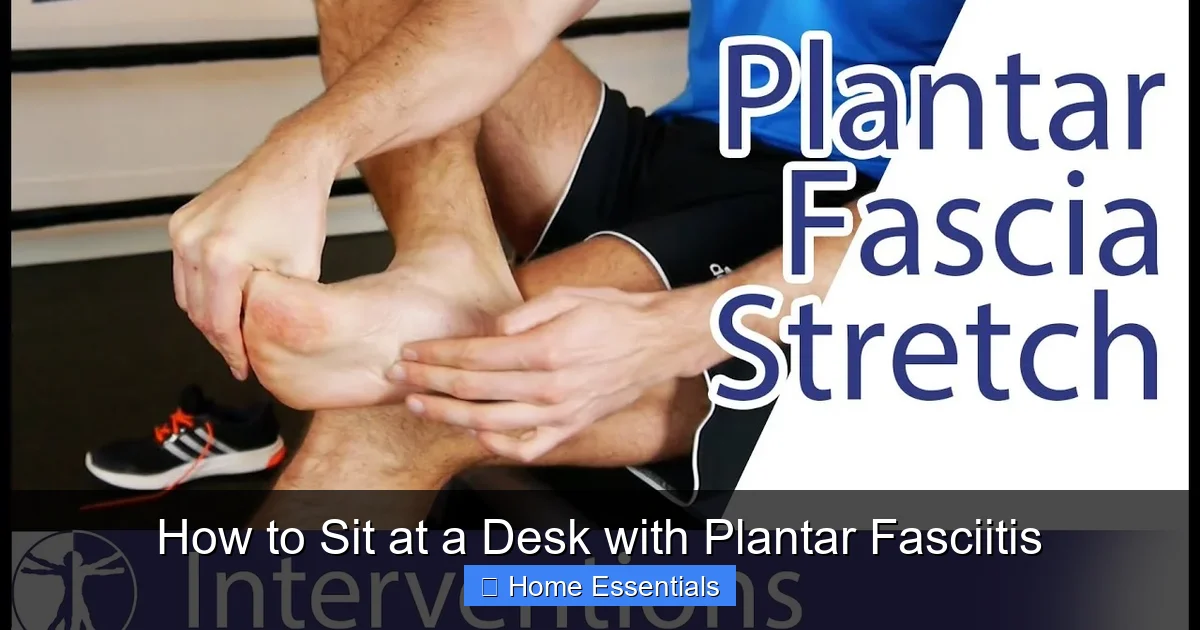
How to Sit at a Desk with Plantar Fasciitis
Plantar fasciitis makes desk work painful, but proper ergonomics can help. Use a supportive footrest, maintain good posture, and wear cushioned shoes to reduce strain. Take hourly breaks for stretches like towel curls to relieve tension. Adjust your chair and monitor height to avoid pressure on your feet. With these strategies, you can work comfortably despite heel pain.
If you’ve been diagnosed with plantar fasciitis, that stabbing heel pain first thing in the morning isn’t the only challenge. Sitting at a desk for hours can quietly aggravate the condition, turning a typical workday into a test of endurance. The plantar fascia—that thick band of tissue running along the bottom of your foot—needs support and gentle movement. When it’s forced into a static, strained position, inflammation flares up. But here’s the good news: with intentional adjustments to your desk setup, footwear, and routine, you can sit comfortably and protect your feet. This guide walks you through practical, evidence-based strategies to transform your workspace into a haven for happy heels.
We’ll cover everything from choosing the right footrest to subtle stretches you can do while seated. No fancy equipment required—just a willingness to tweak your environment and habits. Whether you’re working from home or in an office, these tips will help you manage pain and prevent further damage. Remember, consistency is key. Small changes done daily make a big difference over time.
Key Takeaways
- Use an adjustable footrest: Elevate your feet to keep knees slightly higher than hips, reducing tension on the plantar fascia.
- Maintain neutral posture: Sit with back straight, shoulders relaxed, and feet flat on the footrest to distribute weight evenly.
- Wear supportive shoes: Even at your desk, shoes with good arch support prevent the arch from collapsing and straining the fascia.
- Stretch every 60 minutes: Simple seated exercises like towel curls and calf stretches improve circulation and loosen tight tissues.
- Optimize your workspace: Position your monitor at eye level and keep your desk clutter-free to avoid awkward leg positions.
- Consider a rocker-style footrest: Gentle rocking motion promotes micro-movements that prevent stiffness in the heel and arch.
- Listen to your body: If pain intensifies, stand up, walk briefly, or consult a specialist for custom orthotics.
📑 Table of Contents
Understanding Plantar Fasciitis and Desk Work
What Is Plantar Fasciitis?
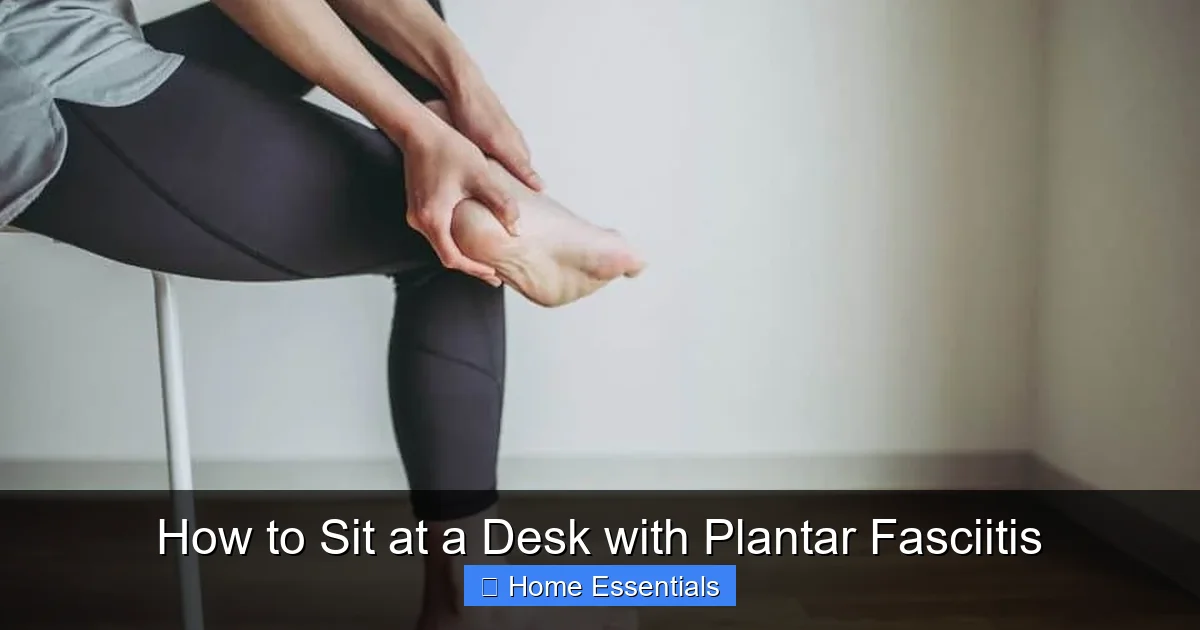
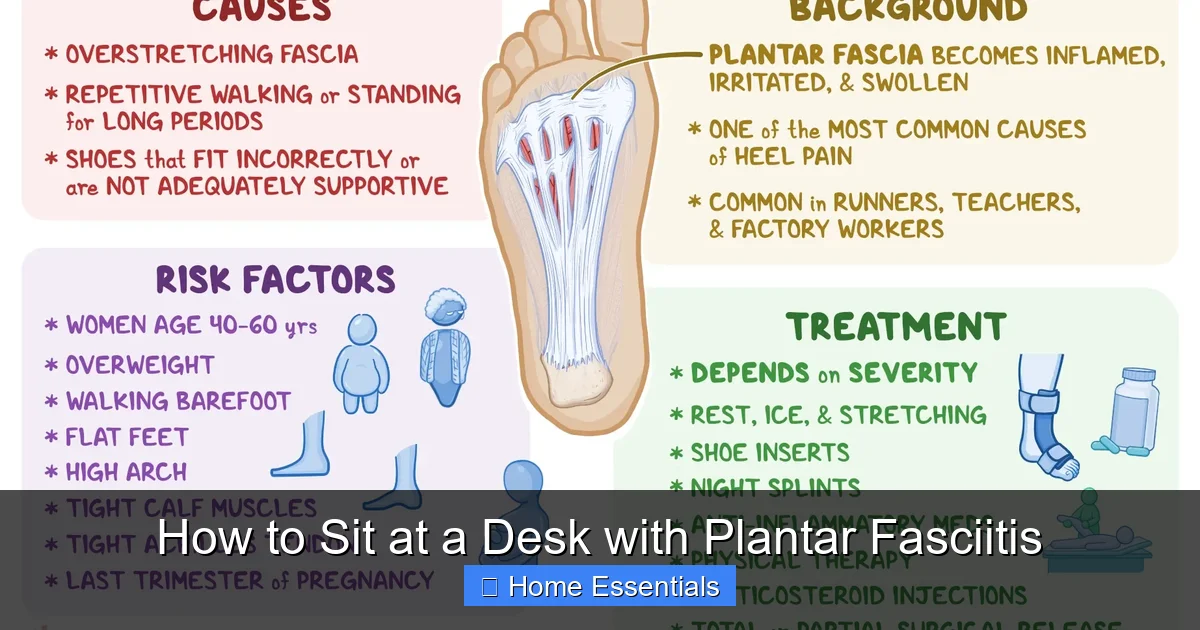
Plantar fasciitis is inflammation of the plantar fascia, a ligament that connects your heel bone to your toes. It acts like a shock absorber and supports your foot’s arch. Overuse, poor foot mechanics, or prolonged pressure can cause tiny tears in this tissue, leading to pain and stiffness. The discomfort is often worst after periods of rest—like first thing in the morning—but it can flare up during the day too, especially if you’re sitting with your feet in a strained position.
Risk factors include tight calf muscles, high arches, flat feet, obesity, and jobs that require long periods of standing or sitting. When you sit at a desk, your feet may dangle or press awkwardly against the floor, causing the plantar fascia to tighten. Without proper support, the arch can collapse slightly, increasing strain. That’s why ergonomic adjustments aren’t just about comfort—they’re essential for healing.
Why Sitting Can Be Problematic
Many people assume sitting is easier on the feet than standing, but that’s not always true. When your chair is too high, your feet might not reach the floor, leaving them to hang freely. This puts tension on the calf muscles and plantar fascia as they work to stabilize your foot. If your chair is too low, your knees may be higher than your hips, tilting your pelvis and increasing pressure on the lower back and heels. Plus, crossing your legs or tucking them under you might feel cozy, but it twists the foot into unnatural positions that compress the fascia.
Even with both feet flat on the ground, a hard floor or an unsupportive chair can cause your arch to flatten over time. The lack of movement means blood flow to the area decreases, slowing healing. That’s why the goal isn’t just to sit—it’s to sit strategically, with tools and habits that actively support your feet.
The Role of Ergonomics in Pain Management
Ergonomics is the science of designing your workspace to fit your body’s needs. For plantar fasciitis, this means creating a setup that keeps your feet in a neutral, supported position. Think of it as a proactive treatment: by reducing daily strain, you give the inflamed tissue a chance to recover. Simple changes—like adding a footrest or adjusting your monitor height—can have a profound impact. Studies show that ergonomic interventions reduce musculoskeletal pain in office workers by up to 60%. Your feet are part of that system. When your overall posture is aligned, your lower extremities benefit too.
Don’t worry if you can’t overhaul your entire home office overnight. Start with one change, like a footrest, and build from there. The key is intentionality. Every element of your desk setup—from chair height to lighting—affects how your feet feel by the end of the day.
Ergonomic Sitting Principles for Heel Pain Relief
The 90-90-90 Rule for Optimal Alignment
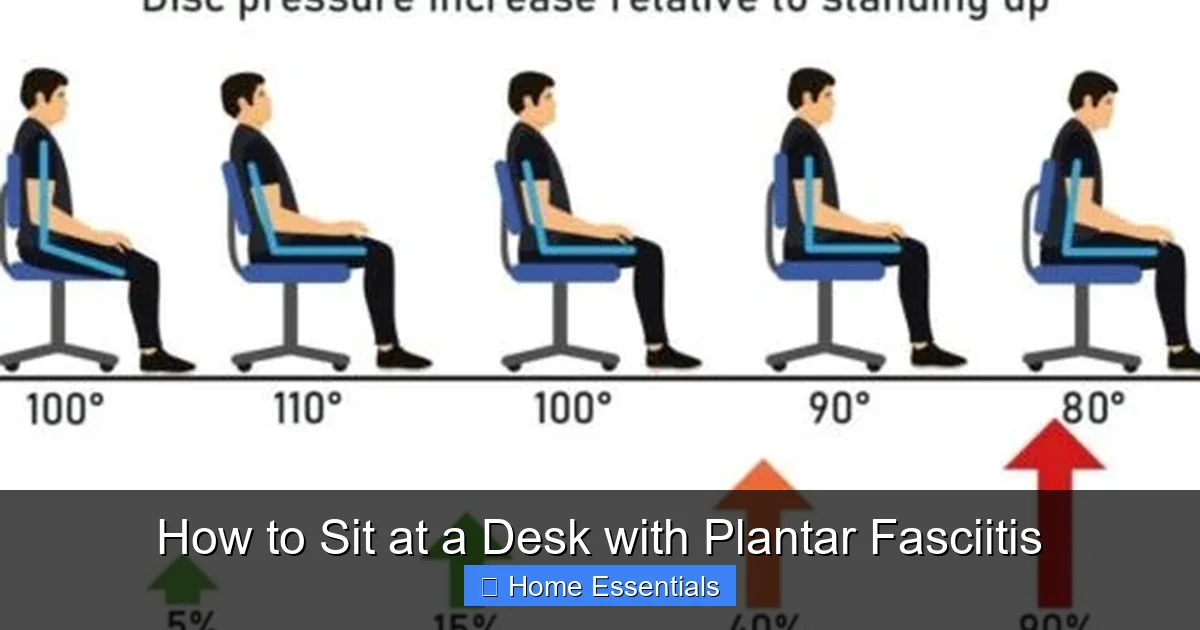
This classic ergonomic guideline is a great starting point. Aim for 90-degree angles at your ankles, knees, and hips. Your feet should rest flat on a surface (footrest or floor), with knees bent at 90 degrees and hips slightly lower than knees. This alignment keeps your spine neutral and prevents your pelvis from tilting, which can strain the lower back and, indirectly, the feet.
Visual guide about How to Sit at a Desk with Plantar Fasciitis
Image source: axialchairs.com
To achieve this, you might need to adjust your chair height or add a footrest. If your chair is too high, a footrest brings the floor up to you. If it’s too low, raise the chair and use a footrest to keep knees from pointing upward. Use a tape measure to check angles roughly—your thigh should be parallel to the floor, and your lower arms parallel to your keyboard. This balanced posture distributes weight evenly, so no single point (like your heels) bears excessive pressure.
Chair Height and Depth Considerations
Your chair’s height is adjustable for a reason. Set it so that when your feet are flat on the footrest, your thighs are parallel to the ground and there’s about 2-4 fingers’ width between the back of your knees and the seat edge. Too much pressure behind the knees can restrict blood flow and cause swelling, which may worsen foot pain.
Seat depth matters too. If the seat pan is too long, it will press against the back of your knees, forcing you to slide forward and lose back support. A seat that’s too short won’t support your thighs fully, leading to slouching. Ideally, there should be a small gap (about an inch) between your knees and the seat. If your chair doesn’t offer depth adjustment, consider a seat cushion or a different chair altogether. Investing in an ergonomic chair with multiple adjustment options pays off in long-term foot health.
Monitor and Keyboard Placement
You might wonder what your monitor has to do with your feet. Everything! If your screen is too low, you’ll lean forward, craning your neck and shifting your weight onto your toes or the balls of your feet. This increases pressure on the plantar fascia. The top third of your monitor should be at eye level, about an arm’s length away. This encourages you to sit back in your chair with your back supported, keeping your feet flat and weight distributed.
Similarly, your keyboard and mouse should be close enough that your elbows stay near your body at a 90-degree angle. Reaching forward strains your shoulders and upper back, which can cause you to unconsciously shift your foot position to compensate. Keep frequently used items within easy reach to avoid twisting or stretching.
Choosing and Using the Right Footrest
Types of Footrests (Adjustable, Rocker, Cushioned)
A footrest is arguably the most important tool for someone with plantar fasciitis. It elevates your feet, promotes circulation, and allows for subtle movement. There are three main types:
Visual guide about How to Sit at a Desk with Plantar Fasciitis
Image source: axialchairs.com
- Adjustable height footrests: These let you fine-tune the elevation so your knees are slightly higher than your hips. Some have tilting platforms for dynamic positioning.
- Rocker-style footrests: Designed with a curved bottom, they encourage gentle rocking motions. This micro-movement engages calf and foot muscles gently, preventing stiffness and promoting blood flow. It’s like a mini-exercise while you work.
- Cushioned/foam footrests: Soft and affordable, these provide basic elevation and comfort. However, they may lack firm support and can compress over time, losing their shape. Look for high-density foam if you choose this type.
For severe plantar fasciitis, a rocker or adjustable model is often best because they encourage movement. A simple padded block can work in a pinch, but ensure it’s stable and won’t slide.
How to Position Your Footrest Correctly
Placement is everything. The footrest should be directly under your feet, centered in front of your chair. Your entire foot—from heel to toes—should rest flat on the surface. Avoid resting only on your toes or the ball of your foot, as this strains the arch. If your footrest is too narrow, consider a wider platform or a DIY solution like a sturdy board covered with a non-slip mat.
Angle matters too. Some footrests tilt forward slightly, which can help stretch the calf muscles gently. Experiment with small adjustments to find what feels best. Your goal is a relaxed, neutral foot position with no pointing or curling of the toes. If you feel tension in your heel, the footrest might be too high or too low—reposition until the pressure eases.
DIY Footrest Alternatives
Not ready to buy a footrest? You can create a temporary one with items at home. A stacked stack of books, a sturdy cardboard box, or a small ottoman can work. Just make sure the height is appropriate (usually 4-6 inches for most people) and the surface is non-slippery. You can cover it with a towel for cushioning. The key is stability—your footrest shouldn’t wobble or slide when you put weight on it. Also, ensure the edges are smooth to avoid bruising your shins.
While DIY solutions are fine short-term, a purpose-built footrest offers better ergonomics and durability. If you spend long hours at a desk, it’s a worthwhile investment in your foot health.
Footwear and Sock Strategies While Seated
Why Shoes Matter Even at Your Desk
It’s tempting to kick off your shoes the moment you sit down, but going barefoot or wearing flimsy socks can worsen plantar fasciitis. Without shoes, your arch has no support and may collapse under your body weight, stretching the plantar fascia painfully. Even if your feet aren’t bearing full weight, the lack of structure can cause the tissue to tighten. Keep your shoes on while seated, choosing pairs with firm arch support and cushioned heels.
Visual guide about How to Sit at a Desk with Plantar Fasciitis
Image source: d16qt3wv6xm098.cloudfront.net
If your work environment allows, opt for supportive sneakers or orthopedic shoes. Look for brands known for foot health, like Brooks, Hoka, or Vionic. Avoid high heels, flip-flops, or completely flat shoes like ballet flats. If you must remove your shoes, wear structured socks with built-in arch support or add a rigid insert. The goal is to maintain alignment whether you’re standing or sitting.
Best Shoe Features for Plantar Fasciitis
When shopping for desk shoes, prioritize these features:
- Arch support: A firm, contoured arch piece prevents the arch from flattening.
- Cushioned heel: Shock absorption reduces impact on the heel bone.
- Firm heel counter: The back of the shoe should be rigid to stabilize the heel.
- Roomy toe box: Allows toes to spread naturally, reducing strain on the forefoot.
- Moderate heel height: A slight heel lift (1/2 to 1 inch) can reduce tension on the plantar fascia by shortening the calf muscle.
Try shoes on in the afternoon when feet are slightly swollen. Walk around the store to test comfort. If you already have a favorite pair, check if the arch support is still intact—worn-out shoes lose their supportive properties and may need replacing every 6-12 months depending on use.
Sock Choices and Orthotic Inserts
Socks might seem insignificant, but they can complement your footwear. Avoid tight, restrictive socks that cut off circulation. Instead, choose moisture-wicking, seamless socks that fit snugly but not tightly. Some brands offer socks with light arch compression, which can provide mild support.
If your shoes lack adequate arch support, consider over-the-counter orthotic inserts. Look for ones with a deep heel cup and a raised arch. Custom orthotics, prescribed by a podiatrist, are ideal but more expensive. Even a simple gel heel pad can add cushioning. Ensure any insert fits comfortably inside your shoe without crowding your foot. Replace them every 6 months as they wear down.
Essential Stretches and Exercises for Desk Workers
Towel Curls for Arch Strength
This simple exercise strengthens the muscles that support your arch, reducing strain on the plantar fascia. While seated, place a small towel on the floor in front of you. Using only your toes, scrunch the towel toward you, then release. Do 10-15 repetitions per foot, 2-3 times a day. You can also place a marble on the towel and pick it up with your toes for an added challenge.
Consistency is key. Doing these curls during short breaks—like after a phone call or while waiting for a file to load—builds endurance in the foot muscles without requiring extra time.
Seated Calf Stretches
Tight calf muscles pull on the Achilles tendon, which attaches to the heel bone and indirectly tensions the plantar fascia. To loosen them, sit with your legs extended. Loop a resistance band or towel around the ball of one foot. Gently pull the band toward you, keeping your knee straight, until you feel a stretch in your calf. Hold for 20-30 seconds, then switch feet. Repeat 3 times per side.
For a variation, bend your knee slightly to target the lower calf. Do this stretch every hour if possible. It’s discreet and can be done right at your desk.
Ankle Circles and Foot Rolls
Improving ankle mobility reduces stress on the foot. While seated, lift one foot off the ground (if using a footrest, you can keep it on). Rotate your ankle clockwise 10 times, then counterclockwise 10 times. Then, slowly roll your foot from heel to toe and back, massaging the arch. Switch feet. This increases blood flow and loosens stiff joints.
These movements take less than a minute but make a big difference in preventing stiffness from prolonged sitting.
Frequency and Duration Tips
Set a timer on your phone or computer to remind you to move every 60 minutes. When the alarm goes off, spend 2-3 minutes doing a combination of the above stretches. You can also stand up, walk around your office, or do a few heel raises (rising onto your toes and lowering slowly). This breaks up static time and keeps tissues flexible.
Additionally, before starting your workday and after ending it, spend 5-10 minutes on a more thorough stretching routine. Consistency throughout the day is more effective than one long session.
Creating a Holistic Pain-Free Workspace
Lighting and Glare Reduction
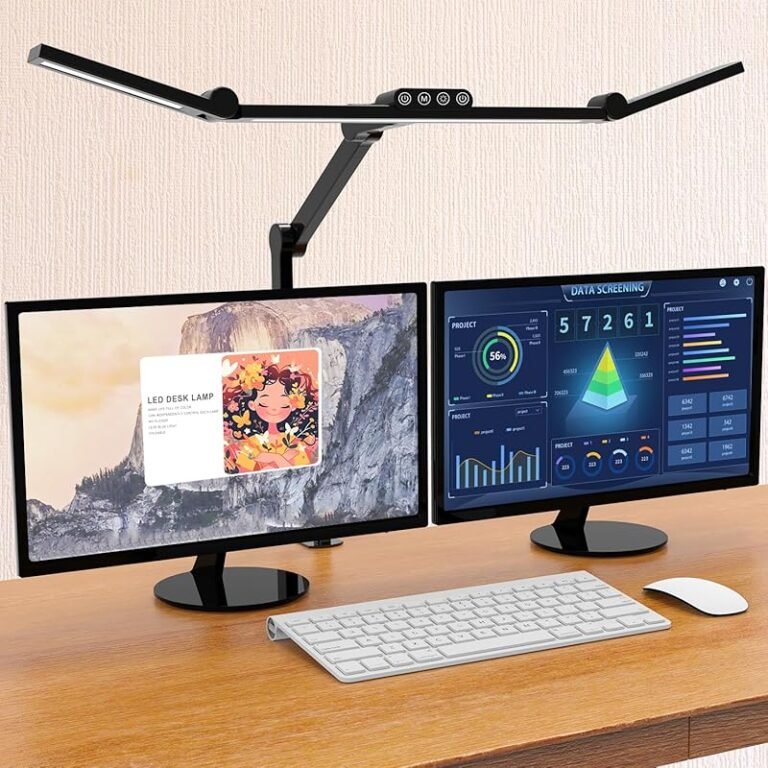
Poor lighting forces you to lean forward or squint, straining your neck and back. This can cause you to shift your foot position to compensate, increasing pressure on the plantar fascia. Use adjustable task lighting to illuminate your keyboard and documents without creating glare on your screen. Position your monitor perpendicular to windows to avoid direct sunlight. If glare persists, consider an anti-glare screen filter.
For ultimate control, smart bulbs connected via WiFi allow you to dim or brighten lights from your desk without getting up. Warm light (2700K-3000K) is easier on the eyes than cool, blue-toned light. Reduce screen brightness to match ambient lighting to prevent eye fatigue, which often leads to poor posture.
Desk Organization and Cleanliness
A cluttered desk encourages awkward leg positions—you might tuck a leg under you to reach something or cross your ankles to avoid a pile of papers. Keep only essentials within arm’s reach. Use drawers or organizers to stash items you don’t need constantly. This promotes a symmetrical sitting posture with both feet flat on the footrest.
Also, dust and debris can accumulate under your desk and on your footrest, causing slips or irritation. Regularly wipe down surfaces with a microfiber cloth for effective cleaning. These cloths trap dust without scratching surfaces, keeping your workspace tidy and safe. A clean environment also reduces allergens that might cause swelling in the feet.
Temperature and Humidity Considerations
Cold temperatures can cause muscles and connective tissues to tighten, exacerbating plantar fasciitis pain. Keep your office warm, especially your feet. If the room is chilly, use a small foot warmer or wear warm socks. Avoid direct drafts from air conditioners or fans blowing on your feet.
Humidity also plays a role. Very dry air can dehydrate tissues, making them less flexible. Use a humidifier to maintain around 40-60% humidity. This helps keep connective tissues supple and reduces inflammation.
Incorporating Movement Breaks
Even with perfect ergonomics, sitting for hours is detrimental. The best strategy is to interrupt sitting frequently. Set a timer for every 30-60 minutes to stand, stretch, or walk for 2-3 minutes. Consider a sit-stand desk if possible, alternating between sitting and standing throughout the day. When standing, shift your weight from one foot to the other and do gentle heel raises.
During breaks, avoid sudden, intense activity. A brief walk to the kitchen or a few minutes of gentle stretching is ideal. The goal is to keep blood circulating and prevent the plantar fascia from seizing up.
Conclusion
Sitting at a desk with plantar fasciitis doesn’t have to be a daily agony. By combining ergonomic furniture—like an adjustable footrest—with mindful posture, supportive footwear, and regular stretches, you can significantly reduce heel strain. Remember to optimize your entire workspace: proper monitor height prevents forward leaning, while good lighting and a clean desk (maintained with a microfiber cloth for screens and surfaces) support overall comfort. Small, consistent changes build a sustainable routine that protects your feet long-term. Listen to your body’s signals; if pain persists despite these adjustments, consult a podiatrist for personalized treatment. With the right setup, you can stay productive and pain-free at your desk.
Frequently Asked Questions
Can I completely eliminate heel pain by just adjusting my desk setup?
While ergonomic adjustments dramatically reduce strain, they may not eliminate pain entirely, especially if plantar fasciitis is severe. Combine desk modifications with daily stretches, proper footwear, and medical advice for best results.
How long should I sit without getting up if I have plantar fasciitis?
Aim to stand up and move every 30-60 minutes. Even a 2-minute walk or stretch break improves circulation and prevents the plantar fascia from tightening. Use a timer or app to remind you.
Is it better to use a footrest or just rest my feet on the floor?
A footrest is generally better because it allows you to adjust height and angle, ensuring your knees are slightly higher than hips. If your chair is too high and your feet can’t rest flat on the floor, a footrest is essential to avoid dangling feet, which increases tension.
What’s the best type of footrest for plantar fasciitis?
Many find rocker-style footrests ideal because the gentle rocking motion promotes micro-movements that reduce stiffness. Adjustable-height footrests also work well for customizing elevation. Choose one with a non-slip surface and enough space for both feet.
Can I do these stretches if the pain is very sharp?
If you feel sharp, shooting pain, stop immediately. Stretches should produce a mild pulling sensation, not pain. Consult a doctor or physical therapist before starting any new exercise regimen, especially during acute flare-ups.
When should I see a doctor about my plantar fasciitis?
See a specialist if pain persists after 2-3 weeks of consistent home care (ergonomic adjustments, stretching, proper shoes), or if pain is severe, sudden, or accompanied by swelling/numbness. Early intervention prevents chronic issues.