Touch Control Desk Lamp
Revolutionize your workspace with a touch control desk lamp. These intuitive lamps offer seamless brightness and color adjustments with a simple tap, eliminating frustrating switches. They combine sleek, modern design with practical functionality, making them a perfect home essential for studying, working, or creating ambient lighting. Experience unparalleled convenience and a clutter-free desk aesthetic.
Key Takeaways
- Intuitive Operation: Replace physical switches with sensitive touch controls for instant, effortless brightness and mode adjustments.
- Versatile Lighting Modes: Most offer multiple color temperatures (warm to cool white) and brightness levels to suit any task or time of day.
- Space-Saving & Modern Design: Their minimalist aesthetic and often flexible goosenecks free up desk space while enhancing decor.
- Energy Efficient: Typically use long-life LED bulbs, consuming significantly less power than traditional incandescent bulbs.
- Enhanced Safety & Durability: Lack of moving parts (like switches) means less mechanical wear, and many use low-voltage DC adapters for added safety.
- Additional Smart Features: Higher-end models may include USB charging ports, timers, memory functions, and even app or voice control integration.
📑 Table of Contents
- The Gentle Tap: Why Touch Control is Redefining Desk Lighting
- How Does Touch Control Actually Work? Demystifying the Tech
- Choosing Your Perfect Touch Control Desk Lamp: A Buyer’s Guide
- Setting Up and Mastering Your Touch Control Lamp
- Beyond the Basics: Practical Applications and Pro Tips
- Care, Troubleshooting, and Long-Term Value
- The Future on Your Desk: Trends and What’s Next
- Conclusion: More Than a Lamp, a Daily Upgrade
The Gentle Tap: Why Touch Control is Redefining Desk Lighting
Remember fumbling for a tiny switch in the dark? Or the annoying click-click-click of a traditional switch wearing out over time? The touch control desk lamp silently ushers in a new era of home and office ergonomics. It’s more than just a gimmick; it’s a fundamental shift in how we interact with our immediate environment. By responding to the lightest touch—often through capacitive sensing technology similar to your smartphone—these lamps create a seamless, almost magical, user experience. This isn’t about flashy tech for tech’s sake. It’s about removing friction. A simple tap on the base, stem, or shade becomes an instant command, making adjustments feel natural and immediate. For anyone spending hours at a desk, this subtle convenience accumulates into a significantly more pleasant and efficient daily routine.
The Evolution from Switch to Sensor
The journey to the touch lamp is a story of simplification. Early desk lamps were utilitarian, with bulky bases and mechanical switches. Then came the rotary dimmer, a step forward but still requiring deliberate turning. The push-button switch offered a cleaner look but still had a physical gap to bridge. Touch control eliminates that gap entirely. It represents a design philosophy where the interface disappears, and the object simply responds to intent. This evolution parallels the broader trend in consumer electronics toward seamless, gesture-based, and voice-controlled interfaces, bringing that same level of intuitive interaction to a humble desk accessory.
How Does Touch Control Actually Work? Demystifying the Tech
It feels like magic, but the science is elegantly simple. At its core, a touch control desk lamp uses capacitive sensing. Your body naturally conducts electricity and holds a small electrical charge. When you touch the designated control area on the lamp, you change the capacitance (the ability to store an electrical charge) of that specific spot.
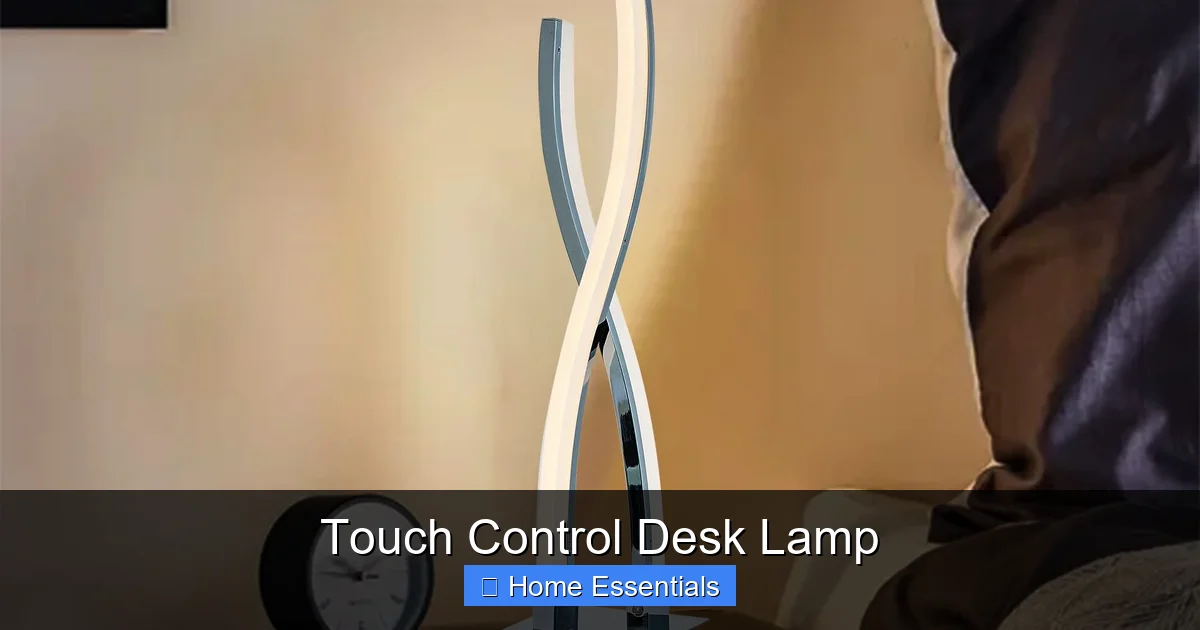
Visual guide about Touch Control Desk Lamp
Image source: i.pinimg.com
The Inner Workings: A Simple Circuit
Inside the lamp’s base or stem is a small circuit board with a capacitor and a sensor pad. This pad is constantly measuring the ambient capacitance. When your finger approaches or touches the pad, it increases the capacitance. The circuit detects this minute change and translates it into a signal for the lamp’s microcontroller. That microcontroller then executes the programmed command—like turning on, off, or cycling through brightness levels. Because it senses change rather than requiring a physical connection, the control surface can be completely smooth metal, glass, or plastic, contributing to that sleek, modern look. This system has no exposed contacts, making it highly resistant to dust, moisture, and wear compared to a mechanical switch.
Responsiveness and Sensitivity: What to Expect
A well-designed touch control should be responsive to a light tap but not so sensitive that it triggers accidentally from a brushing hand or a dusting cloth. Look for lamps where the control area is clearly defined (sometimes with a subtle icon or texture) and responds reliably. Some budget models can be finicky, requiring a firmer press or a specific spot. Premium models often have adjustable sensitivity or a longer control surface for easier operation. The best ones feel instantaneous—tap, and the light changes. There’s no lag, which is crucial for a tool you use constantly.
Choosing Your Perfect Touch Control Desk Lamp: A Buyer’s Guide
Not all touch lamps are created equal. The right one for you depends on your specific needs, desk setup, and aesthetic preferences. Here’s a breakdown of the key features to evaluate before you buy.
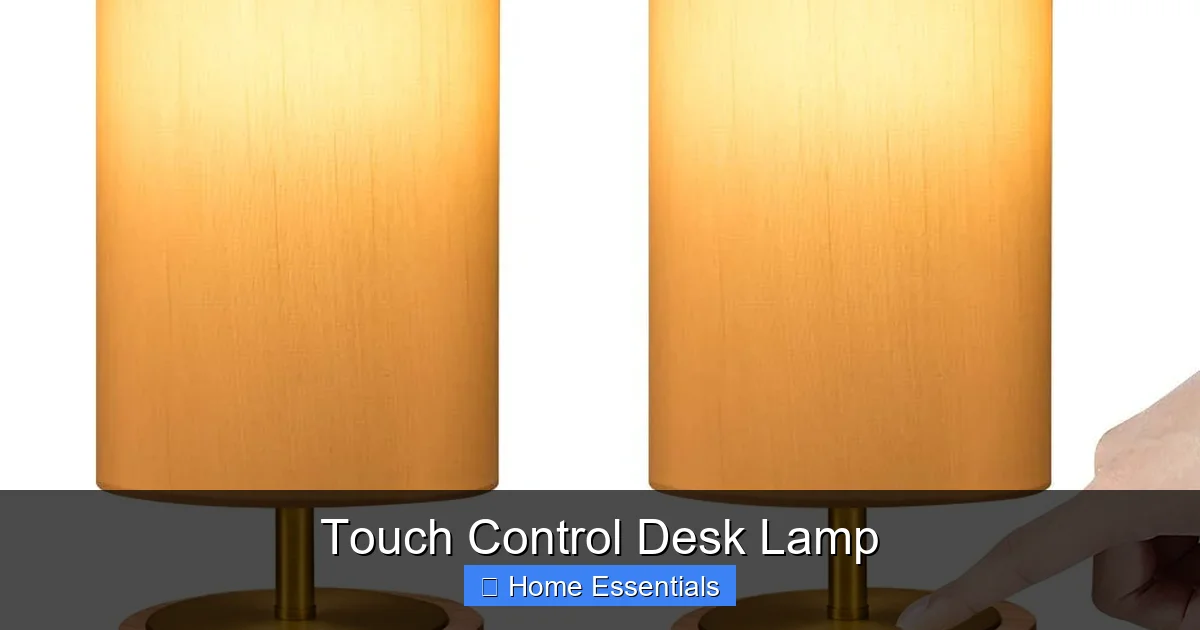
Visual guide about Touch Control Desk Lamp
Image source: m.media-amazon.com
Light Quality: Brightness and Color Temperature
This is the most critical factor. Look for lamps with high lumens (brightness) output suitable for your tasks. For detailed work like drafting or reading, 500-800 lumens is a good range. Equally important is adjustable color temperature, measured in Kelvin (K). A range from about 2700K (warm, soft white, relaxing) to 6500K (cool, bluish white, alertness-boosting) is ideal. A good touch lamp will let you smoothly transition between these or have preset modes like “Reading,” “Work,” and “Relax.” Check if the brightness adjusts independently of the color temperature, giving you full customization.
Physical Design: Form Meets Function
- Base & Weight: A heavy, stable base is non-negotiable for safety and to prevent tipping when adjusting the lamp head. Metal or solid stone bases are best.
- Adjustability: A flexible gooseneck or multiple pivot points on the arm and head allow you to position light exactly where you need it without moving the entire lamp. Test the range of motion; it should be stiff enough to hold position but easy to adjust.
- Control Placement: Where is the touch sensor? On the base? The stem? The lamp head? Base controls are common and convenient, but stem or head controls can be easier to reach without moving your hand far from the keyboard. Consider your desk layout.
- Size & Footprint: Measure your desk space. Some lamps have a very small, discreet base, while others are larger statement pieces.
Power Source and Efficiency
Nearly all modern touch desk lamps use integrated, non-replaceable LED bulbs. This is a good thing—LEDs are incredibly efficient and last 25,000-50,000 hours. Check the wattage (usually 5W-15W) for energy consumption. The lamp will come with a power adapter (wall plug). Ensure the cord is long enough for your desk setup. Some premium models offer USB-C power delivery, allowing you to power the lamp from your computer’s port or a power bank, adding portability.
Bonus Features Worth Considering
Many lamps go beyond basic touch control. USB charging ports (often on the base) are a huge convenience for charging phones or earbuds. A timer function can automatically turn the lamp off after 30 or 60 minutes, perfect for reading in bed or ensuring the lamp isn’t left on. Memory function recalls your last used brightness and color setting when you turn it back on. For the tech-savvy, some models connect via Wi-Fi or Bluetooth for app control or integration with Alexa/Google Home.
Setting Up and Mastering Your Touch Control Lamp
Unboxing your new lamp is exciting, but proper setup ensures optimal performance and longevity. The process is usually straightforward, but a few mindful steps make a difference.
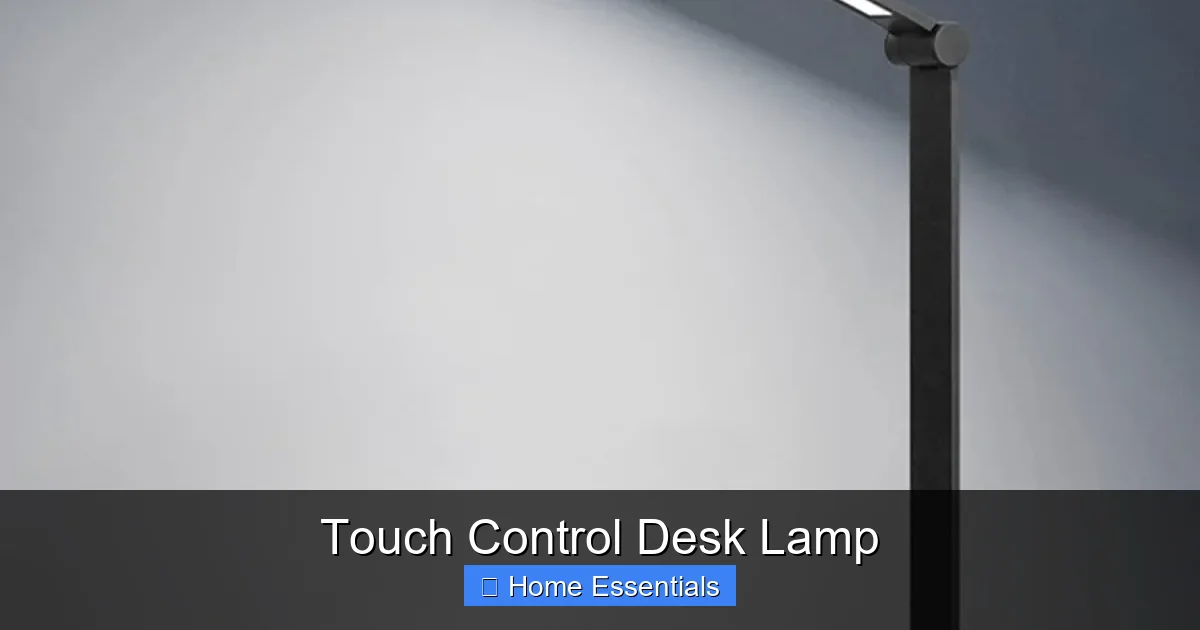
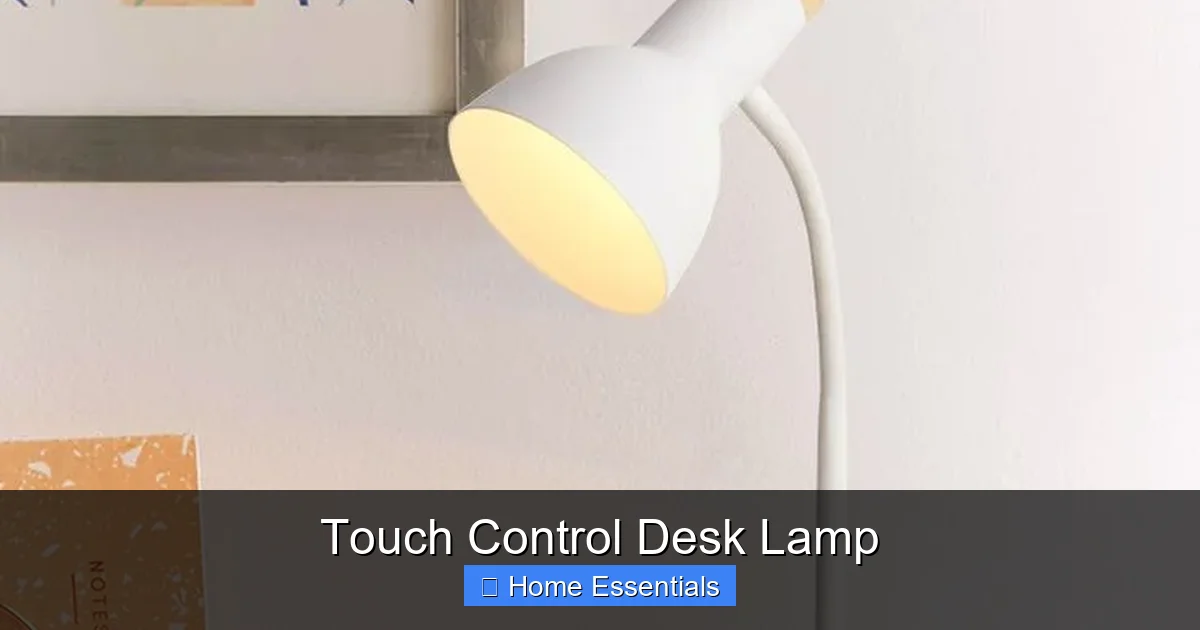
Visual guide about Touch Control Desk Lamp
Image source: chasingdaisiesblog.com
Initial Setup: Placement and First Touch
Place the lamp on a stable, flat surface. Plug the adapter into a wall outlet and connect it to the lamp. Most will have a soft glow or a subtle LED indicator to show they’re powered. Now, the first touch. Locate the touch control area—it’s often a metal band on the stem, a circular pad on the base, or even the entire metal base itself. Gently tap the designated area once. The lamp should turn on at its default setting (usually a medium brightness, neutral white). If it doesn’t, consult the manual; some require a longer press (2-3 seconds) for the initial power-on.
Understanding the Touch Sequence
This is where you learn the “language” of your lamp. The sequence is typically:
- Tap 1: Power On (at last setting or default).
- Tap 2: Cycle to next brightness level (e.g., Low -> Medium -> High).
- Tap 3: Cycle to next color temperature (e.g., Warm -> Neutral -> Cool).
- Tap & Hold: Often used for smooth dimming or color temperature ramping. Holding your finger on the sensor might slowly brighten or dim the lamp until you release.
- Extended Tap (or specific pattern): May activate special modes like a night light, reading mode, or timer. The manual is your friend here.
Practice this sequence a few times. The goal is to make the control subconscious. You shouldn’t have to think about it; your muscle memory should take over.
Positioning for Optimal Light
Use the adjustable arm to position the lamp head. For computer work, the light should illuminate your keyboard and desk without causing glare on your screen. A common rule is to have the light source slightly to the side and in front of you, not directly behind you (which creates shadows) or directly over your shoulder (which causes screen glare). For reading paper documents, position the lamp so the light falls directly onto the page from the opposite side of your writing hand to avoid shadowing. The flexibility of a good gooseneck is invaluable here.
Beyond the Basics: Practical Applications and Pro Tips
A touch control desk lamp is a versatile tool. Its applications extend far beyond a simple home office.
For the Home Office Warrior
This is the classic use case. Use a cool, high-brightness setting (5000K-6500K) during deep work sessions to promote alertness and reduce eye strain. Switch to a warmer, dimmer setting (2700K-3000K) in the late afternoon for a more relaxed vibe as the workday winds down. The one-tap transition between these modes is a productivity hack. Position the lamp to light your keyboard and primary work surface, leaving your monitor as the primary light source to avoid competing glare.
The Creative’s Companion: Art, Crafting, and Detail Work
Whether you’re sketching, sewing, building models, or doing intricate jewelry making, color accuracy and shadow control are paramount. Use the highest brightness setting with a neutral to cool white (4000K-5000K) to see true colors and fine details. The touch control allows you to make instant, minor adjustments as natural light in the room changes throughout the day. A flexible arm is crucial here to angle light precisely onto your workpiece without your hands casting shadows.
Ambiance and Mood Lighting
Don’t relegate your desk lamp to work only. Its focused beam can create beautiful pockets of light in a living room or bedroom. Place a stylish touch lamp on a side table as a minimalist reading light. Use the warmest, dimmest setting as a gentle night light in a hallway or bedroom. Because there’s no physical switch to fumble for in the dark, the touch control makes it perfect for nighttime use. Some lamps even have a “memory” function that recalls your last cozy setting.
Pro Tip: The “No Switch” Nightstand
Try this: put your touch control lamp on your bedside table. Use it as your primary reading light. The benefits are immediate. No more loud click that might wake a partner. No more groping for a switch in the dark. Just a soft tap on the base, and you have light. It’s a small change that dramatically improves a nightly ritual.
Care, Troubleshooting, and Long-Term Value
Like any tool, a little maintenance goes a long way. And when things go wrong, simple troubleshooting often solves the problem.
Routine Care: Keep it Clean and Stable
Dust is the main enemy. Wipe the lamp with a soft, dry microfiber cloth. For smudges on the touch control area (often metal or glass), use a cloth slightly dampened with water or a mild cleaner, then dry thoroughly. Avoid spraying liquids directly onto the lamp, especially into any seams or the touch sensor area. Ensure the base is always on a stable surface. Periodically check that the gooseneck or articulated joints remain snug and haven’t developed slop over time.
Common Troubleshooting: When Touch Fails
- Lamp won’t turn on: First, check the outlet and the adapter connection. Ensure the adapter is plugged in firmly at both ends. Try a different outlet. The LED may have failed (unlikely in a new lamp) or the internal capacitor might have died.
- Touch control is unresponsive or erratic: This is the most common issue. First, clean the touch control area thoroughly—oil from fingers can create a film that interferes. Dry your hands. Ensure you’re touching the correct designated area. Some lamps require you to touch a specific icon or strip, not the entire base. Move any conductive objects (like a metal laptop, phone, or large stack of paper) away from the base, as they can interfere with the capacitance sensor. Finally, try a factory reset if the manual describes one (often a specific long-press sequence).
- Lamp is flickering: This usually points to a problem with the LED driver or a failing LED itself, not the touch control. Contact the manufacturer if under warranty.
The Long-Term Investment: Why It’s Worth It
A quality touch control desk lamp is not a disposable item. With no mechanical switch to wear out and an LED that lasts for years, its lifespan is measured in decades, not years. The initial cost is higher than a basic lamp, but you are paying for durability, superior light quality, and a enhanced user experience. Consider the time saved and frustration avoided from not fiddling with a broken switch or replacing cheap bulbs. It’s a classic case of “buy nice or buy twice.” This makes it a true home essential—a tool you rely on daily that quietly performs its job for years.
The Future on Your Desk: Trends and What’s Next
The touch control desk lamp is just the beginning. The category is evolving rapidly, integrating with the smart home ecosystem and focusing even more on human-centric lighting.
Integration with Smart Ecosystems
We’re already seeing lamps that connect via Wi-Fi or Bluetooth. This allows you to control brightness, color, and schedules from your smartphone, set routines (e.g., “turn on to 50% brightness at 6 PM”), or control them with voice commands through Alexa or Google Assistant. The touch control remains the primary, always-available interface, but smart connectivity adds a layer of programmability for complex needs.
Human-Centric and Circadian Lighting
The next frontier is automation that supports our natural biological rhythms. Future lamps will likely have built-in circadian rhythm tracking. They would automatically shift color temperature throughout the day—emitting energizing blue-rich light in the morning and transitioning to warm, melatonin-friendly light in the evening—all without user input. This “tunable white” technology, paired with touch control for manual overrides, promotes better sleep and daytime alertness, transforming the desk lamp from a tool into a wellness device.
Sustainable and Modular Design
Expect to see more lamps designed for repairability and upgradeability. Instead of a sealed unit with a non-replaceable LED, modular designs might allow you to swap out the LED module or the touch control board if they fail, drastically extending the product’s life and reducing e-waste. Sustainable materials like recycled aluminum and biodegradable plastics will become more common in high-end models.
Conclusion: More Than a Lamp, a Daily Upgrade
The touch control desk lamp has earned its place as a modern home essential. It masterfully solves the minor but persistent annoyances of traditional lighting with elegant simplicity. It’s the perfect fusion of thoughtful design, practical utility, and subtle luxury. By putting intuitive control at your fingertips—literally—it removes a small barrier between you and your work, your hobbies, and your relaxation. When you choose a touch control lamp, you’re not just buying a light source. You’re investing in a quieter, cleaner, and more responsive workspace. You’re choosing a tool that respects your time and your focus. In the end, the best touch control desk lamp is the one you forget is there—until you need it, and with a gentle tap, it answers perfectly.
Frequently Asked Questions
Can a touch control desk lamp be used with a traditional wall switch?
Yes, but with a caveat. If you turn off the wall switch, the lamp loses all power and its memory. When you flip the wall switch back on, the lamp will typically power on at its default setting, not your last used brightness/color. For full functionality, it’s best to keep the lamp plugged in and powered on at the outlet, using only the touch control to turn it on and off.
How many brightness and color levels do typical touch lamps have?
Most offer a stepless (infinite) dimming and color temperature adjustment when you press and hold the touch control. For preset modes, they commonly have 3-5 brightness levels (e.g., 25%, 50%, 75%, 100%) and 3-4 color temperature presets (e.g., Warm White, Neutral White, Cool White). Higher-end models may offer more granular, app-controlled adjustments.
Are touch control lamps durable? What if the touch sensor breaks?
They are generally very durable because there are no mechanical parts to wear out on the control interface itself. The main failure point is the internal capacitive sensor circuit. A good quality lamp from a reputable brand should last for years. If the touch function fails while the LED still works, some models have a backup physical switch, but many do not. A failed sensor usually requires manufacturer repair or replacement under warranty.
Is a touch lamp safe for children’s rooms?
Generally, yes, and they can be safer than lamps with protruding switches. The low-voltage DC adapter is safer than a direct AC connection. However, you should still place the lamp on a stable surface out of reach of very young children who might pull on the cord or neck. The smooth, often cool-to-the-touch metal base is also a benefit over a bulb that can get hot.
Do touch control lamps have a battery backup?
No. They are designed to be plugged into a continuous power source. They do not have an internal battery for cordless use or power outage backup. When the main power fails, they turn off completely. Some portable clip-on or task lights have batteries, but standard desktop touch control lamps do not.
Can I change the LED bulb in a touch control desk lamp?
Almost never. The LED is permanently integrated into the lamp’s fixture. This is standard for modern, high-efficiency lamps. The upside is that the integrated LED is rated for 25,000+ hours, meaning it will likely last the entire usable life of the lamp. If the LED fails prematurely, it’s considered a defect and should be covered under warranty.