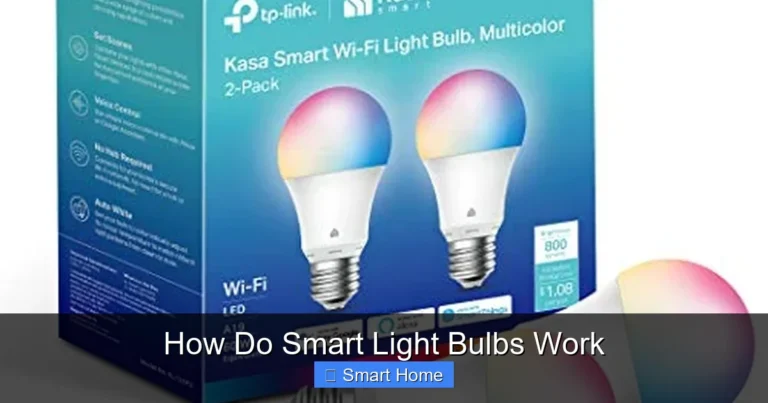
Which Smart Bulbs Work with Home Assistant
Home Assistant is a powerful open-source platform that lets you control thousands of smart devices, including smart bulbs, with deep customization and automation. Not all smart bulbs work seamlessly, but many Zigbee, Z-Wave, and Wi-Fi bulbs integrate well with Home Assistant. Choosing the right bulb depends on your hub, protocol, and automation needs.
Home Assistant has become one of the most popular open-source smart home platforms, thanks to its flexibility, privacy-first approach, and deep integration with thousands of devices. Unlike closed ecosystems like Apple HomeKit or Google Home, Home Assistant gives you full control over your smart home setup—no vendor lock-in, no monthly fees, and no data being sent to the cloud unless you want it to.
One of the most common questions I get from new Home Assistant users is: “Which smart bulbs work with Home Assistant?” The short answer is: a lot—but not all. The compatibility depends on the communication protocol (like Zigbee or Wi-Fi), whether the bulb needs a hub, and how well the manufacturer supports open standards. In this guide, we’ll walk you through everything you need to know to pick the best smart bulbs for Home Assistant, set them up easily, and use them to create amazing automations.
Key Takeaways
- Home Assistant supports a wide range of smart bulbs: including Zigbee, Z-Wave, Wi-Fi, and Bluetooth-based devices from brands like Philips Hue, LIFX, IKEA, and third-party options like Aqara and Sonoff.
- Protocol matters: Zigbee and Z-Wave bulbs offer better reliability and lower latency than Wi-Fi bulbs, which can overload your network.
- Not all bulbs work out of the box: Some require bridges (like Hue) or custom integrations, while others plug directly into Home Assistant.
- Local control is a big advantage: Bulbs that work locally (via Zigbee or Z-Wave) reduce cloud dependency and improve response times.
- Automation and scenes: Home Assistant allows complex automations—like sunrise simulations or mood lighting—using compatible bulbs.
- Energy efficiency: Many smart bulbs are dimmable, color-tunable, and energy-efficient, helping you save power and enhance ambiance.
- Future-proof your setup: Stick to widely supported protocols and brands to ensure long-term compatibility and updates.
📑 Table of Contents
Why Choose Home Assistant for Smart Lighting?
Before diving into specific bulbs, let’s talk about why Home Assistant is such a great choice for smart lighting. Traditional smart bulb ecosystems often limit you to basic on/off controls and a few preset scenes. With Home Assistant, you can create complex lighting routines that adapt to your daily schedule, weather, or even your mood.
For example, you could set your bedroom lights to gradually brighten at 7 a.m. to simulate a sunrise, or dim the living room lights when you start watching a movie. You can also integrate lighting with motion sensors, door locks, or even your calendar—turning on lights only when you’re home and it’s dark outside.
Another major benefit is local control. Many smart bulbs that work with Home Assistant connect via Zigbee or Z-Wave, which means the commands happen directly between your devices and your Home Assistant server—no cloud needed. This makes your smart home faster, more reliable, and more private.
Understanding Smart Bulb Protocols
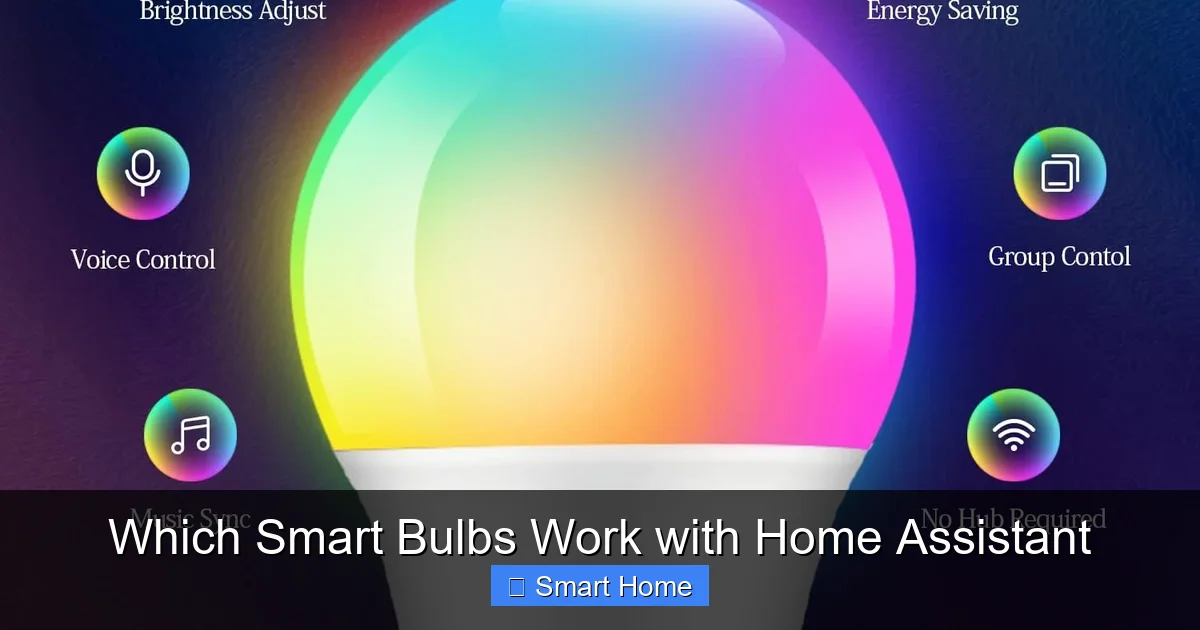
Visual guide about Which Smart Bulbs Work with Home Assistant
Image source: m.media-amazon.com
Not all smart bulbs are created equal, and the protocol they use plays a huge role in how well they work with Home Assistant. Let’s break down the main types:
Zigbee Bulbs
Zigbee is a low-power, mesh-network protocol designed specifically for smart home devices. Bulbs that use Zigbee can “talk” to each other and extend the range of your network. Most Zigbee bulbs work directly with Home Assistant when paired to a Zigbee hub like the ConBee II, Zigbee2MQTT, or IKEA Trådfri Gateway.
Z-Wave Bulbs
Z-Wave is another mesh protocol, often used in North America. It’s reliable and secure, and bulbs like the Eaton Z-Wave Dimmer Switch or GE Z-Wave Plus Bulbs work well with Home Assistant when paired with a Z-Wave USB stick (like the Aeotec Z-Stick).
Wi-Fi Bulbs
Wi-Fi bulbs connect directly to your router and don’t need a hub. While convenient, they can create network congestion and rely on the manufacturer’s cloud. Some Wi-Fi bulbs work well with Home Assistant (like LIFX or TP-Link Kasa), but others may require workarounds or have limited functionality.
Bluetooth Bulbs
Bluetooth bulbs are the least reliable for Home Assistant. They require a Bluetooth adapter and often don’t support full automation. I’d recommend avoiding them unless you’re just testing.
Top Smart Bulbs Compatible with Home Assistant
Visual guide about Which Smart Bulbs Work with Home Assistant
Image source: m.media-amazon.com
Now, let’s look at some of the best smart bulbs that work seamlessly with Home Assistant. I’ve grouped them by protocol and brand for clarity.
Philips Hue (Zigbee)
Philips Hue is the gold standard for smart lighting. Their bulbs and strips use Zigbee and work flawlessly with Home Assistant when paired with a Hue Bridge. You get full control over brightness, color, and effects—plus deep integration with automations.
Why it works: The Hue Bridge communicates with Home Assistant via the official Hue Integration, which supports all Hue features, including routines and scenes.
Pro tip: If you don’t want to use the Hue Bridge, you can replace it with a ConBee II and pair your Hue bulbs directly with Zigbee2MQTT. This gives you local control without the cloud.
LIFX (Wi-Fi)
LIFX bulbs are Wi-Fi-based and don’t require a hub. They’re known for vibrant colors and fast response times. Home Assistant supports LIFX via the LIFX Integration, which works well for basic controls and scenes.
Limitations: Because LIFX relies on their cloud, some advanced features may be delayed. Also, multiple LIFX bulbs can slow down your Wi-Fi network.
IKEA TRÅDFRI (Zigbee)
IKEA’s smart bulbs are affordable and use Zigbee. They work with Home Assistant when paired with the TRÅDFRI Gateway or a Zigbee2MQTT setup. The bulbs support dimming, color changes, and timers.
Bonus: IKEA bulbs are often the most affordable option, making them great for testing or small setups.
Aqara (Zigbee)
Aqara bulbs use Zigbee and are known for excellent build quality and reliability. They work with Home Assistant via zigbee2mqtt and support features like warm-to-cool white and color temperature adjustment.
Why choose Aqara: They offer a good balance of price, performance, and compatibility.
TP-Link Kasa (Wi-Fi)
Kasa bulbs are budget-friendly and easy to set up. Home Assistant supports them via the Kasa Integration, which works well for basic on/off and scheduling.
Note: Kasa bulbs don’t support color tuning or dimming in all models. Check compatibility before buying.
Sonoff Zigbee Bulbs
Sonoff makes affordable Zigbee bulbs that work with zigbee2mqtt. They’re great for DIY enthusiasts and offer full local control.
Pro tip: Sonoff bulbs are often cheaper than Hue or Aqara, but they may lack long-term support. Choose them if you’re comfortable with community-driven updates.
Setting Up Smart Bulbs with Home Assistant
Visual guide about Which Smart Bulbs Work with Home Assistant
Image source: m.media-amazon.com
Getting your smart bulbs working with Home Assistant is easier than you might think. Here’s a step-by-step guide for the most common setups.
Option 1: Zigbee with Zigbee2MQTT (Recommended)
This is my preferred method because it gives you local control, full automation, and works with almost any Zigbulb.
1. Get a Zigbee USB dongle: Popular options include the ConBee II (Phoscon) or Zigbee2MQTT-compatible stick.
2. Install Zigbee2MQTT: You can run it on a Raspberry Pi, Home Assistant OS, or a virtual machine.
3. Pair your bulbs: Press the pairing button on the bulb or hub, then add it in the Zigbee2MQTT interface.
4. Add to Home Assistant: Use the MQTT Integration to connect Zigbee2MQTT to Home Assistant. Your bulbs will appear automatically.
Option 2: Using a Hub (Hue, TRÅDFRI, etc.)
If you already have a hub, you can connect it directly to Home Assistant.
– Hue: Use the Hue Integration in Home Assistant. It supports all Hue features and is easy to set up.
– IKEA TRÅDFRI: Use the TRÅDFRI Integration. Note: The gateway must be connected to your network.
Option 3: Wi-Fi Bulbs (LIFX, Kasa)
For Wi-Fi bulbs, use the official integration:
1. Go to Settings > Devices & Services > Add Integration.
2. Search for the brand (e.g., “LIFX” or “Kasa”).
3. Follow the setup wizard to connect your account.
Creating Smart Lighting Automations
One of the biggest advantages of using Home Assistant is the ability to create powerful lighting automations. Here are a few examples:
Sunrise Simulation
Create an automation that gradually increases the brightness and warmth of your bedroom lights at 7 a.m.:
“`yaml
automation:
– alias: Sunrise Lighting
trigger:
platform: time
at: ’07:00:00′
action:
– service: light.turn_on
target:
entity_id: light.bedroom
data:
brightness_pct: 10
color_temp: 370
– delay: ’00:01:00′
– service: light.turn_on
data:
brightness_pct: 20
color_temp: 300
– delay: ’00:01:00′
– service: light.turn_on
data:
brightness_pct: 100
color_temp: 250
“`
Motion-Activated Night Lights
Turn on a hallway light when motion is detected, but only between 10 p.m. and 6 a.m.:
“`yaml
automation:
– alias: Motion Night Light
trigger:
platform: state
entity_id: binary_sensor.hallway_motion
to: ‘on’
condition:
condition: time
after: ’22:00:00′
before: ’06:00:00′
action:
– service: light.turn_on
target:
entity_id: light.hallway
data:
brightness_pct: 20
“`
Movie Night Mode
Dim the living room lights and switch to a warm, dim color when you start a movie:
“`yaml
automation:
– alias: Movie Mode
trigger:
platform: state
entity_id: media_player.living_room_tv
to: ‘playing’
action:
– service: light.turn_on
target:
entity_id: light.living_room
data:
brightness_pct: 10
color_temp: 350
“`
Troubleshooting Common Issues
Even with compatible bulbs, you might run into issues. Here’s how to fix them:
Bulb Not Showing Up
– Make sure your Zigbee hub is powered and connected.
– Check that the bulb is in pairing mode (usually blinking).
– Restart Zigbee2MQTT or the hub.
Bulb Flickering or Slow Response
– Wi-Fi bulbs can overload your network. Try using Zigbee or Z-Wave instead.
– For Zigbee, ensure the bulb is within range of the hub or a router.
Color Not Working
– Some bulbs (like basic TP-Link Kasa) don’t support color. Check the specs.
– For Hue bulbs, make sure you’re using the Hue Bridge or a compatible Zigbee hub.
Automation Not Triggering
– Double-check your YAML syntax.
– Use the Developer Tools > Services in Home Assistant to test actions manually.
Tips for a Smarter Lighting Setup
Want to get the most out of your smart bulbs? Here are some pro tips:
– Group bulbs by room: Create light groups for easier control.
– Use scenes: Save your favorite lighting setups as scenes.
– Label devices clearly: Use descriptive names like “Kitchen Ceiling” instead of “Light 1.”
– Monitor energy usage: Home Assistant can track power consumption for each bulb.
– Backup your setup: Export your configuration regularly.
Frequently Asked Questions
Do all smart bulbs work with Home Assistant?
No, not all smart bulbs are compatible with Home Assistant. Compatibility depends on the communication protocol (like Zigbee or Wi-Fi) and whether the manufacturer supports open standards. Most Zigbee and Z-Wave bulbs work well, while some Wi-Fi bulbs may have limited functionality or require cloud access.
Can I use Philips Hue bulbs without the Hue Bridge?
Yes, you can use Philips Hue bulbs without the official Hue Bridge by pairing them with a Zigbee hub like the ConBee II or using Zigbee2MQTT. This gives you local control and full integration with Home Assistant, bypassing the cloud.
Are Zigbee bulbs better than Wi-Fi bulbs?
Zigbee bulbs are generally better for smart home setups because they use less power, create less network congestion, and support local control. Wi-Fi bulbs are convenient but can slow down your network and rely on the manufacturer’s cloud.
How do I add smart bulbs to Home Assistant?
To add smart bulbs, first determine the protocol (Zigbee, Wi-Fi, etc.). For Zigbee bulbs, pair them with a hub like Zigbee2MQTT. For Wi-Fi bulbs, use the official integration (e.g., LIFX or Kasa). Then, follow the setup wizard in Home Assistant to connect your devices.
Can I dim and change colors with Home Assistant?
Yes, most smart bulbs that work with Home Assistant support dimming and color changes. Bulbs like Philips Hue, LIFX, and Aqara offer full RGB and color temperature control. Check your bulb’s specifications to confirm features.
Is Home Assistant free?
Yes, Home Assistant is completely free and open-source. You only need to pay for hardware like a Raspberry Pi, Zigbee hub, or smart bulbs. There are no subscription fees or hidden costs.