Will Smart Bulbs Work in Any Fixture
Smart bulbs can work in most standard light fixtures, but compatibility depends on factors like wattage, base type, and voltage. Not all smart bulbs fit every fixture, so checking specifications and fixture type is essential for a smooth setup.
Key Takeaways
- Fixture Type Matters: Smart bulbs work in most standard fixtures—like table lamps, ceiling lights, and wall sconces—but not in enclosed or damp-rated areas without proper certification.
- Base Type Compatibility: Ensure the bulb’s base (e.g., E26, E12, GU10) matches your fixture. Using the wrong base can damage the bulb or cause poor contact.
- Voltage Requirements: Most smart bulbs are made for 120V (U.S.) or 220–240V (Europe/Asia). Using a bulb in a mismatched voltage system can lead to failure or safety hazards.
- Enclosed Fixtures Require Special Bulbs: Bulbs in recessed or enclosed fixtures generate heat. Only smart bulbs labeled for enclosed use can safely operate in these spaces.
- Smart Hub or App Control: Some smart bulbs work with apps alone, while others need a hub for full functionality. Check if your fixture supports voice control (Alexa, Google, Siri).
- Dimmer Switches Can Cause Issues: Using smart bulbs with incompatible dimmer switches may result in flickering, buzzing, or reduced bulb lifespan.
- Energy Efficiency and Lifespan: Smart bulbs use less energy and last longer than traditional bulbs, but performance can vary based on the fixture and usage patterns.
📑 Table of Contents
- Will Smart Bulbs Work in Any Fixture?
- Understanding Smart Bulb Basics
- Fixture Types and Compatibility
- Base Types and Physical Compatibility
- Voltage and Electrical Requirements
- Enclosed Fixtures and Heat Management
- Dimmer Switches and Compatibility
- Smart Hubs and Connectivity
- Installation Tips and Best Practices
- Common Mistakes to Avoid
- Conclusion
Will Smart Bulbs Work in Any Fixture?
Imagine this: You’ve just bought a sleek new smart bulb—one that changes color with your mood, syncs with your music, and can be controlled from your phone while you’re lounging on the couch. You’re excited to install it in your favorite reading lamp, but when you twist it in, nothing happens. The bulb doesn’t light up. You double-check the app, restart your Wi-Fi, and still—no response. Frustrating, right?
This scenario is more common than you think. While smart bulbs are designed to be versatile, they aren’t a one-size-fits-all solution. The truth is, smart bulbs don’t work in just any fixture. Compatibility depends on several key factors: the type of fixture, the bulb’s base and voltage, whether the fixture is enclosed, and how it’s wired. Understanding these details can save you time, money, and frustration.
In this comprehensive guide, we’ll walk you through everything you need to know about smart bulb compatibility. We’ll explore which fixtures support smart bulbs, what to watch out for, and how to make sure your smart lighting setup works seamlessly. Whether you’re upgrading your living room, bedroom, or kitchen, this article will help you avoid common pitfalls and get the most out of your smart home lighting.
Understanding Smart Bulb Basics
Before diving into compatibility, let’s break down what makes a bulb “smart.” Smart bulbs aren’t just regular bulbs with a Wi-Fi sticker. They contain microchips, sensors, and communication modules that allow them to connect to your home network and respond to commands.

Visual guide about Will Smart Bulbs Work in Any Fixture
Image source: topchooser.com
What Makes a Bulb “Smart”?
At their core, smart bulbs are LED bulbs with embedded technology. They come in various forms—A19 (standard shape), BR30 (recessed lighting), and candle or globe styles—and they connect to your Wi-Fi or Zigbee/Z-Wave network. Most can be controlled via smartphone apps, voice assistants like Alexa or Google Assistant, or even through scheduling and automation.
Popular brands like Philips Hue, LIFX, Wyze, and TP-Link Kasa offer a wide range of smart bulbs, each with unique features. Some are dimmable, others change color, and a few even have built-in speakers or motion sensors. But regardless of brand or feature set, all smart bulbs share one thing in common: they need the right environment to function properly.
Common Smart Bulb Types
Not all smart bulbs are created equal. Here are the most common types you’ll encounter:
- Standard A19 Bulbs: The most common shape, similar to a traditional incandescent bulb. Ideal for table lamps, floor lamps, and ceiling fixtures.
- BR30 Bulbs: Wider and flatter, used in recessed downlights. Often found in kitchens, hallways, and garages.
- Globe and Candle Bulbs: Designed for decorative fixtures like chandeliers or sconces. Often used in dining rooms or bathrooms.
- Tube and Linear Bulbs: Used in under-cabinet lighting or track lighting systems.
Each type has specific physical and electrical requirements, which we’ll explore next.
Fixture Types and Compatibility
Now, let’s talk about fixtures. Just because a smart bulb fits in a lamp doesn’t mean it’ll work in every light in your home. The fixture’s design, wiring, and environment play a huge role in compatibility.
Visual guide about Will Smart Bulbs Work in Any Fixture
Image source: gelighting.com
Table and Floor Lamps
Smart bulbs work beautifully in table and floor lamps. These fixtures are open, well-ventilated, and designed to accommodate standard bulb types. As long as the base matches (usually E26), your smart bulb should light up without a hitch.
Pro Tip: If your lamp has a dimmer switch, make sure it’s compatible with LED bulbs. Some older dimmers can cause flickering or buzzing. Look for “LED-compatible” dimmers or consider replacing the switch.
Ceiling Fixtures
Ceiling fixtures—like pendants, flush mounts, and semi-flush mounts—are generally compatible with smart bulbs. These fixtures are open or partially open, allowing heat to dissipate naturally. An A19 smart bulb with an E26 base will work in most ceiling fixtures.
However, if your ceiling fixture is enclosed (like a globe or bell-shaped cover), you’ll need to ensure the bulb is rated for enclosed use. Heat buildup can damage non-rated bulbs or reduce their lifespan.
Recessed Lighting (Downlights)
Recessed lighting, or “can lights,” is where compatibility gets tricky. These fixtures are often enclosed and generate significant heat, especially when used for long periods.
Not all smart bulbs are designed for enclosed spaces. If you install a smart bulb in a recessed fixture without checking its rating, you risk:
- Reduced lifespan
- Overheating
- Fire hazards
Look for smart bulbs labeled “For Enclosed Fixtures” or “For Recessed Lighting.” Brands like Philips Hue and LIFX offer specific models for this purpose.
Wall Sconces and Chandeliers
Wall sconces and chandeliers can be great candidates for smart bulbs, especially if they’re open or have glass shades that allow airflow. However, some chandeliers have enclosed globes or multiple bulbs, which can trap heat.
Check the fixture’s manual or measure the space around the bulb. If it’s tightly enclosed, choose a smart bulb with high heat tolerance or consider using a smart plug to control a traditional bulb instead.
Outdoor Fixtures
Outdoor smart bulbs must be rated for exterior use. Look for bulbs labeled “damp” or “wet” location rated. These are designed to withstand moisture, temperature changes, and UV exposure.
Common outdoor fixtures include:
- Patio lights
- Garage door lights
- Landscape lighting
- Floodlights
Using a non-rated smart bulb outdoors can lead to water damage, corrosion, or failure. Always verify the bulb’s IP (Ingress Protection) rating—look for at least IP44 for damp areas and IP65 or higher for wet locations.
Base Types and Physical Compatibility
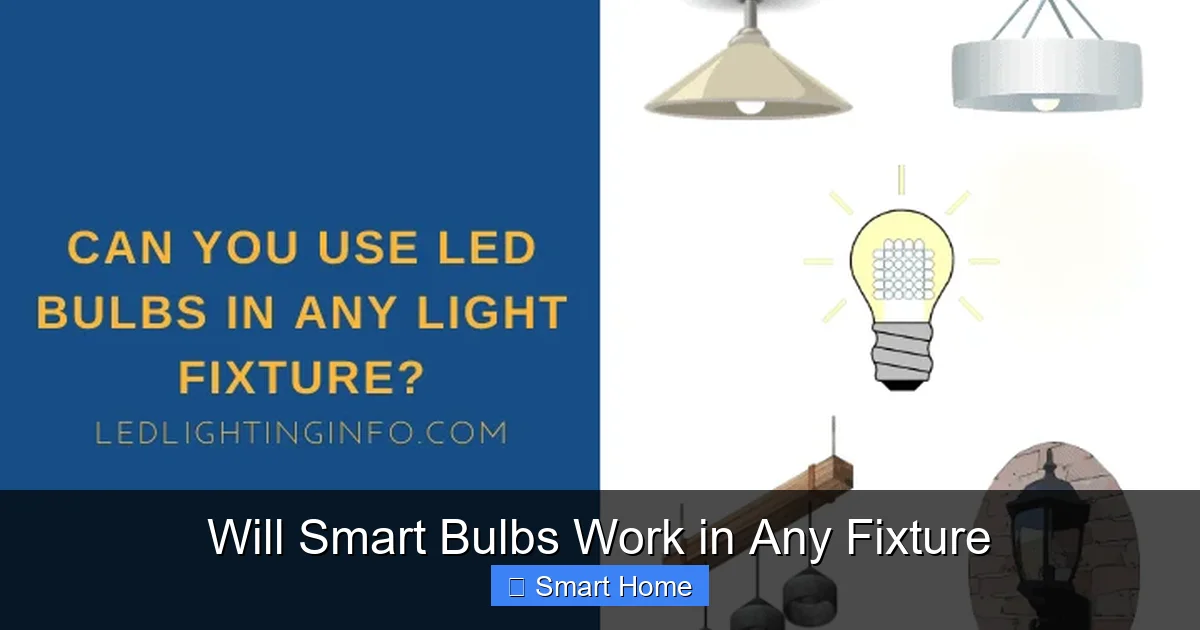
One of the first things to check when installing a smart bulb is the base type. If the base doesn’t match your fixture, the bulb won’t fit—no matter how advanced the technology.
Visual guide about Will Smart Bulbs Work in Any Fixture
Image source: ledlightinginfo.com
Common Base Types
Smart bulbs come in several base types, each designed for specific fixtures:
- E26: The most common base in North America. Used in table lamps, ceiling fixtures, and most household lights.
- E12 (Candelabra): Smaller and used in chandeliers, wall sconces, and some ceiling fans.
- GU10: Twist-lock base, common in track lighting and recessed fixtures in Europe.
- E27: The European version of E26, slightly wider. Used in most of Europe, Asia, and parts of Africa.
- MR16: Low-voltage halogen base, often used in landscape lighting and under-cabinet systems.
Make sure you’re buying the right base for your fixture. A GU10 bulb won’t fit an E26 socket, and vice versa. When in doubt, check the existing bulb or the fixture’s label.
Adapters and Converters
If you’re stuck with a fixture that uses a different base, adapters can help. For example, E26-to-E12 adapters allow you to use a standard smart bulb in a candelabra socket. However, adapters can affect stability and heat dissipation, so use them sparingly.
For MR16 fixtures, you’ll need low-voltage smart bulbs or a smart transformer. These require 12V power and are common in landscape lighting or under-cabinet systems.
Voltage and Electrical Requirements
Another critical factor is voltage. Smart bulbs are made for specific electrical systems, and using the wrong voltage can damage the bulb or create safety risks.
North America (120V)
In the U.S., Canada, and parts of Central and South America, standard household voltage is 120V. Most smart bulbs sold in these regions are designed for 120V operation. You can usually tell by checking the packaging or product description.
Using a 120V bulb in a 220V system will likely destroy it. Conversely, using a 220V bulb in a 120V outlet may not work properly or could overheat.
Europe, Asia, and Other Regions (220–240V)
In Europe, Asia, Australia, and most of Africa, the standard voltage is 220–240V. Smart bulbs sold in these regions are labeled accordingly. If you’re importing a bulb from another country, ensure it’s rated for your local voltage.
Travelers and expats should be especially cautious. A 120V bulb from the U.S. won’t last long in a 240V outlet without a voltage converter—and even then, performance may suffer.
Low-Voltage Systems
Some fixtures—like landscape lighting or under-cabinet systems—use low-voltage (12V or 24V) power. These require special smart bulbs or a compatible smart transformer. Always check the power source before installation.
Enclosed Fixtures and Heat Management
Enclosed fixtures—like globe-shaped pendants, recessed downlights, or fully covered chandeliers—trap heat. Smart bulbs, especially those with integrated electronics, can overheat in such environments.
Why Enclosed Fixtures Are Problematic
Heat buildup can cause:
- Reduced bulb lifespan
- Diminished brightness
- Electrical damage
- Fire risk
Smart bulbs generate more heat than traditional incandescent bulbs, so proper ventilation is crucial.
How to Determine if Your Fixture Is Enclosed
An enclosed fixture is one where the bulb is fully or mostly covered. Examples include:
- A glass globe pendant with no open sides
- A recessed downlight with a closed housing
- A chandelier with multiple enclosed bulbs
To test, turn on the bulb and feel the fixture after 10 minutes. If it’s hot to the touch, it’s likely enclosed. Use a bulb rated for enclosed use in such cases.
Choosing the Right Bulb
Look for smart bulbs labeled “For Enclosed Fixtures” or “Recessed Lighting.” These are designed with heat-resistant materials and better thermal management. Brands like Philips Hue and LIFX offer such models.
Dimmer Switches and Compatibility
Dimmer switches are convenient—they let you control brightness—but they can cause issues with smart bulbs.
Why Dimmers Cause Problems
Traditional dimmers reduce voltage to lower brightness. However, many smart bulbs rely on constant voltage to maintain stable performance. When a dimmer cuts the voltage, it can cause:
- Flickering
- Buzzing or humming
- Reduced bulb life
- Inconsistent color (for RGB bulbs)
Smart Dimmers vs. Traditional Dimmers
Not all dimmers are created equal. Some smart bulbs work with traditional dimmers, but only if they’re labeled “dimmable.” Even then, performance may not be ideal.
For best results, use a smart dimmer switch that’s compatible with your bulb. These are designed to work seamlessly with smart lighting systems and avoid the issues of traditional dimmers.
What to Do If You Have a Dimmer
If your fixture has a dimmer switch and you want to use a smart bulb:
- Check if the bulb is labeled “dimmable.”
- Try it out—many users report success with dimmable smart bulbs.
- If flickering occurs, replace the dimmer with a smart-compatible one.
Smart Hubs and Connectivity
Not all smart bulbs require a hub. Some connect directly to your Wi-Fi network via apps, while others use protocols like Zigbee or Z-Wave and need a hub for full functionality.
Hub-Free Smart Bulbs
These bulbs connect to your home Wi-Fi and can be controlled via a smartphone app. Examples include:
- LIFX bulbs
- Wyze Bulbs
- TP-Link Kasa Smart Bulbs
They’re great for simple setups and don’t require additional hardware. However, they rely on a stable Wi-Fi connection, which can be a limitation in larger homes or areas with weak signals.
Hub-Based Smart Bulbs
Brands like Philips Hue use a Zigbee-based hub. The bulb connects to the hub, which then communicates with your router. This setup offers:
- Better range and reliability
- Local control (even without internet)
- Advanced automation and scene creation
The hub is essential for full functionality. If you lose internet, you can still control the lights via the hub.
Which Type Is Right for You?
Choose based on your needs:
- Hub-free: Simple, affordable, app-controlled.
- Hub-based: More reliable, better automation, ideal for larger smart home systems.
Installation Tips and Best Practices
Even if your smart bulb is compatible, proper installation ensures longevity and performance.
Turn Off Power Before Installation
Always turn off the light switch and, if possible, the circuit breaker. This prevents electrical shock and protects the bulb during installation.
Check Compatibility First
Before buying, verify:
- Base type
- Voltage
- Fixture type (enclosed, damp, etc.)
- Dimmer compatibility
Most manufacturers list compatibility info on their websites. You can also consult a lighting professional if unsure.
Use a Stable Wi-Fi Connection
For hub-free bulbs, ensure your Wi-Fi signal reaches the fixture. Consider a Wi-Fi extender or mesh network for larger homes.
Follow the App Setup Guide
Each brand has its own app and setup process. Follow the instructions carefully. Most apps will guide you through connecting to Wi-Fi, creating accounts, and testing the bulb.
Test Before Finalizing
After installation, test the bulb—turn it on, dim it, change colors, and check voice control. If anything doesn’t work, troubleshoot before leaving the room.
Common Mistakes to Avoid
Even experienced users make mistakes. Here are some common pitfalls:
- Ignoring voltage differences: Using a 120V bulb in a 240V outlet.
- Using non-dimmable bulbs with dimmers: Causes flickering and damage.
- Installing in enclosed fixtures without proper rating: Risk of overheating.
- Assuming all bulbs work with all hubs: Not all brands are compatible.
- Overlooking firmware updates: Outdated firmware can cause connectivity issues.
Conclusion
So, will smart bulbs work in any fixture? The short answer is: not always. While smart bulbs are incredibly versatile, their compatibility depends on the fixture type, base, voltage, and environmental conditions. With the right bulb and proper setup, you can transform nearly any light in your home into a smart, customizable experience.
By understanding the key factors—like enclosed fixtures, dimmer switches, and electrical requirements—you can avoid common mistakes and enjoy reliable, efficient smart lighting. Whether you’re upgrading your living room, bedroom, or outdoor space, taking the time to choose the right bulb for your fixture will ensure a seamless and satisfying smart home experience.
Ready to go smart? Start by assessing your fixtures, checking compatibility, and choosing a bulb that fits both your needs and your space. Your future self—and your electricity bill—will thank you.
Frequently Asked Questions
Can I use a smart bulb in any lamp?
Most smart bulbs work in standard table and floor lamps as long as the base matches (like E26) and the fixture is open and well-ventilated. However, bulbs in enclosed or dimmable lamps may require special compatibility to avoid overheating or flickering.
Do smart bulbs work in recessed lighting?
Yes, but only if the bulb is rated for enclosed fixtures. Recessed lighting traps heat, so using a non-rated smart bulb can reduce lifespan or cause damage. Look for bulbs labeled “For Enclosed Fixtures” or “Recessed Lighting” to ensure safe operation.
Can smart bulbs be used with dimmer switches?
Some smart bulbs are dimmable and work with compatible dimmer switches. However, using non-dimmable bulbs or incompatible dimmers can cause flickering, buzzing, or damage. Always check the bulb’s packaging or manufacturer website for dimmer compatibility.
Are smart bulbs safe in enclosed fixtures?
Only if they’re specifically designed for enclosed use. These bulbs have heat-resistant materials and better thermal management. Using a standard smart bulb in an enclosed fixture can lead to overheating, reduced lifespan, or even fire hazards.
Can I use a smart bulb in an outdoor fixture?
Yes, but only if the bulb is rated for outdoor use (damp or wet location). These bulbs are built to withstand moisture, temperature changes, and UV exposure. Check for an IP rating of at least IP44 for damp areas and IP65 for wet locations.
Do I need a hub for every smart bulb?
Not always. Some smart bulbs connect directly to Wi-Fi via a smartphone app and don’t require a hub. Others, like Philips Hue, use a Zigbee-based hub for better range and local control. Choose based on your home’s size and smart home ecosystem.