Desk Lamp with Charging Station
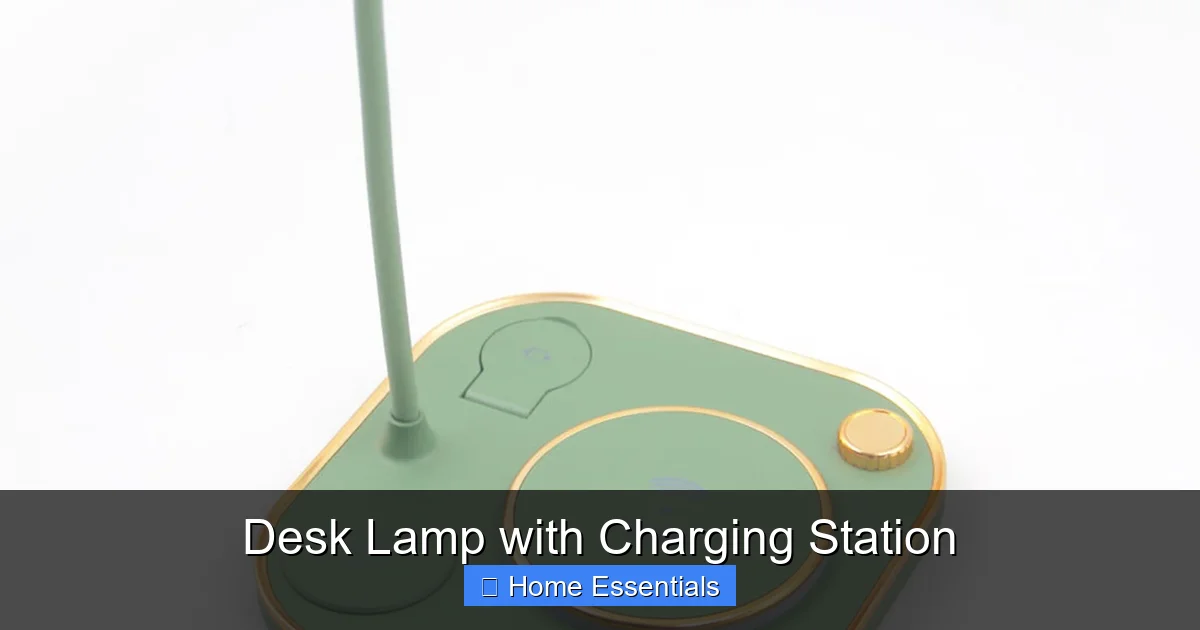
A desk lamp with charging station is the ultimate space-saving solution for modern workspaces. It combines task lighting with multiple charging ports—including USB-C PD and wireless—to power all your devices from one compact hub. Say goodbye to cable clutter and boost your productivity with an all-in-one design that’s both functional and stylish.
Let’s be honest. Your desk is probably a battlefield. There’s the laptop, the phone, maybe a tablet, a pair of wireless earbuds, and that old smartwatch you still use. They all need power. Then you’ve got the separate desk lamp, casting a glow over the chaos. Cables snake everywhere. It’s a mess that somehow feels unavoidable. But what if we told you there’s a simple, elegant piece of gear that can solve both problems at once? Enter the desk lamp with charging station. This isn’t just a lamp with a couple of USB ports tacked on. It’s a thoughtfully designed, all-in-one command center for your workspace. It’s about working smarter, not harder, with a cleaner, more organized, and more productive environment. In this guide, we’ll unpack everything you need to know—from the nitty-gritty of charging specs to the subtleties of light quality—so you can choose the perfect model for your home office, studio, or bedside nook.
Key Takeaways
- Space Efficiency: It consolidates lighting and charging into one device, freeing up valuable desk real estate and reducing cable tangles.
- Charging Versatility: Look for a mix of USB-A, USB-C (with Power Delivery), and Qi wireless pads to charge everything from phones to laptops.
- Adaptable Lighting: Features like adjustable brightness, color temperature (from warm to cool white), and flicker-free technology protect your eyes during long work sessions.
- Build Quality & Design: Durable materials (like aluminum) and a stable, adjustable arm ensure the lamp lasts for years and fits your specific desk setup.
- Smart Home Ready: Some models offer app control, scheduling, or voice assistant compatibility (works with Apple Home, Google Home) for seamless automation.
- Value-Driven Choice: While budget options exist, investing in a reputable brand with good safety certifications (UL/CE) and warranty pays off in reliability and performance.
- Easy Maintenance: Simple designs with fewer crevices and LED bulbs that last for years make upkeep a breeze—just a wipe with a microfiber cloth keeps it dust-free.
📑 Table of Contents
- The All-in-One Solution: Why Your Desk Deserves This Upgrade
- Decoding Charging Technologies: More Than Just USB Ports
- Lighting That Adapts: From Task Master to Mood Setter
- Design, Build, and Materials: The Foundation of a Great Lamp
- Smart Home Integration and Connectivity: The Next Level
- Your Complete Buying Guide: From Budget to Premium
- Care, Maintenance, and Long-Term Satisfaction
- Conclusion: Light Up and Power Up Your Potential
The All-in-One Solution: Why Your Desk Deserves This Upgrade
Think about your current setup. How many separate plugs and adapters are on your power strip? How much time do you spend untangling cables or hunting for a free outlet? A dedicated desk lamp with charging station attacks these annoyances directly. It replaces two (or more) items with one, creating an immediate sense of order. But the benefits run deeper than mere aesthetics.
The Psychology of a Tidy Desk
Clutter isn’t just visually distracting; it’s mentally taxing. Studies in environmental psychology show that physical clutter competes for our attention, increasing stress and reducing our ability to focus. A streamlined workspace, where lighting and power are handled by a single, sleek unit, signals to your brain that it’s time to concentrate. The reduction in visual noise alone can lower cognitive load, making tasks feel more manageable. It’s a small change with a surprisingly big impact on your daily workflow and sense of calm.
Ergonomic and Spatial Advantages
From a practical standpoint, consolidating devices saves physical space. That extra inch or two of cleared desk surface can be the difference between having room for a notebook or not. Furthermore, a well-designed lamp with charging often incorporates cable management right into its base or arm. Channels and clips tuck away charging cables, preventing them from dangling or getting caught in chair wheels. This isn’t just about neatness; it’s about safety and longevity for your cables. No more accidentally yanking a cable out of your laptop because it caught on something.
Decoding Charging Technologies: More Than Just USB Ports
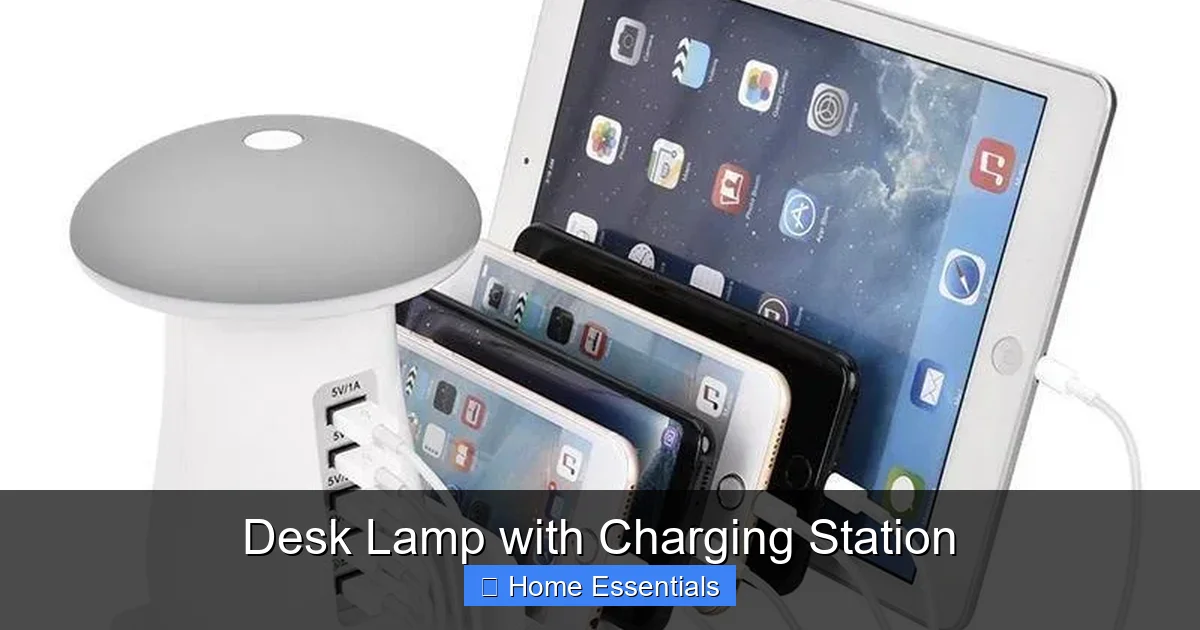
This is where you need to be a savvy shopper. Not all charging stations are created equal. The capabilities inside that lamp base determine whether it’s a handy accessory or a frustrating bottleneck. Let’s break down the key specs you’ll encounter.
Visual guide about Desk Lamp with Charging Station
Image source: cdn.shopify.com
USB-A vs. USB-C: The Port Showdown
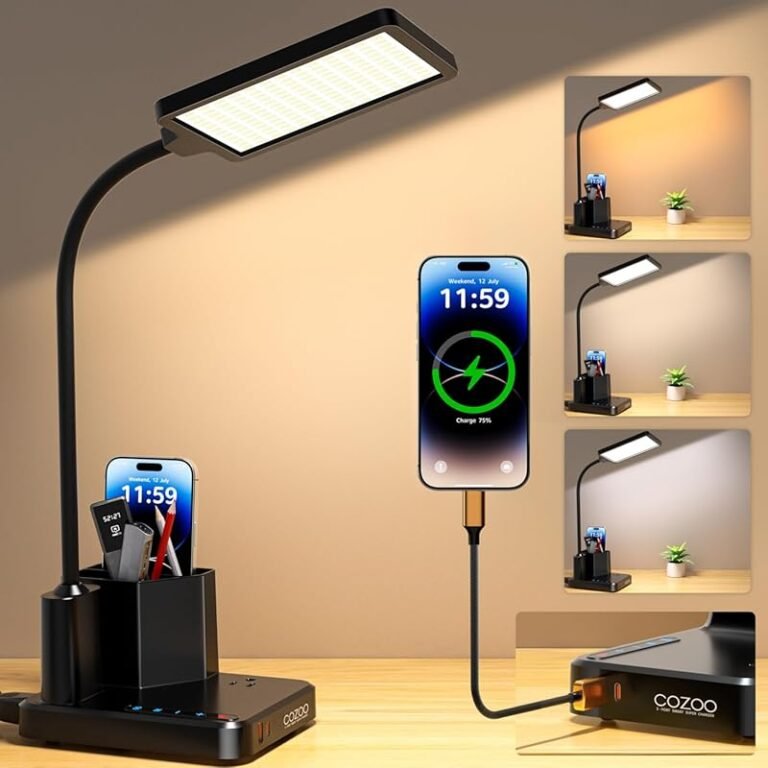
USB-A is the old familiar rectangular port. It’s still everywhere—in older chargers, power banks, and many peripherals. A lamp with USB-A ports (often 5V/2.4A or 5V/3A) is perfectly fine for charging phones, earbuds, and older tablets slowly. However, USB-C is the present and future. The real magic happens with USB-C ports that support Power Delivery (PD). This is a fast-charging protocol that can dynamically negotiate higher wattages (18W, 30W, 65W, even 100W). A 65W USB-C PD port can charge a 13-inch MacBook Pro at full speed. When shopping, check the lamp’s specs for total output and per-port maximums. A lamp claiming “60W total output” might have one 45W port and two 7.5W ports, which dictates how you’ll use it.
Qi Wireless Charging: The Cordless Convenience
Many modern desk lamp with charging station models integrate a Qi wireless charging pad into the base. This is pure convenience for compatible smartphones (iPhone 8 and newer, most Androids since ~2017) and some earbuds cases. Key things to check: the charging speed (standard Qi is 5W, “Fast Qi” or “Extended Power Profile” can hit 7.5W or 10W for compatible phones), and the pad’s size. A small pad might only fit the smallest phones. Also, ensure the pad is positioned so it doesn’t interfere with the lamp’s stability or your ability to place items next to it.
Safety First: Certifications and Protections
You’re plugging this into an outlet near your expensive electronics. Don’t compromise on safety. Look for certifications from recognized labs like UL (Underwriters Laboratories) or CE. These indicate the lamp’s electrical components and charging circuitry have been tested for fire risk, overheating, and short-circuiting. Reputable brands will also include built-in protections like over-current, over-voltage, and over-temperature safeguards. This is not an area to cheap out. A malfunctioning charger can damage your devices or, worst-case, start a fire.
Lighting That Adapts: From Task Master to Mood Setter
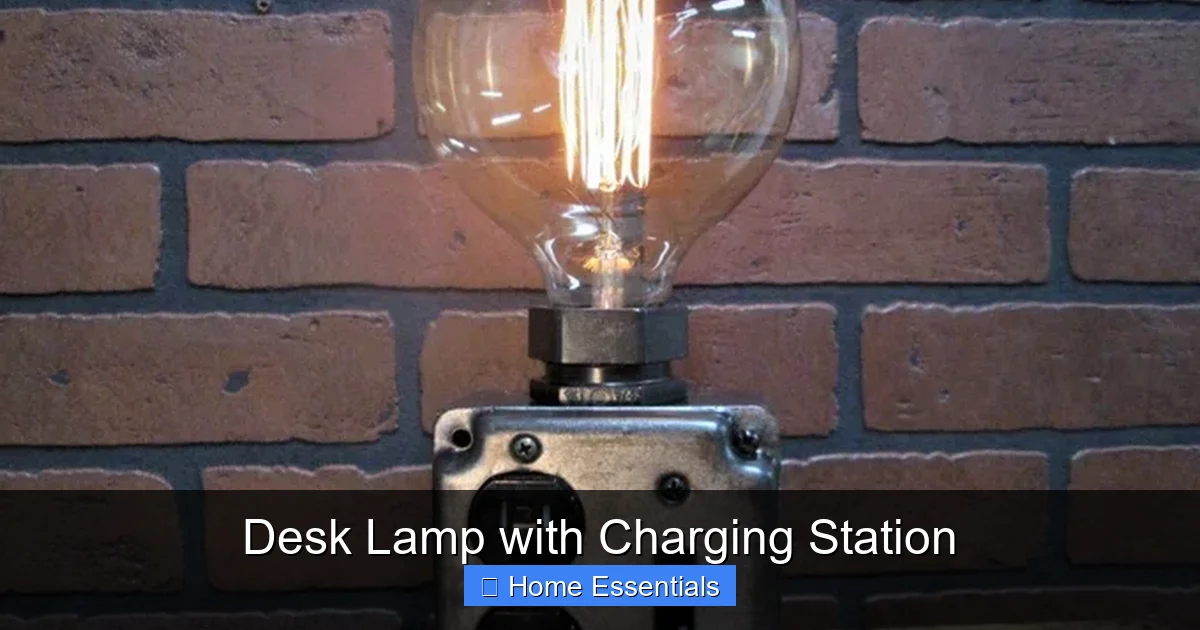
A desk lamp with charging station is first and foremost a lamp. Its primary job is to illuminate your workspace effectively and comfortably. The charging ports are a bonus, but poor lighting will ruin the whole experience.
Visual guide about Desk Lamp with Charging Station
Image source: i.etsystatic.com
Brightness and Beam Quality
Brightness is measured in lumens. For a focused task light on a desk, you’ll typically want between 300 to 600 lumens. Too little, and your eyes strain. Too much, and you get glare. More important than raw lumen count is the beam quality. A good task lamp has a controlled, focused beam that lights your work area without spilling excessive light onto your computer screen (causing glare) or the walls. Look for terms like “wide beam angle” or “uniform illumination.” An adjustable head that tilts and swivels is essential for aiming the light exactly where you need it.
Color Temperature: The Warmth of Your Light
Color temperature, measured in Kelvin (K), describes how “warm” or “cool” the light appears. 2700K-3000K is warm white, similar to an incandescent bulb—cozy and relaxing, great for evening reading. 4000K-5000K is neutral or cool white, resembling daylight—energizing and excellent for detailed work, studying, or makeup application. The best desk lamps with charging offer adjustable color temperature, often via a touch-sensitive strip or buttons. This lets you switch from a warm, calming light in the evening to a bright, alerting cool light during the day. Some even offer a full spectrum that mimics the sun’s changes.
Flicker-Free and Low Blue Light: Protecting Your Eyes
You won’t see it, but cheap LED drivers can cause light to flicker at a high frequency. This invisible flicker can cause eye strain, headaches, and fatigue over time. Always choose a lamp that explicitly states it’s flicker-free. Similarly, high-energy blue light, especially from cool-toned LEDs, can contribute to digital eye strain. Some lamps include a “reading mode” or “low blue light” setting that reduces the blue light output, making the light warmer and more comfortable for prolonged use. If you work late into the night, this feature is a game-changer for sleep quality.
Design, Build, and Materials: The Foundation of a Great Lamp
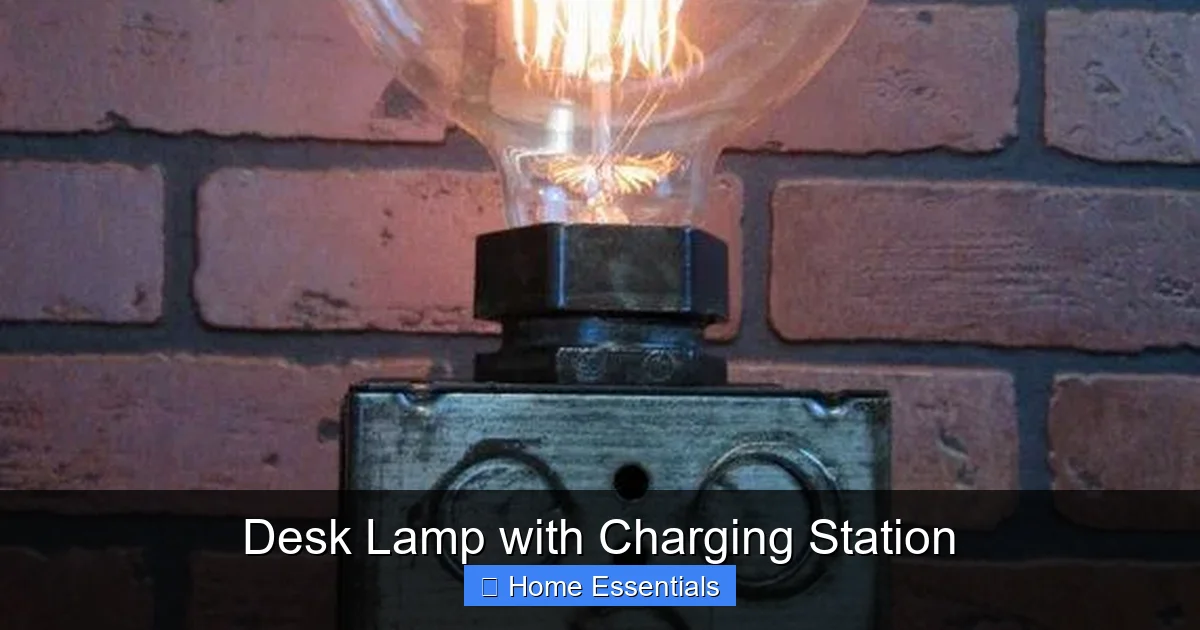
Function is king, but form matters, too. This is a piece of furniture on your desk, after all. A poorly designed lamp will wobble, break, or simply look out of place.
Visual guide about Desk Lamp with Charging Station
Image source: i.pinimg.com
Stability and Adjustability
The base must be heavy enough to prevent tipping when you extend the arm or head. A wide, flat base (often weighted with metal) is ideal. The arm mechanism is crucial. Springs and hinges should be firm but smooth, allowing you to position the light and have it stay put. Gas springs (like in high-end office chairs) offer the smoothest, most reliable height adjustment. Test the range of motion—can you get the light low over a book or high over a broad monitor? The head should tilt at least 90 degrees and swivel 360 degrees for full directional control.
Material Choices: Metal vs. Plastic
Aluminum is the gold standard. It’s sturdy, dissipates heat well (important for the charging module and LEDs), and has a premium, cool-to-the-touch feel. It’s also resistant to corrosion. Steel is also robust but heavier. High-grade ABS plastic can be perfectly acceptable if it’s thick and well-reinforced, but it can feel cheap and may yellow over time. Avoid lamps with flimsy, thin plastic bases that feel like they’ll snap if you bump them. The charging port housings should feel solid, not like they’ll crack when you plug in a cable.
Footprint and Aesthetics
Consider your desk’s size. Some lamps have a small, circular base perfect for tight corners. Others have a larger rectangular base that might house more ports but take up more room. Aesthetics are subjective, but look for clean lines, hidden cable management (like a channel running down the arm), and a finish that matches your other desk gear (matte black, brushed silver, white). A cluttered base with exposed ports and wires will undermine the very purpose of having an organized workspace.
Smart Home Integration and Connectivity: The Next Level
This is where the modern desk lamp with charging station really shines (pun intended). Many mid-to-high-end models are no longer just dumb lamps. They connect to your home network, offering control far beyond a physical switch.
App Control and Scheduling
Via a companion app (usually iOS/Android), you can fine-tune brightness and color temperature with a slider, set schedules (e.g., turn on at 6 AM, off at 11 PM), and create custom scenes (“Focus Mode” at 5000K, 80% brightness). Some apps even track your usage or remind you to take breaks. This level of control is fantastic for tailoring your light to the exact task and time of day, which can genuinely support your circadian rhythm.
Voice Assistant Compatibility
If you already use a smart home ecosystem, look for lamps that work with it. You’ll find models compatible with Amazon Alexa, Google Assistant, and Apple HomeKit. This means you can say, “Hey Google, set my desk lamp to 50% brightness” or “Hey Siri, turn on my reading light.” For Apple users, HomeKit certification offers a seamless, secure integration. If you’re building a smart home, this interoperability is a huge plus. It’s worth noting that the lamp’s smart features are separate from its charging function, but they both contribute to a unified, high-tech desk. For those curious about broader lighting integration, you can explore which smart bulbs work with Google Home or what smart bulbs work with Apple Home to outfit the rest of your room.
Presence Sensing and Automation
Some advanced lamps have built-in motion sensors. They can turn on automatically when you sit down and off when you leave, saving energy. Combined with scheduling and voice control, you can create sophisticated automations. For example, your lamp could gradually brighten in the morning to simulate a sunrise, helping you wake up naturally. These features transform a simple lamp into an ambient, responsive part of your environment.
Your Complete Buying Guide: From Budget to Premium
With all this info, how do you actually choose? Let’s segment the market and outline what to expect at each price point.
Budget Tier ($30 – $60)
In this range, you’ll find basic models. Expect plastic construction, a stable but simple base, and a limited set of ports—likely one or two USB-A ports (5V/2A) and maybe a slow (5W) wireless pad. Lighting will be fixed color temperature (often a neutral white) with a simple on/off/dim touch button. No smart features. Brands like TaoTronics, Anker, or generic Amazon brands populate this space. These are fine for a guest room or a temporary setup, but don’t expect premium materials, fast charging, or flicker-free guarantees. Always double-check safety certifications here.
Mid-Range Sweet Spot ($60 – $120)
This is where you get the best value. You’ll find lamps with aluminum bodies, robust gas-spring arms, and a full suite of charging: at least one USB-C PD port (18W-30W), multiple USB-A ports, and a decent Qi wireless pad. Lighting will be adjustable in both brightness and color temperature, with a flicker-free LED driver. Some may include basic app control via Bluetooth (not Wi-Fi). Brands like BenQ (for their ScreenBar series, though those are different), LEPOWER, and others offer strong contenders here. This tier delivers on all core promises without breaking the bank.
Premium Tier ($120+)
Here, you’re paying for refinement, cutting-edge features, and superior build. Expect Wi-Fi enabled smart lamps with full integration into Apple HomeKit, Google Home, or Alexa. You might get dual wireless charging pads, extremely high-wattage USB-C PD (65W+ for laptops), and premium materials like real metal and glass. Lighting engines are top-tier, with exceptional color accuracy, ultra-wide dimming ranges (from 1% to 100%), and advanced eye-care modes. Brands like Nanoleaf (with their Essentials line), Philips (in some Hue-compatible models), and other design-focused tech companies operate here. These are for the tech enthusiast or professional who wants a flawless, integrated desk ecosystem.
Key Questions to Ask Before You Buy
- What devices do I need to charge most? A laptop? Then you need a high-wattage USB-C PD port. Just a phone and earbuds? A standard 10W wireless pad and a 12W USB-A port suffice.
- How big is my desk? Measure the surface. Check the lamp’s base dimensions and arm reach. Ensure it won’t dominate your space.
- Do I want smart features? If you already have smart bulbs or use voice assistants, a compatible lamp is a logical extension. If not, you might not need the extra cost and complexity.
- What’s my lighting priority? For detailed drafting, a cool, bright light is key. For reading before bed, warm, dimmable light is better. Ensure the lamp’s range covers your needs.
- What’s the warranty and return policy? A good brand offers at least a 1-year warranty. Read reviews specifically about long-term durability and charging stability.
Care, Maintenance, and Long-Term Satisfaction
You’ve made your choice and the new desk lamp with charging station is on your desk. To keep it performing perfectly for years, a little care goes a long way.
Cleaning and Dusting
Dust is the enemy of electronics and optics. Every few weeks, use a soft, dry microfiber cloth to wipe down the lamp’s arm, head, and base. For stubborn smudges, slightly dampen the cloth with a 50/50 water and isopropyl alcohol solution, but avoid spraying liquid directly onto the lamp, especially near ports and vents. For the charging ports, use a dry, soft-bristled brush (like a clean, dry toothbrush) to gently dislodge any lint or debris. Never use abrasive cleaners or solvents. If you’re unsure about the best technique for electronics, a guide on how to clean electronics with a microfiber cloth provides excellent, safe methods.
Bulb Replacement and LED Longevity
Most modern lamps use integrated, non-replaceable LED arrays. This is actually a benefit—they’re rated for 25,000 to 50,000 hours, meaning they could last 10-20 years with typical use. You’ll likely never need to replace the bulb. If your model does use a replaceable LED bulb (less common), check the manual for the exact bulb type (often a small, custom G4 or GU10 pin-base bulb) and wattage equivalent. Always turn off and unplug the lamp before any maintenance.
Cable and Port Care
Don’t yank cables out by the cord; always grip the connector. Over time, USB-C ports can loosen. Be gentle when plugging and unplugging. If you use the wireless charging pad, keep it free of metal objects (keys, coins) and thick phone cases that might interfere with charging. Periodically check the charging cable for fraying or damage and replace it if needed—using a poor-quality cable can damage the lamp’s port.
Conclusion: Light Up and Power Up Your Potential
The desk lamp with charging station is more than a gadget; it’s a Workspace Evolution tool. It directly attacks the two biggest physical pain points of the modern desk: inadequate, uncomfortable lighting and the plague of power cables. By investing in a good one, you’re investing in your focus, your comfort, and your long-term physical well-being (hello, reduced eye strain and better posture from a cleaner setup). You’re choosing a calmer, more efficient environment where your tools serve you, not the other way around. As you shop, prioritize the features that matter most to your specific workflow—be it laptop-fast charging, precise color temperature control, or seamless smart home integration. In a world of wireless everything, the humble desk lamp has finally caught up, becoming the intelligent, versatile hub your desk has been waiting for. Make the switch, clear the clutter, and light up your best work yet.
Frequently Asked Questions
How many devices can I charge simultaneously with a desk lamp charging station?
It depends entirely on the model’s total output and port configuration. Most offer 2-4 charging ports (a mix of USB-A and USB-C) plus a wireless pad. You can usually charge a phone, tablet, smartwatch, and earbuds at once, but charging a laptop via USB-C PD may use most of the power, limiting output on other ports. Always check the total wattage rating and per-port specifications.
Does the wireless charging pad work with all phones?
The pad uses the Qi standard, which is supported by most modern phones (iPhone 8+, Samsung Galaxy S6/Note5+, Google Pixel 3+). However, charging speed varies. iPhones support 7.5W fast Qi, many Androids support 10W or 15W. The lamp’s pad must explicitly state it supports these faster speeds for optimal charging. Very old phones or those without Qi (like some lower-end models) won’t charge wirelessly at all.
Can I replace the LED bulb if it burns out?
Almost all modern integrated desk lamps with charging stations use non-replaceable, built-in LED arrays designed to last for 25,000+ hours (often over a decade of daily use). The entire unit is typically replaced if the LEDs fail, which is rare. Some older or specific models may use a replaceable small LED bulb—check your product manual to be sure. The long lifespan is a major advantage of LED technology.
Are there any safety concerns with the built-in chargers?
Safety is a valid concern, but reputable brands mitigate risks. Always look for UL or CE certification, which ensures the electrical components have been rigorously tested. Built-in protections against overcharging, overheating, and short circuits are standard in quality models. Avoid no-name, uncertified lamps. Also, ensure the lamp’s base has adequate ventilation and don’t cover it with papers or fabric while charging multiple devices.
Can I plug the lamp into a power strip or surge protector?
Yes, absolutely. In fact, it’s recommended to plug it into a surge protector to safeguard both the lamp and your connected devices from power spikes. Just be mindful of the total load on your power strip. The lamp’s charger will draw power even when not actively charging devices, though typically only a few watts for the lamp’s electronics and LED driver.
What’s the typical warranty period for these lamps?
Warranties vary by brand. Most reputable manufacturers offer a 1 to 2-year limited warranty covering defects in materials and workmanship. Some premium brands may extend to 3 or 5 years. The warranty usually does not cover damage from misuse, accidents, or unauthorized repairs. Always register your product online after purchase to activate the full warranty and check the specific terms.