What Smart Bulbs Work with Alexa
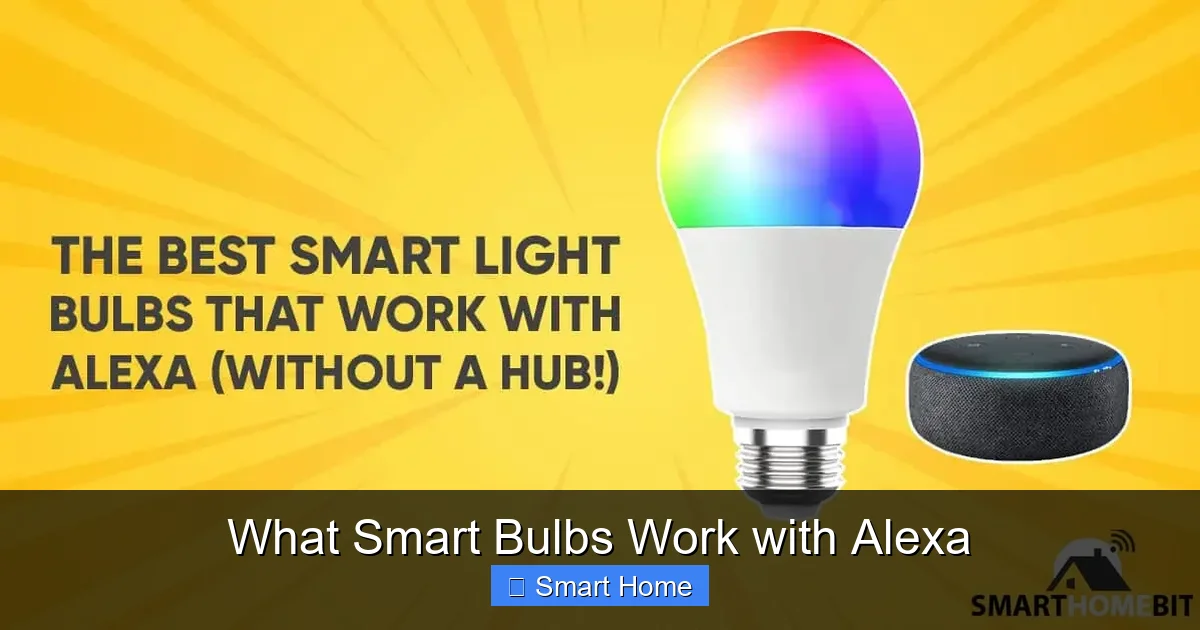
Smart bulbs that work with Alexa let you control your lights with just your voice using devices like the Echo Dot or Echo Show. These bulbs connect to Wi-Fi and respond to commands like “Alexa, turn on the living room lights.” You can dim, change colors, and even set schedules—all without lifting a finger. Whether you’re building a smart home or upgrading your lighting, choosing Alexa-compatible bulbs makes the process simple and reliable.
Key Takeaways
- Alexa-Compatible Bulbs: Not all smart bulbs work with Alexa, so it’s important to check compatibility before buying. Most major brands like Philips Hue, LIFX, and Sylvania do support Alexa.
- Wi-Fi or Zigbee: Some smart bulbs use Wi-Fi for direct connection, while others use Zigbee and need a hub like the Echo Plus or Philips Hue Bridge.
- Voice Control Basics: Use simple commands like “Alexa, turn off the bedroom lights” or “Alexa, set the mood to blue” to control your bulbs.
- Scheduling & Routines: Create custom routines in the Alexa app to turn on/off lights at sunrise or dim them at bedtime automatically.
- Color & Brightness Control: Many Alexa-compatible bulbs allow you to change colors and brightness using voice or the Alexa app.
- Energy Savings: Smart bulbs use less energy than traditional bulbs and can be programmed to turn off when not in use.
- Easy Setup: Most compatible bulbs are plug-and-play, requiring just a Wi-Fi connection and the Alexa app for setup.
📑 Table of Contents
- What Smart Bulbs Work With Alexa?
- How Smart Bulbs Work with Alexa
- Top Smart Bulbs That Work with Alexa
- How to Set Up Smart Bulbs with Alexa
- Advanced Features of Alexa-Compatible Smart Bulbs
- Tips for Getting the Most Out of Alexa-Compatible Bulbs
- Common Issues and How to Fix Them
- Future of Smart Lighting with Alexa
- Conclusion
What Smart Bulbs Work With Alexa?
Imagine walking into your living room and saying, “Alexa, turn on the lights,” and—just like that—your room lights up. No more fumbling for switches in the dark. That’s the magic of smart bulbs that work with Alexa. These bulbs connect to your Amazon Echo device and respond to voice commands, letting you control your home lighting with just your voice. Whether you’re setting the mood for movie night, dimming lights for bedtime, or turning off lights you forgot to switch off, Alexa-compatible smart bulbs make life easier and your home smarter.
But not all smart bulbs are created equal. Some work seamlessly with Alexa right out of the box, while others need extra setup, like a hub or a specific app. Before you rush to buy the first smart bulb you see, it’s important to know which ones truly work with Alexa. In this guide, we’ll walk you through everything you need to know—from top brands and setup tips to advanced features like color changing and energy saving. By the end, you’ll be ready to pick the perfect smart bulb and start controlling your home with voice commands.
How Smart Bulbs Work with Alexa
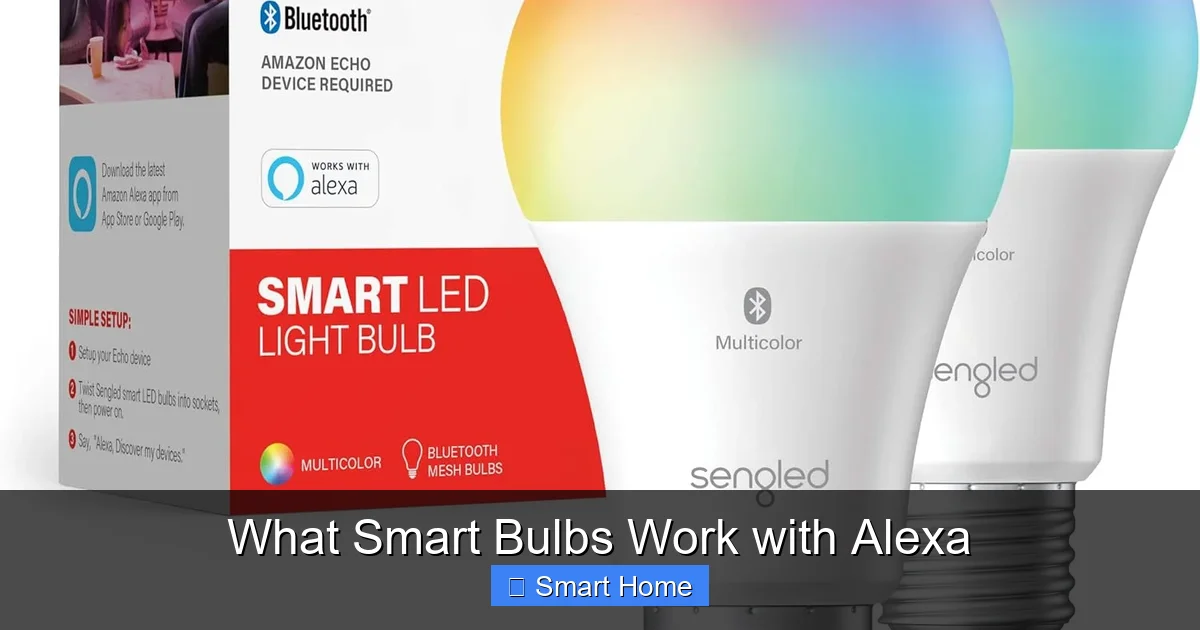
Smart bulbs that work with Alexa use Wi-Fi or a wireless protocol like Zigbee to communicate with your Echo device. Once connected, they respond to voice commands through the Alexa app or directly via your Echo speaker. The process is simple: you tell Alexa what you want to do—like “dim the kitchen lights to 50%”—and the bulb adjusts accordingly.
Visual guide about What Smart Bulbs Work with Alexa
Image source: m.media-amazon.com
Wi-Fi vs. Zigbee: What’s the Difference?
There are two main ways smart bulbs connect to Alexa:
- Wi-Fi Bulbs: These bulbs connect directly to your home Wi-Fi network. They’re plug-and-play and don’t need a hub. Popular options include the LIFX Mini White and Sengled Smart LED Bulb. Since they use Wi-Fi, they can respond to commands even if your hub goes offline.
- Zigbee Bulbs: These bulbs use the Zigbee protocol and require a hub—like the Philips Hue Bridge or Echo Plus—to communicate with Alexa. The Philips Hue White and Color Ambiance A19 is a great example. Zigbee uses less Wi-Fi bandwidth, which can improve performance in homes with many smart devices.
Choose Wi-Fi for simplicity and direct control. Pick Zigbee if you want better reliability and don’t mind using a hub.
Voice Commands You Can Use
Once your bulb is set up, you can use natural voice commands. Here are some common ones:
- “Alexa, turn on the living room light.”
- “Alexa, dim the bedroom lights to 30%.”
- “Alexa, set the mood to blue.”
- “Alexa, turn off all lights.”
- “Alexa, turn on the nightlight.”
You can even group bulbs by room and control them together. For example, “Alexa, goodnight” can turn off all lights in your home—if you’ve set up a routine.
Top Smart Bulbs That Work with Alexa
Not every smart bulb plays nice with Alexa. Here are some of the best options that work reliably and offer great features:
Philips Hue White and Color Ambiance
The Philips Hue system is the gold standard for smart lighting. The Hue White and Color Ambiance A19 bulb lets you change colors and brightness with your voice or the Hue app. It connects via Zigbee and needs the Hue Bridge (sold separately). Hue bulbs are durable, long-lasting, and integrate deeply with Alexa for routines, scenes, and scheduling.
LIFX Mini White
The LIFX Mini White is a compact, Wi-Fi-enabled bulb that works with Alexa without a hub. It offers tunable white light (from warm to cool) and responds instantly to voice commands. LIFX bulbs don’t need a hub, making setup faster and more flexible. They’re perfect for small spaces or as a first smart bulb.
Sengled Smart LED Bulb
The Sengled Smart LED Bulb is an affordable Alexa-compatible option that works directly over Wi-Fi. It supports dimming, color changing, and voice control. Sengled bulbs are energy-efficient and easy to install—just screw them in and connect via the Sengled app or Alexa.
TP-Link Kasa Smart Bulb (KL110)
The TP-Link Kasa Smart Bulb (KL110) is a budget-friendly Wi-Fi bulb that works with Alexa, Google Assistant, and Apple HomeKit. It offers 16 million colors and voice control, plus scheduling and remote access. The Kasa app is user-friendly and lets you control your bulb from anywhere.
GE Cync Smart LED Bulb
The GE Cync Smart LED Bulb is a Wi-Fi bulb that supports Alexa voice control and offers color-changing options. It’s dimmable, energy-efficient, and works with the Cync app. GE bulbs are known for reliability and ease of use, making them a solid choice for beginners.
How to Set Up Smart Bulbs with Alexa
Setting up smart bulbs with Alexa is easier than you think. Here’s a step-by-step guide:
Step 1: Check Compatibility
Make sure your bulb is Alexa-compatible. Look for “Works with Amazon Alexa” on the packaging or product page. Most major brands like Philips, LIFX, and Sengled are compatible.
Step 2: Install the Bulb
Screw the smart bulb into a light socket. Turn on the light to ensure it’s working.
Step 3: Download the App
Download the brand’s app (e.g., Philips Hue, LIFX, or Sengled) and create an account.
Step 4: Connect to Wi-Fi
Open the app and connect the bulb to your Wi-Fi network. Follow the on-screen instructions.
Step 5: Link to Alexa
Open the Alexa app, go to “Skills & Games,” search for your bulb’s skill (e.g., “Philips Hue”), and enable it. Then discover devices by saying, “Alexa, discover devices.”
Step 6: Control with Voice
Now you’re ready! Try saying, “Alexa, turn on the living room light.”
Pro Tip:
Name your bulbs clearly (e.g., “bedroom lamp” or “kitchen ceiling”) so Alexa knows which one to control.
Advanced Features of Alexa-Compatible Smart Bulbs
Beyond basic on/off control, smart bulbs offer powerful features that make your home smarter.
Color Changing and Scenes
Many Alexa-compatible bulbs let you change colors and create lighting scenes. For example, you can say, “Alexa, set the living room to party mode,” and the lights flash red and blue. Use the Alexa app to create custom scenes for relaxation, reading, or entertaining.
Scheduling and Routines
Set your bulbs to turn on at sunrise or dim at bedtime automatically. In the Alexa app, go to “Routines” and create a schedule. You can even combine lights with other smart devices—like turning on lights when motion is detected.
Energy Savings
Smart bulbs use up to 80% less energy than incandescent bulbs. Plus, you can program them to turn off when no one’s home or during daylight hours. This reduces your electricity bill and helps the environment.
Remote Access
Control your lights from anywhere using the Alexa app. Whether you’re at work or on vacation, you can check if the lights are on and turn them off if needed.
Voice Customization
Use voice commands to adjust brightness, color, and more. Say, “Alexa, make it brighter,” or “Alexa, set the color to sunset orange.” Some bulbs even respond to tone and mood.
Tips for Getting the Most Out of Alexa-Compatible Bulbs
Here are some practical tips to enhance your smart lighting experience:
- Group Bulbs by Room: In the Alexa app, create groups like “Living Room” so you can control multiple bulbs at once.
- Use Routines for Automation: Set up routines like “Good Morning” to turn on lights and play music, or “Goodnight” to turn off all lights and lock doors.
- Label Bulbs Clearly: Name each bulb based on its location (e.g., “Bedroom Lamp” or “Kitchen Pendant”) so Alexa understands your commands.
- Keep Your Wi-Fi Strong: A stable Wi-Fi connection ensures your bulbs respond quickly and reliably.
- Update Firmware Regularly: Check the brand’s app for firmware updates to improve performance and security.
- Test Voice Commands: Try different phrases like “Alexa, turn on the lights” or “Alexa, switch on the lamp” to see what works best.
Common Issues and How to Fix Them
Even the best smart bulbs can run into problems. Here’s how to troubleshoot common issues:
Bulb Not Responding to Alexa
Check if the bulb is connected to Wi-Fi and linked to Alexa. Try saying, “Alexa, discover devices,” in the Alexa app. If that doesn’t work, restart your Echo device and the bulb.
Slow Response
Wi-Fi congestion or a weak signal can cause delays. Move your Echo closer to the bulb or switch to a Zigbee bulb with a hub for better performance.
Bulb Won’t Turn On
Make sure the bulb is screwed in tightly and the light switch is on. Some smart bulbs require the switch to be in the “on” position.
Voice Commands Not Recognized
Speak clearly and use simple commands. Avoid complex phrases. Make sure your Alexa device is close enough to hear you.
App Connectivity Issues
Restart the app and your phone. Reconnect the bulb to Wi-Fi through the brand’s app.
Future of Smart Lighting with Alexa
The future of smart lighting is bright—literally. As smart home technology evolves, we can expect even more integration between Alexa and smart bulbs. Imagine bulbs that adjust based on your mood, time of day, or even the weather. Voice recognition will become more natural, and AI will learn your habits to automate lighting automatically.
New features like adaptive lighting (mimicking natural daylight) and integration with health apps (to support sleep cycles) are on the horizon. Companies like Philips and LIFX are already working on these innovations, and Alexa’s ecosystem is growing stronger every year.
As more homes become smart, smart bulbs will play a central role. They’re affordable, easy to install, and offer endless customization. With Alexa as your assistant, controlling your lighting is not just convenient—it’s intuitive.
Conclusion
Smart bulbs that work with Alexa are no longer a luxury—they’re a smart home essential. Whether you’re looking to save energy, improve convenience, or just make your home more fun, these bulbs deliver. From color-changing Philips Hue bulbs to budget-friendly LIFX options, there’s a perfect fit for every home and budget.
By choosing Alexa-compatible smart bulbs, you’re not just upgrading your lighting—you’re stepping into the future of home automation. With voice control, scheduling, and remote access, your lights do more than just illuminate—they respond to you. So go ahead, pick a bulb, set it up, and say, “Alexa, turn on the lights.” Your smarter home starts now.
Frequently Asked Questions
Which smart bulbs work with Alexa?
Popular Alexa-compatible smart bulbs include Philips Hue, LIFX, Sengled, TP-Link Kasa, and GE Cync. These bulbs connect via Wi-Fi or Zigbee and respond to voice commands through the Alexa app.
Do I need a hub to use smart bulbs with Alexa?
It depends on the bulb. Wi-Fi bulbs like LIFX and Sengled work directly with Alexa without a hub. Zigbee bulbs like Philips Hue require a hub like the Hue Bridge or Echo Plus.
Can I control smart bulbs with voice commands?
Yes. Use commands like “Alexa, turn on the living room light” or “Alexa, dim the kitchen lights to 50%.” Make sure your bulb is set up and linked to Alexa first.
Are smart bulbs energy-efficient?
Yes. Smart bulbs use up to 80% less energy than traditional incandescent bulbs and can be programmed to turn off automatically, saving you money and reducing waste.
How do I set up smart bulbs with Alexa?
Install the bulb, connect it to Wi-Fi via the brand’s app, link the skill in the Alexa app, and discover devices by saying “Alexa, discover devices.”
Can I change the color of my smart bulbs with Alexa?
Yes. Bulbs like Philips Hue and LIFX support color changing. Use voice commands like “Alexa, set the color to blue” or create custom scenes in the Alexa app.