How to Remove Maintenance Required on Your Toyota Corolla
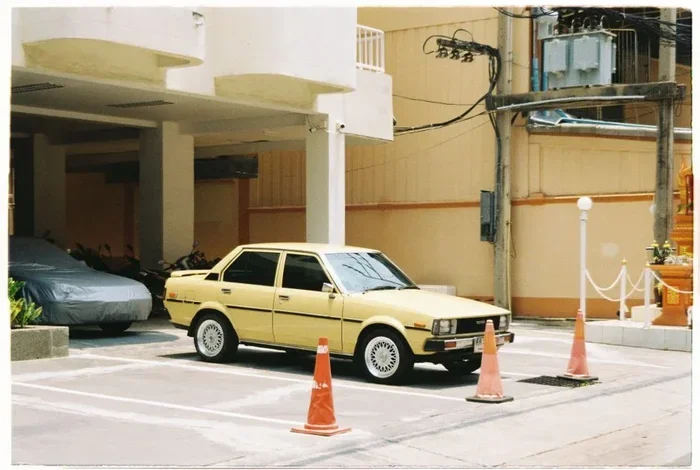
Removing the maintenance required light on your Toyota Corolla is a simple process you can do at home in minutes. Whether your Toyota Corolla maintenance reminder is flashing after an oil change or service, this guide walks you through every method. We cover trip meter resets, button combinations, and troubleshooting tips for newer models with digital displays.
That little wrench icon on your dashboard can be really annoying. It stays there, glowing quietly, reminding you that your Toyota Corolla is due for service. Whether you just finished an oil change or you are simply tired of seeing it, removing the maintenance required light is straightforward. In this guide, we will walk you through every method step by step.
Many Toyota Corolla owners face this same situation. The maintenance reminder pops up after a set mileage or time interval. It is designed to help you stay on track with your vehicle maintenance schedule. But once the service is done, that light needs to go away. This guide shows you exactly how to make it disappear.
We will cover older models with simple button resets and newer models with digital displays. You do not need any special tools or expensive dealership visits. By the end of this article, you will know how to reset your Toyota maintenance light confidently and quickly.
Key Takeaways
- Easy DIY Reset: You can clear the maintenance required light without visiting a mechanic or dealership.
- Multiple Methods: Different Toyota Corolla model years use different reset procedures, and we cover them all.
- Quick Process: Most resets take less than 5 minutes using your steering wheel buttons or dashboard controls.
- Prevents Annoyance: A persistent maintenance light can be distracting, and resetting it keeps your dashboard clean.
- Stay on Top of Service: Regular maintenance keeps your Corolla running smoothly and extends its lifespan.
- Safety First: Always ensure your vehicle is in park and the ignition is on before attempting any reset.
📑 Table of Contents
Understanding the Maintenance Required Light
The maintenance required light is a standard feature in every Toyota Corolla. It is not the same as a check engine light. This light simply tells you that a scheduled service interval has been reached. It is based on mileage or time, depending on your driving habits.
What Triggers the Maintenance Required Light
Toyota sets the maintenance interval at 5,000 miles for most Corolla models. The light comes on when you reach this milestone. Here are the common triggers:
- Mileage: The most common trigger is reaching 5,000 miles since the last reset.
- Time: Some models also track time, reminding you every 6 months.
- Oil Change: The light often appears after an oil change is due.
- Dashboard Indicator: A small wrench symbol appears on the instrument cluster.
The maintenance indicator is different from other warning lights on your dashboard. It does not mean something is broken. It simply means it is time for routine care. Think of it as a friendly nudge, not an alarm.
Why You Should Reset It After Service
Leaving the light on after service can cause confusion. You might forget whether you actually changed the oil or not. Resetting the service reminder helps you track your next interval accurately. It also keeps your dashboard clean and easy to read.
A clean dashboard means you can focus on real warnings. If a serious light comes on, like a check engine light, you will notice it immediately. A persistent maintenance light can mask important signals.
Preparing to Reset the Maintenance Required Light
Before you start, make sure you have everything ready. The process is quick, but a little preparation saves time and frustration.
Tools and Items You Will Need
You do not need many things. Here is a simple list:
- Your Toyota Corolla key or push-start button
- Steering wheel controls (for newer models)
- A pen and paper to note your current mileage
- Your owner’s manual (optional but helpful)
Most of these items are already in your car. The owner’s manual is the best reference for model-specific details. You can also find it online on Toyota’s official website.
Safety Precautions
Safety always comes first. Follow these simple steps before you begin:
- Park your car on a flat, level surface.
- Turn off the engine and engage the parking brake.
- Make sure the transmission is in Park (for automatic) or Neutral (for manual).
- Do not attempt the reset while driving.
These precautions protect you and your vehicle. The reset process involves dashboard controls, and you want full attention on the buttons and screen.
Step-by-Step Guide to Remove Maintenance Required on Toyota Corolla
Now for the part you have been waiting for. Below, we cover the most common methods for resetting the maintenance light on a Toyota Corolla. Choose the method that matches your model year.
Method 1: Using the Trip Meter Reset (Older Models)
This method works for most Toyota Corollas from the early 2000s to mid-2010s. It uses the trip meter reset button on your dashboard or steering wheel.
- Turn the ignition to ON. Do not start the engine. Just press the start button once or turn the key to the ON position.
- Locate the trip meter reset button. It is usually on the dashboard cluster or the steering wheel stalk.
- Press and hold the reset button. Keep holding it firmly.
- Turn the ignition OFF and then back to ON. While still holding the button, cycle the key or press the start button.
- Continue holding the button for 10-15 seconds. Watch the dashboard display.
- The maintenance light should start flashing. Keep holding until it turns off completely.
- Release the button. The light is now reset.
This method is the most common approach. It works reliably on older Corolla models. If the light does not turn off, try the next method.
Method 2: Using the Odometer Button (Some Model Years)
Some Toyota Corolla models use the odometer button instead of the trip meter button. The process is very similar:
- Turn the ignition to ON. Again, do not start the engine.
- Find the odometer button. It is usually near the speedometer or on the steering wheel.
- Press and hold the odometer button. Hold it down firmly.
- Cycle the ignition OFF and ON while holding the button.
- Wait for the maintenance light to flash and then turn off.
- Release the button once the light is off.
This method works on several Corolla generations. The key is to hold the button continuously through the entire process. Do not release it too early.
Method 3: For Newer Models with Digital Displays
Newer Toyota Corollas (2014 and later) often have digital multi-information displays. These models use a different reset procedure involving steering wheel buttons:
- Press the MENU button on the steering wheel.
- Use the arrow buttons to navigate to the Maintenance menu.
- Select the Maintenance Required option.
- Press and hold the OK or Enter button.
- Select Reset or Yes to confirm.
- The light should turn off immediately.
Newer models make the process much easier. The digital display guides you through each step. If you are unsure, consult your owner’s manual for model-specific instructions.
Common Problems and Troubleshooting
Sometimes the maintenance light does not turn off right away. This is more common than you think. Here are the most frequent issues and how to fix them.
When the Light Won’t Turn Off
If the maintenance required light stays on after you try the reset, do not panic. Here are some things to check:
- Did you hold the button long enough? Some models require 15-20 seconds of continuous holding.
- Is the ignition cycling correct? Make sure you go from ON to OFF to ON without starting the engine.
- Did you complete a service? Some Corolla models will not let you reset the light unless a certain mileage has passed since the last reset.
- Try a different method. If one method fails, another might work for your specific model year.
Patience is key. Some resets require precise timing. Try each method at least twice before moving on.
Maintenance Required Keeps Coming Back
This issue can be frustrating. If the light returns shortly after you reset it, here is what might be happening:
- An unserviced item remains. If you reset the light but did not actually complete the service, the system may revert.
- A sensor issue. Sometimes the oil life sensor needs recalibration after an oil change.
- Electrical glitch. A loose battery terminal or blown fuse can cause persistent lights.
If the light keeps returning, check your oil level and condition first. Low or dirty oil can trigger the reminder again. If everything looks fine, a visit to a mechanic may be necessary.
Tips for Keeping Your Toyota Corolla in Top Shape
Resetting the light is just one part of car ownership. Staying on top of your Toyota Corolla maintenance schedule keeps your car running strong for years.
Follow the Recommended Service Intervals
Toyota recommends servicing your Corolla every 5,000 miles or 6 months. Here is a quick checklist of what to address at each interval:
- Oil and filter change: The most important routine service.
- Tire rotation: Keeps your tires wearing evenly.
- Brake inspection: Check pads, rotors, and fluid levels.
- Fluid top-offs: Coolant, transmission fluid, and brake fluid.
- Air filter check: Replace if dirty or clogged.
Sticking to this schedule prevents bigger problems down the road. It also keeps your resale value high. A well-maintained Corolla holds its value much better than a neglected one.
Regular Checks Between Services
You do not need to wait for the maintenance light to check on your car. Here are simple things you can do weekly or monthly:
- Check tire pressure. Proper pressure improves fuel economy and safety.
- Monitor fluid levels. Look under the car for any leaks.
- Test your lights. Make sure all headlights and brake lights work.
- Listen for unusual sounds. Grinding, squealing, or knocking needs attention.
These small habits save you money and keep you safe. They also reduce the chances of unexpected breakdowns.
When to Seek Professional Help
Most maintenance light resets are DIY-friendly. But there are times when professional help is the right call.
Signs Beyond the Maintenance Light
Watch for these warning signs that go beyond a simple maintenance reminder:
- Check engine light is also on. This signals a deeper issue that needs diagnosis.
- Unusual noises or vibrations. These could indicate mechanical problems.
- Poor fuel economy. A sudden drop in miles per gallon needs attention.
- Dashboard warnings flashing. Multiple lights at once is a red flag.
If you notice any of these alongside the maintenance light, do not just reset it. Get a professional inspection. A mechanic can identify hidden problems before they become expensive repairs.
Benefits of Professional Service
Visiting a Toyota dealership or certified mechanic has its advantages:
- Expert diagnosis. Professionals use advanced tools to find issues.
- Genuine parts. Dealerships use OEM Toyota parts for replacements.
- Warranty protection. Professional service keeps your warranty intact.
- Peace of mind. You know the job was done right.
There is no shame in visiting a professional. Some maintenance tasks require specialized equipment. Knowing when to ask for help is part of being a smart car owner.
Conclusion
Removing the maintenance required light on your Toyota Corolla is easier than most people think. Whether you use the trip meter reset method, the odometer button approach, or the digital display menu, the process takes just a few minutes. The key is to follow the steps carefully and match the method to your specific model year.
Remember that the maintenance light exists to protect your car. Reset it after every service, and keep track of your next interval. Regular maintenance is the best way to avoid costly repairs and keep your Toyota Corolla running smoothly for many years to come.
Now that you know how to handle the maintenance reminder, you can tackle it confidently the next time it appears. Your Corolla will thank you for it.
Frequently Asked Questions
Can I drive my Toyota Corolla with the maintenance required light on?
Yes, you can still drive your Corolla safely with the maintenance light on. The light is a reminder, not an emergency warning. However, you should schedule service soon to keep your car in good condition.
How often does the maintenance required light come on in a Toyota Corolla?
For most Toyota Corolla models, the maintenance light activates every 5,000 miles or 6 months, whichever comes first. Always refer to your specific owner’s manual for exact intervals.
Will resetting the maintenance light void my Toyota warranty?
No, resetting the maintenance light does not void your warranty. The light is simply a reminder tool. However, it is important to actually complete the required service to keep your warranty valid.
What should I do if the maintenance light will not reset?
If the light will not reset after trying the standard methods, check that you held the button long enough. If it still does not work, visit a Toyota dealership or qualified mechanic. There may be an underlying electrical or sensor issue.
Do I need any special equipment to reset the maintenance light?
No special equipment is needed. You only need access to your dashboard controls or steering wheel buttons. The entire reset process is done manually without any tools or scanners.
Is the maintenance required light the same as the check engine light?
No, they are completely different. The maintenance required light is a routine service reminder. The check engine light indicates a potential problem with your vehicle’s engine or emissions system. If both lights are on, address the check engine light first.