How to Reset a Kia Car and Solve Common Issues Fast
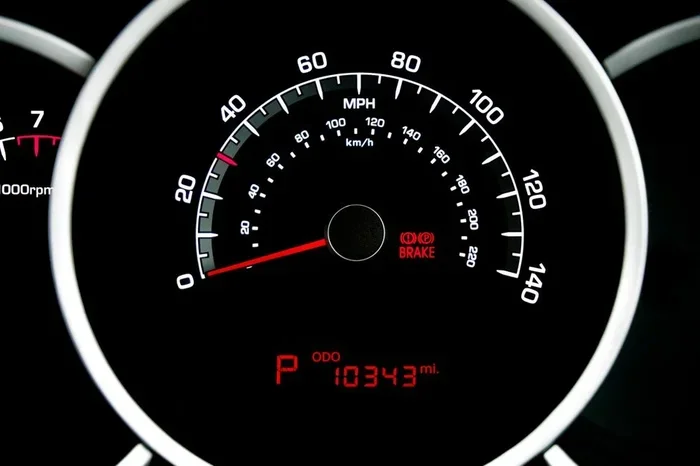
Resetting your Kia car can fix stubborn warning lights, frozen screens, and electrical glitches in minutes. This guide walks you through every reset method, from dashboard lights to the infotainment system, so you can handle common Kia problems without visiting a mechanic. You will learn the exact steps for each reset type and discover tips to prevent issues from returning.
Owning a Kia comes with many perks. These cars are reliable, affordable, and fun to drive. But every vehicle has its quirks. Sometimes your Kia dashboard lights start flickering. Other times the infotainment system freezes right when you need it most. A reset often solves these problems fast.
Knowing how to reset a Kia saves you time and money. You do not need to visit a mechanic for every small issue. Many common problems clear up with a simple reset. This guide covers every reset method you need. Whether it is a warning light, a frozen screen, or an electrical glitch, you will find the answer here.
We will walk you through each step carefully. The instructions are simple and easy to follow. You will also learn tips to prevent issues from coming back. Let us dive into the world of Kia resets and get your car running smoothly again.
Key Takeaways
- Multiple Reset Methods: Learn how to reset a Kia dashboard, infotainment system, and battery with simple step-by-step instructions.
- No Mechanic Needed: Most Kia reset procedures can be done at home with basic tools and a few minutes of your time.
- Common Issues Fixed: A reset can resolve warning lights, error codes, frozen screens, and electrical problems.
- Prevention Tips Included: Find out how to maintain your Kia and avoid the issues that require resets in the first place.
- Works Across Models: The reset methods in this guide apply to most Kia vehicles, from the Optima to the Sorento.
📑 Table of Contents
What Does It Mean to Reset a Kia?
Resetting a Kia means clearing or restarting a system in your vehicle. Think of it like rebooting a phone. When things go wrong, a fresh start often helps. Kia cars have several systems that can be reset. Each one serves a different purpose.
Some resets clear warning lights from the dashboard. Others restart the infotainment screen. A battery reset can fix electrical glitches. Understanding which reset you need is the first step. Once you know that, the process is usually straightforward.
Why Do You Need to Reset a Kia?
There are many reasons you might need a Kia reset. Dashboard warning lights sometimes stay on even after you fix the problem. The infotainment system can freeze or lag. Electrical issues may cause strange behavior. A Kia reset clears these errors and gives the system a fresh start.
Regular resets also help with maintenance reminders. After an oil change, your Kia may still show the service light. Resetting it tells the car the work is done. Keeping up with these small tasks helps your car last longer.
How to Reset a Kia Dashboard Warning Light
The dashboard is the brain of your car. It tells you when something needs attention. Sometimes the lights stay on even after the problem is fixed. Resetting them is quick and easy.
Resetting the Check Engine Light
The check engine light is one of the most common warnings. It can come on for many reasons. A loose gas cap, a sensor issue, or a minor electrical glitch can trigger it. Before you reset, make sure the actual problem is fixed. Otherwise, the light will come back.
To reset the check engine light on most Kia models, follow these steps:
- Turn the ignition to the “ON” position. Do not start the engine.
- Press and hold the odometer reset button.
- Turn the ignition off, then back on while holding the button.
- Release the button when the light starts to blink.
- Wait for the system to complete the reset.
This method works on most older Kia models. Newer models may need a different approach. Always check your owner manual for model-specific steps.
Resetting Other Dashboard Lights
Not all dashboard lights are the same. Some warn about low tire pressure. Others signal oil level or battery issues. Each Kia dashboard light has its own reset process. Here are quick tips for common lights:
- Tire Pressure Light: Drive at 50 mph for 10 minutes. The system often recalibrates on its own.
- Oil Change Light: Turn the key to “ON.” Press the gas pedal three times within five seconds.
- Battery Warning: A battery reset usually requires disconnecting the terminals. We cover this in detail later.
Knowing how to reset a Kia dashboard light keeps you informed. It also prevents unnecessary trips to the repair shop.
How to Reset a Kia Infotainment System
The infotainment system is the modern brain of your Kia. It handles navigation, music, and phone connections. When it freezes or glitches, it can be frustrating. A Kia infotainment reset often fixes the problem in minutes.
Soft Reset vs Hard Reset
There are two types of infotainment resets. A soft reset restarts the system without deleting data. A hard reset restores the system to factory settings. You should try a soft reset first. Only go to a hard reset if the soft reset does not work.
Here is a comparison of the two methods:
| Feature | Soft Reset | Hard Reset |
|---|---|---|
| Speed | About 30 seconds | 5 to 10 minutes |
| Data Lost | No | Yes, all saved data |
| Safety | Very safe | Safe if you have backup codes |
| Best For | Minor glitches and freezing | Persistent software errors |
How to Perform a Soft Reset
A soft reset is the easiest way to restart your Kia infotainment system. Follow these steps:
- Press and hold the power button on the screen.
- Wait for the screen to go completely black.
- Wait 10 seconds.
- Press the power button again to turn it back on.
This method works for most freezing or lagging issues. It is the first thing you should try when your screen acts up.
How to Perform a Hard Reset
If a soft reset does not solve the problem, try a hard reset. This restores the system to its original settings. Here is how to do it:
- Turn off the ignition and remove the key.
- Disconnect the negative battery terminal for 15 minutes.
- Reconnect the terminal and start the car.
- The infotainment system will reboot to factory settings.
Make sure you know your radio codes before doing a hard reset. Some systems require a code to unlock after a full reset.
How to Reset a Kia Battery and Electrical System
Electrical issues can cause all kinds of problems in a Kia. Lights may flicker. The car may not start properly. A battery reset often clears these issues. It gives the electrical system a fresh start.
When to Reset Your Kia Battery
You should consider a battery reset in a few situations. If your car has been sitting unused for a long time, the battery may need a reset. After a jump start, the electrical system can act strange. And if you notice flickering lights or error messages, a reset can help.
Resetting the battery also clears error codes stored in the car’s computer. These codes can cause warning lights to stay on even when the problem is gone. A fresh start helps the system relearn normal operating conditions.
Step-by-Step Battery Reset
Follow these steps to reset your Kia battery safely:
- Turn off the engine and all electrical accessories.
- Open the hood and locate the battery.
- Use a wrench to loosen the negative terminal first.
- Disconnect the cable and wait 15 to 30 minutes.
- Reconnect the negative terminal and tighten it securely.
- Start the engine and let it idle for a few minutes.
This process resets the car’s computer and electrical system. It is one of the most effective ways to clear stubborn issues.
Quick Tips for Battery Health
- Keep your battery terminals clean and free of corrosion.
- Avoid leaving lights or accessories on when the engine is off.
- Have your battery tested every two years.
- Drive your Kia regularly to keep the battery charged.
A healthy battery means fewer resets and fewer problems. Take care of it and it will take care of you.
Common Issues a Kia Reset Can Fix
Not sure if a reset will help your specific problem? Here are the most common issues that a Kia reset can solve. These are the problems drivers call about most often.
Stuck Warning Lights
Warning lights sometimes stay on after the problem is resolved. A reset clears the error from the system. This is especially common after an oil change or tire rotation. The light should turn off within a few drive cycles after the reset.
Frozen or Unresponsive Infotainment Screen
The infotainment screen can freeze for many reasons. Software updates, overheating, or a minor glitch can cause it. A soft reset usually fixes this quickly. If the screen is completely unresponsive, a hard reset may be needed.
Electrical Glitches and Error Codes
Electrical issues can cause strange error codes to appear. The power windows may not work. The heated seats might fail. A battery reset clears these codes and often fixes the problem. If the issue returns, there may be a deeper electrical problem to investigate.
Maintenance Reminder Lights
After completing maintenance, the reminder light often stays on. Resetting it is simple and takes just a few seconds. This applies to oil change reminders, tire rotation alerts, and service interval notifications.
How to Prevent Issues and Know When to Seek Help
The best way to deal with Kia problems is to prevent them. Regular maintenance keeps your car healthy and reduces the need for resets. Here are some habits that help.
Keep Up with Regular Maintenance
Follow the maintenance schedule in your owner manual. Change the oil on time. Check tire pressure regularly. Replace filters as recommended. These simple tasks prevent many issues that lead to resets.
Organize Your Car Interior
Just like how to organize a study desk keeps your workspace productive, keeping your Kia’s interior organized reduces clutter and stress. A clean dashboard is easier to read. Loose items can interfere with buttons and sensors. Take a few minutes to keep your Kia tidy.
Store loose items in the glove box or trunk. Use organizers for small belongings. A clutter-free car is a well-functioning car.
Update Your Software Regularly
Kia releases software updates for the infotainment system. These updates fix bugs and improve performance. Check for updates at your dealer or through the Kia app. Keeping your software current prevents many of the glitches that require a reset.
What to Keep in Your Kia
Having the right items in your car makes a big difference. Just as you would carefully consider what to put on a study desk for the best setup, keeping essential items in your Kia helps you stay prepared. A spare phone charger, an emergency kit, and your owner manual are all must-haves. These items help you handle issues on the road without needing a reset or a trip to the mechanic.
When a Reset Is Not Enough
Sometimes a reset does not fix the problem. This is important to know. If the warning light comes back immediately after a reset, there is a real issue that needs attention. Do not keep resetting the light and ignoring it. That can lead to bigger problems and expensive repairs.
Here are signs that you need professional help:
- The same warning light returns within a few days.
- Your car shows multiple error codes at once.
- You notice a burning smell or unusual sounds.
- The car will not start even after a battery reset.
- The infotainment system fails to respond after a hard reset.
A good mechanic can diagnose the root cause. They have tools that read your car’s error codes in detail. Sometimes the problem is deeper than a simple reset can fix. Knowing when to seek help saves you time and money in the long run.
For more information about Kia setup and configuration, you can explore our guide on how to set up a study desk for tips on proper configuration and organization that apply to any workspace, including your car’s dashboard area. Also, check out our article on how to organize a study desk for organizational strategies that work perfectly for keeping your car interior tidy and efficient. And for a complete list of essential items to keep within reach, see our guide on what to put on a study desk for insights that apply directly to organizing your Kia’s center console and storage areas.
Conclusion
Learning how to reset a Kia is a valuable skill for every owner. It saves time, money, and frustration. From dashboard lights to infotainment freezes, a reset often solves the problem in minutes. Follow the steps in this guide and you will handle most common issues on your own.
Remember to try the softest reset first. Work your way up to harder resets if needed. And always address the root cause behind the warning light. A reset clears the symptom. Maintenance fixes the cause.
Keep your Kia in great shape with regular care. A well-maintained car needs fewer resets and runs better for years. Drive safely and enjoy the ride.
Frequently Asked Questions
How do I reset a Kia dashboard warning light?
To reset a Kia dashboard warning light, turn the ignition to “ON” without starting the engine. Press and hold the odometer reset button, then turn the ignition off and back on while holding the button. Release when the light starts blinking. The light should turn off after the system completes the reset cycle.
Can I reset a Kia infotainment system without losing my data?
Yes. A soft reset restarts the system without deleting any saved data. Simply press and hold the power button until the screen turns off, wait 10 seconds, and press the power button again. This clears most minor glitches while keeping your settings intact.
How long should I disconnect my Kia battery for a reset?
Disconnect the negative battery terminal and wait 15 to 30 minutes. This gives the car’s computer enough time to fully reset. Reconnect the terminal and start the engine. The system will recalibrate and clear most stored error codes.
What should I do if a warning light comes back after a reset?
If a warning light returns after a reset, there is likely a real problem that needs attention. Do not keep resetting the light repeatedly. Take your Kia to a certified mechanic who can run a full diagnostic and fix the underlying issue.
Do I need special tools to reset a Kia?
No special tools are needed for most resets. A basic wrench is all you need for a battery reset. The dashboard and infotainment resets use the car’s built-in buttons. However, a diagnostic scanner can help identify deeper issues that a reset alone cannot fix.
How often should I reset my Kia systems?
You should only reset your Kia systems when needed. Frequent resets are not recommended. If you find yourself resetting often, there may be an underlying problem that needs professional diagnosis. Regular maintenance is the best way to reduce the need for resets.