Connect Kia 2023 to Bluetooth with These Simple Steps
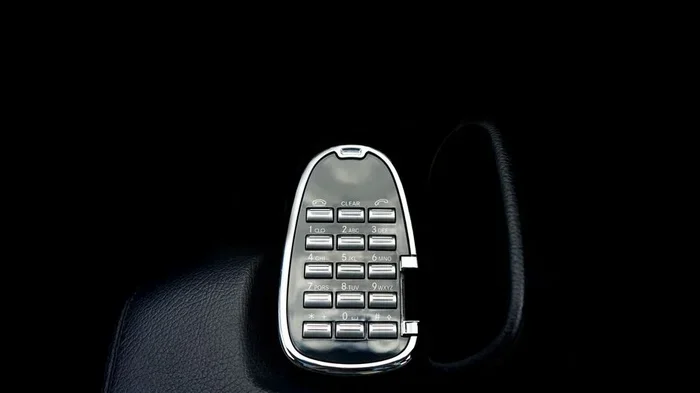
Connecting your Kia 2023 to Bluetooth is simple and takes just a few minutes. This guide walks you through pairing your phone, streaming music, and making hands-free calls. You will also learn how to fix common Bluetooth issues and get the most out of your Kia’s wireless features.
You just got a shiny new 2023 Kia, and you want to start using Bluetooth right away. Maybe you want to stream your favorite playlist on the way to work or take hands-free calls during your commute. Whatever the reason, connecting Kia 2023 to Bluetooth is one of the first things you should do after driving off the lot.
The good news? You do not need to be a tech expert. The process is straightforward, and most Kia owners can complete it in just a few minutes. This guide covers everything you need to know, from the basic pairing steps to troubleshooting tips that solve the most common problems.
We will also share some useful features of the Kia Bluetooth system that you might not know about. By the end of this article, you will feel confident using wireless connectivity in your 2023 Kia every single day.
Key Takeaways
- Easy Pairing Process: You can connect Kia 2023 to Bluetooth in under five minutes with just a few taps on your phone and the infotainment screen.
- Multiple Device Support: Kia 2023 models let you pair more than one phone, so passengers can connect their devices too.
- Hands-Free Safety: Bluetooth enables calls, texts, and music streaming without taking your hands off the wheel.
- Troubleshooting Tips Included: If your Kia Bluetooth won’t connect, we have simple fixes to get you back online fast.
- Works Across Models: These steps apply to Kia 2023 models like the Sorento, Telluride, Sportage, and Soul.
- UVO System Integration: The Kia UVO infotainment system makes managing Bluetooth settings effortless.
📑 Table of Contents
- Why Connecting Kia 2023 to Bluetooth Matters
- How to Connect Kia 2023 to Bluetooth: Step-by-Step
- Kia 2023 Bluetooth Features You Will Love
- How to Connect More Than One Phone to Your Kia 2023
- Troubleshooting: Kia 2023 Bluetooth Not Working
- Tips for the Best Bluetooth Experience in Your Kia 2023
- Which Kia 2023 Models Support Bluetooth?
- Frequently Asked Questions
- Final Thoughts
Why Connecting Kia 2023 to Bluetooth Matters
Bluetooth technology has become essential in modern vehicles. It does more than just play music. It keeps you connected, safe, and entertained while you drive. Here is why setting up Bluetooth in your Kia 2023 is so important.
First, it lets you make and receive calls without touching your phone. This means you keep both hands on the wheel and your eyes on the road. Second, you can stream music, podcasts, and audiobooks wirelessly through your car speakers. Third, some Kia models even let you send and receive text messages using voice commands through the Bluetooth connection.
Beyond convenience, Bluetooth also helps reduce distractions. Studies show that hands-free calling and voice-controlled music systems make driving safer. When you connect Kia 2023 to Bluetooth, you are not just adding a feature. You are improving your overall driving experience.
How to Connect Kia 2023 to Bluetooth: Step-by-Step
Follow these simple steps to pair your phone with your 2023 Kia. The process works for both Apple and Android devices. The steps may look slightly different depending on your exact model, but the general process is the same.
Step 1: Turn on Bluetooth on Your Phone
Start by opening the settings on your phone. Find the Bluetooth option and make sure it is turned on. Your phone will now start searching for nearby devices. Keep your phone close to the Kia infotainment screen while you are pairing.
Step 2: Access the Kia Infotainment System
Press the Bluetooth or Phone button on your Kia’s steering wheel or infotainment screen. On most 2023 Kia models, you will find this on the home screen of the UVO system. Tap the “Phone” or “Settings” icon, then select “Bluetooth Settings.”
Make sure Bluetooth is turned on in the car system too. Your Kia should now be visible as a discoverable device.
Step 3: Search for and Select Your Kia
On your phone, look for your Kia model name in the list of available devices. It might show something like “Kia UVO” or “Kia Bluetooth.” Tap on it to begin pairing.
You may see a passkey or PIN on the car screen. Type this number into your phone to confirm the connection. Once you do, the pairing is complete.
Step 4: Allow Permissions
Your phone will ask you to allow certain permissions. These usually include access to contacts, calls, and audio. Allowing these permissions lets you make hands-free calls and access your music library through the car system.
Step 5: Test the Connection
Play some music from your phone and see if it comes through the car speakers. Try making a test call to make sure everything works. If you hear sound and the call connects, you are all set.
Quick Tip: The first time you pair a device, it takes a little longer. After that, your Kia 2023 will automatically connect whenever you get in the car and Bluetooth is turned on.
Kia 2023 Bluetooth Features You Will Love
Once you connect Kia 2023 to Bluetooth, you unlock a range of features that make driving more enjoyable. Here are some of the best ones.
Hands-Free Calling: You can answer and make calls using the steering wheel controls or voice commands. Your voice is transmitted clearly through the car’s microphone, and the audio plays through the speakers.
Wireless Music Streaming: Stream Spotify, Apple Music, YouTube Music, or any other app directly through your car audio system. No cables needed. Just pick a playlist and enjoy the ride.
Voice Command Integration: Many 2023 Kia models support voice commands through the Bluetooth connection. You can ask the system to call a contact, change the music, or adjust the volume without lifting a finger.
Multiple Device Pairing: The Kia Bluetooth system can remember several paired devices. This is great for families. Your phone connects automatically, and your passenger can pair their device too.
Contact Syncing: Your phone contacts sync with the car system. This means you can browse and call contacts using the infotainment screen or voice commands.
How to Connect More Than One Phone to Your Kia 2023
Kia 2023 models support multiple Bluetooth connections. This is helpful if you share your car with a spouse or family member. Here is how to add a second phone.
Follow the same pairing steps above for the second device. Go to the Bluetooth settings on the infotainment screen and put the system in pairing mode again. The new phone will appear in the list of available devices. Select it and enter the passkey if prompted.
You can set a priority device, which is the phone that connects automatically each time you start the car. To do this, go to Bluetooth settings and choose the device you want as the primary one. The other device will still connect when the primary phone is not nearby.
Quick Tip: If both phones are in the car, you can switch between them easily through the Bluetooth settings menu on the infotainment screen.
Troubleshooting: Kia 2023 Bluetooth Not Working
Even though Bluetooth is reliable, you might run into issues from time to time. Here are the most common problems and how to fix them.
Bluetooth Won’t Pair
If your phone will not connect to the Kia, start by turning Bluetooth off and back on. On the car side, go to Bluetooth settings and delete any old or unused pairings. Then try pairing again from scratch.
Make sure your phone is close to the car. Bluetooth has a limited range, and walls or other devices can interfere with the signal.
Audio Cuts Out or Sounds Scratchy
If the sound keeps cutting out, move your phone closer to the infotainment system. Also check if other wireless devices nearby are causing interference. Wi-Fi routers and other Bluetooth devices can sometimes disrupt the connection.
Restarting both your phone and the car infotainment system often fixes audio issues. Simply turn off the car, wait a few seconds, and start it again.
Phone Connects but No Sound
This usually happens when the audio output is set to the wrong source. On your Kia infotainment screen, make sure the audio source is set to Bluetooth or Phone Audio. You can usually find this in the media or audio settings menu.
Bluetooth Keeps Disconnecting
If the connection drops frequently, check for software updates. Both your phone and your Kia may have updates available that improve Bluetooth performance. Also make sure your phone battery is not in low power mode, as this can sometimes limit Bluetooth connectivity.
Expert Insight: According to Kia service experts, restarting the infotainment system by holding the power button for 10 seconds often resolves most Bluetooth glitches. This simple trick works more often than people expect.
Tips for the Best Bluetooth Experience in Your Kia 2023
Want to get the most out of Bluetooth in your 2023 Kia? Follow these practical tips.
- Keep Your Software Updated: Both your phone and your Kia’s infotainment system receive regular updates. These often include Bluetooth improvements and bug fixes. Check for updates monthly.
- Delete Old Pairings: If your Kia has a long list of paired devices, clean it up. Old connections can slow down the system and cause confusion.
- Use Voice Commands: Take full advantage of hands-free features. Use voice commands to make calls and change music. This keeps you focused on the road.
- Charge Your Phone: A low battery can affect Bluetooth performance. Keep your phone charged, especially on long trips.
- Name Your Devices: In the Bluetooth settings, give each paired device a clear name. This makes it easy to switch between phones or identify which device is connected.
- Restart Before Long Trips: A quick restart of both your phone and the car system before a road trip ensures a smooth Bluetooth experience.
Which Kia 2023 Models Support Bluetooth?
Almost all 2023 Kia models come with Bluetooth as a standard feature. Here is a quick look at some popular models.
- Kia 2023 Soul: The Soul offers Bluetooth connectivity even in its base trim. Music streaming and hands-free calling work seamlessly.
- Kia 2023 Sportage: The Sportage includes advanced Bluetooth features with multiple device pairing and voice command support.
- Kia 2023 Sorento: The Sorento supports several paired phones and offers excellent audio quality through its premium sound system.
- Kia 2023 Telluride: The Telluride is the flagship SUV and comes with the most robust Bluetooth and infotainment features.
- Kia 2023 Forte: Even the compact Forte includes Bluetooth, making it easy to stay connected on short commutes.
No matter which 2023 Kia model you drive, you can connect Kia 2023 to Bluetooth using the same basic steps outlined above.
Frequently Asked Questions
How long does it take to connect Kia 2023 to Bluetooth?
It usually takes less than five minutes to pair your phone with a 2023 Kia. The first pairing takes a bit longer, but after that, the car connects automatically whenever you get in.
Can I connect more than one phone to my Kia 2023?
Yes, most 2023 Kia models support multiple Bluetooth connections. You can pair up to 10 devices, though only a few can be active at the same time. This is perfect for families who share a vehicle.
Why won’t my phone connect to my Kia 2023 Bluetooth?
This can happen for several reasons. Make sure Bluetooth is turned on in both your phone and the car. Delete old pairings and try again. Restarting both devices often solves the problem. If the issue persists, check for software updates on your phone and in the Kia system.
Can I stream music through Bluetooth on my Kia 2023?
Absolutely. Once paired, you can stream music from any app on your phone through the car speakers. This includes Spotify, Apple Music, YouTube Music, and many more. The audio quality is clear and wireless.
Does Bluetooth in Kia 2023 work with both Apple and Android phones?
Yes, Kia 2023 Bluetooth is compatible with both Apple and Android devices. The pairing process is similar for both platforms. You can connect iPhones and Android phones using the same steps.
How do I delete a paired Bluetooth device from my Kia 2023?
Go to the Bluetooth settings on your infotainment screen. Find the device you want to remove and select “Delete” or “Forget Device.” This clears the pairing and frees up a slot for a new device if needed.
Final Thoughts
Connecting Kia 2023 to Bluetooth is one of the simplest and most rewarding things you can do with your new car. It takes just a few minutes, and once it is set up, you will wonder how you ever drove without it. From hands-free calling to wireless music streaming, Bluetooth adds real value to every trip.
Remember to keep your devices updated, clean up old pairings, and use the voice command features for a safer and more enjoyable drive. If you ever run into trouble, the troubleshooting tips in this guide should help you get back on track quickly.
Now that you know how easy it is to set up Bluetooth, go ahead and give it a try. Your 2023 Kia is ready to connect. Enjoy the ride.