How to Connect iPhone to Toyota Corolla Cross 2022
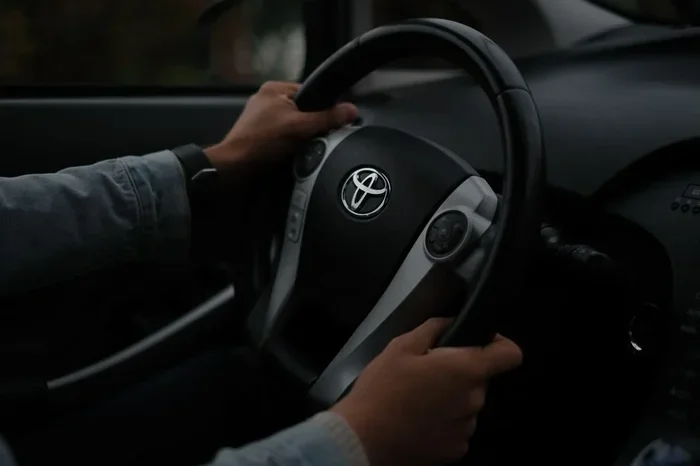
Connecting your iPhone to the Toyota Corolla Cross 2022 is quick and easy with Apple CarPlay, Bluetooth, or a USB cable. This guide covers every method so you can enjoy hands-free calling, navigation, and audio streaming from day one. Whether you use a wireless connection or a wired setup, you will find simple steps that work for your vehicle.
Setting up your iPhone connection with a Toyota Corolla Cross 2022 opens up a world of convenience. You get access to navigation apps, hands-free calling, and music streaming right from the vehicle’s touchscreen. It is one of the most useful features modern cars offer, and the Corolla Cross makes it simple.
If you have just bought this SUV or upgraded your phone, you might wonder where to start. The good news is that connecting an iPhone to the Toyota Corolla Cross 2022 takes only a few minutes. You do not need any special tools or technical skills. This guide walks you through every method step by step.
We will cover wireless Apple CarPlay, USB cable connections, Bluetooth pairing, and common troubleshooting tips. By the end, you will know exactly how to get your phone working seamlessly with your car. Let us get started.
Key Takeaways
- Apple CarPlay is the best way to integrate your iPhone with the Toyota Corolla Cross 2022 infotainment system.
- You can connect wirelessly or via USB cable depending on your model and preference.
- Bluetooth pairing enables hands-free calling and audio streaming without any cables.
- Siri voice control keeps your eyes on the road while you stay connected.
- Troubleshooting steps are simple if your connection fails or drops unexpectedly.
- Keeping your iPhone updated ensures the best compatibility with your vehicle.
- A quality phone mount improves both safety and convenience during your drive.
📑 Table of Contents
What You Need Before You Start
Before diving into the setup, make sure you have everything ready. Preparation saves time and prevents frustration. Here is what you need for a smooth iPhone connection with your Toyota Corolla Cross 2022.
Check Your iPhone Compatibility
Your iPhone needs to support Apple CarPlay. Most iPhones from the iPhone 5s and newer work with CarPlay. Make sure your iOS is up to date. Go to Settings, then General, then Software Update. Install any pending updates before you begin the CarPlay setup.
Have the Right Cable
If you plan to use a wired connection, you need a Lightning cable or a USB-C cable. The Toyota Corolla Cross 2022 comes with a USB port in the center console. Use a high-quality cable to avoid connection drops. Cheap cables often cause frustrating issues.
Know Your Infotainment System
The Corolla Cross uses Toyota’s multimedia system. It has a touchscreen display that supports both Apple CarPlay and Android Auto. Familiarize yourself with the screen layout before you start. This makes the smartphone integration process much smoother.
Setting Up Apple CarPlay Wirelessly
Wireless Apple CarPlay is the most convenient way to connect. You do not need to plug in any cables. The Toyota Corolla Cross 2022 supports wireless CarPlay on most trim levels. Here is how to set it up.
Step-by-Step Wireless CarPlay Setup
First, make sure Bluetooth is turned on your iPhone. Go to Settings, then Bluetooth, and toggle it on. Next, start your Toyota Corolla Cross and press the Setup button on the steering wheel. Select the Smartphone Connection option on the touchscreen.
Choose Apple CarPlay from the list of available connections. Set it to Wireless mode. Your iPhone will now search for the vehicle. A pairing request will appear on both screens. Accept the connection on your iPhone and on the car’s display.
Once paired, CarPlay will launch automatically every time you start the engine. The iPhone mirroring experience is smooth and responsive. You see your apps, notifications, and music controls right on the touchscreen.
Managing Wireless CarPlay Settings
You can customize CarPlay settings from your iPhone. Go to Settings, then General, then CarPlay. Select your Toyota Corolla Cross from the list. Here you can rearrange apps, adjust audio settings, and manage notifications. This level of mobile connectivity keeps your experience personalized.
One great feature is Siri voice control. Press and hold the voice command button on the steering wheel. Siri will answer and you can send messages, make calls, or get directions without touching your phone. This makes hands-free calling truly hands-free.
Connecting iPhone via USB Cable
Not everyone prefers wireless connections. Some drivers like the reliability of a wired setup. A USB cable provides a stable iPhone connection with consistent performance. It also charges your phone while you drive, which is a big plus.
Wired Connection Steps
Locate the USB port in the center console of your Toyota Corolla Cross 2022. Plug one end of your Lightning or USB-C cable into your iPhone. Insert the other end into the USB port. The infotainment screen should detect your phone automatically.
You may see a prompt asking if you trust this device. Tap Trust on your iPhone screen. Enter your passcode if prompted. The Apple CarPlay interface will then appear on the car’s display.
If CarPlay does not start automatically, press the Smartphone Connection button on the steering wheel. Select USB connection mode. Your iPhone should appear on the screen. The audio streaming quality is excellent with a wired connection because it uses a direct digital signal.
Cable Management Tips
Keep your cable organized to avoid a messy cabin. You can use a cable clip or a magnetic connector. Place the cable along the center console so it does not slide around. Good cable management keeps your interior clean and your connection reliable.
Where you place your phone also matters. A secure phone mount on the dashboard or vent holds your iPhone in place while driving. This prevents the cable from pulling loose and keeps your view clear. Think about where to place your phone mount for the best visibility and access.
Pairing iPhone Through Bluetooth
Bluetooth is the foundation of wireless connectivity in your Toyota Corolla Cross 2022. Even if you use a USB cable for CarPlay, Bluetooth handles calls and audio separately. Pairing your iPhone through Bluetooth is simple and takes less than a minute.
Bluetooth Pairing Process
Start by turning on Bluetooth on your iPhone. Then press the Setup button on the steering wheel of your Corolla Cross. Go to the Bluetooth settings on the touchscreen. Select Add Device. Your iPhone should appear in the list of available devices.
Tap on your iPhone name. A pairing code will appear on both screens. Confirm the code matches, then tap Pair. Your iPhone is now connected via Bluetooth. You can make calls, stream music, and access contacts without any cables.
Managing Multiple Devices
The Toyota Corolla Cross 2022 can remember multiple Bluetooth devices. This is helpful if you share your car with family members. Each person can pair their own iPhone and switch between profiles easily. The vehicle compatibility with multiple devices makes it a great family car.
To switch devices, go to the Bluetooth menu on the touchscreen. Select the device you want to use. The car will disconnect from the previous device and connect to the new one. This seamless switching is one of the best features of the Corolla Cross infotainment system.
Troubleshooting Common Connection Issues
Sometimes things do not work as expected. Connection issues can happen with any car phone connection. The good news is that most problems have simple solutions. Here are the most common issues and how to fix them.
CarPlay Not Appearing on Screen
If CarPlay does not show up, try disconnecting and reconnecting the cable. Restart your iPhone by holding the power button and volume button together. Turn off the car’s infotainment system and restart it. Often, a simple restart fixes the issue.
Make sure Apple CarPlay is enabled on your iPhone. Go to Settings, then General, then CarPlay. Ensure the feature is turned on. If you recently updated your iPhone, you may need to re-pair the connection.
Bluetooth Connection Keeps Dropping
Bluetooth drops can be annoying. First, check if your iPhone is within range of the car’s Bluetooth antenna. Remove any metal phone cases that might interfere with the signal. Delete the existing Bluetooth pairing on both devices and pair them again from scratch.
Also check if other devices are connected to your iPhone. Sometimes a nearby Bluetooth device causes interference. Turn off Bluetooth on devices you are not using. This keeps the iPhone connection stable and reliable.
Audio Quality Issues
If the sound quality is poor, check your audio settings. Go to Settings, then Bluetooth, on your iPhone. Find your Toyota Corolla Cross in the device list. Tap the info icon and make sure the audio profile is set to Car Audio. This ensures the best audio streaming quality.
If you use a USB cable, try a different cable. Damaged cables are a common cause of audio problems. Also check if your iPhone is in Low Power Mode, as this can affect connection quality.
Tips for the Best iPhone Experience in Your Corolla Cross
Once your smartphone integration is working, you can enhance the experience with a few simple tips. These small changes make a big difference in daily use.
Use a Quality Phone Mount
A good phone mount keeps your iPhone visible and secure. Choose a mount that does not block your view of the road. Vent-mounted, dash-mounted, or CD slot-mounted options all work well. Having your phone in a fixed position also improves the iPhone mirroring quality.
Keep Your Apps Updated
Apple CarPlay works best when your apps are current. Update your navigation apps, music apps, and messaging apps regularly. Updated apps also improve iPhone connection stability and reduce crashes.
Organize Your Car Accessories
Just like organizing a workspace, keeping your car accessories tidy improves the overall experience. Store your cables neatly, keep your phone mount clean, and remove any clutter from the center console. A clean setup helps you focus on driving and enjoy your mobile connectivity without distractions.
Think about what you put on your desk or dashboard. A few well-chosen accessories like a cable organizer, a phone mount, and a small air freshener can transform your driving experience. Having the right items in place makes everything more convenient.
Enable Siri for Safe Driving
Siri is your best friend when driving. Say “Hey Siri” to send messages, make calls, or get directions. You never need to take your eyes off the road. The Siri voice control feature works seamlessly with Apple CarPlay and makes driving safer.
You can also use Siri to control music playback. Say “Hey Siri, play my driving playlist” and your favorite tunes start instantly. It is a small convenience that adds up to a much better driving experience every day.
Final Thoughts
Connecting your iPhone to Toyota Corolla Cross 2022 is one of the first things you should do after purchasing the vehicle. The process is straightforward, and the results are incredibly rewarding. Whether you use wireless CarPlay, a USB cable, or Bluetooth, you will enjoy a connected and convenient driving experience.
Take a few minutes to set everything up properly. Follow the steps in this guide, and you will have your phone integrated in no time. Keep your software updated, use quality accessories, and enjoy the full benefits of smartphone integration in your Toyota Corolla Cross 2022.
A connected car is a smarter car. You stay informed, entertained, and safe on every trip. The Toyota Corolla Cross 2022 was designed with modern drivers in mind, and connecting your iPhone is just the beginning of what this vehicle can do for you.
Frequently Asked Questions
Can I use Apple CarPlay wirelessly on the Toyota Corolla Cross 2022?
Yes, the Toyota Corolla Cross 2022 supports wireless Apple CarPlay on most trim levels. You just need to enable wireless mode in the Smartphone Connection settings. Make sure your iPhone is running a compatible iOS version for the best experience.
What type of USB cable do I need for my iPhone?
You need a Lightning cable for older iPhone models or a USB-C cable for iPhone 15 and newer models. Use a high-quality, MFi-certified cable to ensure reliable iPhone connection and fast charging while driving.
Why does my CarKeep your iPhone updated, restart both devices, and try a different USB port or cable. If the issue persists, reset the infotainment system by holding the power button for 10 seconds. These steps resolve most iPhone connection problems quickly and easily.
Can I connect multiple iPhones to the Toyota Corolla Cross 2022?
Yes, the Corolla Cross can remember multiple Bluetooth devices and CarPlay profiles. Each driver can pair their own iPhone and switch between them easily. This makes the vehicle great for families who share a car.
Does connecting my iPhone drain the car battery?
Using Apple CarPlay or Bluetooth does use a small amount of battery power. However, the Toyota Corolla Cross 2022 has a robust electrical system that handles this easily. If you are concerned, use a wired USB connection which also charges your phone while driving.
Can I use navigation apps other than Apple Maps with CarPlay?
Absolutely. Apple CarPlay supports many navigation apps including Google Maps, Waze, and Apple Maps. Download your preferred app on your iPhone before connecting. The app will appear on the car’s touchscreen and provide turn-by-turn directions seamlessly.