Your Complete Guide to Disabling On Call on Volvo XC90

Disabling On Call on your Volvo XC90 is straightforward once you know where to look. Whether you want to cancel a subscription, protect your privacy, or simply stop connected car services, this guide walks you through every method. You will learn app settings, vehicle menus, and dealer options to fully turn off Volvo On Call.
Owning a Volvo XC90 comes with a lot of modern perks. One of those perks is a feature called Volvo On Call. But not everyone wants it running all the time. Maybe you are concerned about privacy. Maybe you do not need remote start or vehicle tracking. Or perhaps you just want to simplify your car experience. Whatever your reason is, this guide will show you exactly how to disable On Call on Volvo XC90 models. We will cover every method step by step. You will also learn what happens when you turn it off and whether you can turn it back on later.
Volvo On Call is a connected car service. It lets you do things like lock your doors, check fuel levels, and start the engine from your phone. It works through the Sensus infotainment system and a dedicated app. The service relies on a cellular connection inside your vehicle. For some owners, this is incredibly useful. For others, it feels unnecessary or even intrusive. If you fall into the second group, you are not alone. Many XC90 owners want to know how to turn off these connected features. That is exactly what we will help you do.
Key Takeaways
- Volvo On Call is a connected car service that lets you remotely control your XC90 through an app.
- You can disable On Call through the Sensus infotainment system directly in your vehicle.
- The Volvo On Call app also lets you manage and deactivate services from your phone.
- Contacting a Volvo dealer is another reliable way to fully turn off connected features.
- Disabling On Call may affect certain remote features like lock/unlock, climate control, and vehicle tracking.
- Check your subscription status before disabling, as some services are time-bound.
📑 Table of Contents
- What Is Volvo On Call and Why Disable It?
- How to Disable On Call on Volvo XC90 Through the Vehicle
- How to Disable On Call Through the Volvo On Call App
- Contacting a Volvo Dealer to Disable On Call
- What Happens When You Disable On Call on Volvo XC90?
- Can You Re-enable On Call After Disabling It?
- Common Mistakes When Disabling On Call
- Expert Tips for Managing Connected Car Features
- Final Thoughts
What Is Volvo On Call and Why Disable It?
Volvo On Call is a subscription-based connected car service. It gives XC90 owners remote access to their vehicle through a smartphone app. You can check tire pressure, set climate control, locate your car, and even send destinations to the navigation system. The service uses built-in telematics to keep your car connected to the internet at all times.
However, there are valid reasons to consider disabling On Call on Volvo XC90. First, it may reduce distractions and unnecessary notifications. Second, some owners worry about data collection and privacy. Third, if you are paying for a subscription you no longer use, turning it off can save money. And fourth, simpler is sometimes better. Not everyone needs a connected car. Let us look at the main reasons people choose to disable this feature.
Privacy Concerns
Connected car services collect data. This includes location, driving habits, and vehicle usage patterns. For privacy-conscious drivers, this can feel uncomfortable. Disabling On Call stops the flow of this data from your XC90 to Volvo servers. If you value your privacy, this is a strong reason to turn the feature off.
Subscription Costs
Volvo On Call often comes with a subscription fee. Some new XC90 models include a trial period. After that, you may be charged monthly or annually. If you are not using the remote features, paying for them does not make sense. Turning off On Call can help you avoid ongoing costs.
Simplifying the Driving Experience
Modern cars come packed with technology. While that is great, it can also feel overwhelming. Disabling features you do not use can make your XC90 feel cleaner and more straightforward. You focus on driving, not on managing connected services.
How to Disable On Call on Volvo XC90 Through the Vehicle
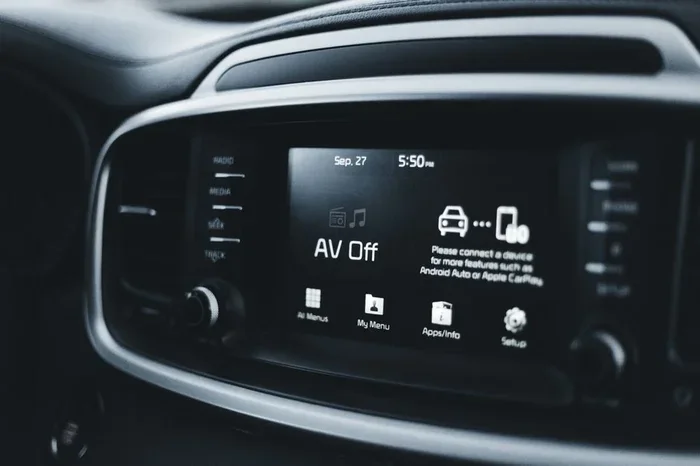
The most direct way to turn off Volvo On Call is through your car’s infotainment system. The Sensus system on the XC90 gives you access to connected service settings. Here is how to do it step by step.
- Start your Volvo XC90 and let the Sensus system boot up.
- Press the Menu button on the center console or steering wheel controls.
- Navigate to Settings. This is usually represented by a gear icon.
- Look for Connected Vehicles or Volvo On Call. The exact wording may vary by model year.
- Select the On Call option. You should see a toggle or switch.
- Turn the service off. Confirm your choice when prompted.
Once you complete these steps, the On Call feature should be disabled in your vehicle. You may notice the connected car icon disappear from your dashboard. If you still see it, try restarting the system. Sometimes the Sensus needs a reboot to fully apply changes.
What If the Option Is Grayed Out?
In some cases, the On Call toggle may appear grayed out or unavailable. This usually happens for two reasons. First, your subscription may still be active and linked to your account. Second, your vehicle may need a software update. Check for pending updates in the Settings menu under System. If an update is available, install it and try again. If the toggle is still locked, you may need to contact a Volvo dealer for assistance.
How to Disable On Call Through the Volvo On Call App
If you prefer managing settings from your phone, the Volvo On Call app is another option. The app lets you control many aspects of your connected car experience. You can also use it to deactivate services you no longer want.
Step-by-Step Instructions
- Open the Volvo On Call app on your smartphone.
- Log in to your Volvo account. Use the same credentials linked to your XC90.
- Go to Settings or My Vehicle. Look for a section on connected services.
- Find the On Call toggle. Switch it off to deactivate the service.
- Confirm the deactivation. You may receive a confirmation message or email.
Using the app is convenient because you can manage settings from anywhere. You do not need to be near your car. This is especially helpful if you want to turn off On Call before selling or trading in your XC90.
Managing Multiple Vehicles
If you own more than one Volvo, the app lets you manage all of them from one place. You can disable On Call on specific vehicles without affecting others. This is useful for households with multiple cars. Each vehicle has its own connected service settings, so you can customize them individually.
Contacting a Volvo Dealer to Disable On Call
Sometimes the easiest way to disable On Call on Volvo XC90 is to let a professional handle it. Volvo dealers have access to backend systems that can remotely deactivate connected services. This method is especially useful if the in-car or app options are not working.
Here is what to expect when you contact a dealer. First, call your local Volvo dealership or service center. Explain that you want to disable the Volvo On Call connected service. They may ask for your vehicle identification number or proof of ownership. Once verified, they can process the request on their end. The changes usually take effect within a few hours or by the next business day.
This method is great if you are not comfortable navigating the car’s settings yourself. Dealers can also check whether any active subscriptions are tied to your account. They can help you cancel those subscriptions at the same time. It is a one-stop solution for both disabling the feature and stopping any recurring charges.
Before You Visit the Dealer
There are a few things you should prepare before contacting a dealer. Have your vehicle registration ready. Know your Volvo On Call account email and password. Also, check if your subscription is still within a trial period. Some trials auto-renew, and you may need to cancel the renewal separately. Being prepared saves time and ensures a smooth experience.
What Happens When You Disable On Call on Volvo XC90?
Disabling On Call changes what your XC90 can do remotely. It is important to understand these changes before you turn the feature off. Here is a breakdown of what you can expect.
| Feature | With On Call Enabled | With On Call Disabled |
|---|---|---|
| Remote lock/unlock | Available via app | Not available |
| Remote engine start | Available via app | Not available |
| Climate control remotely | Available via app | Not available |
| Vehicle location tracking | Active | Inactive |
| Fuel level monitoring | Available via app | Not available |
| In-car internet hotspot | Active (if included) | Inactive |
| Over-the-air updates | Automatic | Manual only |
| Emergency call services | Active | May still function (varies) |
As you can see, disabling On Call removes most remote capabilities. Your car still works normally for driving. The engine, brakes, and safety systems are not affected. You can still lock and unlock the doors using the physical key or key fob. What you lose is the convenience of controlling everything from your phone.
Does Disabling On Call Affect Safety Features?
No. Volvo On Call is separate from core safety systems. Features like City Safety, lane keeping, and blind spot monitoring continue to work whether On Call is on or off. The On Call service is strictly for remote connectivity and convenience. Disabling it does not reduce the safety of your XC90 in any way.
Can You Re-enable On Call After Disabling It?
Yes, you can turn Volvo On Call back on at any time. If you change your mind, the process is simple. You can re-enable it through the Sensus infotainment system or the Volvo On Call app. If you cancelled a subscription, you may need to resubscribe to access all features again.
Re-enabling is useful if you decide you miss the remote features. It is also helpful if you sell your XC90 to someone who values connected services. You can turn it back on for the new owner through their Volvo account. Just remember that reactivation may require a new subscription or trial period.
Common Mistakes When Disabling On Call
Many people run into issues when trying to disable On Call on Volvo XC90. Here are common mistakes and how to avoid them.
- Forgetting to cancel the subscription. Turning off the feature in the car or app does not always cancel the billing. You must cancel the subscription separately to stop charges.
- Not restarting the system after changes. The Sensus infotainment system sometimes needs a restart to apply new settings. Always reboot after making changes.
- Using the wrong account. If you have multiple Volvo accounts, make sure you are logged into the one linked to your XC90.
- Ignoring software updates. Outdated software can cause settings to not save properly. Always check for updates before making changes.
- Assuming all features stop immediately. Some changes may take a few minutes or hours to fully take effect, especially if the car needs to communicate with Volvo servers.
Avoiding these mistakes makes the process smoother. You save time and frustration. Take your time, follow each step carefully, and you will have On Call disabled in no time.
Expert Tips for Managing Connected Car Features
Managing connected car features is easier when you know a few pro tips. Here are some expert insights to help you get the most out of your Volvo XC90 settings.
Tip 1: Review your connected services regularly. Over time, Volvo may add or change services. Check your settings every few months to see what is active and what you actually use.
Tip 2: Use the app for quick changes. The Volvo On Call app is the fastest way to toggle services on and off. Keep it updated for the best experience.
Tip 3: Read the fine print on subscriptions. Many Volvo services have auto-renewal clauses. Knowing the terms helps you avoid unexpected charges.
Tip 4: Factory reset as a last resort. If you are having persistent issues with connected services, a factory reset of the Sensus system can help. This clears all settings and starts fresh. Use this option carefully, as it resets all infotainment preferences.
Tip 5: Keep your Volvo account credentials secure. Since connected services are tied to your online account, protecting your login details is essential. Use a strong password and enable two-factor authentication if available.
Final Thoughts
Disabling On Call on Volvo XC90 is a simple process with several methods to choose from. You can do it through your car’s Sensus system, the Volvo On Call app, or by contacting a dealer. Each method works well, and you can pick whichever feels most comfortable. Just remember to cancel any active subscriptions to avoid unnecessary charges. And keep in mind that you can always re-enable On Call later if you change your mind.
Your Volvo XC90 is a powerful, well-engineered vehicle. It does not need connected services to be a great car. Whether you disable On Call for privacy, cost savings, or simplicity, you are making a smart choice for your driving experience. Take control of your car settings today and enjoy a cleaner, more focused drive in your XC90.
For more tips on setting up and customizing your Volvo XC90, check out our other guides on home and lifestyle topics. If you are also looking for ideas on how to organize your workspace or set up your study area, we have great resources for you too. You might enjoy reading about what to put on a study desk for inspiration on creating a productive environment. And if you love adding greenery to your space, learn about where to put a plant on your desk for a healthier workspace. You can also explore where to keep a money plant on your office desk for tips on combining style and positivity in your daily surroundings.
Frequently Asked Questions
Can I disable Volvo On Call without losing my warranty?
Yes, disabling On Call does not affect your Volvo warranty. The connected car service is separate from the vehicle’s core systems. Your warranty coverage remains intact regardless of whether On Call is enabled or disabled.
How do I know if Volvo On Call is currently active on my XC90?
You can check by looking at the Sensus infotainment system under Settings and Connected Vehicles. If the On Call toggle is on, the feature is active. You can also check the Volvo On Call app for your current subscription and service status.
Will disabling On Call delete my personal data from Volvo servers?
Disabling On Call stops future data collection. However, data already collected may still be stored on Volvo servers. To request full data deletion, you may need to contact Volvo customer support directly and submit a data removal request.
Can I disable On Call on a used Volvo XC90 I just purchased?
Yes, you can disable On Call on a used XC90. First, log into the Volvo On Call app with your own account. If the previous owner’s account is still linked, you may need to contact a Volvo dealer to transfer or remove the old account before making changes.
Is there a difference between disabling On Call and uninstalling the app?
Yes, there is a difference. Uninstalling the app simply removes the phone interface. The On Call service may still be active in your vehicle and on Volvo servers. To fully disable the service, you must turn off the feature in the car settings or through your account.
What should I do if I cannot find the On Call setting in my Sensus system?
If the setting is not visible, first check for software updates in the System menu. If the issue persists, contact a Volvo dealer. They can access backend tools to locate and disable the On Call service on your specific XC90 model.
=== CONCLUSION ===
Disabling On Call on Volvo XC90 is something any owner can do with confidence. You have multiple paths to choose from, whether you prefer using your car’s built-in system, the mobile app, or a dealer visit. The key is to follow each step carefully and remember to cancel any subscriptions you no longer want. Your XC90 will continue to perform at its best, with or without the connected car features. Take the time today to review your settings and make the choice that works best for you.