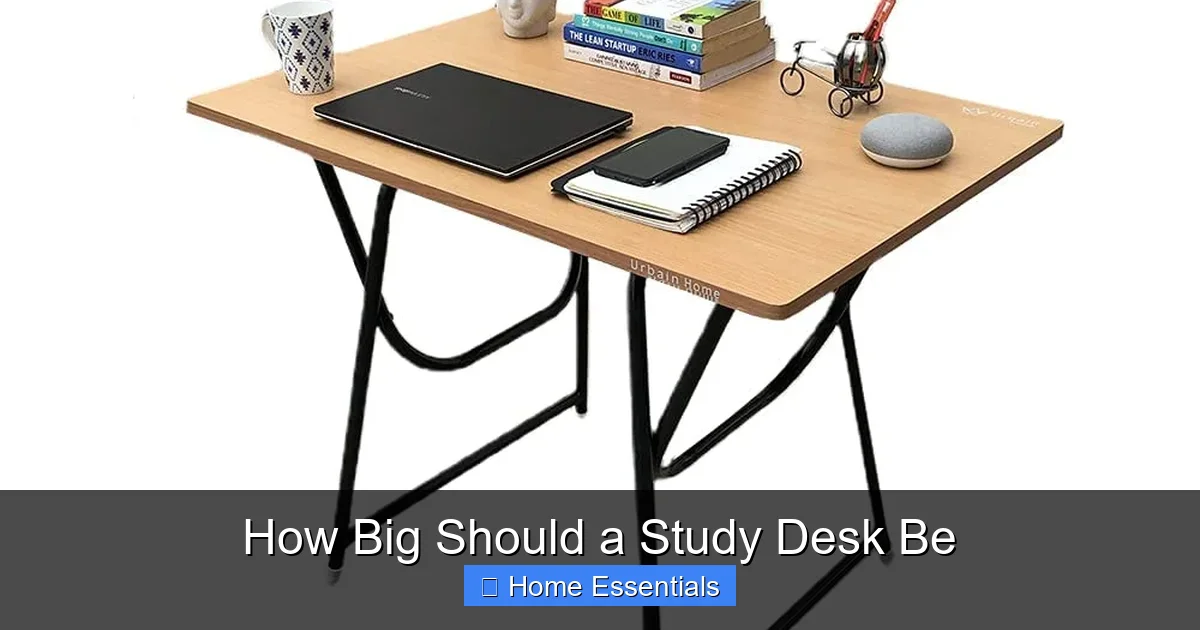
How Big Should a Study Desk Be
Choosing the right study desk size is crucial for comfort, focus, and productivity. The ideal desk typically offers a depth of 24-30 inches and a width of at least 48 inches for a single user, but your specific needs, available space, and tasks are the ultimate determinants. Proper clearance for chairs and legroom is non-negotiable. Ultimately, the perfect desk fits both you and your room seamlessly.
Have you ever hunched over a desk that felt too small, your elbows bumping into walls, your monitor an inch from your face? Or maybe you’ve navigated a cavernous workspace where everything felt out of reach, forcing constant twisting and turning. The question of “how big should a study desk be?” isn’t just about aesthetics; it’s a fundamental ergonomic and practical puzzle that directly impacts your posture, focus, and efficiency. Getting the dimensions right is one of the most important investments you can make in your home office or study nook. It’s the foundation upon which your daily productivity is built. This guide will walk you through every consideration, from standard industry measurements to the unique demands of your specific tasks and room, ensuring you choose a desk that truly works for you.
Key Takeaways
- Standard Depth is Key: Aim for a desk depth of 24-30 inches to comfortably accommodate a monitor, keyboard, and writing space without feeling cramped.
- Width Matters for Workflow: A minimum width of 48 inches is recommended for a single workstation to allow for multiple monitors or spread-out materials.
- Ergonomic Clearance is Essential: Ensure at least 24-30 inches of clearance under the desk for legroom and 30-36 inches of space in front for chair movement.
- Your Tasks Dictate Size: A student with a laptop needs less space than an artist with a large tablet or a gamer with multiple monitors.
- Room Dimensions are a Constraint: Always measure your available wall space or area first; the desk must fit the room, not the other way around.
- Storage Impacts Footprint: Desks with built-in drawers or filing cabinets require more floor space but can reduce the need for separate storage units.
- Material Influences Perception: Lighter woods and glass can make a desk feel less imposing in a small room, while dark, solid woods anchor a larger space.
📑 Table of Contents
- Why Desk Size is More Than Just a Number
- Decoding Standard Desk Dimensions: Your Baseline
- Matching Desk Size to Your Specific Needs
- Room Layout and Space Considerations: It’s Not Just About the Desk
- Storage Solutions and Their Impact on Footprint
- Material and Design: How They Affect Perceived Size
- Final Setup Tips: Bringing It All Together
Why Desk Size is More Than Just a Number
Before we dive into inches and centimeters, it’s vital to understand why size matters so much. A desk that’s the wrong size doesn’t just feel awkward—it can lead to physical strain. A too-narrow desk forces you to reach constantly, straining your shoulders and neck. A too-shallow desk pushes your monitor too close, causing eye fatigue and neck pain. Insufficient legroom leads to poor posture and circulation issues. Beyond health, a poorly sized desk disrupts your workflow. Fumbling for space to write, stacking books precariously because there’s no room for a bookstand, or having your keyboard slide off the edge are all productivity killers. The right size creates a zone of control, where everything you need is within comfortable reach, allowing your mind to focus on the task, not the furniture.
The Golden Triangle of Desk Ergonomics
Ergonomists often refer to the “primary work zone” as a semi-circle within easy arm’s reach. Your keyboard, mouse, and primary writing surface should all sit within this zone without requiring you to lean or stretch. The size of your desk directly defines the boundaries of this zone. A larger desk expands this zone, allowing you to have reference materials, a notepad, or a coffee mug all within the same comfortable arc. A smaller desk contracts it, forcing you to constantly shift items in and out of reach, breaking your concentration. Think of your desk not as a table, but as your command center. Its size dictates the radius of your command.
Decoding Standard Desk Dimensions: Your Baseline
While custom-built options exist, most ready-made desks follow industry-standard dimensions. Knowing these gives you a solid starting point for comparison.

Visual guide about How Big Should a Study Desk Be
Image source: m.media-amazon.com
Depth: The Forgotten Measurement
Desk depth—the distance from the front edge to the back wall—is often overlooked but critically important. The standard depth ranges from 24 to 30 inches.
- 24-26 inches: This is the minimum for a functional workstation. It typically accommodates a standard monitor (20-24″ diagonal) placed at the back, with about 4-6 inches of space behind it for a small lamp or a couple of books. A keyboard and mouse will sit comfortably in front. It’s suitable for a laptop-only user or someone with a very compact monitor setup.
- 28-30 inches: This is the sweet spot for most people. It provides ample room for a monitor, a laptop beside it, a keyboard tray, and a writing area in front. You can also fit a small lamp, a notepad, and perhaps a plant without things feeling cluttered. This depth is ideal for multitaskers who switch between digital and analog work.
Anything deeper than 30 inches can start to feel excessive for a single user, making it hard to reach the back without leaning. However, for dual monitors on a stand or for artists using a large graphics tablet, 30+ inches can be a blessing.
Width: Space to Spread Out
Width determines how much horizontal surface you have. The common minimum for a single adult is 48 inches (4 feet).
- 48 inches: This allows for a comfortable setup with a monitor (or two smaller ones), keyboard/mouse, and a dedicated spot for papers or a notebook. It’s the baseline for a serious home office.
- 60 inches (5 feet) and above: This is the territory of power users. It easily accommodates two or three large monitors side-by-side, multiple devices, and extensive paperwork or crafting supplies without feeling crowded. It’s perfect for programmers, video editors, designers, and serious gamers.
For context, a typical student desk might be only 36-42 inches wide, which quickly becomes restrictive after graduation. If your budget and space allow, err on the side of a wider desk. You’ll almost never regret having extra surface area.
Height: The Fixed (But Adjustable) Variable
Standard desk height is remarkably consistent at 29-30 inches from the floor to the tabletop. This is based on the average seated adult and works well for most people with a standard office chair. However, this is where ergonomics become personal.
- Fixed Height: Simple and affordable. You must pair it with an adjustable chair and possibly a footrest to achieve proper ergonomics where your elbows are at a 90-degree angle and your feet rest flat.
- Height-Adjustable (Sit-Stand): These are becoming the gold standard. They allow you to switch between sitting and standing throughout the day, which is fantastic for health and energy. If you choose one, ensure the height range (usually 22″ to 48″+) covers both your seated and standing needs comfortably.
Your ideal seated desk height is determined by your own body. A good rule: when sitting with your feet flat on the floor, your forearms should be parallel to the floor when your hands are on the keyboard, with your elbows at a 90-110 degree angle. If your desk is too high, your shoulders will hunch. Too low, and you’ll be leaning forward.
Matching Desk Size to Your Specific Needs
Now we get to the heart of the matter. The “standard” is just a guide. Your perfect desk is the one that serves your primary activities.

Visual guide about How Big Should a Study Desk Be
Image source: images-cdn.ubuy.co.in
The Student: Focus on Flexibility and Compactness
A student’s needs can vary from a simple laptop for online classes to sprawling textbooks and notebooks for essay writing. For a pure laptop user, a compact desk of 42-48″ wide and 24″ deep can suffice, especially in a dorm room. However, for heavy reading and writing, prioritize width. A 48-60″ desk allows you to have your textbook open beside your laptop and a notebook for notes, all without stacking things vertically. Look for a desk with a cable management grommet or tray—a tangle of charger cords can make even a large desk feel chaotic. A small, attached bookshelf or a few deep drawers can be a lifesaver for storing textbooks and supplies, eliminating floor clutter.
The Professional & Remote Worker: The Command Center
This user needs efficiency, organization, and the ability to handle multiple tasks. A minimum of 48″x24″ is non-negotiable. Most professionals will thrive at 60″x30″. This size allows for:
- Two 27″ monitors with space between them.
- A full-sized keyboard and mouse with room for a notepad or document holder.
- A dedicated area for a headset, webcam, and perhaps a second device like a tablet.
Consider a desk with a built-in keyboard tray if you prefer it lower than the main surface, but ensure the tray is wide and deep enough for your keyboard and mouse to move freely. For those who handle a lot of physical documents, a desk with a deep (12″+), full-width drawer at the bottom is invaluable for hanging files and keeping the work surface clear.
The Creative & Hobbyist: Surface Area is King
Artists, crafters, musicians, and model builders need one thing above all: uninterrupted, expansive flat space. For these users, width and depth are the primary metrics. A 60″ wide and 30″+ deep desk is a great starting point. Consider an “L-shaped” or corner desk, which can provide a phenomenal amount of surface area (often 60″x60″ or more) while tucking neatly into a corner. For someone working with large sheets of paper, fabric, or musical scores, a custom-built, full-wall desk might be the only solution. Storage here is less about drawers and more about open shelving and pegboards on the wall above the desk to hold tools and supplies within arm’s reach without sacrificing surface area.
The Gamer: Real Estate for Immersion
Gaming setups are unique. They often involve a large, curved monitor (32″+) or multiple monitors, a full-sized gaming keyboard (which is wider than standard), a mouse with a large mousepad, a controller or steering wheel that needs to be stowed or placed, and often a headset stand. For this, 60″ of width is the new 48″. A 60″x30″ desk provides a comfortable buffer. You’ll want the back of your monitor at least 6-8 inches from the wall for ventilation, which the 30″ depth allows. Cable management is paramount here—look for desks with integrated cable channels, grommets, and perhaps a power strip holder underneath to keep the “battle station” looking clean. A raised platform or shelf at the back of the desk can be perfect for placing speakers or a second monitor above the primary screen, saving precious desk depth.
Room Layout and Space Considerations: It’s Not Just About the Desk
You could have the perfect 72″ wide desk in mind, but if your room is only 8 feet wide, it will dominate the space and leave no room to move. The desk must fit the room, not the other way around.
Visual guide about How Big Should a Study Desk Be
Image source: m.media-amazon.com
The Art of Measuring Your Space
Before you even browse, grab a tape measure.
- Measure the Wall/Area: Know the exact width of the wall you plan to place the desk against. Remember to account for baseboards, radiators, or outlets.
- Factor in Clearance: This is the #1 mistake people make. You need space around the desk.
- Chair Clearance: Behind the chair, you need at least 30-36 inches of open floor to push the chair back and stand up comfortably. In a tight space, 24″ is the absolute minimum.
- Side Clearance: On the sides, leave at least 12-18 inches of space, unless the desk is against a wall and you’ll be accessing it from the front only. This allows for movement and possibly a small side cabinet.
- Legroom Depth: Under the desk, you need a minimum of 24-30 inches of depth from the front edge to any obstruction (like a wall or drawer). Your knees and thighs need room!
Lay out the proposed desk dimensions on your floor with painter’s tape. Sit in your chair and mimic your workflow. Can you get in and out easily? Does it feel cramped or cavernous? This simple test is worth its weight in gold.
Room Shape Dictates Desk Shape
- Long, Narrow Room: A shallow, long desk (e.g., 60″ wide x 22″ deep) against the longest wall can maximize surface area without eating into floor space. Consider wall-mounted shelving above for storage to keep the desk surface clear.
- Square Room: You have more flexibility. A standard rectangular desk works, or you could consider an L-shaped or corner desk to create a more enveloping workstation without using a full wall. This can also act as a subtle room divider.
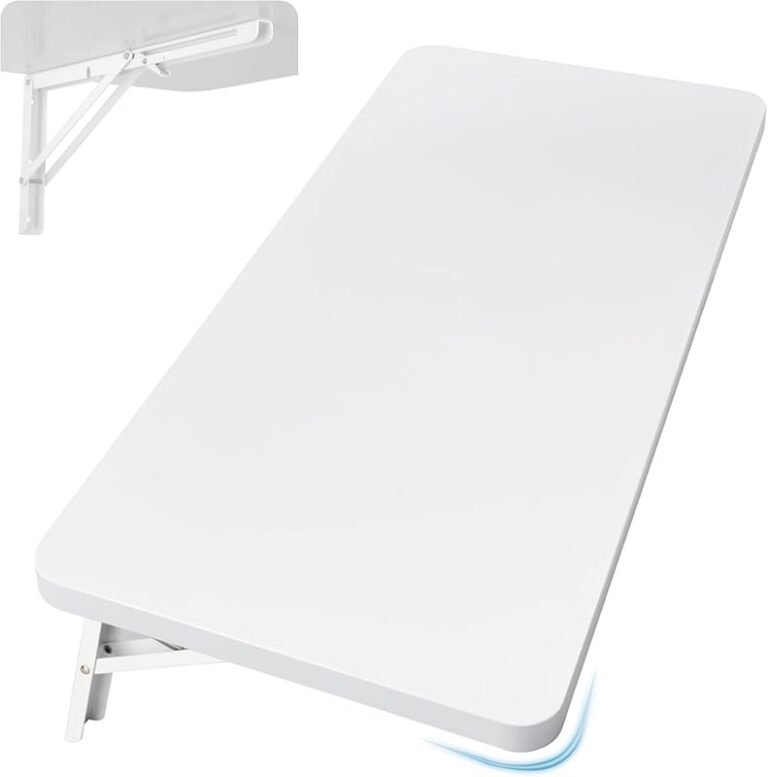
- Very Small Space (Cloffice): In a closet or tiny nook, every inch counts. Look for a wall-mounted floating desk. These save floor space visually and physically, allow for a shallower depth (since no legs get in the way), and can be tailored to the exact width of your niche. Pair it with a small stool that tucks under.
Storage Solutions and Their Impact on Footprint
The desk you choose often comes with or requires additional storage. This has a direct impact on the overall space the workstation consumes.
Built-In Desk Storage
- Drawers: A single deep file drawer (12″+ depth) is fantastic for hanging folders. Multiple shallow drawers are great for pens, notepads, and small items. Remember: drawers extend out! A deep drawer can require 2-3 feet of clearance in front when open. In a tight room, a desk with no drawers or only shallow ones might be wiser.
- Shelving & Cabinets: A desk with a low bookshelf or cabinet unit on one or both ends provides massive storage but increases the desk’s total footprint significantly. Ensure you have the wall length to accommodate the combined width of the desk top and the side unit.
- Credenza Style: A long, low desk with a row of cabinets along the back offers incredible storage but is very deep (often 20″+ for the cabinets plus the desk surface). This is only for spacious rooms.
Separate Storage Units
Many prefer a simple, clean desk surface and use separate filing cabinets or bookshelves. This is a great strategy for small rooms because you can place the storage unit beside the desk or even against a different wall, breaking up the furniture and making the room feel less cluttered. The key is to keep the most-used items on the desk surface itself, with archives and supplies stored nearby but out of the immediate work zone. When planning, include the space for this separate storage in your room layout.
Material and Design: How They Affect Perceived Size
The physical desk isn’t the only factor; its visual weight matters too in how big it feels in a room.
Visual Weight of Materials
- Heavy, Dark Woods (Walnut, Mahogany): These feel substantial and traditional. A dark, solid wood desk will anchor a room but can also make a small space feel smaller and more oppressive. Best for larger rooms with good lighting.
- Light Woods (Maple, Oak, Bamboo): These reflect more light and feel airier. A light-colored desk can make a small room feel more open and is generally more versatile.
- Metal Frames with Tops: Industrial-style desks with slim metal legs and a wood or glass top have a very low visual weight. You can see the floor through and under them, which creates a sense of spaciousness. Excellent for modern, small spaces.
- Glass Tops: The ultimate in visual lightness. A glass desk top almost disappears, making it seem like you’re floating. However, it shows fingerprints and dust constantly, and glare can be an issue without careful lighting placement.
Leg Design and Under-Desk Space
- Four Solid Legs: Classic but can block foot space at the corners.
- Trestle or Pedestal Bases: Often provide more open legroom in the center but may have solid panels on the sides.
- Single Central Pedestal: Maximizes open floor space under the desk, ideal for those who like to stretch their legs or have a rolling chair that needs clearance.
- Wall-Mounted (Floating): As mentioned, this eliminates all under-desk obstructions, offering maximum legroom and a clean look. It requires solid wall mounting into studs.
Final Setup Tips: Bringing It All Together
You’ve chosen the perfect desk. Now, set it up for optimal use.
The Chair is Half the Equation
No desk, no matter its size, will be comfortable with the wrong chair. Your chair height must allow your feet flat on the floor (or on a footrest) with your thighs parallel to the floor. The desk height should then allow your elbows to be at 90 degrees when your hands are on your keyboard. If your desk is fixed height, an adjustable chair is mandatory. If you have a height-adjustable desk, you can fine-tune this relationship perfectly for both sitting and standing positions.
Lighting: Don’t Overlook This Critical Element
A large desk needs adequate lighting. A single overhead light will cast shadows over your work. The best setup is a combination of:
- Ambient Light: From the room’s main fixture.
- Task Light: A dedicated desk lamp. Position it on the side opposite your writing hand (left side for right-handers) to avoid shadows. The lamp should be bright enough to illuminate your work without causing glare on your screen. Consider a smart bulb for your lamp—you can adjust the color temperature and brightness throughout the day to match your needs. Bright, cool light for focus in the morning, warmer, dimmer light for evening wind-down. Learn more about what a smart light bulb is and how it can transform your workspace lighting.
Cable Management: The Secret to a Spacious Feel
A desk littered with cables feels cluttered and small, no matter its actual dimensions. Plan this from the start. Use desk grommets (holes with covers) to route cords down to a power strip mounted underneath the desk or inside a cable management box. Use cable sleeves or clips to bundle cords along the desk legs. A clean, cable-free surface instantly makes your desk feel larger and more serene.
Keep the Surface Clear
This is the simplest tip with the biggest impact. The moment your desk becomes a storage unit for everything, it fails its primary purpose. Adopt a “one in, one out” rule for items on the surface. Use drawers and shelves for everything except the tools you are actively using for your current task. A clear desk promotes a clear mind. To keep that clear surface sparkling, use proper cleaning tools. A microfiber cloth is ideal for dusting wood, glass, or metal surfaces without scratching, and you can learn how to clean a microfiber duster to keep it effective for regular maintenance.
Frequently Asked Questions
What is the minimum desk size for a laptop and notebook?
For basic laptop use with occasional note-taking, a desk that is at least 42 inches wide and 24 inches deep is the functional minimum. This allows the laptop to sit centered with a small notebook beside it. However, 48 inches wide is significantly more comfortable and reduces clutter.
How much space should be in front of the desk for my chair?
You need a minimum of 24-30 inches of clear floor space in front of the desk to pull your chair out, sit down, and push back to stand up comfortably. 30-36 inches is ideal and allows for easier movement. Always factor this into your room layout planning.
Is a deeper desk always better?
Not necessarily. While more depth offers more room, desks deeper than 30 inches can make it difficult to reach the back surface without leaning. For most single users, 28-30 inches is the optimal sweet spot. Deeper desks are best for those with large monitors or specific creative tasks that require a vast, continuous surface.
Should I get a desk with drawers or buy a separate filing cabinet?
This depends on your space. A desk with built-in drawers increases its footprint and can reduce legroom. In a small room, a simple desk with no drawers paired with a slim, vertical filing cabinet placed beside or behind the desk is often a better use of space, as it keeps the under-desk area open and moves storage to a different zone.
How do I choose between a rectangular and an L-shaped desk?
Choose an L-shaped desk if you have the corner space and need maximum surface area for multiple monitors, projects, or reference materials. It creates a more immersive “cockpit” feel. Choose a rectangular desk if you have a narrow wall, prefer a simpler look, or need to fit the desk into a more open floor plan where a corner unit would feel bulky.
What if my room has an awkward shape or a sloping ceiling?
In awkward spaces, customization is key. Consider a wall-mounted floating desk that can be built to the exact width of your available wall space at a height that works for you. You can also have a custom desk built to fit into a nook or under a sloped ceiling. The goal is to use every available inch efficiently without creating a cramped feeling.