How Do I Set Up My Tesla AP To Maximise My Income With Tesla
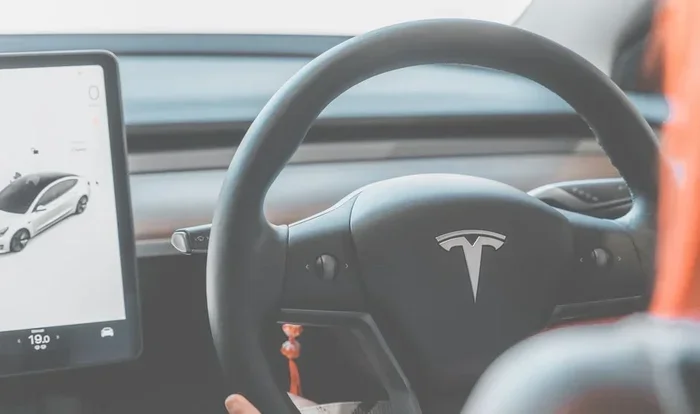
Setting up your Tesla AP correctly can unlock serious income potential. Whether you use your Tesla for ride-sharing, delivery, or passive income streams, configuring Autopilot the right way saves time, reduces costs, and boosts earnings. This guide walks you through every step to maximise your Tesla income.
Owning a Tesla opens up more than just a driving experience. It opens doors to income opportunities that most car owners never think about. If you have ever wondered how to turn your Tesla into a money-making machine, you are in the right place. Setting up your Tesla AP the right way is the first big step toward maximising your earnings.
Tesla Autopilot, often called AP, is more than a fancy driving helper. It is a tool that can save you time, reduce fatigue, and let you earn more during long trips. Whether you plan to drive for ride-share services, offer delivery, or explore other income streams, your Tesla AP setup matters a lot. This guide breaks everything down into simple, actionable steps.
The goal here is straightforward. You want to know exactly how to configure your Tesla so that every mile you drive works harder for you. No guesswork. No wasted time. Just clear, practical advice that you can use today.
Key Takeaways
- Proper AP setup reduces driver fatigue and increases daily earning hours.
- Route optimisation with Tesla Autopilot cuts charging costs and boosts profits.
- Ride-share and delivery strategies work best when paired with Tesla’s smart features.
- Understanding FSD capabilities helps you choose the right income model.
- Regular maintenance and battery management protect your long-term income stream.
- Small configuration tweaks in your Tesla settings make a big difference in earnings.
📑 Table of Contents
- Understanding Tesla Autopilot And Your Income Potential
- Setting Up Your Tesla For Maximum Income
- Optimising Routes To Boost Your Earnings
- Ride-Share And Delivery Strategies With Tesla AP
- Maximising Earnings With Full Self-Driving (FSD)
- Maintenance And Cost Management For Income Tesla Owners
- Common Mistakes To Avoid When Using Tesla AP For Income
- Conclusion
Understanding Tesla Autopilot And Your Income Potential
Before you touch any settings, it helps to understand what Tesla Autopilot actually does. AP is Tesla’s advanced driver-assistance system. It handles steering, acceleration, and braking on highways and roads. The system uses cameras and sensors to keep your car safe and on track.
Now, here is where the income part comes in. When AP handles the driving, you spend less time tired and more time productive. You can focus on navigation, passenger communication, or planning your next trip. This means more hours on the road and more money in your pocket.
What Tesla AP Can Do For You
Tesla Autopilot offers several features that directly support income generation:
- Traffic-Aware Cruise Control: Keeps your speed steady and smooth, saving battery and fuel costs.
- Auto Lane Change: Handles lane switching on highways, reducing your workload on long trips.
- Navigate On Autopilot: Guides your car on complex highway exits and merges, which is great for long routes.
- Summon Feature: Lets you move your Tesla in tight parking spaces without being inside the car.
Each of these features adds up. They reduce the mental load of driving and help you stay fresh for more earning hours. Think of AP as your co-pilot who never gets tired.
Setting Up Your Tesla For Maximum Income
The setup process is simpler than most people think. You do not need to be a tech expert. A few adjustments to your Tesla settings can make a huge difference in how much you earn each day.
Start by ensuring your Tesla software is always up to date. Tesla pushes regular updates that improve AP performance and add new features. An outdated system means missed opportunities. Go to Controls, then Software, and check for updates regularly.
Configuring AP For Long Driving Sessions
If you plan to use your Tesla for extended driving, such as ride-share shifts or delivery routes, you need to configure AP for comfort and efficiency:
- Adjust Steering Wheel Sensitivity: Go to Controls, then Autopilot, and fine-tune steering feel. A smoother setting works better for long hours.
- Set Up Autosteer Speed Limit: Choose a speed that balances safety with earning potential. Faster speeds mean more trips, but safety always comes first.
- Enable Auto Lane Change: This saves you the effort of manually switching lanes on highways.
- Configure Traffic-Aware Cruise Control: Set your preferred following distance. A shorter gap keeps traffic flowing but stays safe.
Think of this setup process like setting up a well-organised study desk for productivity. Everything should be in the right place before you start working.
organising Your Tesla Interior For Rideshare Income
Your Tesla interior setup matters more than you might think. Passengers notice a clean, well-organised space. It creates a professional impression and can lead to better ratings. Better ratings mean more ride requests and higher earnings.
Keep your Tesla organised the way you would organise a study desk for maximum efficiency. Everything should have a place. Use the centre console for small items, keep the boot clear of clutter, and ensure the seats are clean and comfortable.
Optimising Routes To Boost Your Earnings
Route planning is one of the most powerful ways to maximise income with your Tesla. The right route saves battery, reduces charging stops, and gets you to destinations faster. When you combine smart routing with Tesla AP, the results are impressive.
Using Tesla Navigation With AP
Tesla’s built-in navigation system works hand-in-hand with Autopilot. When you enter a destination, the system plans the most efficient route. It considers traffic, road conditions, and even charging station locations.
Here are some tips for getting the most out of Tesla navigation:
- Always input your destination before starting AP: This lets Navigate On Autopilot guide you properly.
- Choose routes with Supercharger stops built in: Tesla navigation automatically factors in charging breaks.
- Avoid heavy traffic zones when possible: AP works best on highways and open roads.
- Use the trip planner for long journeys: This ensures you never run low on battery mid-route.
Good route planning is like knowing exactly what tools you need on your desk before starting a project. Preparation saves time and energy.
Battery Management For Income Drivers
Your Tesla battery is your most valuable asset when earning income. Running out of charge mid-trip means lost time and lost money. Here is how to manage your battery smartly:
- Start each day with a full charge: This gives you maximum range for your earning hours.
- Set a daily charging limit: Charging to 90% daily preserves battery health over time.
- Use Superchargers during off-peak hours: Some locations offer lower rates during certain times.
- Monitor your energy usage per mile: Tesla tracks this in the Trip section. Use it to find the most efficient routes.
Keeping your battery healthy means more consistent income over the long run. A well-maintained Tesla battery lasts for hundreds of thousands of miles.
Ride-Share And Delivery Strategies With Tesla AP
Using your Tesla for ride-sharing or delivery is one of the most popular ways to earn income. AP makes these activities more sustainable by reducing driver fatigue on long shifts.
Getting Started With Tesla Ride-Share
Ride-sharing with a Tesla has unique advantages. Your car looks premium, passengers enjoy the smooth ride, and your operating costs are lower than most vehicles. Here is how to get started:
- Choose the right platform: Uber, Lyft, and local ride-share apps all work with Tesla. Research which pays best in your area.
- Set up your Tesla profile: Add your car details, insurance information, and any AP features to your driver profile.
- Drive during peak hours: Weekday evenings and weekend nights usually offer the best earning potential.
- Use AP on highways: Long highway stretches are where AP shines. Use it to stay fresh between city trips.
Delivery Routes With Autopilot
Delivery driving is another strong income option for Tesla owners. Food delivery, package delivery, and courier services all benefit from Tesla’s range and efficiency.
AP helps with delivery driving by handling the repetitive highway stretches. You stay fresh for the tricky city driving where tips and quick turnarounds matter most. Just remember that AP is a driver-assist feature, not a fully autonomous system. You must always stay alert and keep your hands on the wheel.
Maximising Earnings With Full Self-Driving (FSD)
Tesla’s Full Self-Driving package takes AP to the next level. While FSD is still evolving, it offers advanced features that can support income generation. If you have FSD enabled, you have access to more automated driving capabilities that make long earning sessions more comfortable.
Is FSD Worth It For Income?
The FSD package is an investment. It costs several thousand dollars upfront. However, if you plan to drive for income regularly, the time savings and reduced fatigue can pay for itself over time. FSD handles more complex driving situations, which means less mental strain during long shifts.
Think of FSD as the upgrade from a basic desk lamp to a premium desk lamp with clamp that gives you better light and more flexibility. It costs more, but the improvement in your experience is significant.
Tips For Using FSD Safely While Earning
- Always monitor the road: FSD requires your attention at all times.
- Keep hands near the steering wheel: The system will alert you if it detects inattention.
- Start with familiar routes: Build confidence with FSD on roads you know well.
- Update your software regularly: Tesla continuously improves FSD with each update.
Maintenance And Cost Management For Income Tesla Owners
Running a Tesla for income means keeping your costs low and your car reliable. Maintenance is simpler with a Tesla than with a traditional car, but it still requires attention.
Keeping Your Tesla In Top Shape
Regular maintenance ensures your Tesla stays on the road and earning money. Here are the essentials:
- Check tyre pressure weekly: Proper pressure improves range and safety.
- Clean your sensors regularly: AP cameras and sensors need clear views to work properly.
- Update software promptly: Each update may improve AP performance and add earning features.
- Monitor brake pad wear: Regenerative braking reduces wear, but brakes still need periodic checks.
Tracking Your Income And Expenses
To truly maximise income, you need to know your numbers. Track every earning mile, every charging cost, and every maintenance expense. Tesla’s built-in trip tracker helps with this. You can also use third-party apps to get detailed reports on your driving and earnings.
When you know your costs, you can set competitive prices and still make a healthy profit. Knowledge is power, and in the income world, knowledge is also money.
Common Mistakes To Avoid When Using Tesla AP For Income
Even with the best setup, mistakes can cost you time and money. Here are the most common pitfalls Tesla owners face when using AP for income:
- Over-relying on AP: Autopilot assists you; it does not replace you. Always stay engaged.
- Ignoring software updates: Missing updates means missing out on performance improvements.
- Skipping route planning: Poor routes waste battery and time, both of which cost money.
- Neglecting interior cleanliness: A messy Tesla turns away passengers and lowers your ratings.
- Charging at the wrong times: Peak-hour charging costs more and wastes potential earnings.
Avoiding these mistakes keeps your income stream steady and your Tesla running smoothly for years to come.
Conclusion
Setting up your Tesla AP to maximise income is a smart move for any Tesla owner. The combination of Autopilot’s driving assistance, smart route planning, and efficient battery management creates a powerful earning machine. You do not need to be a tech expert or a professional driver to get started. With the right setup and a little planning, your Tesla can become a reliable source of income.
Start with the basics. Update your software, configure AP settings, plan your routes, and keep your car clean and organised. From there, explore ride-share and delivery opportunities. Track your earnings, learn from your data, and refine your approach over time. The income potential with Tesla is real, and it starts with how you set up your AP today.
Take action now. Open your Tesla settings, review your configuration, and make the changes that will put more money in your pocket. Your Tesla is more than a car. It is an income tool, and AP is the key to unlocking its full potential.
Frequently Asked Questions
Can I use Tesla Autopilot for ride-sharing legally?
Yes, you can use Tesla Autopilot while driving for ride-share services. However, you must remain an active driver at all times. AP is a driver-assist feature, not full autonomy. Keep your hands on the wheel and stay alert to traffic conditions at all times.
How much extra income can I earn with Tesla AP?
The extra income varies based on your location, driving hours, and platform. Most Tesla owners report earning 15 to 30 percent more per hour because AP reduces fatigue and allows for longer driving shifts. Your actual earnings depend on how you use the system and your local market.
Do I need Full Self-Driving to earn income with Tesla?
No, you do not need FSD to earn income. Standard Autopilot works well for ride-sharing and delivery. FSD offers more automation, but the basic AP features are sufficient for most income-generating activities. Start with standard AP and consider FSD later if it makes sense for your goals.
How do I keep my Tesla battery healthy while driving for income?
Start each day with a full charge, avoid letting your battery drop below 10 percent, and use Superchargers during off-peak hours. Set a daily charging limit of 90 percent to preserve long-term battery health. Regular maintenance and smart charging habits keep your battery strong for years of income driving.
What is the best Tesla model for earning income with AP?
The Tesla Model 3 and Model Y are popular choices for income driving. They offer great range, lower operating costs, and strong AP features. The Model S provides more comfort for longer shifts. Choose the model that fits your budget and earning goals best.
Can Tesla AP handle city driving for delivery routes?
Tesla AP works best on highways and open roads. City driving with frequent stops and complex traffic requires more driver attention. Use AP on highway segments of your delivery routes and stay fully engaged during city driving. This approach keeps you safe and maximises your earning efficiency.