Google Maps Toyota Find Toyota Dealers And Service Centers
Senior Home Decor & Product Review Writer at Prime Home Picks · Certified Residential Interior Stylist (RIS); Home Staging & Organization Specialist · 6+ years testing home essentials, residential staging, and styling small-space interiors
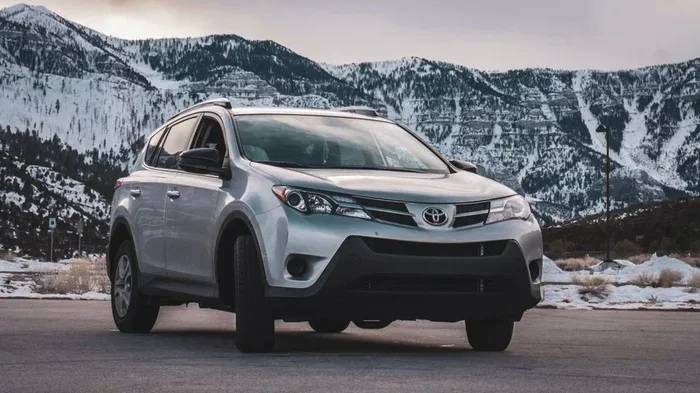
Google Maps Toyota makes it incredibly easy to find Toyota dealers, service centers, and showrooms near you. Whether you need a test drive, car repair, or routine maintenance, Google Maps helps you locate the right Toyota service provider in seconds. This guide covers everything from searching tips to choosing the best dealer and avoiding common mistakes.
Finding a Toyota dealer or service center used to be a hassle. You would flip through phone books, call around, or ask friends for recommendations. Those days are gone. Now, Google Maps Toyota search makes the whole process simple and fast. Whether you are looking for a new Toyota car, need routine maintenance, or want to compare service costs, Google Maps has you covered. In this guide, we will walk you through everything you need to know about using Google Maps to find Toyota dealers and service centers.
The beauty of Google Maps Toyota search is that it puts all the information right at your fingertips. You can see ratings, read real customer reviews, check directions, view photos, and even peek at the location through street view before you go. It is one of the most powerful tools available for anyone shopping for a Toyota or looking for reliable service. Let us dive into how you can make the most of it.
Key Takeaways
- Easy Search: Google Maps Toyota lets you find dealers and service centers with just a few taps on your phone.
- Real-Time Reviews: You can read ratings and reviews to pick a trusted Toyota dealer near you.
- Multiple Location Types: Google Maps shows dealerships, service centers, spare parts stores, and test drive locations.
- Smart Features: Use street view, saved places, and directions to plan your visit efficiently.
- Avoid Mistakes: Check service availability and verify authorized dealer status before visiting.
- Cost Savings: Comparing dealers on Google Maps helps you find better deals and service offers.
📑 Table of Contents
- How to Use Google Maps to Find Toyota Dealers
- Why Google Maps Is the Best Tool for Finding Toyota Service Centers
- Types of Toyota Locations You Can Find on Google Maps
- Tips for Choosing the Right Toyota Dealer
- Common Mistakes People Make When Searching for Toyota on Google Maps
- Expert Tips for Using Google Maps with Toyota
- Comparison: Google Maps vs Other Methods for Finding Toyota Dealers
- Quick Tips for Google Maps Toyota Search
- Key Takeaways
- Frequently Asked Questions
- Conclusion
How to Use Google Maps to Find Toyota Dealers
Using Google Maps to find Toyota dealers is straightforward. Whether you are on your phone or computer, the process is quick and easy. Here is how to do it step by step.
Step 1: Open Google Maps
Launch the Google Maps app on your phone or open maps.google.com on your computer. Make sure your location services are turned on. This allows Google Maps to show you the closest Toyota dealers based on your current position.
Step 2: Type Your Search
In the search bar, type Google Maps Toyota or simply “Toyota dealer near me.” Google will instantly display a list of nearby Toyota dealerships and service centers. You will see pins on the map, each representing a different location.
Step 3: Browse the Results
Tap on any pin or listing to see details. You will get the dealer name, address, phone number, website link, hours of operation, and customer reviews. This gives you a clear picture before you even leave your house.
Step 4: Use Filters
Google Maps lets you filter results by rating, distance, and hours. You can also sort by relevance or distance. This helps you narrow down the best options quickly.
Step 5: Get Directions
Once you pick a dealer, tap the directions button. Google Maps will give you turn-by-turn navigation, travel time, and route options. You can choose driving, walking, or public transport.
These simple steps make Google Maps Toyota search one of the easiest ways to find a dealer. No need to visit multiple websites or make endless phone calls. Everything is in one place.
Why Google Maps Is the Best Tool for Finding Toyota Service Centers
There are many ways to find a Toyota service center, but Google Maps stands out for several reasons. It combines convenience, real-time data, and user feedback in one platform. Here is why it works so well for Toyota dealer locator needs.
Real-Time Reviews and Ratings
When you search Google Maps Toyota, you see what other customers say. Reviews tell you about service quality, staff friendliness, wait times, and overall experience. A dealer with hundreds of positive reviews is usually a safe bet. Look for dealers with ratings above four stars for the best experience.
Up-to-Date Information
Google Maps updates business listings regularly. You will see current hours, contact details, and services offered. This means you will not show up at a closed shop or call a disconnected number.
Photos and Street View
You can browse photos of the dealership and even use street view to see the entrance and surroundings. This helps you feel familiar with the location before you arrive.
Multiple Services in One Search
Google Maps shows all types of Toyota locations together. You can compare dealerships, service centers, and parts stores side by side. This saves you time and effort.
Built-In Navigation
Once you choose a location, Google Maps guides you there directly. You get live traffic updates, alternative routes, and estimated arrival times. This makes planning your visit a breeze.
For anyone searching for Toyota service center near me, Google Maps is hands down the best starting point. It combines all the essential details in a clean, easy-to-use format.
Types of Toyota Locations You Can Find on Google Maps
Google Maps Toyota search reveals more than just dealerships. You can find several types of Toyota-related locations, each serving a different purpose. Here is what you can expect to see.
Toyota Dealerships and Showrooms
These are the main Toyota dealers where you can browse new and used Toyota cars. You can ask about Toyota car price options, explore models, and even take a test drive. Most dealerships also offer financing and trade-in services on the spot.
Toyota Service and Maintenance Centers
These centers handle routine maintenance like oil changes, tire rotations, and brake inspections. They also perform repairs and diagnostics. You can book Toyota service appointments or walk in during operating hours. Look for centers that display Toyota certification badges.
Toyota Authorized Service Centers
Authorized service centers follow Toyota’s official standards. They use genuine Toyota parts and employ trained technicians. These centers often provide warranty coverage and specialized services that regular shops may not offer.
Toyota Spare Parts and Accessories Stores
Some Toyota locations on Google Maps are parts and accessories stores. You can buy OEM Toyota parts, accessories, and accessories for your vehicle. This is helpful if you need a replacement part or want to customize your Toyota.
Toyota Test Drive Locations
Many dealerships offer test drives. When you search Google Maps Toyota, you can check which locations provide test drive services. This is a great way to try before you buy.
Knowing the different types of Toyota locations helps you choose the right one for your needs. Whether you want to buy, service, or accessorize your Toyota, Google Maps has a location for you.
Tips for Choosing the Right Toyota Dealer
Not all Toyota dealers are the same. Some offer better service, competitive pricing, and a smoother experience than others. Here are practical tips to help you pick the right one using Google Maps Toyota.
Check Reviews and Ratings
Start by looking at the ratings. A dealer with a 4.5-star rating or higher is generally reliable. Read through the reviews to see what customers say about service quality, pricing, and staff behavior. Pay attention to recent reviews since business quality can change over time.
Compare Services Offered
Different dealers offer different services. Some focus on new car sales, while others specialize in used cars or repairs. Check the listing details to see what each dealer offers. This helps you find a one-stop shop for all your Toyota needs.
Verify Authorized Dealer Status
If you want genuine Toyota parts and warranty coverage, choose an authorized Toyota dealer. You can usually confirm this through the dealer’s website or by calling them directly. Authorized dealers follow Toyota’s strict standards and training programs.
Consider Distance and Accessibility
While you might find a great dealer across town, convenience matters. Choose a dealer that is easy to reach and fits your schedule. Google Maps shows you the distance and travel time, so you can make an informed choice.
Look for Special Offers
Many Toyota dealers run promotions and special offers. Check the dealer’s website through the Google Maps link to see if there are any deals on new cars, service packages, or accessories.
Visit During Off-Peak Hours
Dealerships can get crowded, especially on weekends. If you want a relaxed experience, visit during weekday mornings or early afternoons. You will get more attention from staff and a smoother process.
Following these tips ensures you get the best experience when visiting a Toyota dealer found through Google Maps Toyota search.
Common Mistakes People Make When Searching for Toyota on Google Maps
Even though Google Maps is a powerful tool, people sometimes make mistakes that lead to frustration. Here are common errors to avoid when searching for Toyota dealers and service centers.
Ignoring Reviews
Some people pick the first dealer that shows up on the map without checking reviews. This is a big mistake. Reviews give you real insights into the quality of service, customer satisfaction, and potential issues. Always take a few minutes to read what others have experienced.
Not Checking Service Availability
Before visiting a Toyota service center, make sure they offer the service you need. Not all centers handle every type of repair or maintenance. Check the listing details or call ahead to confirm availability.
Skipping Verification of Authorized Status
Visiting an unauthorized dealer for warranty-covered repairs can cause problems. Always verify that the dealer is authorized by Toyota, especially for warranty-related services.
Overlooking Contact Details
Some listings on Google Maps may have outdated phone numbers or addresses. Always double-check the contact information before heading out. A quick call can save you a wasted trip.
Not Using Filters
Google Maps offers powerful filters. Many people skip them and end up scrolling through long lists. Use filters to sort by rating, distance, and services offered. This makes the search process much faster and more effective.
Forgetting to Compare Options
There is no need to settle for the first dealer you find. Compare at least two or three options. Look at their ratings, reviews, services, and locations. This small effort can lead to a much better experience and better deals.
Avoiding these mistakes helps you get the most out of Google Maps Toyota search and ensures a smooth, satisfying experience.
Expert Tips for Using Google Maps with Toyota
Here are some expert-level tips that will help you use Google Maps more effectively for your Toyota needs. These small tricks can make a big difference.
Save Your Favorite Toyota Dealers
When you find a great Toyota dealer on Google Maps, save it to your favorites or “Save” list. This way, you can easily find it again later without searching. You can also add notes to each saved location, like their service hours or contact person.
Use Street View for a Preview
Before visiting a dealer, use street view to see the entrance, parking area, and surrounding neighborhood. This gives you a feel for the location and helps you plan your arrival.
Turn on Notifications for Updates
Google Maps can send you notifications about business hours changes, special offers, or new reviews. Turn on notifications for your favorite Toyota dealers to stay updated.
Share Locations with Friends and Family
If you are planning a group visit to a Toyota dealership, share the location through Google Maps. This ensures everyone arrives at the right place without confusion.
Use the “Popular Times” Feature
Google Maps shows popular times for businesses. Check when a Toyota dealer is busiest and plan your visit during quieter hours. This saves you time and reduces wait times.
Check for Recent Photos
Look at the photos uploaded by other users. Recent photos give you a realistic view of the dealership’s condition, staff, and facilities. This is more reliable than the dealership’s own marketing photos.
These expert tips turn a simple Google Maps search into a powerful tool for finding the best Toyota experience. Make them part of your routine when searching for Toyota dealer locator results.
Comparison: Google Maps vs Other Methods for Finding Toyota Dealers
There are several ways to find Toyota dealers and service centers. Let us compare Google Maps with other common methods to see why it stands out.
| Feature | Google Maps | Toyota Website | Phone Directory | Word of Mouth |
|---|---|---|---|---|
| Ease of Use | Very easy | Moderate | Difficult | Easy but limited |
| Real-Time Reviews | Yes | Limited | No | Personal only |
| Directions | Built-in | Basic | No | No |
| Multiple Options | Many at once | One brand | Many but unverified | Few options |
| Photos and Street View | Yes | Limited | No | No |
| Free to Use | Yes | Yes | Yes | Yes |
| Up-to-Date Info | Yes | Yes | Often outdated | Can be outdated |
As you can see, Google Maps Toyota search offers the most comprehensive and user-friendly experience. It combines the best features of other methods while adding unique tools like street view, real-time reviews, and built-in navigation.
Quick Tips for Google Maps Toyota Search
- Always turn on location services for the most accurate results.
- Search for “Toyota service center near me” for maintenance needs.
- Use the “Near me now” filter to find open dealers.
- Check the “Popular Times” graph to avoid crowds.
- Read at least 10 reviews before choosing a dealer.
- Save multiple dealers and compare before making a decision.
- Use the “Share” feature to send locations to friends or family.
- Look for the “Verified” badge on Google Maps listings.
Key Takeaways
- Google Maps Toyota search is the fastest and easiest way to find Toyota dealers and service centers nearby.
- Toyota dealer locator tools on Google Maps show ratings, reviews, photos, and directions all in one place.
- Toyota service center near me searches help you find maintenance and repair options quickly.
- Always check reviews and verify authorized dealer status before visiting.
- Use Google Maps features like street view, popular times, and saved locations for a better experience.
- Avoid common mistakes like ignoring reviews and skipping service availability checks.
- Comparing multiple dealers on Google Maps helps you find the best deals and service quality.
Frequently Asked Questions
How do I find the nearest Toyota dealer using Google Maps?
Open Google Maps on your phone or computer and type “Toyota dealer near me” or “Google Maps Toyota” in the search bar. The app will show you a list of nearby dealers with ratings, reviews, and directions. You can filter results by rating and distance to find the closest option.
Can I find Toyota service centers on Google Maps?
Yes, absolutely. Google Maps Toyota search shows all types of Toyota locations, including service centers. You can find centers for oil changes, brake repairs, tire rotations, and more. Check the listing details to see what services each center offers.
Are the Toyota dealers on Google Maps verified?
Most Toyota dealers listed on Google Maps are verified businesses. However, it is always a good idea to check the reviews and confirm the dealer’s authorized status. You can visit the dealer’s website linked on Google Maps for more details.
Is Google Maps Toyota search free to use?
Yes, Google Maps is completely free to use. You can search for Toyota dealers, get directions, read reviews, and compare options without paying anything. It is one of the best free tools for finding Toyota-related locations.
Can I book a Toyota service appointment through Google Maps?
Google Maps does not directly book appointments, but it provides the dealer’s phone number and website link. You can call or visit the website to schedule a service appointment. Some dealers also offer online booking through their own websites.
What should I look for in a Toyota dealer on Google Maps?
Look for high ratings (4.5 stars or above), recent positive reviews, verified business status, and a full list of services offered. Also check the dealer’s hours, location convenience, and any special promotions mentioned in the listing.
Conclusion
Google Maps Toyota search is one of the simplest and most effective ways to find Toyota dealers, service centers, and showrooms. Whether you are buying a new Toyota, looking for routine maintenance, or need emergency repairs, Google Maps gives you everything you need in one place. The combination of real-time reviews, built-in navigation, photos, and detailed listings makes it the best starting point for any Toyota-related search.
By following the tips in this guide, you can avoid common mistakes, choose the right dealer, and enjoy a smooth experience every time. Remember to check reviews, compare options, and use Google Maps features like street view and popular times to make informed decisions. The next time you need to find a Toyota dealer or service center, trust Google Maps Toyota to get you there quickly and easily.
Start exploring Google Maps today and discover the best Toyota options near you. Your perfect Toyota dealer is just a search away.

Similar Posts