Simple Steps to Reset the Maintenance Light on Toyota

Resetting the maintenance light on your Toyota is a simple process you can do at home in just a few minutes. This guide walks you through the exact steps for different Toyota models, including Corolla, Camry, and RAV4. You will learn why the maintenance light comes on, how to reset it properly, and tips to keep your car running smoothly between services.
Key Takeaways
- Easy DIY Process: You can reset the Toyota maintenance light without visiting a mechanic or dealership.
- Model-Specific Steps: Different Toyota models require slightly different reset procedures.
- Saves Time and Money: Resetting the light yourself avoids unnecessary service visits.
- Regular Maintenance Matters: The light is a reminder to follow your Toyota’s recommended service schedule.
- Quick Reset: Most resets take less than five minutes to complete.
- Know When to Seek Help: Some issues need professional attention beyond a simple light reset.
How to Reset the Maintenance Light on Toyota
Your Toyota has a way of telling you when it is time for service. That little light on the dashboard can be annoying, especially if you already took care of the maintenance. Resetting the maintenance light on Toyota is easier than most people think. You do not need expensive tools or a trip to the dealer. With just a few button presses, you can clear that warning and get back on the road.
Whether you drive a Toyota Corolla, Camry, RAV4, or any other model, this guide will help you through the process. We cover the most common Toyota models and their specific reset methods. You will also learn why the light comes on in the first place and how to avoid common mistakes. Let us get started.
Why Does the Toyota Maintenance Light Come On?
The maintenance light is not the same as a check engine light. It is a service reminder. Toyota designed it to tell you when it is time for routine maintenance. This usually means an oil change or a scheduled inspection.
The light typically activates based on mileage intervals. Most Toyotas use a 5,000-mile or 10,000-mile service cycle. The system tracks your odometer and triggers the light when you reach the next service milestone.
Sometimes the light stays on even after you complete the service. This happens when the reset is not done correctly. Other times, it comes on too early due to a system glitch. Either way, resetting it is a quick fix.
How to Reset the Maintenance Light on Toyota: Step-by-Step Guide
Resetting the maintenance light depends on your Toyota model and year. Below, we cover the most popular methods used across different Toyota vehicles. Follow the steps that match your car.
Method 1: The Odometer Button Method (Most Toyota Models)
This is the most common method. It works on many Toyota models from 2005 to 2023. Here is what you need to do:
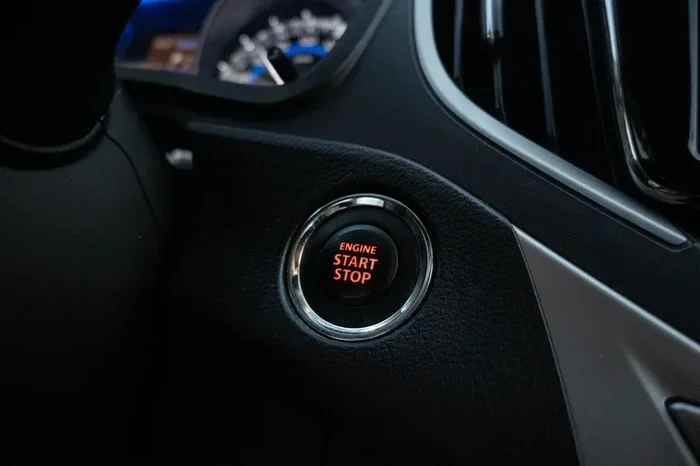
- Turn the ignition to the “ON” position. Do not start the engine. Just press the start button without pressing the brake, or turn the key to the “ON” position.
- Press the odometer or trip meter button. Keep pressing it until the odometer display shows “ODO” or a mileage number.
- Turn the ignition to the “OFF” position. Then turn it back to “ON.”
- Press and hold the odometer button. Hold it for about 10 to 15 seconds.
- Watch the display. The maintenance light should start flashing.
- Release the button. The light should now be reset.
If the light does not flash, try holding the button a bit longer. Some models require a longer press. Be patient and try again.
Method 2: The Steering Wheel Button Method (Newer Toyota Models)
Newer Toyota models, especially those from 2014 onward, use a different approach. These vehicles have steering wheel controls that let you navigate the dashboard display.
- Press the menu button on the steering wheel. This brings up the vehicle information menu.
- Use the arrow buttons to find “Maintenance.” Scroll through the options until you see the maintenance menu.
- Select “Reset Maintenance.” Press the OK or Enter button.
- Confirm the reset. The system will ask you to confirm. Select “Yes” or “Confirm.”
- Exit the menu. The maintenance light should now be off.
This method is very straightforward. If you are not sure where the maintenance option is, check your Toyota owner’s manual. It has a full walkthrough for your specific model.
Method 3: The Pedal Method (Older Toyota Models)
Some older Toyota models, particularly those from the early 2000s, use a pedal-based reset method.
- Turn the ignition off. Make sure the engine is not running.
- Press and hold the trip meter reset button. This is usually located on the dashboard or steering wheel.
- While holding the button, turn the ignition to “ON.” Keep holding the button.
- Wait for the display to change. The maintenance light should start blinking.
- Release the button. The reset is complete.
This method works on older models like the Toyota Camry (2002-2006) and Toyota Corolla (2003-2008). If your model is older, this is likely the method you need.
How to Reset the Maintenance Light on Toyota by Model
Different Toyota models have small differences in the reset process. Here is a quick reference for some of the most popular models.
Toyota Corolla
For the Corolla, use the odometer button method. Turn the key to “ON,” press and hold the trip button, and wait for the light to flash. This works for most Corolla models from 2005 to 2023.
Toyota Camry
The Camry uses the same odometer method for older models. Newer Camry models (2015 and up) use the steering wheel button method. Navigate to the maintenance menu and select reset.
Toyota RAV4
The RAV4 follows the steering wheel menu method for models from 2013 onward. For older RAV4 models, use the odometer button method.
Toyota Tacoma
The Tacoma uses the odometer button method. Turn to “ON,” hold the trip button, and wait for the maintenance light to flash. Release the button to complete the reset.
Common Mistakes When Resetting the Maintenance Light
Even though the process is simple, people make mistakes. Here are the most common ones and how to avoid them.
- Turning the key too quickly. You need to hold each position for a second or two. Rushing through the steps causes the system to not register the reset.
- Releasing the odometer button too early. Hold the button for a full 10 to 15 seconds. Releasing it too soon means the reset does not complete.
- Confusing the maintenance light with the check engine light. These are two different lights. The check engine light indicates a serious problem. The maintenance light is just a service reminder. You cannot reset the check engine light the same way.
- Not completing the actual service first. Always get your oil changed or your service done before resetting the light. Resetting it without doing the service just delays the reminder.
- Using the wrong button. Some Toyotas have multiple buttons near the odometer. Make sure you are pressing the trip or odometer button, not the display button.
Tips to Keep Your Toyota Maintenance System in Good Shape
Once you reset the maintenance light, you want to keep your Toyota running well until the next service. Here are some practical tips.
First, keep track of your mileage. Use a notebook or a phone app to log your oil changes and services. This helps you know when the next reminder will come. Second, address the light promptly. Do not ignore it for too long. Regular maintenance keeps your Toyota engine healthy and extends its lifespan.
Third, keep your workspace organized. Just like you would how to organize a study desk for efficiency, keeping your garage or workspace tidy makes it easier to handle quick maintenance tasks. Fourth, refer to your owner’s manual regularly. It has all the details about your Toyota’s specific maintenance schedule and reset procedure.
Fifth, use genuine Toyota parts or high-quality aftermarket parts. Cheap parts can cause problems that trigger warning lights. Quality parts keep your car running smoothly and reduce the chance of needing unexpected repairs.
When Should You See a Professional?
Most of the time, resetting the maintenance light is a DIY job. But there are situations where you should visit a mechanic or Toyota dealership.
If the maintenance light comes back immediately after you reset it, something may be wrong with the system. This could indicate a sensor issue or a software problem. A professional can diagnose and fix this.
Also, if the check engine light is on along with the maintenance light, do not just reset it. The check engine light signals a real problem that needs attention. Ignoring it can lead to costly repairs down the road.
Finally, if you have tried all the methods and none of them work, take your Toyota to a dealer. They have specialized tools that can reset the system. It may cost a small fee, but it is worth it to get the job done right.
How Often Should You Reset the Maintenance Light?
You should reset the maintenance light every time you complete a scheduled service. This means after every oil change or every 5,000 to 10,000 miles, depending on your Toyota model and driving conditions.
If you do your own oil changes, resetting the light is especially important. It keeps your maintenance records accurate and ensures you do not miss your next service interval. Think of it like setting a reminder. The reset tells your Toyota’s computer, “Hey, we just did the service. Let us start fresh.”
Some Toyota owners reset the light too often, before they actually do the service. This defeats the purpose of the maintenance system. Always complete the service first, then reset the light.
The Importance of Following Your Toyota Maintenance Schedule
The maintenance light is there for a reason. Toyota engineers designed the maintenance schedule to keep your vehicle running at its best. Skipping services or ignoring the light can lead to engine wear, reduced fuel efficiency, and even costly repairs.
Regular oil changes keep your engine lubricated. Fresh oil reduces friction and prevents overheating. Tire rotations extend the life of your tires and improve handling. Brake inspections keep you safe on the road. Every service item on the schedule matters.
Think of the maintenance light as a friendly nudge from your car. It does not mean anything is broken. It simply means it is time for routine care. Resetting the light after you complete the service is the right way to acknowledge that nudge and move forward.
Quick Tips for a Smooth Reset
- Always reset the light right after completing the service.
- Make sure the ignition is in the “ON” position, not “ACC.”
- Hold buttons for the full recommended time.
- Consult your owner’s manual if the steps do not match your model.
- Keep a record of each reset with the date and mileage.
These small habits make a big difference over time. They keep your Toyota maintenance system accurate and your car in top shape.
Final Thoughts
Resetting the maintenance light on Toyota is one of the simplest things you can do as a car owner. It takes just a few minutes, requires no special tools, and saves you a trip to the dealership. Whether you use the odometer button method, the steering wheel menu method, or the pedal method, the process is straightforward once you know the steps.
Remember to always complete your actual maintenance before resetting the light. The light is a reminder, not a replacement for real service. Keep up with your Toyota’s maintenance schedule, and your car will reward you with years of reliable performance.
If you ever feel unsure about the process, your Toyota owner’s manual is your best friend. It has model-specific instructions and diagrams. You can also watch a quick video online for your specific model. The more you know about your car, the more confident you will feel handling simple tasks like this on your own.
So go ahead. Take a few minutes, follow the steps, and reset that light. Your Toyota will be ready for the next 5,000 miles of trouble-free driving.
Frequently Asked Questions
Can I drive my Toyota with the maintenance light on?
Yes, you can safely drive your Toyota with the maintenance light on. The light is just a service reminder and does not affect your vehicle’s performance. However, you should schedule your maintenance soon to keep your Toyota running at its best.
Will resetting the maintenance light clear any error codes?
No, resetting the maintenance light only clears the service reminder. It does not affect error codes stored in your Toyota’s computer system. If you have a check engine light or error codes, you need a diagnostic tool to address those separately.
How do I know which reset method works for my Toyota model?
The best way is to check your Toyota owner’s manual. It provides the exact reset procedure for your specific model and year. You can also search online for your model and year to find the correct method.
What if the maintenance light does not go off after resetting?
If the light stays on after resetting, try the method again and make sure you hold the buttons long enough. If it still does not work, there may be a system issue. Visit a Toyota dealer or mechanic to have them diagnose the problem.
How often does the Toyota maintenance light come on?
The maintenance light typically comes on every 5,000 to 10,000 miles, depending on your Toyota model and the maintenance schedule. Some newer models use intelligent systems that adjust the interval based on your driving habits.
Can I reset the maintenance light without starting the engine?
Yes, you do not need to start the engine to reset the maintenance light. You only need to turn the ignition to the “ON” position. Starting the engine is not required and is actually not recommended during the reset process.