Reset Maintenance Trip Meters: Post-Oil Service Guide
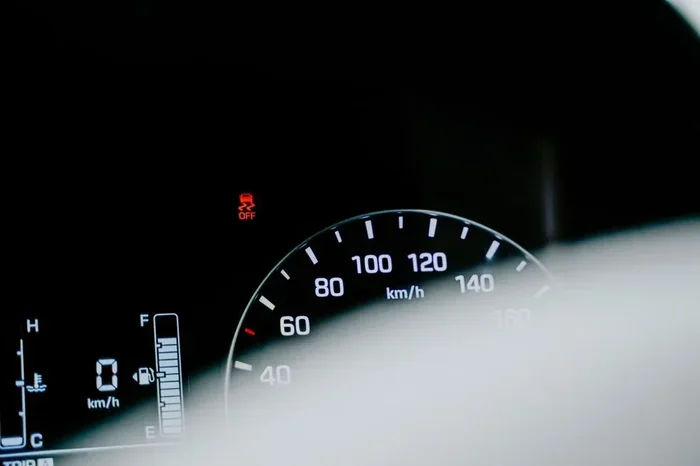
Resetting your maintenance trip meters after an oil service is a quick but essential step that keeps your vehicle’s maintenance tracking accurate. This guide walks you through the exact process for most car models, highlights common mistakes to avoid, and provides a post-service checklist you can follow every time. You will learn why resetting matters, how different systems work, and expert tips to make the process effortless.
Key Takeaways
- Resetting is essential: Flushing the oil change warning after service ensures your maintenance tracker stays accurate and your next service reminder fires correctly.
- It is simple: Most vehicles let you reset the trip meter in under five minutes using the dashboard or steering wheel controls.
- Brand-specific steps vary: Different manufacturers use different button combinations, so knowing your car’s method saves time and frustration.
- Skipping the reset causes problems: An uncleared warning light can confuse your service history and lead to missed or duplicated oil changes.
- Post-service checks matter: A quick checklist after every oil change helps you confirm everything is in order and your trip meter is cleared.
- Regular tracking extends engine life: Staying on top of maintenance intervals through accurate trip meter readings protects your vehicle long term.
📑 Table of Contents
Understanding Maintenance Trip Meters
Your car has a small but mighty system that tracks maintenance intervals. This system is called the maintenance trip meter. It counts miles since your last oil change and lights up when it is time for service. Think of it as a personal assistant for your engine. It does not rest until you reset it after completing the work.
The oil change indicator is part of this system. When the light flashes on your dashboard, it means your vehicle has reached a set mileage or time interval. Modern cars use an oil life system that factors in driving conditions, engine temperature, and usage patterns. This smart tracking helps you change oil at the right moment. But none of it works properly unless you reset the meter after service.
What Is a Maintenance Trip Meter?
A maintenance trip meter is a digital counter stored in your car’s onboard computer. It records the distance traveled since the last service interval reset. Unlike your main odometer, which tracks total mileage, the trip meter is designed to cycle. You can reset it to zero whenever you complete maintenance. Most vehicles display this counter on the instrument cluster or information screen behind the steering wheel.
The maintenance reminder works hand in hand with the trip meter. When the counter hits the preset limit, usually between 5,000 and 10,000 miles, the warning light activates. This alert tells you it is time to visit the shop or roll up your sleeves. The system does not know the oil was actually changed. It only knows the miles have been reached. That is why resetting maintenance trip meters after every oil service is non-negotiable.
How Oil Change Indicators Work
Most modern vehicles use a service light reset system tied to the engine control unit. The ECU monitors mileage and triggers the indicator when the threshold is met. Some systems use a simple mileage counter. Others use algorithms that adjust the interval based on your driving habits. Hard driving, frequent short trips, or towing can shorten the recommended interval.
The dashboard warning light typically shows an oil can symbol or a “Service Required” message. Once the light appears, it stays on until someone resets it. This is where many car owners get confused. They assume the light will turn off on its own. It will not. You must manually clear it. This is the whole purpose of resetting maintenance trip meters after your oil change is complete.
Why Resetting Your Trip Meter Matters
Some drivers skip the reset step and move on with their day. This seems harmless. But it creates a chain of small problems that add up over time. Accurate tracking is the backbone of good vehicle care. When the trip meter is off, your entire maintenance schedule becomes unreliable.
The Importance of Accurate Tracking
Your car’s oil change schedule depends on the trip meter reading. If the meter still shows 3,000 miles after you just changed the oil, the system will tell you to change it again in 2,000 miles. That means you either ignore a real warning or get an unnecessary oil change. Neither option is good for your wallet or your engine.
Accurate maintenance tracking also helps during resale. Buyers and mechanics look at service records. A consistent history of oil changes at the right intervals boosts your car’s value. A messy record with overlapping or missed services raises red flags. Resetting the trip meter after every service keeps your records clean and trustworthy.
What Happens If You Do Not Reset
Leaving the warning light on after service creates confusion. You might ignore a future real warning because you think the light is stuck. Or you might get an oil change too early, wasting money and perfectly good oil. Some drivers reset the light manually without actually changing the oil. This defeats the entire purpose of the oil life system and puts your engine at risk.
Over time, uncleared trip meters make it hard to know when the last service happened. This is especially true for secondhand car owners who inherit a vehicle with an unknown maintenance history. A simple reset after each service prevents this confusion entirely.
Step-by-Step Guide to Resetting Maintenance Trip Meters
The process to reset maintenance trip meters is different for every car brand. However, the general approach is similar across most models. Below is a universal walkthrough followed by brand-specific tips.
General Reset Procedure
Follow these steps for most vehicles. Always check your owner’s manual first for model-specific details.
- Turn the ignition to the “ON” position. Do not start the engine. Just press the start button or turn the key to the accessory mode.
- Locate the trip meter button. This is usually on the steering wheel stalk or the dashboard panel near the speedometer.
- Press and hold the reset button. Hold it for about 10 to 15 seconds. Watch the display for a flashing number or a service indicator.
- Release the button. The display should return to zero or show a confirmation message like “Service Due Reset.”
- Turn the ignition off and back on. This confirms the reset. The warning light should be gone.
That is it. In under five minutes, you have cleared the maintenance light reset and your service interval tracker is ready for the next cycle. It is one of the easiest car maintenance tasks you will ever do.
Brand-Specific Reset Methods
Some brands require a slightly different approach. Here are quick tips for popular manufacturers.
- Toyota: Turn the ignition to ON. Press and hold the trip meter reset button until the maintenance light flashes and then turns off.
- Honda: Set the trip display to the maintenance screen. Hold the select/reset knob for about 10 seconds until the light blinks.
- Ford: Use the steering wheel controls to navigate to the vehicle information menu. Find the “Oil Life System” option and select reset.
- Chevrolet: With the ignition on, press the trip button on the steering wheel and hold it until the display shows a reset prompt.
If your car does not match any of these, consult the owner’s manual or search online for your specific model year. The oil change indicator reset process is almost always straightforward once you know where to look.
Common Mistakes When Resetting Trip Meters
Even simple tasks have pitfalls. Avoid these common errors to make your post-service checklist more effective.
Mistakes to Avoid
- Resetting before the oil change: Never clear the light before the work is done. This erases the reminder and leaves your engine unprotected.
- Ignoring the owner’s manual: Every car is different. The manual has the exact steps for your model. Skipping it can lead to frustration or accidental resets of other settings.
- Confusing the trip meter with the odometer: The odometer tracks lifetime mileage. The trip meter tracks intervals. Make sure you are resetting the right one.
- Not turning the ignition fully to ON: If the car is in accessory mode but not fully on, the reset function may not activate. Always go to the full ON position.
- Holding the button too briefly: Some systems require a long press of 15 seconds or more. Release only when you see the light change or the display update.
These small errors are easy to make but easy to avoid. A little patience goes a long way in keeping your vehicle maintenance schedule on track.
Post-Service Checklist for Oil Changes
Completing an oil change is a great moment to run through a quick checklist. This ensures nothing is missed and your car stays in top shape. Use this checklist after every oil service.
Quick Tips After Every Oil Change
- Check the oil level: Pull the dipstick and confirm the oil is at the full mark. Top off if needed.
- Look for leaks: Inspect the drain plug and oil filter for any drips or seepage.
- Reset the trip meter: Follow the steps above to clear the oil change warning indicator and restart the maintenance counter.
- Record the service: Write down the date, mileage, and oil type used. This makes future tracking much easier.
- Dispose of old oil properly: Take the used oil and filter to a recycling center. Never dump them in the trash or down the drain.
Keeping a simple log of each oil change helps you stay organized. It also gives you a clear picture of your car’s maintenance history. This is especially useful if you sell the vehicle later or visit a new mechanic.
Just like keeping a clean and organized workspace helps you stay productive, maintaining a well-organized vehicle routine keeps everything running smoothly. If you want to bring some calm and organization to your workspace while you manage all these maintenance tasks, consider adding some low-maintenance desk plants to your environment. They require minimal care and add a refreshing touch to any space where you handle paperwork or plan your car care schedule.
Expert Insights on Vehicle Maintenance Tracking
Tracking your car’s maintenance goes beyond just resetting a light. It is about building habits that protect your investment. Here are some expert-backed tips to level up your routine vehicle care game.
Use Digital Tools for Tracking
Many smartphone apps let you log every oil change, tire rotation, and brake inspection. These apps send push notifications when your next service is due. Some even automatically calculate intervals based on your driving data. This takes the guesswork out of maintenance scheduling and removes the burden from memory.
Follow the Manufacturer’s Recommendations
Every car comes with a recommended service interval in the owner’s manual. Some manufacturers say 5,000 miles. Others suggest 7,500 or even 10,000 miles. Stick to the guide for your specific model. Using the wrong interval can void warranties or lead to premature engine wear.
Keep Records for Every Service
Whether you do the work yourself or visit a shop, save every receipt and service report. These records prove your car was well maintained. They also help mechanics diagnose issues faster. A complete service history is one of the best things you can do for your vehicle’s longevity.
Conclusion
Resetting maintenance trip meters after every oil service is a small action with big results. It keeps your warning lights accurate, your service history clean, and your engine protected. The process takes only a few minutes and works the same way for most vehicles. Follow the steps in this guide, avoid the common mistakes, and use the post-service checklist to make it a habit.
Your car works hard for you every day. A quick reset after each oil change is a small way to give back. Keep this guide bookmarked and share it with anyone who needs a simple reminder. Staying on top of your vehicle maintenance journey starts with one small step. Make it today.
Frequently Asked Questions
How do I know when to reset my maintenance trip meter?
You should reset the trip meter immediately after completing an oil change or other scheduled maintenance. The oil change indicator will still be on, signaling that the service was done. Clearing it resets the maintenance counter for the next interval.
Can I reset the maintenance light without changing the oil?
Technically yes, but you should not. Resetting the light without actually changing the oil clears the warning and puts your engine at risk. Always complete the service first, then reset the meter to keep your oil life system accurate.
What if my trip meter reset button does not work?
Try holding the button for longer, up to 20 seconds. Make sure the ignition is fully in the ON position. If it still does not work, consult your owner’s manual or visit a mechanic. Some newer vehicles require a diagnostic tool for the service light reset.
Does resetting the trip meter affect my odometer reading?
No. The trip meter and odometer are completely separate. Resetting the maintenance trip meter only clears the service interval counter. Your total mileage on the odometer stays unchanged.
How often should I reset my maintenance trip meter?
Reset it every time you complete an oil change or the scheduled maintenance service. This keeps your maintenance tracking accurate and ensures the next service interval reminder fires at the right time.
Are there apps that help track oil change intervals automatically?
Yes, many apps like Fuelly, AUTOsist, and myCAR allow you to log oil changes and receive reminders. These tools complement your car’s built-in oil change warning system and help you stay consistent with your routine vehicle care.