How to Reset a 2018 Subaru Impreza to Factory Settings
Resetting a 2018 Subaru Impreza to factory settings is a straightforward process that can solve many software glitches, restore default configurations, and refresh your driving experience. Whether you are dealing with a frozen infotainment screen, persistent warning lights, or simply want a clean slate, this guide walks you through every method. You will learn the soft reset, hard reset, and infotainment reset procedures with clear, easy-to-follow steps.
Owning a 2018 Subaru Impreza comes with a lot of great features. But sometimes, the electronics act up. Maybe the screen freezes. Maybe the radio resets itself every time you turn the key. Or maybe you just bought the car and want to start fresh. Whatever the reason, knowing how to reset your Subaru to factory settings is a valuable skill. This guide covers everything you need to know. We break it down into simple steps so anyone can follow along.
Before we dive in, let us talk about what a factory reset actually does. A factory reset wipes your custom settings and returns the system to how it was when the car was first built. Think of it like hitting a refresh button on your phone. You do not need to be a mechanic to do this. You just need a few minutes and a little patience.
Key Takeaways
- Soft Reset: A simple restart that fixes minor glitches without erasing any saved data or settings.
- Hard Reset: A more thorough reset that restores the vehicle’s electrical systems to default.
- Infotainment Reset: Specifically targets the audio and navigation system to clear errors and restore factory defaults.
- No Special Tools Needed: Most resets can be done with just the key and steering wheel controls.
- Back Up First: Always save important settings and paired devices before performing a full reset.
- Safety First: Perform resets only when the car is parked and the engine is off.
📑 Table of Contents
- Why You Might Need to Reset Your 2018 Subaru Impreza
- Understanding the Different Types of Resets
- Step-by-Step Guide to Factory Reset the Infotainment System
- What to Do After a Factory Reset
- Common Mistakes to Avoid When Resetting Your Subaru
- When to See a Professional
- Final Thoughts on Resetting Your 2018 Subaru Impreza
Why You Might Need to Reset Your 2018 Subaru Impreza
There are several reasons why a reset becomes necessary. Understanding these reasons helps you decide which type of reset to perform. Here are the most common ones:
- Frozen or unresponsive infotainment screen: The touchscreen stops responding to taps and swipes.
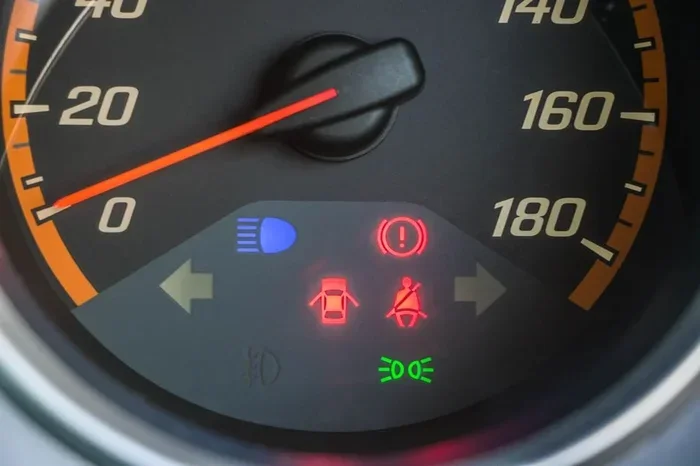
- Persistent warning lights: A light stays on even after you fix the underlying issue.
- Bluetooth pairing issues: Your phone will not connect or keeps disconnecting.
- Navigation system errors: Maps or directions stop working properly.
- Slow performance: The system takes forever to start up or respond.
- Selling or gifting the car: You want to wipe all personal data before handing over the keys.
- After a software update: The update did not apply correctly and needs a fresh start.
Each of these problems has a solution. And most of them do not require a trip to the dealership. You can handle this at home.
Understanding the Different Types of Resets
Not all resets are the same. A 2018 Subaru Impreza offers multiple reset options. Each one serves a different purpose. Let us break them down.
Soft Reset
A soft reset is the gentlest option. It simply restarts the electrical systems without deleting any data. Think of it like restarting your computer. Everything stays exactly as it was, but the system gets a fresh start.
How to do it:
- Turn off the engine and remove the key from the ignition.
- Open the driver-side door and wait 30 seconds.
- Close the door and reinsert the key.
- Turn the ignition to the “ON” position without starting the engine.
- Wait 10 seconds, then turn it back to “OFF.”
- Start the engine normally.
This method works well for minor glitches. If your screen freezes or a warning light appears out of nowhere, try this first. It takes less than a minute and causes no data loss.
Hard Reset
A hard reset goes deeper. It resets the vehicle’s main computer module, known as the ECM (Engine Control Module). This can fix more stubborn issues. It also clears stored error codes.
How to do it:
- Park the car on a flat surface and turn off the engine.
- Disconnect the negative battery terminal using a wrench.
- Wait at least 15 minutes. This lets the capacitors fully drain.
- Reconnect the negative terminal and tighten it securely.
- Turn the ignition to “ON” and wait for the dashboard lights to cycle.
- Start the engine and let it idle for 5 minutes.
After a hard reset, your car may need a few minutes to relearn driving habits. The power windows might need to be reset too. We will cover that below.
Infotainment System Reset
The infotainment system controls your radio, navigation, Bluetooth, and climate display. When this system acts up, a dedicated reset helps. This does not affect your engine settings.
How to do it:
- Press and hold the power button on the infotainment screen for 10 seconds.
- The screen will go black. Wait another 5 seconds.
- Press the power button again to turn it back on.
- If the problem persists, hold the power button for 20 seconds to force a full reboot.
This is the safest reset method. It will not delete your paired phones or saved radio stations unless you choose the factory restore option inside the settings menu.
Step-by-Step Guide to Factory Reset the Infotainment System
If you want to fully restore the infotainment system to factory settings, follow these steps carefully. This will erase all saved data, paired devices, and custom preferences.
Before you begin, make sure you have the following ready:
- Your Subaru owner’s manual (helpful but not required).
- Your phone’s Bluetooth pairing information.
- Any radio station presets you want to remember.
- Your navigation home address, if saved.
Now here is the process:
- Start the engine and press the “Home” button on the infotainment screen.
- Navigate to “Settings” using the touchscreen or the rotary dial.
- Scroll down to “System” and select it.
- Choose “Restore Factory Settings.”
- The system will ask you to confirm. Select “Yes.”
- Wait for the process to complete. This usually takes 2 to 3 minutes.
- The screen will restart automatically.
Once the reset finishes, you will need to set up the system again. Pair your phone, set your radio presets, and enter your navigation home address. It takes about 10 minutes total.
When you are done setting up, you might also want to think about where to place your desk items in the car for a clean, organized setup. Just as organizing your workspace helps productivity, organizing your car’s interior helps you stay focused on the road.
What to Do After a Factory Reset
After completing the reset, your 2018 Subaru Impreza needs a few extra steps to get back to full functionality. Here is a checklist of things to do:
- Re-pair Bluetooth devices: Go to Settings > Bluetooth and add your phone again.
- Reset power windows: Hold the window switch all the way up for 3 seconds, then all the way down for 3 seconds. Repeat for each window.
- Re-set radio presets: Tune to your favorite station and hold the preset number to save it.
- Check the clock: The clock may reset to a default time. Adjust it in the settings menu.
- Update navigation maps: If you have a navigation system, check for map updates on the Subaru website.
- Re-adjust driver preferences: Seat position, mirror angles, and climate settings may need to be reconfigured.
Think of it like what to put on your desk after a deep clean. You put back only what you need and organize everything for the best setup. The same idea applies here. Only restore what matters to you.
Common Mistakes to Avoid When Resetting Your Subaru
Even though this process is simple, mistakes can happen. Here are the most common ones and how to avoid them:
- Resetting while driving: Never perform a reset while the car is in motion. Pull over to a safe, parked location first.
- Disconnecting the battery incorrectly: Always disconnect the negative terminal first. Reconnect it last. This prevents short circuits.
- Not waiting long enough: After disconnecting the battery, wait the full 15 minutes. Rushing this step means the capacitors do not fully drain.
- Forgetting to back up settings: Write down your Bluetooth PIN, radio presets, and navigation home address before resetting.
- Ignoring warning lights after the reset: If a warning light comes back on, there is an underlying issue that a reset will not fix. Get it diagnosed.
- Using the wrong reset method: A soft reset will not fix a deep software issue. Match the reset type to the problem you are experiencing.
Avoiding these mistakes saves time and prevents new problems. A little preparation goes a long way.
When to See a Professional
Most reset procedures work perfectly on a 2018 Subaru Impreza. But sometimes, the problem goes deeper than a software glitch. Here are signs that you need professional help:
- The reset does not fix the problem after two attempts.
- Multiple warning lights appear after the reset.
- The battery drains quickly after a reset.
- The infotainment system freezes again within a few days.
- You hear unusual clicking or buzzing sounds from the dashboard.
A certified Subaru technician has diagnostic tools that can pinpoint the real issue. Do not hesitate to visit your dealer if the problem persists. It is always better to be safe than sorry.
Once everything is working smoothly again, you can also think about how to organize your desk space in the car. A clean, clutter-free cabin makes the whole driving experience better. Keep only what you need within arm’s reach.
Final Thoughts on Resetting Your 2018 Subaru Impreza
Resetting your Subaru to factory settings is one of the easiest and most effective ways to troubleshoot electronic issues. Whether you choose a soft reset, a hard reset, or a full infotainment restore, the process is simple and safe. Always back up your settings first. Follow the steps carefully. And do not hesitate to seek professional help if the problem continues.
Your 2018 Subaru Impreza is a reliable car. With a fresh reset, it will feel like new again. Take the time to do it right, and you will enjoy a smoother, more responsive driving experience for miles to come.
Frequently Asked Questions
Will a factory reset erase my saved radio stations?
Yes, a full factory reset on your 2018 Subaru Impreza will erase all saved radio presets. However, you can easily re-scan for stations and save them again after the reset. It only takes a couple of minutes to restore your favorites.
How long does a factory reset take?
A soft reset takes less than one minute. A hard reset takes about 20 minutes including the wait time. A full infotainment factory restore takes 2 to 3 minutes for the reset itself, plus about 10 minutes to reconfigure your settings.
Can I reset my Subaru Impreza without disconnecting the battery?
Yes, you can. A soft reset and an infotainment reset both work without touching the battery. Only a hard reset requires you to disconnect the negative terminal. For most issues, a soft reset is all you need.
Will resetting my car delete my Bluetooth paired devices?
A full infotainment factory reset will delete all paired Bluetooth devices. You will need to re-pair your phone after the reset. A soft reset or infotainment reboot will not remove your paired devices.
Why does my Subaru Impreza keep freezing after a reset?
If the system continues to freeze, there may be a deeper hardware or software issue. A reset clears temporary data but cannot fix a failing component. In this case, you should visit a Subaru dealership for a professional diagnostic check.
Is it safe to reset the car while the engine is running?
No, it is not safe. Always turn off the engine and park the car before performing any reset. Working on the electrical system while driving can cause unexpected behavior and could be dangerous on the road.
=== CONCLUSION ===
Resetting your 2018 Subaru Impreza to factory settings is a skill every owner should have. It saves money, time, and trips to the dealership. Whether you are dealing with a frozen screen, a stubborn warning light, or just want a fresh start, the right reset method gets the job done. Start with a soft reset. Move to a hard reset if needed. And use the infotainment restore for screen-specific issues. Always back up your settings first, and follow each step carefully. With this guide, you have everything you need to reset your Subaru confidently and get back to enjoying the drive.