How to Change the Battery in Your Chevy Key Fob Guide
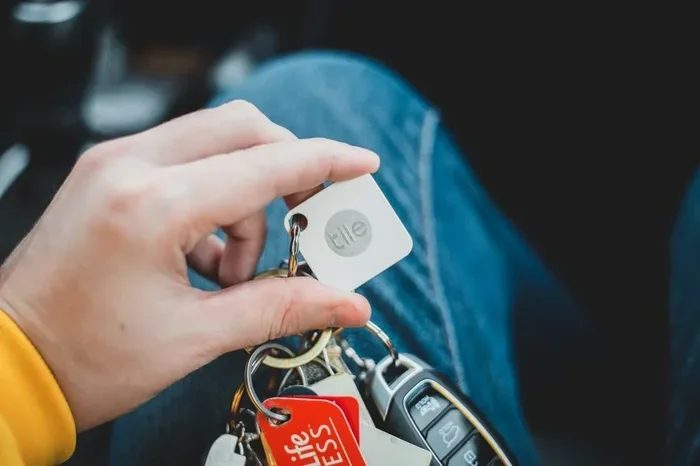
Changing the battery in your Chevy key fob is simple and takes just a few minutes. Most Chevy key fobs use a common CR2032 battery that you can find at any store. This guide walks you through opening your fob, swapping the old battery, and getting your remote working again.
There is nothing worse than reaching for your Chevy key fob and finding it won’t unlock your car. A dead battery is usually the culprit. The good news is that swapping in a new battery is a breeze. You do not need to visit a dealer or pay a mechanic. With just a small flathead screwdriver and a fresh battery, you can have your remote working again in minutes.
This guide is perfect for anyone who drives a Chevy truck, SUV, or sedan. Whether you own a Silverado, Tahoe, Equinox, or any other Chevy model, the key fob battery replacement process is very similar. We will walk you through every step with clear instructions and helpful tips. By the end, you will feel confident handling this simple repair on your own.
Key Takeaways
- Easy DIY Task: You can change your Chevy key fob battery at home with basic tools.
- Common Battery Type: Most Chevy key fobs use a CR2032 coin cell battery.
- Quick Process: The entire battery swap takes less than five minutes.
- No Programming Needed: In most cases, replacing the battery does not require re-programming your fob.
- Save Money: Doing it yourself costs just a few dollars instead of a dealer visit.
- Prevent Lockouts: Keeping a spare battery on hand helps you avoid being stranded.
📑 Table of Contents
- Why Your Chevy Key Fob Battery Dies
- What Battery Does a Chevy Key Fob Use
- How to Open Your Chevy Key Fob
- How to Install the New Battery
- Where to Keep Your Key Fob and Spare Battery Organized
- How Often Should You Replace Your Chevy Key Fob Battery
- Can You Replace a Chevy Key Fob Battery Yourself
- Common Mistakes to Avoid When Changing Your Chevy Key Fob Battery
- Final Thoughts on Changing Your Chevy Key Fob Battery
Why Your Chevy Key Fob Battery Dies
Key fob batteries do not last forever. Over time, the power fades, and the signal gets weaker. Most Chevy key fob batteries last between two and four years. However, heavy daily use can shorten that lifespan. If you press your fob buttons dozens of times a day, the battery drains faster.
Cold weather also plays a big role. In winter, batteries lose power more quickly. You might notice your fob works fine in summer but struggles in January. This is completely normal. The chemical reaction inside the battery slows down in low temperatures, reducing the signal range.
Signs Your Chevy Key Fob Battery Is Low
Watch for these warning signs before your fob stops working completely:
- Reduced range: You have to stand closer to your car for the fob to work.
- Delayed response: There is a pause between pressing the button and the car reacting.
- Intermittent function: The fob works sometimes but not others.
- Dashboard warning: Some Chevy models display a battery low message on the dashboard.
- Multiple presses needed: You need to press the button two or three times to get a response.
If you notice any of these symptoms, it is time to replace the battery. Waiting too long can leave you stranded with a completely dead fob.
What Battery Does a Chevy Key Fob Use
Most Chevy key fobs use a CR2032 battery. This is a standard 3-volt coin cell battery. You can find it at grocery stores, drugstores, auto parts shops, and online retailers. The CR2032 is one of the most common batteries in the world, so you should have no trouble finding one.
Here are a few things to keep in mind when buying a replacement battery:
- Look for trusted brands like Duracell, Energizer, or Panasonic.
- Make sure the battery is fresh. Check the expiration date on the package.
- A CR2025 battery is similar but slightly thinner. It may work in some fobs but is not always the right fit.
- Buy a spare battery now so you are prepared for the next time.
Keeping a spare battery in your home office or in your glove box is a smart move. You never know when the battery will die, and having a replacement ready saves you from a stressful situation.
How to Open Your Chevy Key Fob
Opening the key fob is the first real step in the battery replacement process. Do not worry. You will not break anything if you follow the instructions carefully.
Step 1: Find the Seam
Hold your Chevy key fob in your hand and look closely at the edges. You will notice a thin seam or line running along the fob. This is where the two halves of the fob separate. Run your fingernail along this line to find the opening point.
Step 2: Use a Flathead Screwdriver
Insert a small flathead screwdriver into the seam. Gently twist the screwdriver to pop the fob open. Start at the bottom edge where the key ring is attached. Work your way around the fob until the top half lifts off.
Tip: If you do not have a screwdriver, you can use a butter knife or even a sturdy plastic card. Just be gentle to avoid scratching the fob casing.
Step 3: Remove the Old Battery
Once the fob is open, you will see the battery sitting in a small compartment. Note which side is facing up. The positive side (marked with a +) usually faces up. Use a small flathead screwdriver or your fingernail to gently pry the battery out. It should pop out easily.
Dispose of the old battery properly. Do not throw it in your regular trash if your local area has battery recycling options.
How to Install the New Battery
Now that the old battery is out, installing the new one is just as easy. Follow these simple steps:
- Take your new CR2032 battery out of the packaging.
- Check the orientation. Make sure the positive side (marked with a +) faces up, just like the old battery.
- Place the new battery into the compartment. It should sit snugly in the holder.
- Snap the fob back together. Align the two halves and press firmly until you hear a click.
That is it. Your Chevy key fob should now be working again. Test it by standing near your car and pressing the unlock button. The doors should respond immediately.
What If the Fob Still Does Not Work
If you replaced the battery and the fob still does not work, do not panic. Here are a few things to check:
- Battery orientation: Make sure the positive side is facing the right direction.
- Battery quality: Some cheap batteries are weak from the start. Try a different brand.
- Clean the contacts: Use a dry cloth to wipe the battery contacts inside the fob.
- Reset the fob: Some Chevy models require a simple reset after battery replacement.
In rare cases, the fob itself may be damaged beyond the battery. If none of these steps work, you may need a replacement fob from a Chevy dealer.
Where to Keep Your Key Fob and Spare Battery Organized
Once you have your Chevy key fob working again, you will want to keep it in a good spot. Where you place your desk in your home office matters more than you might think. Having a designated spot for your key fob on your desk helps you avoid misplacing it and keeps your workspace tidy.
Many people like to keep their key fob, spare batteries, and other small essentials organized on their desk. This is where how to organize a study desk tips come in handy. A clutter-free desk makes it easy to find your key fob and spare battery when you need them.
You might also want to consider what items you keep within reach at your desk. Having a small tray or dish for your key fob, batteries, and other daily essentials keeps everything in one place. For more ideas on setting up your workspace, check out this guide on what to put on a study desk to make the most of your space.
Best Spots for Your Key Fob at Home
- Entryway table: A bowl or tray near your front door is a classic spot for keys and fobs.
- Desk drawer: A small drawer organizer keeps your fob and spare battery hidden but accessible.
- Key hook near the door: Hang your fob in the same spot every day so you never forget it.
- Glove box: Keep a spare battery in your car just in case.
Finding a consistent place for your key fob saves you time and frustration every single day.
How Often Should You Replace Your Chevy Key Fob Battery
There is no fixed schedule for replacing your Chevy key fob battery. However, a good rule of thumb is to replace it every two to three years. If you use your fob frequently, you might need to replace it more often.
Some Chevy owners like to keep track of when they last changed the battery. Writing the date on the battery itself with a marker is a simple trick. This way, you always know when it is time for a replacement.
Another helpful habit is to test your fob regularly. Stand at the edge of your parking lot and try unlocking your car from a distance. If the signal feels weak, grab a new battery before it dies completely. This proactive approach prevents unexpected lockouts.
Can You Replace a Chevy Key Fob Battery Yourself
Absolutely. Replacing a Chevy key fob battery is one of the easiest car maintenance tasks you can do at home. You do not need any special tools or technical skills. The entire process takes less than five minutes from start to finish.
Some people worry about damaging their fob. But the design is very straightforward. The two halves of the fob simply snap apart and snap back together. As long as you are gentle and pay attention to the battery orientation, you will have no problems.
Here are a few reasons why DIY battery replacement is the best choice:
- Cost savings: A new battery costs less than five dollars. A dealer or locksmith might charge you twenty dollars or more.
- Convenience: You can do it anytime, anywhere. No appointments needed.
- Speed: The entire process takes less time than driving to a service center.
- No programming required: In most Chevy models, the fob works right away after a battery swap.
So the next time your Chevy key fob starts acting up, do not rush to the dealership. Grab a CR2032 battery and follow the steps in this guide. You will be back on the road in no time.
Common Mistakes to Avoid When Changing Your Chevy Key Fob Battery
Even though this is a simple task, there are a few mistakes that people make. Avoiding these pitfalls will save you time and frustration.
Using the Wrong Battery Type
Not all batteries are the same. While most Chevy key fobs use a CR2032, some older models may use a different size. Always double-check your owner manual or look at the old battery before buying a replacement.
Forcing the Fob Open
The key fob is designed to open with gentle pressure. If you force it with a large or sharp tool, you risk cracking the casing. Use a small flathead screwdriver and work slowly around the seam.
Touching the Battery Contacts with Metal
Avoid letting metal tools touch both battery contacts at the same time. This can cause a short circuit and damage the fob’s internal electronics. Use plastic tools or your fingernail when possible.
Ignoring the Battery Orientation
Putting the battery in upside down is a common mistake. Always match the positive and negative sides to the markings inside the fob compartment. If the fob does not work after a battery change, orientation is the first thing to check.
Final Thoughts on Changing Your Chevy Key Fob Battery
Changing the battery in your Chevy key fob is one of those small maintenance tasks that makes a big difference. It is quick, affordable, and easy to do at home. With a CR2032 battery, a flathead screwdriver, and this guide, you can have your remote working again in under five minutes.
Keep a spare battery in your home office, glove box, or junk drawer. Staying prepared means you never have to deal with a dead fob at the worst possible moment. Make this simple task part of your regular car maintenance routine and you will always be ready to go.
Now that you know how easy this process is, there is no reason to put it off. Grab a new battery today and give your Chevy key fob the refresh it needs. Your future self will thank you when the fob works perfectly every single time.
Frequently Asked Questions
What type of battery does a Chevy key fob use?
Most Chevy key fobs use a CR2032 battery, which is a standard 3-volt coin cell battery. You can find it at any grocery store, pharmacy, or auto parts shop. Always check your owner manual to confirm the correct battery type for your specific model.
How do I open my Chevy key fob to change the battery?
Find the seam along the edge of the fob and gently insert a small flathead screwdriver. Twist carefully to pop the fob open. Work around the seam until the top half lifts off. Be gentle to avoid cracking the plastic casing.
Do I need to reprogram my Chevy key fob after replacing the battery?
In most Chevy models, you do not need to reprogram the fob after a battery change. The remote should work immediately once the new battery is installed. If it does not work, check the battery orientation and clean the contacts inside the fob.
How long does a Chevy key fob battery last?
A Chevy key fob battery typically lasts between two and four years. The lifespan depends on how often you use the fob and the weather conditions. Heavy daily use and cold temperatures can drain the battery faster.
Can I use a rechargeable battery in my Chevy key fob?
It is not recommended to use rechargeable batteries in Chevy key fobs. Rechargeable batteries have a slightly lower voltage than standard CR2032 batteries, which can cause weak signal performance. Stick with a standard non-rechargeable CR2032 for best results.
Where can I buy a replacement CR2032 battery?
CR2032 batteries are widely available at grocery stores, drugstores, convenience stores, and online retailers. You can also find them at auto parts shops and Chevy dealerships. Buying in bulk is a great way to always have a spare on hand.